
Running a successful news site requires more than just breaking stories and writing compelling headlines. With the ever-increasing competition in digital media, it has become essential to implement strategic search engine optimisation (SEO) to ensure your stories are not just written, but read. Search engines, particularly Google, play a pivotal role in how content reaches readers. If your articles are not optimised for search, they risk being buried beneath the avalanche of online information. For additional guidance and community support, you can always explore the WordPress support forums where users share solutions and insights related to SEO and site management.
For WordPress-based news platforms, the good news is that there is a range of plugins specifically designed to amplify SEO efforts. These tools automate complex SEO tasks, streamline your workflow, and give your content the visibility it deserves. In this post, we will explore the 14 Best SEO WordPress Plugins for News Sites, along with the reasons they are indispensable for any newsroom aiming to thrive in the digital space.

What Are SEO Plugins and Why Do They Matter for News Sites

Search Engine Optimization plugins are tools designed to improve your site’s chances of appearing in top search engine results. These plugins help by optimising metadata, generating XML sitemaps, suggesting internal links, enhancing mobile usability, and integrating schema markup. For a news site, where timing, structure, and discoverability are everything, these features are not just helpful, they are mission-critical.
News articles must be indexed quickly and ranked accurately for them to gain traction. Unlike evergreen content, news has a shorter shelf life. Therefore, getting every technical and on-page SEO element right from the moment a story is published is crucial. This is where the Best SEO WordPress Plugins for News Sites become indispensable, serving as the behind-the-scenes editorial assistant that ensures your article is not just timely but also visible.
Why SEO Is a Game-Changer for News Publishers
Search engines are often the primary gateways through which readers find news. Whether it is through featured snippets, Google News, or Top Stories carousels, organic search can drive a significant portion of traffic to news sites. Without effective SEO, your articles may never reach their intended audience, no matter how important or engaging they are.
Moreover, SEO is not static. It evolves with algorithm updates, search behaviour changes, and technological advancements. For news sites that publish hundreds of articles weekly, keeping up can feel overwhelming. That is why relying on the Best SEO WordPress Plugins for News Sites is a smart, scalable strategy. These plugins not only keep pace with search engine changes but also offer real-time recommendations to maintain content quality and visibility.
How SEO Plugins Enhance the News Publishing Workflow
Efficient newsrooms run on tight schedules and even tighter deadlines. Journalists and editors do not have time to manually optimise every single page element. SEO plugins automate this process, offering smart suggestions and automatic updates that ensure each article meets current SEO standards. From optimising headlines and meta descriptions to inserting relevant schema markup, plugins handle the technicalities while journalists focus on storytelling.
Additionally, these plugins often integrate with other tools like Google Search Console and Analytics, providing insights into keyword performance, backlink profiles, and click-through rates. By streamlining data collection and optimisation, the Best SEO WordPress Plugins for News Sites create a seamless bridge between editorial content and technical performance.
Also Read: Transform Your Online Presence with Our Creative WordPress Design Solutions
The Core Features to Look for in SEO Plugins for News Sites
Before diving into the specific plugins, it is crucial to understand what features make an SEO plugin particularly suitable for news websites. Speed and indexing frequency are two of the most important. News needs to be crawled and indexed quickly, sometimes within minutes of publishing. Hence, features like Google News sitemap integration and real-time indexing are must-haves.
Moreover, a strong SEO plugin should support schema markup for articles, especially those optimised for Google News and Top Stories. Integration with social media sharing protocols like Open Graph and Twitter Cards also enhances visibility. The Best SEO WordPress Plugins for News Sites include functionalities that cover all these areas, helping newsrooms maintain consistency and compliance with the latest SEO best practices.
14 Best SEO WordPress Plugins for News Sites
1. Yoast SEO Premium
I have been using Yoast SEO Premium for a while now, and honestly, it is a game-changer compared to the free version. What I love most is that I can optimize my content for multiple focus keywords, which really helps target a wider range of search queries. The redirect manager is very handy for fixing broken links, and the internal linking suggestions make structuring my site much easier.
Another great feature is the ability to spot orphaned content, so nothing important gets left out. The social media previews let me see exactly how my posts will look when shared. Plus, it is completely ad-free and comes with 24/7 support, which is very reassuring.
Pricing: Around $99 per year for one site, with discounts if you have multiple sites.
2. Rank Math

I have been using Rank Math for a while, and I have to say, it is one of the most user-friendly SEO plugins I have tried on WordPress. Even the free version is packed with features. I love that I can optimize my posts for unlimited focus keywords, get detailed SEO analysis, and use built-in tools like redirection management, schema markup, and internal linking suggestions.
What really stands out for me is its clean, modern interface. It fits seamlessly into the WordPress dashboard and gives clear guidance on improving SEO for each post. It is perfect whether you are just starting out or more experienced with SEO.
3. All in One SEO (AIOSEO)

I have been using All in One SEO (AIOSEO), and it is super beginner-friendly while still packing plenty of powerful features. I really like the setup wizard because it makes getting started so easy. The plugin handles on-page SEO analysis, XML sitemaps, and social media integration seamlessly. Managing meta titles, descriptions, and schema markup is straightforward, which helps boost search visibility.
The premium version adds even more tools like WooCommerce support, local SEO, redirection management, and video SEO. With its clean interface and versatility, AIOSEO works great for blogs, business websites, or online stores. Basically, it is a solid all-in-one SEO solution.
4. SEOPress
I have been using SEOPress, and what immediately stands out is its clean, uncluttered interface. Everything feels intuitive. It comes with a rich set of features like Google Structured Data, social sharing optimization, and redirection management. I also love that it supports Google News sitemaps and offers breadcrumbs to improve both site structure and user experience.
For agencies or anyone managing multiple sites, the white-label capabilities are a huge bonus. Plus, it integrates smoothly with Google Analytics and gives keyword performance reports right in the WordPress dashboard, which makes tracking SEO progress super convenient.
5. The SEO Framework
I have been using The SEO Framework for my news site, and it is a hidden gem for anyone who values simplicity and speed. It automatically generates important SEO metadata and integrates smoothly with Google News. I especially like the AI-generated descriptions and canonical URLs, which save a ton of manual work.
The plugin is also lightweight and performance-focused, so it is perfect for high-traffic sites. Plus, the visual SEO score bar makes it super easy for editors to quickly see how well each post is optimized.
6. Schema Pro

I have been using Schema Pro, and even though it is not a typical SEO plugin, it has become essential for my news site. It automates structured data for things like articles, authors, and publication dates, which is key for appearing in Google Top Stories and rich results.
What I love is that when you pair it with other SEO plugins, it boosts overall search visibility by making your content more machine-readable and contextually relevant. For any publisher aiming for better SERP presence, Schema Pro is a must-have.
Also Read: WordPress E-Commerce Trends That Will Dominate in 2025
7. Google Site Kit

I have been using Google Site Kit, and it is a must-have for news sites that rely on data. While it is not a direct SEO optimizer, it brings Google Analytics, Search Console, AdSense, and PageSpeed Insights all into one dashboard.
What I love is that editors can see how stories perform in real time and tweak headlines or meta descriptions on the fly. For anyone who wants to make data-driven SEO decisions, Site Kit makes tracking and adjusting strategies super easy.
8. WP Meta SEO
I have been using WP Meta SEO, and it is a lifesaver for large news sites. What I really love is the bulk edit tools that allow me to optimize hundreds of articles at once, which saves so much manual work. The intuitive SEO dashboard makes managing everything straightforward, and the broken link checker keeps my site healthy.
Another feature I appreciate is image SEO, something many news sites overlook, but WP Meta SEO makes it easy to optimize media-heavy content. Overall, it helps ensure every piece of content is technically sound and search-ready.
9. Smart Crawl
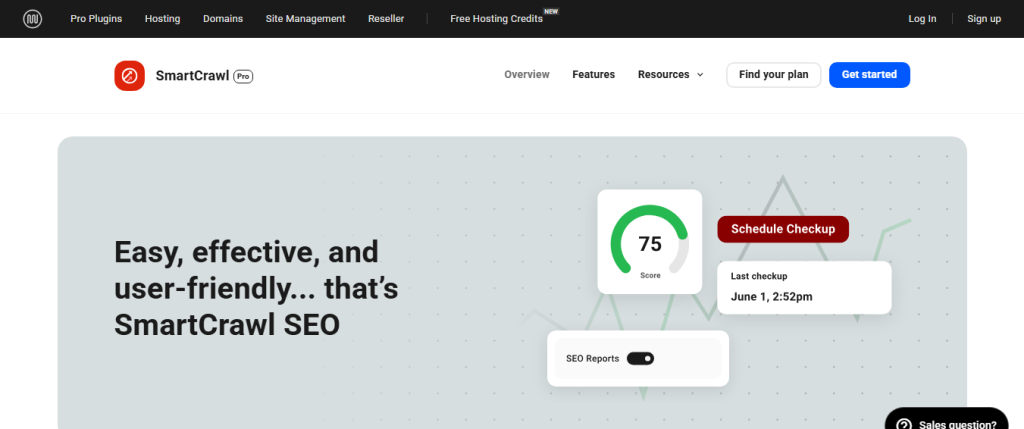
I have been using SmartCrawl for a while now, and it is one of the easiest yet most powerful SEO plugins I have tried. What I really like is that it requires almost no configuration; you can install it and start optimizing right away, which is perfect if you do not want to spend hours tweaking settings.
The real-time content analysis has been a game-changer for me. As I write, SmartCrawl gives instant suggestions to improve SEO, helping me make sure every post is optimized before publishing. I also love the automatic linking feature—it points out opportunities to link internally, which has made my site structure much stronger and easier for visitors to navigate.
Also Read: Beyond Blogging: Exploring the Multitude of WordPress Uses
10. Redirection
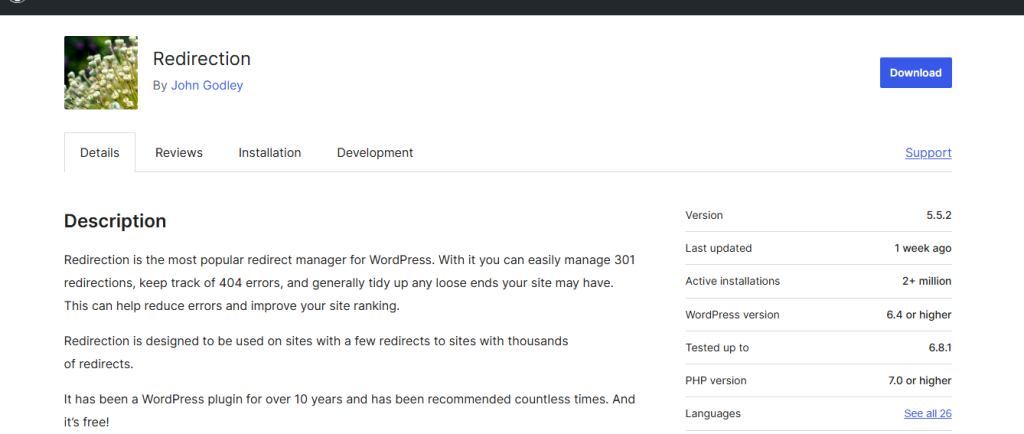
I have been using Redirection on my WordPress sites, and even though it is not a full SEO suite, it is one of the most essential plugins I rely on. For sites that frequently update or remove content like news websites, managing 301 redirects is critical to preserving SEO value, and this plugin makes it super easy.
I especially appreciate how it tracks 404 errors. Every broken link or misdirected page is logged, so I can quickly see where problems exist and fix them before they affect search rankings. It is simple, straightforward, and incredibly effective.
Even though it is lightweight and easy to use, Redirection has become a core part of my SEO workflow. If you want to maintain a healthy, search-friendly site structure without complicated setups, this plugin is a must-have.
Also Read: What Are WordPress Plugins? And How Do They Work?
11. Squirrely SEO

I have been using Squirrly SEO for a while, and what really stands out is how it combines SEO and content marketing tools in one plugin. The AI-powered assistant is a lifesaver; it gives real-time suggestions while I am writing, so I do not have to switch between multiple tools to optimize my articles.
The keyword research and competitor analysis features are incredibly useful too. They help me decide which topics to cover and ensure my articles are targeted for maximum reach. For editorial teams or bloggers who want a holistic SEO solution, Squirrly makes the entire content creation and optimization process seamless.
Also Read: Free And Premium Schema WordPress Themes
12. XML Sitemap & Google News
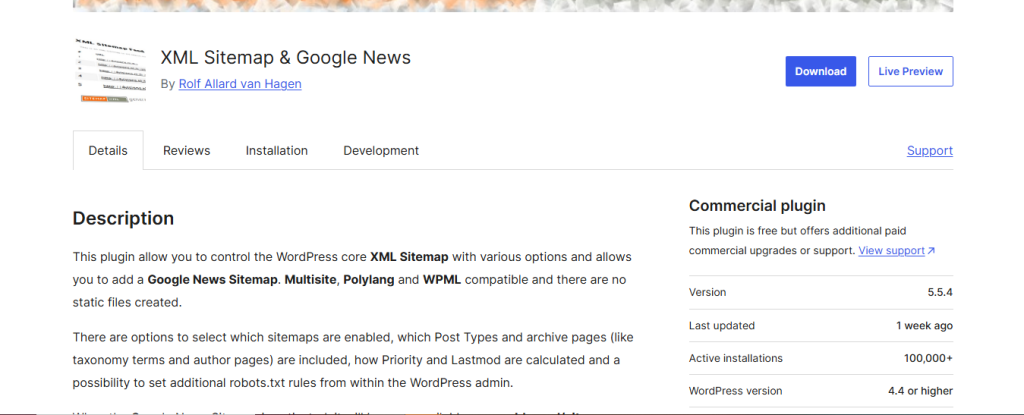
I have been using this plugin on my news sites, and what I love is that it is specifically designed for publishers. It allows me to generate both XML sitemaps and Google News-specific sitemaps, which ensures that my news stories are indexed quickly and follow Google’s guidelines.
Unlike generic sitemap tools, this plugin feels tailored to the needs of news publishers. It gives my content a real edge in getting discovered and ranking faster, which is crucial in the fast-paced world of news.
Overall, it has become an essential part of my workflow, making sure every story gets the visibility it deserves without extra effort.
Also Read: Best WordPress News Plugins
13. Broken Link Check
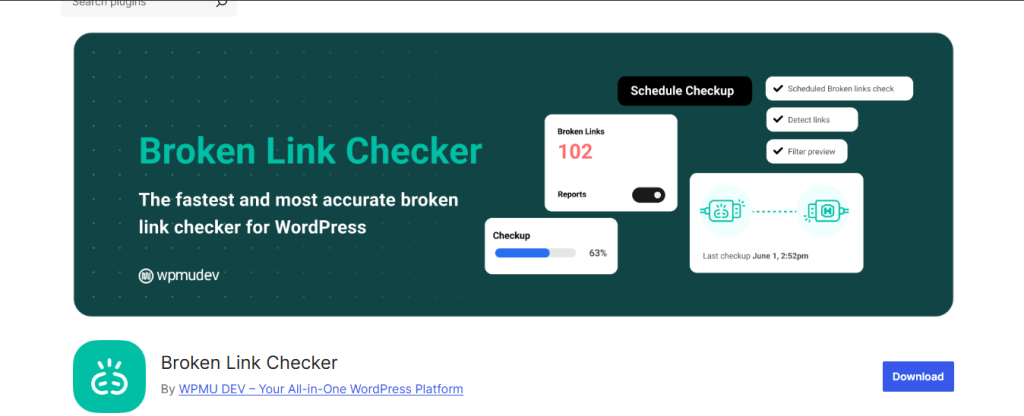
I have been using this plugin for a while, and I can confidently say it is a lifesaver for managing links. Links are the backbone of SEO, and this tool continuously scans my site for broken links and missing images. For news sites with large archives, it has been essential for keeping link equity intact and maintaining user trust.
What I really like is that editors can fix broken links directly from the WordPress dashboard. No need to dig through code or worry about downtime; it makes maintaining a large site much more manageable.
Overall, this plugin has become a critical part of my workflow, keeping both SEO and user experience in check without any extra hassle.
14. Auto optimize + Async JavaScript
Although not strictly SEO plugins, performance tools like Autoptimize and Async JavaScript enhance SEO by improving site speed, a crucial ranking factor. These plugins optimise scripts, CSS, and HTML, helping your news site load faster.
A fast site not only ranks better but also retains readers longer, particularly on mobile. These plugins are great companions to the Best SEO WordPress Plugins for News Sites.
Also Read: 10 Best WordPress Theme for News Websites
15. SEOKEY
I recently started using SEOKEY on my WordPress sites, and it has made SEO feel so much simpler. Before this plugin, I often struggled to manage meta titles, descriptions, and schema without juggling multiple tools. SEOKEY combines all the essentials in one neat, user-friendly package.
One of the first things I noticed was the setup wizard, which guided me through connecting Google Search Console, setting up sitemaps, and configuring meta information for my pages. It’s perfect for beginners but also flexible enough for advanced users who want more control.
Here’s what I found most useful while using SEOKEY:
On-Page SEO Optimization
The plugin analyzes each page and post, offering clear suggestions to improve meta titles, descriptions, and keyword usage. It made optimizing my content feel much less overwhelming.
Automatic SEO Recommendations
SEOKEY provides actionable insights and alerts for improving content, internal linking, and image optimization—so I can improve SEO without needing multiple plugins.
Sitemap & Indexing Tools
It automatically generates XML sitemaps and ensures proper indexing for search engines, saving me the hassle of manually setting up a sitemap.
Content Analysis & Score
Every post gets an SEO score along with tips for improvement. I especially liked having a quick overview of what’s working and what needs fixing.
Lightweight & User-Friendly
Despite its wide range of features, SEOKEY doesn’t slow down my site. The interface is clean and intuitive, making it easy to navigate.
16. Site SEO
I’ve been using SiteSEO on my WordPress sites for a while, and I have to say it’s a really straightforward SEO plugin that gets the job done. Unlike some plugins that overwhelm you with endless settings, SiteSEO keeps things simple while still covering all the basics for effective optimization.
One thing I immediately appreciated was how easy it was to set up. Within minutes, I could optimize meta titles, descriptions, and keywords for all my pages without having to dive into complicated configurations. It’s perfect if you want to get results without spending hours on setup.
Here’s what I found most useful while using SiteSEO:
On-Page Optimization Made Simple
I can quickly optimize meta titles, descriptions, and focus keywords for each post. The plugin gives clear guidance so that even beginners can follow best practices.
Automatic XML Sitemap Generation
Site SEO automatically creates an XML sitemap, which helps search engines index my content efficiently. No need for extra plugins.
Content Analysis & Recommendations
It provides helpful suggestions for improving keyword usage and content structure, which has really helped boost my SEO performance.
Lightweight & Fast
Despite its features, Site SEO doesn’t slow down my site. It runs quietly in the background while keeping my website optimized.
Beginner-Friendly Interface
Even if you’re new to SEO, the plugin is easy to navigate. I felt confident optimizing my pages without prior experience.
17. Slim SEO
I recently started using Slim SEO on my WordPress sites, and I have to say, it’s perfect for anyone who wants a lightweight, no-fuss SEO solution. Unlike some other plugins that are packed with tons of features and settings, Slim SEO keeps things simple while still covering all the essentials.
The setup was almost effortless. Once installed, it immediately started optimizing my site automatically. For someone like me who doesn’t want to spend hours tweaking SEO settings, this was a huge time-saver.
Here’s what I found most useful while using Slim SEO:
Automatic SEO Optimization
Slim SEO handles meta titles, descriptions, and Open Graph tags for social sharing automatically. This saved me a ton of time, especially when publishing multiple posts.
XML Sitemap Generation
It generates an XML sitemap automatically, helping search engines index my content without needing an additional plugin.
Lightweight & Fast
One of the biggest advantages is that it doesn’t slow down my site at all. It’s lightweight and runs quietly in the background.
Schema Markup
Slim SEO automatically adds structured data, which helps my content show up as rich results in search engines.
Beginner-Friendly
Even if you’re new to SEO, Slim SEO is easy to use. The interface is clean, and most features work right out of the box.
Frequently Asked Questions (FAQs)
Q1: Do I really need an SEO plugin if I already use WordPress?
Yes — while WordPress handles basic site functionality, SEO plugins add essential tools like metadata management, XML/News sitemaps, schema markup, redirection, and more. For news sites that publish frequently, these tools are especially helpful to make sure content is discoverable.
Q2: Can I use more than one SEO plugin together?
It’s generally not recommended to run multiple full-featured SEO plugins at the same time; doing so can cause conflicts or redundant tasks (like multiple sitemap generators, duplicate metadata, etc.). Better to pick one main SEO plugin and optionally a supporting tool if needed.
Q3: What features should a news site really care about when selecting an SEO plugin?
For news sites, important features include fast indexing (XML/Google News sitemaps), schema markup for articles, metadata control (titles, descriptions), redirection/404 management, performance optimization (so site stays fast), and optional tools like image SEO or bulk editing if you publish many articles.
Q4: Do free versions of SEO plugins work well for news sites or should I go for premium?
Many free versions offer strong basics (metadata, sitemaps, basic schema), which might suffice for small to medium sites. But for larger news operations with frequent publishing, premium versions or add-ons may offer extras like advanced schema, redirection manager, bulk tools, or better indexing that can save a lot of time and improve ranking chances.
Q5: What’s the difference between general SEO plugins and news-site-specific tools?
General SEO plugins help with on-page SEO, metadata, sitemaps, etc. News-site-specific tools focus on faster indexing (e.g. Google News sitemaps), article schema (author, publication date, structured data for news), and often features tailored for news workflows which help time-sensitive content show up quickly and correctly in search/news engines.
Q6: Is schema markup important for news sites?
Absolutely. Schema markup (structured data like article, author, date) helps search engines understand the content better. For news sites, this can make your stories eligible for rich results like Top Stories, which increases visibility and click-through rates.
Q7: How does redirection management help a news site?
News sites often update or remove articles. Redirection management (301 redirects, 404 tracking) ensures that old or changed URLs properly redirect to current content, preserving search equity, avoiding broken links, and keeping user experience smooth.
Q8: For a high-traffic site with many posts, which plugin features save the most time?
Bulk edit tools, automatic metadata/schema generation, image SEO support, broken link checkers, sitemap auto-generation — these help manage many posts at scale without manual work. Plugins with intuitive dashboards and automation are ideal for large archives.
Q9: Does using an SEO plugin guarantee high search rankings?
No plugin by itself guarantees top ranking. Plugins help by ensuring your technical SEO and on-page optimization are solid. Actual ranking depends on content quality, relevancy, backlinks, user experience, and many other factors. Using plugins makes it easier to meet SEO best practices, but success still depends on good content and strategy.
Q10: Should news sites also use performance (speed) plugins along with SEO plugins?
Definitely. Site speed affects SEO and user experience, especially important for news sites with heavy media or many readers. Combining SEO plugins with performance tools (caching, JS/CSS optimization) helps your site load faster and rank better.

Powering Your News Site Toward Search Dominance
The digital news landscape is fiercely competitive. Success depends not just on the content you create, but on how well it’s optimized, indexed, and discovered. With the 14 Best SEO WordPress Plugins for News Sites outlined above, your newsroom can stay agile, informed, and ahead of the curve.
Whether you’re an independent journalist or a global news platform, the right plugins can significantly improve your visibility, traffic, and engagement. Don’t let excellent reporting go unread. Invest in these powerful SEO tools and take control of your news site’s future.
Interesting Reads:
LearnDash Vs. LearnPress Vs. Tutor LMS Plugins Comparison
The Events Calendar Review | WordPress Event and Ticket Plugin
OptinMonster Vs Popup Maker Vs Elementor Pro: WordPress Popup Plugin
Optimize Your Website with the Best Plugin for SEO in WordPress
