

I’ve seen a lot of creators talking about Skool lately, so I decided to put together a fresh Skool Review to see whether the platform finally lives up to the momentum it’s getting. Over the past several weeks, I tested Skool again by setting up a full community, uploading course content, hosting live calls, exploring the gamification system, and using it exactly the way a real coach or creator would.
I used Skool when it first launched, and at the time, it felt limited. It was great for community building, but lacked essential features you’d need to run a complete education business. In 2026, the experience feels noticeably different. Skool is still simple and community-focused, but it’s now smoother, faster, and far more practical for creators who want a clean, easy space to bring their members together.
In this updated review, I’ll walk you through what has improved, what still needs work, and whether Skool is finally a strong contender for creators, coaches, and membership site owners. If you’re thinking about using Skool in 2026, this hands-on breakdown will help you understand where it shines, where it falls short, and whether it is the right platform for the kind of business you want to build.
Let’s dive in.

What Is Skool?
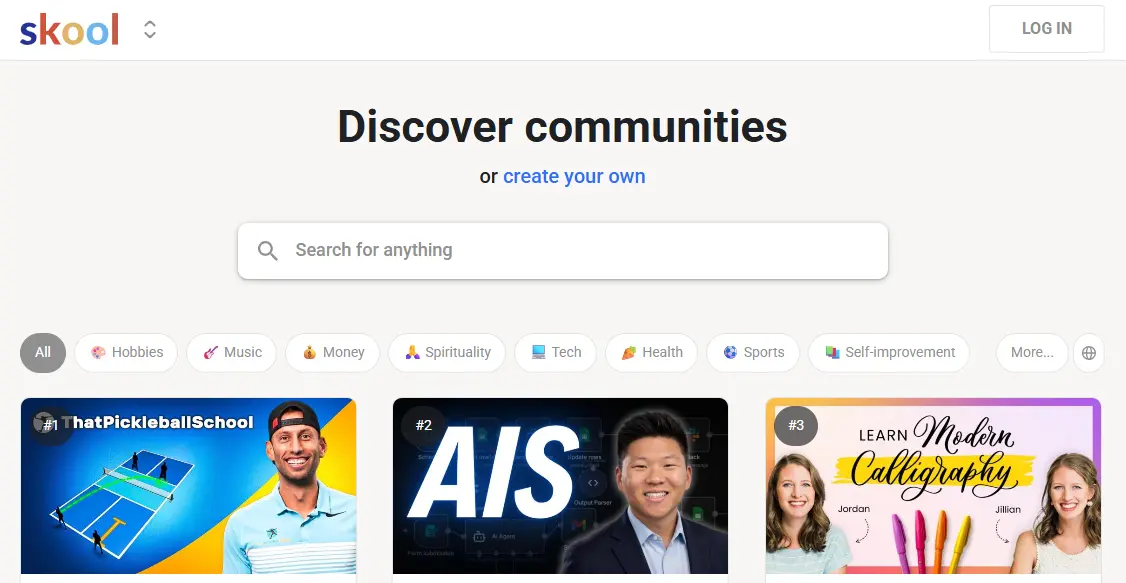
Skool is a community-based platform designed for creators, coaches, and membership site owners who want a simple place to bring their audience together. At its core, Skool replaces Facebook Groups with a cleaner, distraction-free community experience while adding a built-in course area, events calendar, and gamified engagement system.
Unlike more complex platforms that try to do everything, Skool focuses on three things:
- A community space where members can post, comment, and interact
- A classroom area for lessons and course content
- A calendar for hosting live calls and group events
Everything inside Skool is structured around engagement. The platform feels more like a social feed than a traditional learning portal, which makes it incredibly easy for members to participate and stay active. There are no ads, no confusing menus, and no clutter.
Skool is not an all-in-one business platform, and it is not trying to be. It does not include funnels, advanced email marketing, or website building. Its strength comes from simplicity, ease of use, and the sense of community it creates.
If your goal is to build an active membership community that feels alive and easy to manage, Skool gives you a streamlined environment built for exactly that.
What’s New in Skool in 2026
Skool has evolved a lot since its early versions. When it launched, the platform was simple but limited. It worked well for communities, but it lacked many features that course creators, coaches, and membership site owners needed to run a complete business.
In 2026, Skool feels more polished and more capable. The updates are not dramatic, but they make the platform smoother and more practical for everyday use. Here are the improvements that stood out the most during my testing.
1. A Cleaner, Faster Interface
The entire platform feels noticeably quicker. Page transitions are snappier, and the feed loads instantly. The UI is still simple, but now it feels more refined and stable.
2. Better Classroom Experience
The classroom section has improved in design and usability. Video playback feels smoother, and lesson navigation is more intuitive. Skool still keeps the classroom minimal, but it no longer feels too basic.
3. Skool Payments Enhancements
Skool Payments is more stable now, with a cleaner checkout process and improved reliability. Subscription handling is smoother, and it feels easier to manage members across free and paid groups.
4. Improved Mobile App
The mobile experience is significantly better. Notifications are more reliable, feed interactions feel natural, and content loads quickly. Members who prefer mobile can finally use Skool without friction.
5. Better Member Management Tools
Admins can now handle invites, approvals, and moderation tasks with less hassle. Search, filters, and profile management have all improved.
6. Subtle UI Tweaks Across the Platform
Small changes such as cleaner buttons, improved layouts, and better spacing collectively make the platform feel more modern.
7. More Stable Integrations via Zapier
Automation workflows are easier to build, and Zapier triggers run more reliably than before.
Skool is still intentionally simple, but in 2026, it feels more mature. The improvements make it easier to manage communities, deliver content, and keep members engaged without needing a large set of tools.
My Testing Process
To get a realistic understanding of how Skool performs in 2026, I used it the same way a real creator or coach would. Instead of clicking around the dashboard for a few minutes, I spent several weeks building a functioning community, uploading lessons, hosting events, and testing engagement features.
Here is exactly how I tested Skool.
1. Community Setup and Engagement
I created a new community, organized channels, and posted sample content to see how members would interact. I tested reactions, comments, tagging, search, and notifications to understand how active a real group might feel.
2. Classroom and Course Testing
I uploaded a sample course with multiple lessons, added videos, wrote text content, and checked how students progress through the material. I evaluated the lesson interface, ease of navigation, and the overall feel of the learning experience.
3. Gamification and Leaderboards
I tested points, rewards, and level progression to see how well Skool motivates members to participate. The leaderboard system is a major part of Skool’s identity, so I tested how quickly engagement increases when rewards are attached.
4. Calendar and Live Calls
I set up events, attached Zoom links, and tested reminders. I wanted to see how easy it is for members to join group calls and coaching sessions directly from Skool.
5. Mobile and Cross-Device Experience
I installed the mobile app and used Skool on both desktop and phone. Navigation, notifications, and content loading were key areas of focus, since many communities depend heavily on mobile engagement.
6. Payments and Membership Flow
I tested Skool Payments by setting up recurring subscriptions and checking how the checkout flow feels for new members. I also reviewed how Skool handles access levels and member management.
7. Integrations and Workflows
I connected Skool through Zapier and tested basic automations such as new member onboarding and email triggers. This helped me understand how Skool fits into a larger tech stack.
This testing process gave me a complete picture of what Skool does well, where it falls short, and how it compares to other community platforms in 2026.
Skool Features: A Complete Breakdown
Skool focuses on simplicity and engagement. It does not try to be an all-in-one business platform. Instead, it gives you a clean and distraction-free community space with a built-in classroom and event tools. Here is a full breakdown of each major feature based on my hands-on testing.
1. Community Spaces
The community area is the heart of Skool. It feels like a cleaner version of a Facebook Group without ads or noise.
What you get:
- Posts, comments, replies
- Reactions and GIF support
- Channel organization
- Pinned posts
- Simple moderation tools
- Profile pages for members
The feed is fast and easy to use. It encourages regular participation because it feels natural and familiar. If you want a community-first platform, this is where Skool shines the most.
2. Classroom (Course Builder)
Skool includes a simple classroom section where you can host lessons. The goal here is clarity and ease, not complexity.
What you can add:
- Video lessons
- Text content
- Downloads
- Modules and sections
There are no advanced quiz tools, assignments, or certification features. The classroom works well for coaching programs and simple course delivery, but it is not ideal for academic style or certification-based learning.
The student experience is clean and intuitive. Lessons load fast, and video playback is smooth.
3. Calendar and Events
Skool’s calendar is designed for group calls, live coaching, and Q&A sessions.
Key features:
- Scheduled live events
- Zoom link attachments
- Automatic reminders
- Easy member access
Events integrate naturally into the community workflow. Members can see upcoming calls at a glance and join without confusion.
4. Membership and Payments
Skool allows you to charge for community access using Skool Payments.
What you can do:
- Sell memberships
- Charge recurring subscriptions
- Manage paid and free groups
- Control access automatically
The checkout process is clean and simple. However, pricing options are limited, and Skool does not support multiple tiers or complex product bundles. It works best for creators with one main membership offer.
5. Gamification
Skool’s gamification system is one of its strongest features. It gives members points for posting, commenting, and participating.
Included tools:
- Points
- Levels
- Leaderboard
- Custom rewards
This system makes communities feel active. Members naturally compete, and engagement rises because the reward system is built into the platform.
6. Mobile Experience
The Skool mobile app has improved significantly. It is now fast, reliable, and easy to navigate.
What works well:
- Smooth scrolling
- Quick notifications
- Easy posting and commenting
- Seamless access to lessons and events
The mobile experience is important for community-based platforms, and Skool delivers here.
7. Integrations
Skool does not include advanced built-in integrations, but it works with:
- Zapier
- Webhooks
- Email tools
- CRM systems (with automations)
Skool is not designed to be a full marketing platform, so you will likely use external tools for funnels, email, and sales pages.
8. Admin Tools
Skool gives you straightforward admin controls.
Admin features:
- Member approvals
- Channel permissions
- Moderation tools
- Member search
- Basic analytics
It is not as detailed as Circle or Mighty Networks, but it is enough for most community managers.
What Skool Does Really Well
Skool succeeds because it focuses on one thing and does it extremely well: creating an active, engaging community. Instead of overwhelming you with tools, it keeps the platform simple and user-friendly. Here are the areas where Skool truly stands out.
1. Simplicity and Ease of Use
Skool is one of the easiest platforms to set up. You can create a community, add lessons, and invite members in minutes. There are no complex settings or confusing menus.
2. High Member Engagement
The social feed, fast interface, and gamification system make members more active. People naturally participate because Skool feels more like a social app than a learning platform.
3. Clean and Distraction-Free Design
There are no ads, no clutter, and no unnecessary features. Everything on the screen is focused on helping members interact and learn.
4. Powerful Gamification That Actually Works
Points, levels, and leaderboards encourage participation. Members enjoy engaging because they can see their progress and earn rewards.
5. Solid Mobile Experience
The Skool app is smooth, fast, and reliable. Mobile users can post, learn, and join calls without friction.
6. Perfect for Simple Communities and Membership Groups
If you run a coaching group, mastermind, or community-first membership, Skool gives you everything you need without needing multiple tools.
Where Skool Still Falls Short
Skool is intentionally simple, but that also means it has limitations that might not work for every creator or business model. Here are the areas where Skool may not be the best fit.
1. Limited Course Features
The classroom is basic. If you need quizzes, assignments, certificates, progress tracking, or detailed analytics, Skool will not meet those needs.
2. No Website Builder or Funnels
Skool does not include landing pages, funnels, or a website builder. You will need third-party tools like ClickFunnels, Kajabi, or Leadpages.
3. Limited Customization
You cannot customize the design deeply. Most of the platform looks the same across all communities, which may not fit brands that need full control.
4. No Built-In Email Marketing
Skool cannot send automated email sequences or newsletters. You must connect external tools through Zapier.
5. No Multiple Pricing Tiers
Skool supports only one main membership offer per group. If you need tiered access, bundles, or multiple pricing levels, you will need to use another platform.
6. Not Ideal for Course-Heavy Businesses
If you build structured courses, certification programs, or multi-module training systems, Skool is too limited. It is designed for community-first creators, not full LMS needs.
Skool Pricing (2026)
Skool keeps its pricing extremely simple. There is only one main plan, and everything is included. No tiers, no upgrades, and no hidden add-ons.
Skool Pricing
-
$99 per month
-
Includes:
-
One community
-
Classroom for courses
-
Calendar and events
-
Gamification
-
Skool Payments
-
Unlimited members
-
Unlimited content
-
For most creators, the predictability of Skool’s pricing is a major advantage. You never have to worry about outgrowing a plan or paying extra for features.
Skool Payments Fees
If you use Skool Payments, there are standard processing fees similar to Stripe. Skool does not add extra platform fees on top of that, which keeps revenue easy to manage.
Is Skool Worth the Price?
If your business revolves around community engagement, group coaching, or simple course delivery, the $99 per month price is a great value. You get a clean platform that keeps members active and reduces your need for extra tools.
If you need advanced course tools, email marketing, or funnels, then Skool may feel expensive because you will need additional platforms to fill those gaps.
Overall, Skool’s pricing works best for community-first creators who want simplicity and engagement without complexity.
Skool vs Alternatives
Skool sits in a unique spot in the creator platform world. It is not trying to replace full course platforms or marketing suites. Instead, it competes most directly with other community platforms. Here is how Skool compares to the top alternatives in 2026.
Skool vs Circle
Circle is better for:
- Multi-level communities
- Branded experiences
- Courses with quizzes
- Complex community structures
- Multiple products or spaces
Skool is better for:
- Simple, high-engagement communities
- Coaching groups
- Creators who want fewer features and no complexity
Verdict: Circle is more flexible and more powerful. Skool is simpler and more fun for members. Choose Circle for structure. Choose Skool for engagement.
Skool vs Mighty Networks
Mighty Networks is better for:
- Community plus courses plus memberships in one place
- Cohorts and live programs
- Branded experiences
- More customization options
Skool is better for:
- Ease of use
- Clean, fast user interface
- Strong gamification
- Lower learning curve
Verdict: Mighty Networks is more feature-rich. Skool offers a much smoother experience for beginners and members.
Skool vs Kajabi
Kajabi is better for:
- Full business setup
- Courses with assessments
- Email marketing and automations
- Funnels, checkout pages, and websites
Skool is better for:
- Community-driven memberships
- Simple coaching groups
- High engagement without complexity
Verdict: Kajabi is an all-in-one platform for course businesses. Skool is a community engine. They serve completely different use cases.
Skool vs Discord
Discord is better for:
- Real-time chat
- Large free communities
- Younger demographics and gaming communities
Skool is better for:
- Structured learning
- Organized discussions
- Paid communities
- Cleaner user experience
Verdict: Discord is a chat platform. Skool is a community plus courses platform, and Skool wins for paid groups and professional communities.
Skool vs Facebook Groups
Facebook Groups is better for:
- Free organic reach
- Quick audience building
- Familiar interface
Skool is better for:
- No ads
- No distractions
- Better organization
- Professional communities
- Paid memberships
Verdict: Facebook Groups is free but noisy. Skool is paid, but focused and serious.
Who Should Use Skool
Skool is an excellent choice for creators and entrepreneurs who want a simple, clean, and highly engaging home for their community. It shines when the goal is to build connection, conversation, and participation without managing a complex tech stack. Based on my testing, here are the people who will benefit most from Skool.
1. Coaches and Mentors Running Group Programs
If you host weekly calls, run group coaching sessions, or guide cohorts, Skool makes everything easy. The community feed, event calendar, and classroom flow perfectly together in coaching-based businesses.
2. Creators Who Want a Community First Membership
Skool works best when the community is the product. If you want members to engage, share wins, ask questions, and support each other, Skool’s feed and gamification tools create that environment naturally.
3. Entrepreneurs Who Want Less Tech Overhead
If you do not want to manage multiple tools for your community, courses, and events, Skool keeps everything simple. You can launch quickly without learning complicated settings.
4. Mastermind Groups and High Ticket Communities
Skool gives premium communities a clean, distraction-free environment that feels exclusive. The leaderboard and rewards also help drive participation in more serious groups.
5. Creators Who Prioritize Engagement Over Features
If your main goal is to keep people active, motivated, and involved, Skool stands out. It does not overwhelm members and creates a space where participation feels natural.
6. First Time Community Builders
If you are building your very first community, Skool is one of the easiest platforms to understand. There is no steep learning curve, and members adapt quickly.

Making the Smart Choice for Your Community
Skool has matured into a focused, reliable platform that does exactly what community-driven creators need. It keeps things simple, removes distractions, and gives your members a place where they can connect, learn, and stay engaged. After testing it extensively, I can say that Skool’s biggest strength is how naturally it encourages participation. Members show up, contribute, and stay active without you having to push them.
That said, Skool is not a full business system. If your workflow requires advanced learning tools, deep customization, or built-in email marketing and funnels, you will quickly feel the limitations. But if your business thrives on community-first experiences, group coaching, or membership-based interactions, Skool delivers one of the smoothest and most enjoyable environments available in 2026.
The smart choice comes down to your goals. If you want an engaged community without managing a complex tech stack, Skool is a strong and reliable option. If you need more advanced features, you may need to pair it with other tools or choose a more complete platform. Either way, Skool gives you a simple foundation to build a community that actually comes alive.
FAQs
1. Is Skool good for building online courses?
Skool works for simple video-based courses, but it is not ideal for structured programs that need quizzes, assignments, certificates, or detailed progress tracking. It is community first, not a full LMS.
2. Can I run a paid membership on Skool?
Yes. You can sell a membership using Skool Payments and charge recurring subscriptions. However, Skool only supports one main pricing level per community.
3. Does Skool replace platforms like Kajabi or Thinkific?
Not fully. Kajabi and Thinkific provide advanced course tools, website builders, and email marketing. Skool is better for engagement and community-driven programs.
4. Is Skool easy for beginners to use?
Very easy. Skool has a simple interface, a fast learning curve, and minimal setup. Both creators and members adapt quickly.
5. Does Skool support multiple communities?
Each account gives you one main community. You can create additional communities by upgrading or adding new subscriptions.
6. Does Skool integrate with email marketing tools?
Yes, through Zapier and webhooks. There is no built-in email marketing, so you will need tools like ConvertKit, MailerLite, or ActiveCampaign.
Interesting Reads:
Thinkific vs Kajabi: My Hands-On Review After Using Both Platforms
