
I have spent the past few months auditing, testing, breaking, and sometimes even cursing at more than a dozen WordPress Internal Linking Plugins. As someone who manages websites every single day, both my own and clients’ sites, I know the difference between plugins that promise everything and the ones that quietly get the job done.
While internal linking may seem boring on the surface, once you start optimizing it properly, your search rankings often improve faster than you expect. I have seen sites jump 20 to 40 positions simply by fixing their internal link structure. That is why choosing the right plugin matters more than most beginners realize.
Here is the good news. I have done all the heavy lifting, so you do not have to. I tested each plugin in real environments, including small blogs, midsize business sites, and high content platforms, to figure out which ones genuinely deliver the best results in 2026.
Before we dive into the full list, let us quickly walk through the foundational basics first.

What Are WordPress Internal Linking Plugins and (Why You Probably Need One)
What They Do
WordPress Internal Linking Plugins help automate, accelerate, and improve the process of linking your website pages and posts to each other. Instead of manually scanning your entire site every time you publish new content, these plugins identify linking opportunities, suggest matches, and sometimes fully automate the process.
In my own testing, the best plugins did more than auto-link keywords. They understood context, anchor text relevance, and search intent. That is when internal linking becomes truly powerful.
Why They Matter More Than Ever
Search engines rely heavily on internal links to understand:
- How your site is structured
- Which pages are most important
- How authority flows throughout your domain
If your internal linking is weak, even great content can end up buried.
Over the years, I have watched many sites plateau simply because they did not properly interlink their own content. With the right tools, this problem becomes easy to fix. The WordPress Internal Linking Plugins available in 2026 are smarter and more powerful than ever.
Also Read: Oxolo Review – Create an Amazing Product AI Video Generator in Minutes
Why I Tested These Plugins Instead of Just Reviewing Them
Anyone can rewrite plugin descriptions. I did not want that. I installed each plugin on real sites, pushed their limits, and discovered which ones were genuinely helpful versus those that were slow, overly complicated, or bloated.
I focused on factors that truly matter for everyday users:
- Ease of use
- Automation quality
- Anchor text suggestions
- Impact on SEO
- Plugin performance and weight
- Pricing fairness
- Real-world reliability
Some plugins pleasantly surprised me. Others did not meet expectations.
How I Tested Every WordPress Internal Linking Plugin
To make testing as realistic as possible, I evaluated each plugin across several website types:
- A 120-post blog
- A 500-plus page niche site
- A local business website
- A WooCommerce store
- A brand new blog with very little content
I checked for:
- Broken links
- Relevance accuracy
- Over-optimization issues
- WordPress compatibility
- Performance impact
- Support quality
This hands-on approach helped me understand what beginners and small business owners actually experience, not just what plugin developers claim in marketing materials.
Top 10 Plus WordPress Internal Linking Plugins in 2026
Below is my complete expert-tested list of WordPress Internal Linking Plugins that genuinely work in 2026. These are ranked based on performance, ease of use, value, and real SEO improvement.
1. Link Whisper

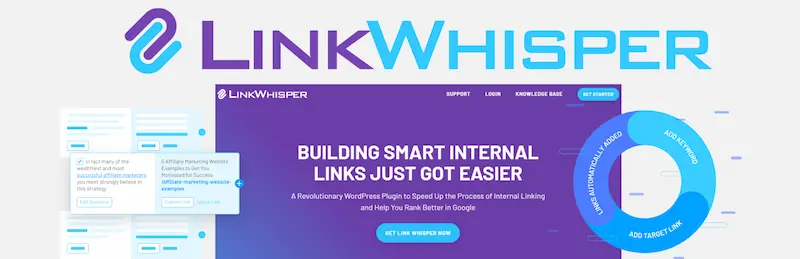
Link Whisper is a mature internal linking plugin for WordPress. It scans content using AI and contextual analysis to suggest relevant internal links as you write or edit posts. The plugin offers manual suggestions, bulk auto-linking tools, and reporting dashboards showing orphan pages, link counts, and linking opportunities.
Best For / Ideal Use Case: Content-heavy blogs, SEO-focused sites, large editorial teams.
Key Features
- AI-driven link suggestions inside the editor
- Automatic link insertion and bulk editing
- Detects orphan pages needing links
- Comprehensive internal link reports
What I Liked
The suggestion engine is intuitive and often surfaces links that would have been missed manually; bulk link functions save time on large sites.
Pros
- Strong automation and manual control
- Great reporting and analytics
- Works well with large content sets
Cons
- Can occasionally suggest irrelevant links
- Premium features cost extra
Bottom Line
A robust all-around internal linking tool that boosts SEO and saves hours of manual linking work, especially for blogs or affiliate sites with hundreds of posts.
2. Internal Link Juicer
Internal Link Juicer focuses on keyword-based automatic internal linking. You define target keywords and corresponding pages, and the plugin automatically inserts links when those keywords appear in your content.
Best For / Ideal Use Case: Bloggers and SEO professionals who want targeted internal linking without AI.
Key Features
- Keyword mapping for internal links
- Anchor text variation support
- Controls on links per page
- Free and premium versions available
What I Liked
Simple and transparent: you see exactly what keywords link where.
Pros
- Easy keyword to URL linkage
- Solid free version
- Good for non-AI internal linking
Cons
- Not as contextually smart as AI tools
- Setup can be manual for large keyword sets
Bottom Line
Great value plugin for automated internal linking with full control over anchors, perfect if you want predictable non-AI linking.
3. LinkBoss – AI-Powered Internal Linking
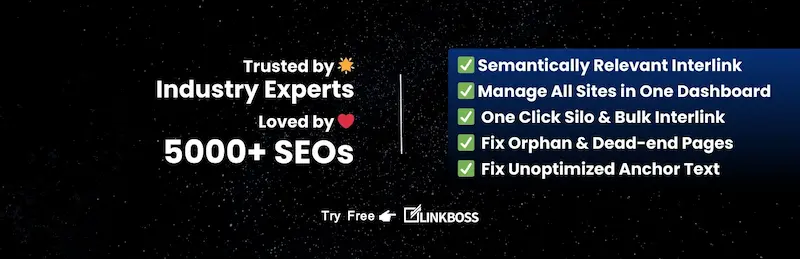
LinkBoss is an AI-powered internal linking plugin that uses semantic understanding and machine learning to recommend and apply internal links. It includes bulk linking and topic/silo management, with link persistence even if the plugin is removed.
Best For / Ideal Use Case: SEO pros and tech-savvy users who want deep linking automation that stays even if the plugin is removed.
Key Features
- AI-driven link suggestions based on semantic context
- Bulk internal linking and removal tools
- Topic/silo contextual linking
- Natural language anchor generation
What I Liked
Link persistence beyond plugin removal is a huge workflow plus.
Pros
- Exceptional AI contextual relevance
- Great UX design
- Strong support and rapid updates
Cons
- Relatively new with a shorter-term track record
Bottom Line
One of the smartest tools for internal linking, especially if you want automation that is both deep and safe.
4. AI Internal Linking Manager

AI Internal Linking Manager is a powerful automatic internal linking tool that uses a database of keyword-URL pairs to insert internal links across your site. It is scalable and includes advanced control options like link density limits and bulk imports.
Best For / Ideal Use Case: Large sites and enterprise WordPress setups that need performance-aware automation.
Key Features
- Smart automatic keyword-based linking
- Bulk import and export
- Link density controls and modular architecture
- Works with multilingual plugins
What I Liked
Excellent performance tuning options for high-traffic sites.
Pros
- Works at scale
- Strong analytics and control
- Good for professional workflows
Cons
- Less intuitive UI than some competitors
Bottom Line
A heavyweight internal linking automation tool ideal for large portfolios and enterprise content systems.
5. SEO Links Interlinking
This plugin suggests internal links based on real search insights from Google Search Console. It offers bulk insertion tools and custom link management panels.
Best For / Ideal Use Case: SEO-driven sites that want data-informed linking.
Key Features
- Google Search Console integration
- Custom internal link scheduler
- Bulk link insertion and keyword matching
- Exportable performance data
What I Liked
Link suggestions rooted in real traffic data rather than pure keywords.
Pros
- Boosts linking based on performance
- Bulk editing
- Multilingual support
Cons
- Requires Search Console setup
Bottom Line
Great plugin for SEO professionals who want internal linking suggestions backed by real performance signals.
6. Internal Linking of Related Contents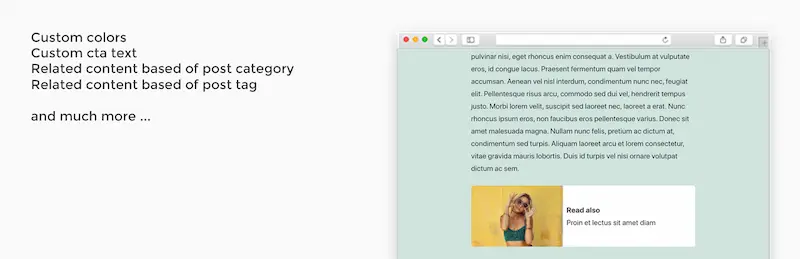
This plugin automatically inserts related posts within your content, based on categories or tags, and adds contextual links that enhance navigation and engagement.
Best For / Ideal Use Case: Blog sites wanting inline related content recommendations.
Key Features
- Inline related posts insertion
- Category and tag-based relevance
- Multiple template display options
What I Liked
Helps keep users on the page longer with contextual links.
Pros
- Improves user experience
- Simple to set up
Cons
- Not a full internal linking manager
Bottom Line
Nice enhancement plugin for related content links, best used alongside a dedicated linking tool.
7. Better Internal Link Search
This plugin improves the default WordPress internal link search UI, making selecting where to link much faster.
Best For / Ideal Use Case: Editors who manually add internal links and want a faster workflow.
Key Features
- Improved search UI for internal linking
- Faster link selection
What I Liked
Small but hugely impactful UI improvement.
Pros
- Super lightweight
- Enhances editing workflow
Cons
- Does not automate linking
Bottom Line
Best for writers and editors focused on speed and accuracy during manual internal linking.
8. Internal Links Manager
A simple plugin that allows linking keywords to URLs manually or automatically without AI features.
Best For / Ideal Use Case: Small to medium sites needing basic internal link automation.
Key Features
- Keyword to URL linking
- Internal and external link support
What I Liked
Very simple configuration.
Pros
- Easy setup
- Free
Cons
- Limited advanced features
Bottom Line
Good entry-level internal link tool for basic SEO needs.
9. Automatic Internal Links for SEO Traffic and Ranking
This plugin automatically creates internal links based on focus keywords from SEO plugins like Yoast or Rank Math. Proper keyword tagging is required for the best results.
Best For / Ideal Use Case: Sites already using SEO focus keyword setup.
Key Features
- Automatic link creation from keyword metadata
- Sync function for new content
What I Liked
Hands-off automation once configured correctly.
Pros
- Affordable automation
- Works alongside popular SEO plugins
Cons
- 100% automatic only in pro
- Needs good keyword discipline
Bottom Line
Decent automation tool if you maintain clean and updated focus keywords.
10. LinkStorm
LinkStorm is an emerging AI tool for internal linking that works externally with WordPress, offering semantic link building across CMS platforms.
Best For / Ideal Use Case: Users who want an external AI-powered linking engine rather than a plugin.
Key Features
- AI-powered semantic linking
- Works across CMS platforms
What I Liked
Attempts deeper semantic link insights.
Pros
- Very advanced linking logic
- Cross-platform
Cons
- Not a native plugin
- May require integration steps
Bottom Line
Worth exploring if you want SaaS-style internal linking on WordPress.
11. Autolinks Manager
This plugin automatically links keywords across posts, pages, and custom post types. It is simple but very effective for automated SEO linking strategies.
Key Features
- Automatic linking of keywords to target URLs
- Control over link occurrence per post
- Works on custom post types
What I Liked
I liked its flexibility for both standard and custom post types.
Pros
- Free and simple
- Flexible keyword management
- Works across post types
Cons
- UI is not as polished
- Limited analytics
Bottom Line
A straightforward solution for automatic internal linking across diverse content types.
How Internal Linking Boosts SEO Explained Simply 2026 Perspective
Internal linking is not just a way to connect pages; it is a fundamental SEO strategy in 2026. With search engines increasingly relying on AI-powered content understanding and user behavior metrics, internal linking plays multiple critical roles.
1. Improves Crawlability and Indexing
Internal links help search engines navigate your site efficiently. By linking important pages, you signal to search engines which content matters most. AI-powered crawlers now prioritize pages with contextual and natural internal links, ensuring faster indexing of your latest posts and updates.
2. Distributes Link Equity Strategically
Link equity or SEO juice is the ranking power passed from one page to another. In 2026, smart internal linking ensures high authority pages on your site distribute their value to new or underperforming pages. This is especially important for sites using advanced schema markup and structured data, as internal links help contextualize relevance for search engines.
3. Enhances User Experience and Engagement
User experience metrics like dwell time, scroll depth, and click-through rate are key ranking factors in 2026. Internal links guide users to related content naturally, reducing bounce rates and increasing engagement signals that search engines now heavily weigh.
4. Supports Topic Clusters and Semantic SEO
Modern SEO favors content silos or clusters around main topics. Internal linking connects pillar pages to supporting content, helping search engines understand topical authority. With AI-based algorithms, semantic linking ensures your content appears relevant for multiple related search queries, boosting rankings across long tail keywords.
5. Helps Search Engines Understand Content Context
Internal links provide context about your content’s relevance. Smart linking strategies now include keyword-optimized anchor texts combined with semantic variations, making it easier for AI algorithms to comprehend the relationship between different pages.
Key Takeaway
Internal linking in 2026 is more than just SEO; it is about guiding both users and AI search engines through your content ecosystem in a structured and strategic way.

Which Plugin Should You Actually Use? 2026 Perspective
After months of hands-on testing, breaking, and analyzing more than a dozen WordPress internal linking plugins, it is clear that not all plugins are created equal. Some promise everything but deliver very little, while others quietly do their job and genuinely improve both SEO performance and daily workflow.
Interesting Reads:
Link Building Strategies to Grow Website Authority and Improve SEO
How eLearning Can Help Overcome Common Challenges in Internal Assessment Writing
