

Global eCommerce is booming, and online marketplaces are leading the charge. According to Statista, marketplace sales are projected to hit $8.8 trillion by 2025, contributing more than 65% of total online retail sales. Entrepreneurs and small businesses are increasingly turning to WordPress and WooCommerce to build scalable multivendor platforms that compete with giants like Amazon and Etsy. In this Dokan Review, we’ll examine why Dokan has become one of the most trusted solutions for creating marketplaces, how it works, and whether it remains the best choice for 2025.
Dokan has already empowered thousands of marketplace owners across industries, from digital goods and subscription-based platforms to physical product stores and niche communities. Its appeal lies in offering both simplicity for beginners and flexibility for advanced users. With features like vendor dashboards, commission management, shipping control, and WooCommerce compatibility, it promises a seamless way to run a multivendor store without custom development.
In this comprehensive Dokan Review, we’ll explore what makes it stand out, compare it with top alternatives, and highlight its strengths and weaknesses. By the end, you’ll know if Dokan is still the right WordPress plugin to build and scale your marketplace in 2025.

What is Dokan?
Dokan is a WordPress multivendor marketplace plugin that allows you to transform a regular WooCommerce store into a fully functional, Amazon-like platform where multiple vendors can sell products under one roof. Developed by weDevs, it is one of the most widely used solutions for entrepreneurs who want to build scalable online marketplaces without hiring a development team or investing in custom-coded platforms.
At its core, Dokan works as an extension of WooCommerce, giving vendors their own dashboards to manage products, orders, and earnings while allowing the admin to set commission structures and oversee the entire marketplace. This vendor independence makes it easy for sellers to operate their stores while maintaining centralized control.
Over the years, Dokan has evolved significantly. In 2025, it supports not only physical and digital products but also subscriptions, bookings, auctions, and even service-based offerings. This versatility makes it an ideal solution for a wide range of industries, from e-commerce fashion stores and digital download platforms to online service marketplaces.
Why Choose Dokan for Your WordPress Marketplace?
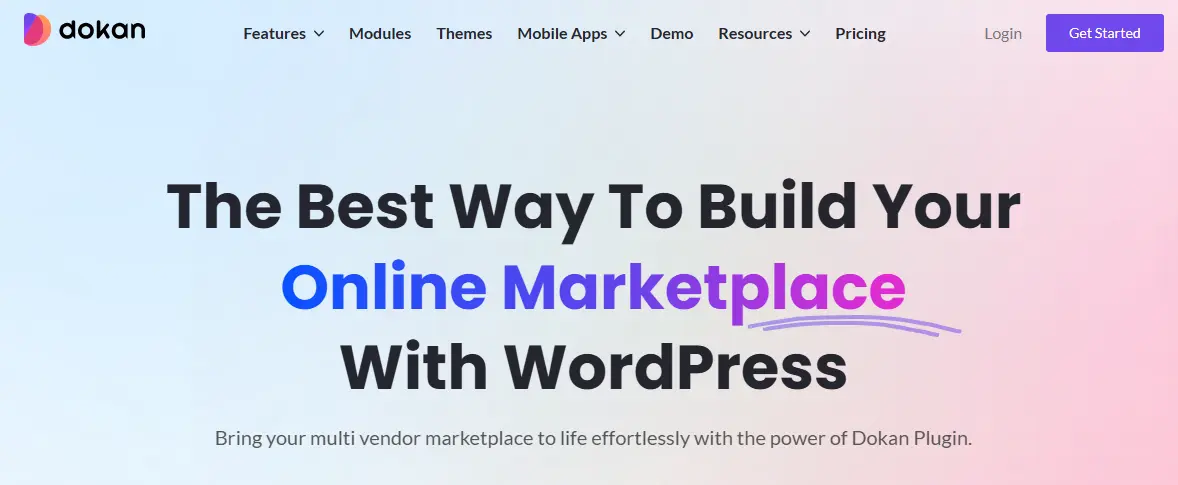
Building a successful online marketplace requires more than just listing products. It demands a system that balances vendor flexibility, customer experience, and admin control. This is where Dokan stands out as one of the most reliable solutions for WordPress users.
One of the main reasons entrepreneurs choose Dokan is its seamless integration with WooCommerce, the world’s most popular eCommerce platform. Since many business owners are already familiar with WooCommerce, adding Dokan feels like a natural extension rather than a steep learning curve. Vendors gain individual dashboards to manage their own stores, while admins retain the ability to monitor activity, approve products, and set commission rates.
Another reason lies in Dokan’s scalability. Whether you’re starting a niche marketplace with a handful of vendors or aiming to build a large multi-category store with thousands of sellers, Dokan grows with your business. Its wide range of add-ons covering features like subscriptions, auctions, booking systems, and product advertising ensures you can expand functionality as your marketplace evolves.
Moreover, Dokan offers strong community support and regular updates, which makes it a safer long-term investment compared to plugins with limited development activity. For many marketplace owners in 2025, these advantages make Dokan the first choice for WordPress-based marketplaces.
Key Features of Dokan in 2025
A marketplace plugin’s true value lies in the features it offers, and Dokan continues to stand out as one of the most feature-rich multivendor solutions for WordPress. In 2025, it has expanded its toolkit to meet the evolving demands of both vendors and customers. Let’s break down the key features that make Dokan a leading choice for marketplace owners.
1. Vendor Management System
Dokan’s vendor management is at the heart of its appeal. Each vendor receives their own front-end dashboard where they can upload products, track inventory, process orders, and monitor earnings. This independence allows sellers to run their businesses smoothly without admin intervention, while the admin maintains oversight through centralized controls.
2. Diverse Product Types
Marketplaces are no longer limited to physical goods. Dokan supports digital downloads, subscriptions, bookings, auctions, and even service-based products. This versatility enables marketplace owners to serve multiple industries, whether it’s fashion, education, travel, or digital media. For example, an online tutor can offer bookings, while a creator can sell eBooks or software.
3. Commission and Earnings Control
Admins can define flexible commission structures based on percentages or flat fees. You can apply global commission rules across all vendors or customize them for specific sellers. Vendors can also view detailed earnings reports, ensuring transparency and trust in marketplace operations.
4. Payment Gateway Integration
Dokan integrates with all major WooCommerce-compatible payment gateways, including PayPal, Stripe, Razorpay, Authorize.Net, and more. It also supports split payments, so commissions and vendor earnings can be distributed automatically, reducing manual work for admins.
5. Shipping and Tax Management
Vendors can configure their own shipping rates and tax rules, giving them autonomy to manage logistics according to their business needs. Marketplace admins, however, retain the ability to set defaults and ensure compliance with regional requirements.
6. Customizable Vendor Storefronts
Each vendor gets a dedicated store page with their own branding, product listings, and customer reviews. This helps build trust and provides a personalized shopping experience. The design is mobile-friendly and compatible with popular WordPress themes, including marketplace-focused themes like Reign and BuddyX Pro.
7. Advanced Reporting and Analytics
Dokan provides robust analytics for both vendors and admins. Vendors can access sales reports, product performance insights, and customer behavior data, while admins receive high-level overviews of marketplace growth and revenue. This data-driven approach supports better decision-making.
8. Multilingual and Multi-Currency Support
With global commerce on the rise, Dokan integrates with plugins like WPML and WooCommerce Multilingual, allowing vendors to sell in different languages and currencies. This ensures your marketplace appeals to a broader international audience.
9. Add-ons for Enhanced Functionality
Dokan’s ecosystem of premium add-ons expands its core functionality. Popular extensions include Vendor Subscriptions, Live Chat, Product Advertising, Seller Verification, and Wholesale Management. These tools give marketplace owners the ability to tailor their platforms to niche business models.
Dokan Pricing in 2025
One of the biggest considerations when choosing a multivendor plugin is pricing, and Dokan offers flexible options to suit different business needs. The plugin has a free version, which is available on the WordPress repository. This version provides essential features like vendor registration, front-end dashboards, and basic product management, making it ideal for startups that want to test the waters before scaling.
For advanced features, Dokan provides four premium plans:
- Starter Plan – Around $149 per year, includes commission settings, social login, and improved vendor management tools.
- Professional Plan – Priced at about $249 per year, adds features like vendor reviews, shipping management, and more payment options.
- Business Plan – At $499 per year, it includes booking, subscription, auction support, and additional advanced modules for growing marketplaces.
- Enterprise Plan – Priced at $999 per year, designed for large-scale marketplaces with priority support and premium add-ons included.
When compared to competitors like WCFM Marketplace or WC Vendors, Dokan’s pricing may seem higher. However, its robust feature set, reliable support, and scalability make it a worthwhile investment for serious marketplace owners. For many, Dokan’s premium plans provide the long-term stability needed to grow and manage a thriving marketplace.
How to Get Started with Dokan (Step-by-Step Guide)
Launching your own multivendor marketplace with Dokan doesn’t require deep technical skills. If you’re familiar with WordPress and WooCommerce, you can set up a fully functional marketplace in just a few steps. Here’s how to get started:
Step 1: Set Up WordPress and WooCommerce
Before installing Dokan, you’ll need a working WordPress website and the WooCommerce plugin. WooCommerce acts as the backbone, while Dokan adds the multivendor functionality. Make sure you have reliable hosting and a domain name in place.
Step 2: Install and Activate Dokan
- Go to your WordPress dashboard and navigate to Plugins, then Add New.
- Search for Dokan and install the free version.
- Activate it and run the setup wizard, which helps you configure essential settings like vendor permissions, commission rates, and marketplace basics.
Step 3: Configure Marketplace Settings
Dokan allows you to customize the marketplace according to your business model. You can:
- Define global commission rates.
- Decide whether vendors can publish products directly or require admin approval.
- Enable or disable vendor withdrawals, shipping, and tax controls.
Step 4: Enable Vendor Registration
Open vendor registration so sellers can join your platform. Each vendor receives a front-end dashboard where they can upload products, manage orders, and customize their storefront without accessing your WordPress backend.
Step 5: Add Products and Categories
Create initial product categories to structure your marketplace. Vendors can then add their own products under these categories. Dokan supports physical goods, digital products, subscriptions, bookings, and auctions, so you can tailor offerings to your niche.
Step 6: Set Up Payments and Withdrawals
Integrate payment gateways such as PayPal, Stripe, or Razorpay. Configure commission distribution rules so that vendor payouts are automated. You can also set withdrawal limits and methods for better financial control.
Step 7: Launch and Test Your Marketplace
Before going live, test the workflow from a customer’s perspective. Browse products, place an order, and check the checkout process. Also, test vendor actions like product uploads and withdrawals to ensure smooth operations.
Once you’re satisfied, announce your marketplace to your target audience and start onboarding vendors.
Advantages of Using Dokan
Dokan has earned its reputation as one of the most trusted WordPress multivendor marketplace plugins, thanks to its wide range of benefits:
- Beginner-Friendly Setup: With its installation wizard and intuitive interface, even non-technical users can set up a marketplace quickly.
- Seamless WooCommerce Integration: Since it builds on WooCommerce, it’s easy to extend functionality with thousands of available add-ons.
- Vendor Independence: Vendors get a dedicated front-end dashboard to manage their products, orders, and earnings without backend access.
- Multiple Product Types Supported: From physical and digital goods to bookings, subscriptions, and auctions, Dokan caters to diverse business models.
- Flexible Commission System: Admins can set percentage-based or flat commissions for vendors, with the option to apply global or vendor-specific rules.
- Scalable and Customizable: Suitable for both small startups and large-scale marketplaces with thousands of vendors.
- Strong Community and Support: Backed by weDevs, Dokan receives frequent updates, reliable customer support, and an active community.
Limitations of Dokan
While Dokan is powerful, there are a few drawbacks to consider before investing:
- Premium Features Come at a Cost: The free version is limited, and many advanced features require premium add-ons.
- Learning Curve for Advanced Settings: Beginners may find it challenging to configure complex features like subscriptions, auctions, or bookings.
- Dependence on WooCommerce: Since Dokan relies heavily on WooCommerce, you may need additional plugins for certain advanced eCommerce functions.
- Performance on Large Marketplaces: Very large marketplaces with thousands of products and vendors may require optimized hosting to maintain speed and stability.
Dokan vs Alternatives
When choosing a WordPress multivendor marketplace plugin, it’s important to compare Dokan with its closest competitors. While Dokan remains one of the most popular choices, other plugins like WCFM Marketplace and WC Vendors, as well as non-WordPress platforms like Shopify marketplace apps, also compete for attention.
Dokan vs WCFM Marketplace
Ease of Use: Dokan offers a simpler onboarding process with a setup wizard, while WCFM provides more customization but can feel overwhelming for beginners.
Features: Both plugins support multiple product types and vendor dashboards. However, WCFM includes some advanced features such as vendor badges and membership options in its free version, which Dokan offers only in premium plans.
Pricing: WCFM is more cost-effective, but Dokan provides stronger long-term support and updates, making it a safer investment for large marketplaces.
Dokan vs WC Vendors
Vendor Dashboard: Dokan has a modern, user-friendly vendor dashboard, while WC Vendors has a more basic interface.
Add-ons and Extensions: Dokan has a larger library of premium add-ons for advanced needs like subscriptions and bookings, whereas WC Vendors offers fewer options.
Community and Support: Dokan benefits from a bigger user base and more active support compared to WC Vendors.
Dokan vs Shopify Marketplace Solutions
Flexibility: Shopify marketplace apps are easier for beginners but offer less flexibility in customization compared to Dokan on WordPress.
Ownership: With Shopify, you rely on a hosted platform, while Dokan on WordPress gives you full ownership and control over your marketplace.
Cost: Shopify apps can become expensive with monthly fees, whereas Dokan uses annual licenses, which are often more affordable in the long run.
Who Should Use Dokan in 2025?
Not every eCommerce business needs a multivendor solution, but for the right audience, Dokan is a game changer. In 2025, Dokan continues to serve as a powerful option for several types of users:
1. Entrepreneurs and Small Business Owners
If you want to launch a marketplace similar to Amazon, Etsy, or eBay without building from scratch, Dokan is a strong choice. Its free version helps you get started quickly, and as your business grows, you can scale with premium plans and add-ons.
2. Niche Marketplace Creators
Dokan works especially well for niche markets, such as a local marketplace for handmade crafts, a digital downloads hub, or a service-based booking site. Its support for multiple product types makes it flexible for industry-specific needs.
3. Enterprises Scaling Up
Large businesses looking to expand their single-vendor store into a multivendor platform can rely on Dokan’s Business and Enterprise plans, which provide advanced modules, vendor subscriptions, and strong support.
4. Developers and Digital Agencies
Dokan is also a solid tool for developers and agencies building custom marketplaces for clients. Its modular structure, compatibility with WooCommerce extensions, and customizable storefronts make it developer friendly.
5. Community-Based Platforms
Organizations, educational institutions, or communities can use Dokan to create marketplaces for membership sites, e-learning platforms, or local service exchanges.

Is Dokan Worth It in 2025?
Marketplaces have become the backbone of global eCommerce, and the tools to build them continue to evolve. After this detailed Dokan Review, it’s clear that Dokan remains one of the most reliable WordPress multivendor marketplace plugins in 2025. Its balance of ease of use, powerful features, and scalability makes it suitable for businesses of all sizes, from niche startups to large enterprises.
While it does have a few limitations, such as premium costs for advanced features and a reliance on WooCommerce, its strengths far outweigh the drawbacks. The ability to support multiple product types, flexible commission structures, customizable vendor dashboards, and strong community backing ensures that it stays competitive against alternatives like WCFM Marketplace, WC Vendors, and even hosted platforms like Shopify.
If your goal is to build a scalable, feature-rich marketplace on WordPress, Dokan is still a top choice in 2025. With the right plan and setup, it offers both entrepreneurs and established businesses a long-term solution for creating thriving multivendor platforms.
This Dokan Review shows that whether you’re just starting or planning to scale, Dokan continues to stand out as a trusted partner for marketplace success.
Frequently Asked Questions (FAQs)
1. Is Dokan free to use in 2025?
Yes. Dokan offers a free version available in the WordPress plugin repository. It includes essential features like vendor registration, front-end dashboards, and basic product management. However, advanced features such as subscriptions, bookings, and auctions require premium plans.
2. How much does Dokan cost?
Dokan’s premium pricing in 2025 starts at around $149 per year for the Starter plan and goes up to $999 per year for the Enterprise plan. Each tier adds more advanced modules like vendor subscriptions, auctions, bookings, and priority support.
3. Can I build a digital products marketplace with Dokan?
Absolutely. Dokan supports multiple product types, including digital downloads, subscriptions, and online services. This makes it a flexible solution for selling eBooks, software, courses, and other digital goods.
4. Does Dokan support multiple payment gateways?
Yes. Dokan integrates seamlessly with WooCommerce payment gateways such as PayPal, Stripe, Razorpay, and Authorize.Net. It also supports split payments and flexible commission structures for vendors.
5. How does Dokan compare to WCFM Marketplace?
WCFM offers more free features out of the box, while Dokan provides a more polished experience, reliable updates, and stronger customer support. For long-term scalability, many users prefer Dokan despite the higher cost.
6. Is Dokan good for large-scale marketplaces?
Yes. Dokan’s Business and Enterprise plans are designed to handle large marketplaces with thousands of vendors. However, to ensure smooth performance, high-quality hosting and caching solutions are recommended.
7. Does Dokan work with WordPress themes?
Yes. Dokan is compatible with most WooCommerce-ready themes. For best results, you can use marketplace-focused themes like Reign or BuddyX Pro, which are optimized for Dokan.
Interesting Reads
LifterLMS Review 2025: Is It the Best LMS Plugin for WordPress?
