

Twitter continues to be one of the most influential social media platforms in the world, offering users a dynamic space for sharing thoughts, engaging in conversations, and staying updated on global events. To enhance the Twitter experience, numerous apps have been developed, providing users with additional tools for managing their accounts, analysing performance, and automating tasks. As we move through 2025, several Twitter apps stand out for their innovative features and user-friendly interfaces. In this blog, we will explore the top 10 Twitter apps of 2025, detailing their benefits, key features, and how they can improve your Twitter experience.

Benefits of Using Twitter Apps
- Enhanced Management: Manage multiple accounts, schedule tweets, and organise your content more efficiently.
- Improved Analytics: Gain deeper insights into your tweet performance and audience engagement.
- Content Discovery: Discover trending topics, relevant hashtags, and content ideas to keep your feed fresh and engaging.
- Automation: Automate routine tasks such as posting, following, and unfollowing to save time and effort.
- Enhanced Engagement: Tools for better interaction with followers, including automatic replies, direct messaging, and more.
Also Read: 7 Best WordPress Plugins for Writers
Top 10 Twitter Apps in 2025
1. TweetDeck
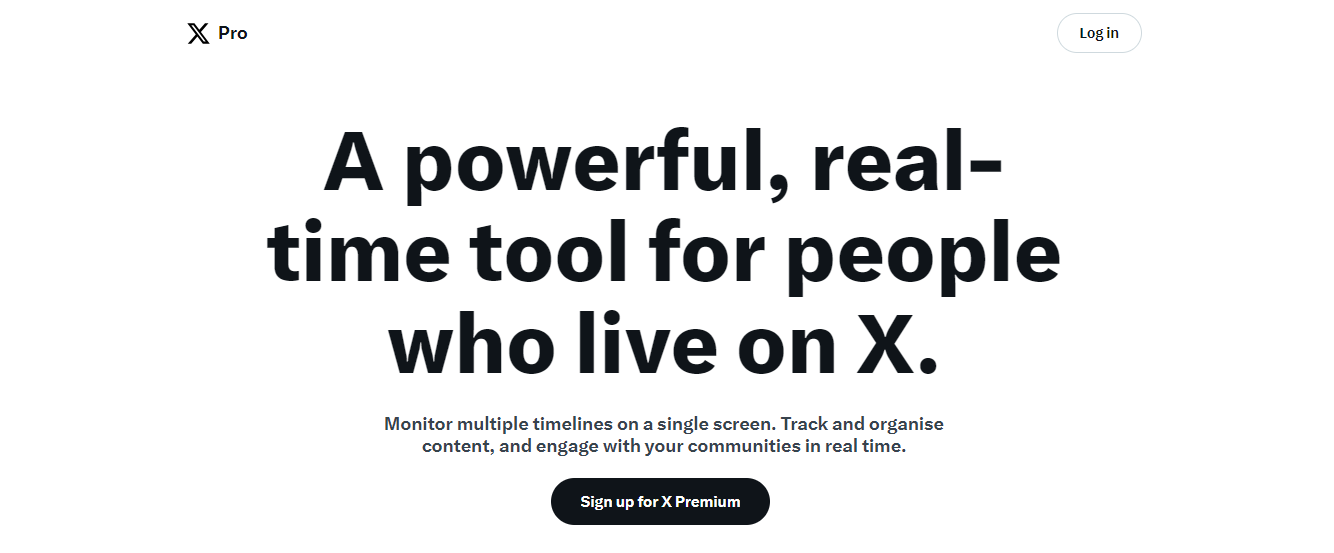
TweetDeck is a powerful and versatile Twitter management tool designed for users who need a streamlined, professional way to stay on top of their Twitter activity. It offers a customizable, multi-column interface that allows you to track mentions, hashtags, direct messages, scheduled posts, and trending topics—all in real time.
Whether you’re managing a personal brand or multiple business accounts, TweetDeck makes it easy to organise content, monitor conversations, and engage with your audience without switching tabs or apps. Its scheduling features and live tweet tracking make it a go-to for social media managers, journalists, and power users.
Benefits
Enhances efficiency by allowing users to manage multiple Twitter accounts from a single dashboard, schedule tweets, and track mentions and hashtags.
Key Features
- Customizable Columns: Create columns for timelines, mentions, direct messages, and hashtags.
- Tweet Scheduling: Schedule tweets to be posted at optimal times.
- Multi-Account Management: Easily manage multiple Twitter accounts.
2. Hootsuite
Hootsuite stands out as one of the most comprehensive and reliable social media management tools available in 2025. It supports Twitter along with other major platforms like Facebook, Instagram, LinkedIn, and TikTok, making it ideal for individuals, teams, and agencies managing multiple social profiles.
With powerful features like advanced scheduling, real-time analytics, and social listening, Hootsuite helps you stay organised, save time, and track your performance across all platforms from one central dashboard.
Benefits
Provides robust analytics and monitoring capabilities, making it easier to track performance and manage multiple social media profiles.
Key Features
- Scheduling and Automation: Schedule posts across multiple platforms.
- Advanced Analytics: Track engagement metrics and generate detailed reports.
- Social Listening: Monitor conversations and trends relevant to your brand.
3. Buffer- Best Twitter Apps
Buffer has earned its reputation as one of the most user-friendly and efficient social media management tools available, especially for Twitter users who value clarity, consistency, and performance tracking.
Designed with simplicity in mind, Buffer makes it easy to schedule tweets, plan content, and analyse engagement metrics without the clutter or complexity of heavier tools. It’s an ideal solution for solo creators, small businesses, and marketing teams seeking to maintain an active and strategic presence on Twitter and other platforms, including Facebook, LinkedIn, Instagram, and Pinterest.
Benefits
Streamlines the process of scheduling tweets and offers insightful analytics to optimise content strategy.
Key Features
- Easy Scheduling: Schedule tweets and posts across different platforms.
- Analytics Dashboard: View detailed performance metrics.
- Team Collaboration: Collaborate with team members on social media strategies.
4. SocialBee- Best Twitter Apps
SocialBee is a social media management tool that focuses on content creation and automation, helping users grow their Twitter presence organically.
Benefits
Facilitates content creation and curation while providing tools to automate and recycle posts for consistent engagement.
Key Features
- Content Categorisation: Organise posts into categories for better content planning.
- Post Recycling: Automatically repost evergreen content.
- Growth Tools: Features for growing your audience and engagement.
Also Read: Top 10 Trending Social Media Management Tools For Your Business
5. Tweetbot
Tweetbot is a popular Twitter client for macOS and iOS, renowned for its clean design and powerful features that enhance the Twitter experience.
Benefits
Offers a smooth and ad-free Twitter experience with advanced features like timeline syncing and customizable filters.
Key Features
- Customizable Timelines: Organise your timeline with lists and filters.
- iCloud Sync: Sync your timeline across devices.
- Mute Filters: Filter out unwanted content and users.
6. Tweepi- Best Twitter Apps

Tweepi is an AI-powered tool designed to help users grow their Twitter followers and increase engagement through smart recommendations and automation.
Benefits
Helps grow a relevant follower base and maintain active engagement through targeted interactions.
Key Features
- AI Recommendations: Suggests users to follow based on their interests.
- Engagement Tools: Tools for automated follows, unfollows, and replies.
- Detailed Analytics: Insights into follower growth and engagement.
7. Followerwonk
Followerwonk is a Twitter analytics tool that provides in-depth analysis of followers, helping users optimise their social media strategy.
Benefits
Offers detailed insights into follower demographics, engagement patterns, and optimal posting times.
Key Features
- Follower Analysis: Analyse and segment your followers.
- Engagement Metrics: Track and measure engagement over time.
- Optimal Timing: Identify the best times to tweet for maximum reach.
8. Tweet Jukebox- Best Twitter Apps
Tweet Jukebox is a content management tool that allows users to automate tweets from pre-scheduled content libraries, ensuring a consistent Twitter presence.
Benefits
Keeps your Twitter account active by automating tweets from your content library, allowing you to focus on engagement.
Key Features
- Content Libraries: Create libraries of tweets to be posted automatically.
- Scheduling Options: Flexible scheduling for consistent posting.
- Engagement Reports: Track the performance of automated tweets.
9. Twitonomy
Twitonomy is a powerful Twitter analytics tool that provides comprehensive insights into tweet performance, follower activity, and competitor analysis.
Benefits
Helps users understand their audience and optimise their Twitter strategy through detailed analytics and visualisations.
Key Features
- Detailed Analytics: In-depth analysis of tweets, retweets, and mentions.
- Follower Insights: Track follower growth and engagement.
- Competitor Analysis: Analyse the activity and engagement of competitors.
10. Crowdfire- Best Twitter Apps
Crowdfire is a social media management tool that offers scheduling, content curation, and analytics for Twitter and other platforms.
Benefits
Enhances content strategy by providing curated content suggestions and advanced scheduling options.
Key Features
- Content Curation: Discover and share relevant content.
- Post Scheduling: Schedule posts across multiple platforms.
- Analytics and Reports: Detailed performance reports to track growth and engagement.
11. Typefully
Wanna write killer threads? Then Typefully is your secret weapon.
This tool is specifically designed for Twitter users who enjoy telling stories, sharing insights, or delivering value through thoughtfully crafted threads. Instead of juggling drafts in Notes or cluttered docs, Typefully gives you a clean, distraction-free space where you can focus purely on your writing. You get a real-time preview of how your tweets will look, making it easier to plan your thread flow, emoji placement, and formatting without ever switching tabs.
However, it’s not just about the writing—Typefully also provides actionable analytics, smart suggestions to enhance your content, and even collaboration options for teams or ghostwriters.
Key Features:
- Analytics for each tweet/thread: See how each part of your thread performs with detailed engagement metrics like clicks, replies, and retweets.
- AI-assisted writing suggestions: Improve clarity, tone, and flow with smart recommendations powered by AI, helping your tweets hit harder.
- Collaboration tools for teams: Co-create threads with your teammates, editors, or co-founders without messy email chains or copy-pasting.
Benefit:
With Typefully, you can turn scattered ideas into polished, viral-worthy threads, all while saving time and reducing friction in your content creation process.
If you’re aiming to build influence or thought leadership on Twitter, Typefully is a must-have in your toolkit.
12. Tweetmonk
If you’re obsessed with writing threads that go viral, then Tweetmonk might just become your new favourite tool. Think of it as Typefully’s equally smart cousin, but with a special twist: it’s heavily focused on AI-driven content rewriting and repurposing.
Tweetmonk shines by helping you not just write threads, but refine, repurpose, and schedule them like a pro. It’s a thread-first tool that understands the rhythm of Twitter and helps you match it perfectly.
Whether you’re crafting a story, sharing tips, or dropping hot takes, Tweetmonk ensures your content is optimised for maximum impact and engagement.
Key Features:
- AI Tweet Formatter: Automatically formats your text into tweet-sized chunks that flow smoothly as a thread. No more worrying about where to break sentences or split ideas.
- Thread Preview & Save Drafts: See exactly how your thread will appear on Twitter before hitting publish. You can also save multiple drafts and return to them later.
- Post Scheduling: Plan your threads to go live at the best times for engagement, even while you sleep or focus on other work.
Benefit:
Tweetmonk helps you transform raw ideas into scroll-stopping threads using smart AI tools, making it easier to stay consistent and grow your audience, even if you’re short on time.
Perfect for creators, solopreneurs, or marketers who thrive on storytelling and want every tweet to count.
13. Publer
New to the scene but already making waves, Publer has quickly become a go-to social media tool in 2025—especially for Twitter users who want more control, better visuals, and clever automation features without incurring significant costs.
What sets Publer apart from other schedulers is how feature-rich it is while still staying clean and easy to use. From creating engaging tweets using AI to planning your content calendar with follow-up comments and visual designs, Publer is built for creators and small teams who want more bang for their buck.
It’s perfect for those who juggle multiple platforms but also want to dial in on Twitter and take advantage of features that most tools overlook.
Key Features:
- Watermark Images Automatically: Add your brand logo or watermark to visuals before posting—no need to edit images manually.
- Schedule Follow-Up Comments: Keep your threads or tweet replies on schedule! Ideal for creators who want to add “Part 2” tweets or CTAs without being online.
- Built-in Canva Integration: Design stunning graphics within Publer without switching tools. Super handy for visual-heavy tweets.
- AI Writing Assistant: Stuck on what to tweet? The AI can help you generate ideas, improve tone, or rewrite content to boost engagement.
Benefit:
The publisher provides robust scheduling and branding tools in one easy-to-use dashboard, making it an ideal choice for creators and small businesses seeking professional-level control without the steep learning curve or the high price tag.
If you’re looking for an affordable Twitter app that does more than just queue posts, Publer deserves a serious look.
14. Circleboom
If you’ve ever looked at your Twitter follower count and wondered, “But who are these people, really?” — then Circleboom is the tool you need in your arsenal.
Circleboom isn’t just another generic scheduler. It’s a Twitter audience management tool built specifically to help you analyze, clean up, and grow a more engaged, authentic follower base.
Whether you’re a content creator, marketer, or brand strategist, understanding your audience is key to improving engagement—and Circleboom gives you all the insights you didn’t know you were missing.
Key Features:
- Identify Fake or Inactive Followers: Circleboom scans your follower list and flags bots, fake accounts, or people who haven’t tweeted in ages. You can clean up your list to focus on real, active users.
- Visualise Follower Growth: See detailed analytics on how your follower count has changed over time, track gains/losses, and understand what content drives growth.
- Advanced Search Filters: Need to find followers based on location, language, interests, or activity? Circleboom’s smart filters enable you to easily zero in on specific segments of your audience.
- Tweet Deletion & Management Tools: Bulk deletes old tweets or retweets that no longer align with your brand (great for a fresh start or rebranding efforts).
Benefit:
With Circleboom, you can transform your Twitter strategy from “post and hope” to “analyze and grow”—by focusing on real data and quality engagement, not just vanity metrics.
If you want to build a meaningful presence on Twitter, starting with a clean and targeted audience makes all the difference—and Circleboom makes that process simple.
15. RiteTag
Struggling to figure out which hashtags will actually get your tweets seen? You’re not alone—and that’s exactly where RiteTag steps in.
Part of the RiteKit suite, RiteTag is a brilliant tool that takes the guesswork out of hashtags by analysing your tweet as you write it and giving you real-time hashtag suggestions based on performance. No more random tagging or copy-pasting the same ones over and over again.
It’s especially useful if you’re aiming to boost visibility, reach new audiences, and tap into trending topics, without spending hours on research.
Key Features:
- Real-Time Hashtag Suggestions: As you type your tweet, RiteTag suggests relevant hashtags instantly based on what’s trending and what’s currently getting traction.
- Colour-Coded Performance Indicators: Green hashtags are “hot right now” (great for immediate reach), blue ones are “long-term performers” (perfect for evergreen content), so you always know what works best.
- Browser Extension: Quickly access hashtag suggestions from anywhere—Twitter, Hootsuite, Buffer, or even Google Docs. Just highlight the text and let RiteTag do its magic.
- Hashtag Analytics: Get in-depth data on hashtag performance, including engagement rates, reach potential, and usage trends.
Benefit:
With RiteTag, you can maximise your tweet visibility without spending hours manually researching hashtags—saving time and boosting engagement, all with just a few clicks.
If discoverability is part of your strategy, this tool is a must-have.

Stay Ahead in 2025: Use These Twitter Apps to Grow Smarter
Twitter apps play a crucial role in enhancing the Twitter experience, offering tools that streamline management, improve analytics, and automate tasks. The top 10 Twitter apps of 2025 each bring unique benefits and features, catering to various needs and preferences. Whether you’re looking to manage multiple accounts, gain deeper insights, or automate your tweeting schedule, these apps provide the solutions you need to elevate your Twitter strategy. Utilise these tools to maximise your Twitter presence and engage with your audience more effectively.
Interesting Reads:
12 Daily Twitter Engagement Brand Actions
How to Use Twitter Advanced Search to Generate More Leads
How Is Twitter Marketing A Most Responsive For Sharing Your Blog Content?
