

Bricks Builder has quickly become one of the most loved visual builders in the WordPress ecosystem, thanks to its speed, flexibility, and developer-friendly approach. Unlike traditional page builders, Bricks renders directly on the frontend, delivering clean code, outstanding performance scores, and a highly customizable interface. With a growing ecosystem of Bricks Builder Add-Ons, it strikes an impressive balance between visual design and advanced development control, which is why designers and agencies are increasingly adopting it.
Even with its extensive native features, Bricks becomes significantly more powerful when paired with the right add-ons. These add-ons extend its core capabilities, streamline complex workflows, and open the door to deeper customisation, automation, and creative design possibilities. From UI enhancements to utility frameworks, form builders, WooCommerce tools, and even Web3 integrations, each add-on brings something unique to the Bricks ecosystem.
This guide will walk you through the best Bricks Builder add-ons available today, helping you understand what each one offers, who it’s for, and how to choose the perfect combination for your design or development process. Whether you’re a freelancer building client sites, an agency managing multiple projects, or a designer refining your workflow, you’ll find practical recommendations to elevate your Bricks experience.

Why Designers Need Add-Ons for Bricks Builder
Bricks Builder is powerful out of the box, but add-ons unlock its full potential. For designers, these tools go beyond simply adding features; they fundamentally enhance workflow, creative control, and project scalability. Here are the key reasons designers benefit from using Bricks add-ons:
1. Extending Core Functionality
Bricks provide an excellent foundation, but every project has unique requirements. Add-ons fill in the gaps by offering:
- Additional UI components
- More advanced dynamic features
- Specialised tools such as sliders, advanced tabs, mega menus, or form builders
- Developer-level enhancements like conditions, actions, and automation
This ensures the builder’s native elements do not limit designers and can build more complex layouts or features without custom coding.
2. Improving Workflow Efficiency
Time is money, especially for agencies and freelancers. Add-ons dramatically speed up workflow by:
- Automating repetitive tasks
- Offering pre-made templates and design systems
- Providing shortcuts, utility classes, and visual helpers
- Streamlining styling and layout processes
Instead of building everything from scratch, designers can rely on structured systems that keep projects fast and consistent.
3. Enhancing Design Customisation
Add-ons give designers more creative freedom through:
- Expanded styling controls
- Animation and motion features
- Custom interaction options
- Fine-tuned control over spacing, typography, and accessibility
This makes it easier to create unique, modern, and visually refined websites without relying heavily on custom CSS.
4. Building Dynamic and Interactive Websites
Modern websites require dynamic content and interactive experiences. Add-ons help designers:
- Integrate dynamic data from custom fields
- Build conditional logic into designs
- Add advanced form interactions and automations
- Create complex UI patterns that respond to user behaviour
This results in websites that are not only visually appealing but also functional, smart, and engaging.
| Add On | Category | Key Strengths | Ideal For |
|---|---|---|---|
| BricksExtras | UI and Animation | Advanced UI components, interactive elements, and accessibility-friendly tools | Designers needing premium UI features |
| Max Addons | UI and Animation | Creative components, hotspots, tilt effects, image comparisons | Marketing sites and visual storytelling |
| Fancy Animations | Animation Toolkit | Scroll-based and trigger animations with simple classes | Designers wanting light animations without coding |
| Bricks Ultra | UI and Marketing Elements | Creative elements, enhanced typography, media widgets | Landing pages and agency websites |
| Next Bricks | Modern UI Pack | Trendy components, minimal layouts, clean visual elements | Modern and startup style designs |
| Bricksable | UI and Visual Effects | Lottie, flip boxes, parallax, lightweight interactions | Budget-friendly design enhancements |
| Bricksmotion | Animated Sections | Pre-made motion layouts and transitions | Portfolios and storytelling websites |
| Dynamic Toolbox | Dynamic Content Engine | Advanced loops, queries, dynamic conditions, and data manipulation | Directories, dashboards, CPT heavy sites |
| Bricks Ultimate | Dynamic and WooCommerce | WooCommerce templates, dynamic logic, and post grids | eCommerce and data-driven websites |
| Piotnet Bricks PAB | Forms and Interactions | Advanced forms, conditional logic, calculators | Booking systems, quizzes, and interactive forms |
| Swiss Knife | Workflow Booster | Class manager, shortcuts, UI improvements | Designers working in Bricks daily |
| Advanced Themer | Design System Tools | Design tokens, global styles, reusable code | Agencies and system-based workflows |
| Bricksforge | All-in-One Toolkit | GSAP animations, automation, forms, popups, workflow tools | Advanced customisation and automation |
| Frames | Template Library | Large library of wireframes and sections | Agencies are building many websites |
| Brixies | Design System and Templates | Reusable blocks, structured layouts | Designers want consistency and speed |
Best Bricks Builder Add-Ons
1. BricksExtras- Bricks Builder Add-Ons
BricksExtras is one of the most respected UI enhancement add-ons in the Bricks community. It offers a curated collection of high-quality, professional-grade UI components that seamlessly integrate with the native builder. The plugin addresses gaps in the Bricks element library by providing polished, accessibility-friendly, animation-ready elements that designers would otherwise need custom code to produce. It is known for its exceptional stability, performance-minded development, and design-first mentality.
Key Features
- Advanced sliders
- Sticky and scroll-driven elements
- Content reveal and interaction-based components
- Accessible tooltips, ratings, tabs, accordions, and more
Why Designers Should Use It
If you’re building modern, interactive websites, BricksExtras provides ready-made, premium UI experiences, no JavaScript required.
2. Bricks Ultimate- Bricks Builder Add-Ons
Bricks Ultimate is built to expand Bricks Builder functionality with dynamic content tools, advanced loops, WooCommerce enhancements, and powerful CMS focused features. It does not just add UI components; it adds utilities and depth that make Bricks suitable for larger, more complex builds, such as eCommerce stores and membership sites. It is particularly praised for WooCommerce integration, which Bricks natively lacks in certain areas.
Key Features
- Custom WooCommerce templates and widgets
- Expanded dynamic tags and data logic
- Post grids, sliders, and advanced queries
- Enhanced visibility and conditional controls
Why Designers Should Use It
Ideal for designers working on data-driven websites or online stores that require flexibility beyond Bricks’ native features.
Also Read: How To Sell Add-on Services With WooCommerce Like A Pro?
3. Dynamic Toolbox- Bricks Builder Add-Ons
Dynamic Toolbox is a powerhouse add-on designed to take dynamic content and data manipulation to the next level. Built for creators who rely on ACF, Meta Box, Pods, or CPT-heavy builds, it introduces advanced logic tools that make Bricks function like a full CMS framework. It brings refinements to loops, queries, visibility controls, and content rendering, all without requiring PHP knowledge.
Key Features:
- Query builder for posts, users, products, fields
- Conditional logic and dynamic visibility
- Support for repeaters, galleries, and custom fields
- AJAX filtering, pagination, and interactive listings
Why Designers Should Use It
Perfect for building directories, dashboards, listings, and membership sites that require data-driven layouts.
4. Max Addons for Bricks- Bricks Builder Add-Ons
Max Addons is a creatively driven add-on pack that focuses on giving designers visually striking and interactive components. It is known for unique UI elements like hotspots, tilt effects, animated icons, and image comparisons, the kind of features often found in premium page builders. Max Addons brings this level of polish directly into Bricks without sacrificing performance or clean output.
Key Features
- Flip boxes, hotspots, animated media
- Lottie integration
- Before and after image comparison
- Advanced form stylers and dynamic lists
Why Designers Should Use It
A great fit for marketing websites, portfolios, landing pages, and any site that benefits from visual storytelling.
5. Swiss Knife for Bricks- Bricks Builder Add-Ons
Swiss Knife is less about adding elements and more about improving the designer workflow inside Bricks Builder. It enhances the builder UI with powerful tools that make designing faster, cleaner, and more organised. From class management to improved panel navigation, Swiss Knife helps professionals streamline repetitive tasks and maintain proper structure across large builds.
Workflow Features
- Visual class manager
- Clipboard and Copy-Paste between sites
- UI tweaks, shortcuts, and custom builder layout
- Global style presets and project setups
Why Designers Should Use It
If you design daily inside Bricks, the Swiss Knife will save you hours every week by making the builder itself more efficient.
6. Advanced Themer
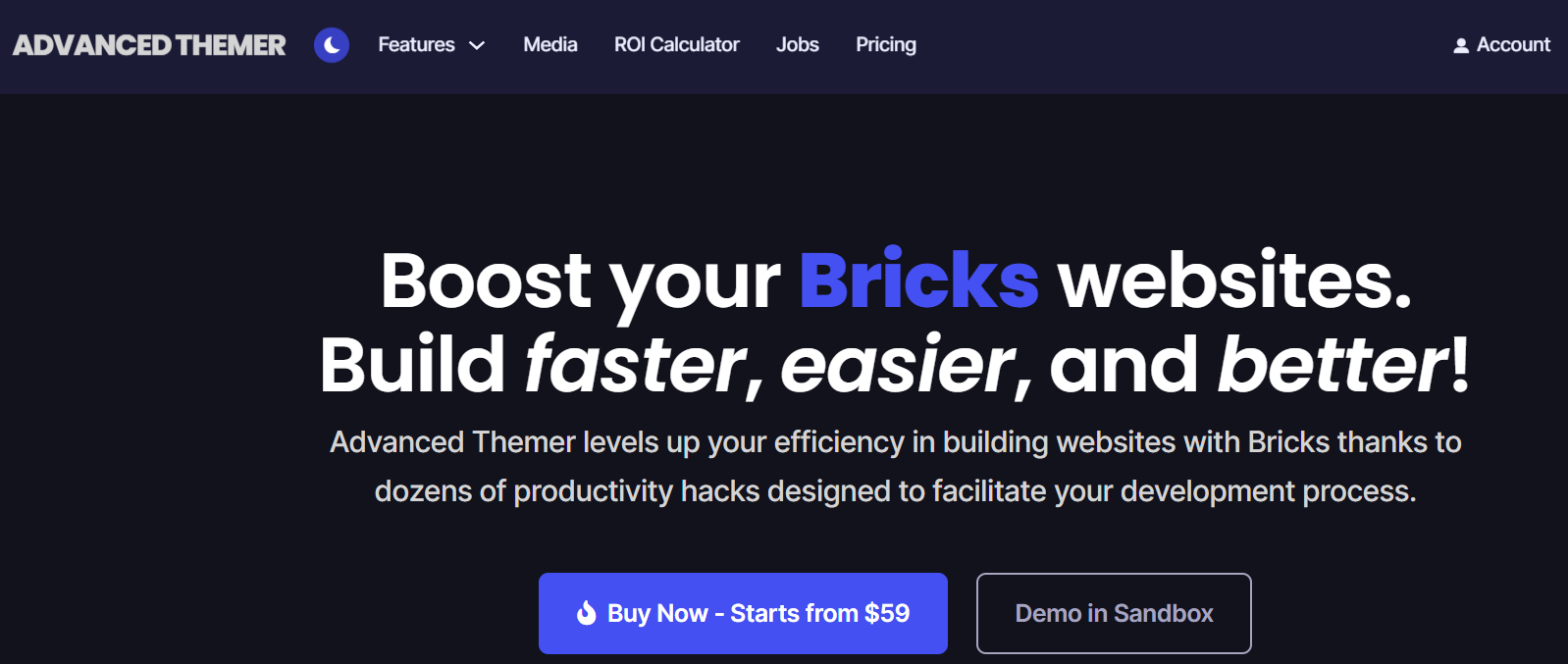
Advanced Themer is the go-to tool for designers and developers who want complete control over global styles, design systems, and code organisation. It provides a more structured, token-based approach to colours, typography, spacing, and component styling. Instead of styling elements one by one, you build a cohesive architecture for your brand’s visual identity.
Key Features
- Design tokens system
- Global typography, colour, and spacing controls
- Code manager with reusable snippets
- Developer-friendly workflow for scaling sites
Why Designers Should Use It
Ideal for agencies or anyone building multiple branded sites who needs consistency, speed, and a clean structure.
Also Read: 6 Tips For Brick And Mortar Stores Transitioning To E-Commerce
7. Bricksforge
Bricksforge is one of the most comprehensive and ambitious add-ons for Bricks. It is a multi-tool suite that replaces many single-purpose plugins by offering advanced animations, automation tools, form systems, popups, and workflow improvements. With deep integration into Bricks, Bricksforge enables designers to push the builder into areas that traditionally require custom development.
Key Features
- GSAP-powered animations and interaction builder
- Form builder with decisive actions
- Popup and gated content builder
- Class and styling management
- Advanced developer utilities
Why Designers Should Use It
It is a genuine Swiss Army Knife. If you want high-level customisation, automation, or animation, Bricksforge delivers.
Also Read: 30+ Best Drag And Drop WordPress Page Builders Compared
8. Bricks Ultra- Bricks Builder Add-Ons
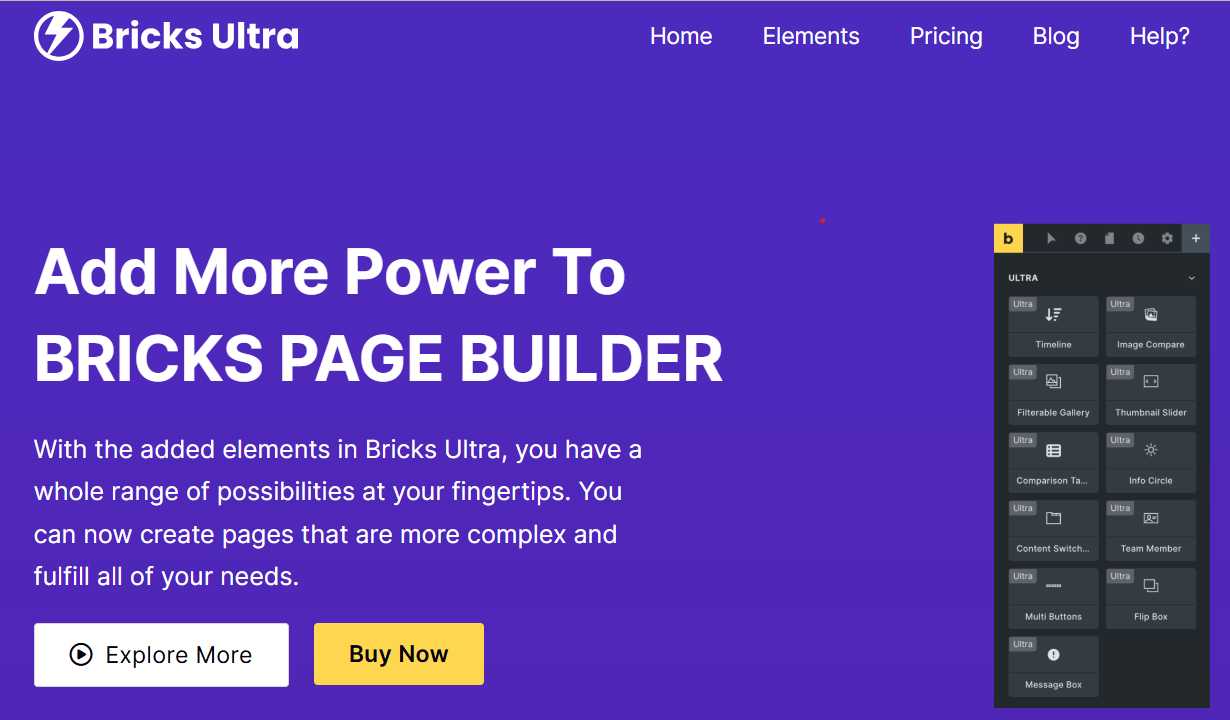
Bricks Ultra adds a fresh collection of UI components, marketing widgets, and layout elements designed for landing pages and visually engaging content. Where some add-ons focus on technical enhancements, Bricks Ultra aims for practical, ready-to-use building blocks ideal for agencies and marketers.
Key Features
- 20 plus creative elements
- Enhanced headings, lists, media widgets
- Animation-ready components
- Multi-purpose page building elements
Why Designers Should Use It
A simple way to expand your design toolkit with stylish, easy-to-customise components.
9. Fancy Animations
Fancy Animations is a lightweight animation toolkit that brings scroll-based and trigger-based motion effects into Bricks using simple class names. It focuses on smooth, elegant animations that can be combined for creative results, all without the complexity of GSAP or writing JavaScript.
Key Features
- Scroll reveal animations
- Fade, zoom, rotate, slide effects
- Time controls via CSS classes
- Lightweight performance
Why Designers Should Use It
Perfect for designers who want animations without dealing with code-heavy animation frameworks.
10. Next Bricks- Bricks Builder Add-Ons

Next Bricks is a modern UI add-on that delivers unique, contemporary elements distinct from typical add-ons. It focuses on clean aesthetics, trendy components, and creative design patterns, making it appealing to designers who prefer modern, minimal, or startup-style UI.
Key Features
- Modern headings and hero elements
- Creative galleries and media blocks
- Animated content components
- Polished UI layout elements
Why Designers Should Use It
A powerful choice when you want distinctive, stylish UI beyond the standard Bricks element set.
11. Bricksable- Bricks Builder Add-Ons
Bricksable is a lightweight, free add-on that offers an impressive array of visual components you would typically find in premium tools. It is often praised for its clean code, elegant animations, and minimalist elements that do not overload your site.
Key Features
- Lottie animation element
- Floating effects, parallax, tilted image
- Flip boxes, comparison sliders
- Modern interactive visuals
Why Designers Should Use It
A fantastic budget-friendly option for adding eye-catching visuals to any Bricks project.
12. Bricksmotion
Bricksmotion offers motion-designed sections and animation-enhanced blocks, helping designers create dynamic and immersive web experiences. Instead of starting animation layouts from scratch, you can use prebuilt, motion-ready sections to accelerate your workflow.
Key Features
- Pre-made animated sections
- Smooth, modern transitions
- Motion-focused design blocks
- Interaction-enhanced UI modules
Why Designers Should Use It
Ideal for portfolios, product pages, or storytelling websites where motion helps elevate the experience.
Also Read: Elementor vs Avada vs Bricks: Which WordPress Page Builder Is Better?
13. Brixies- Bricks Builder Add-Ons
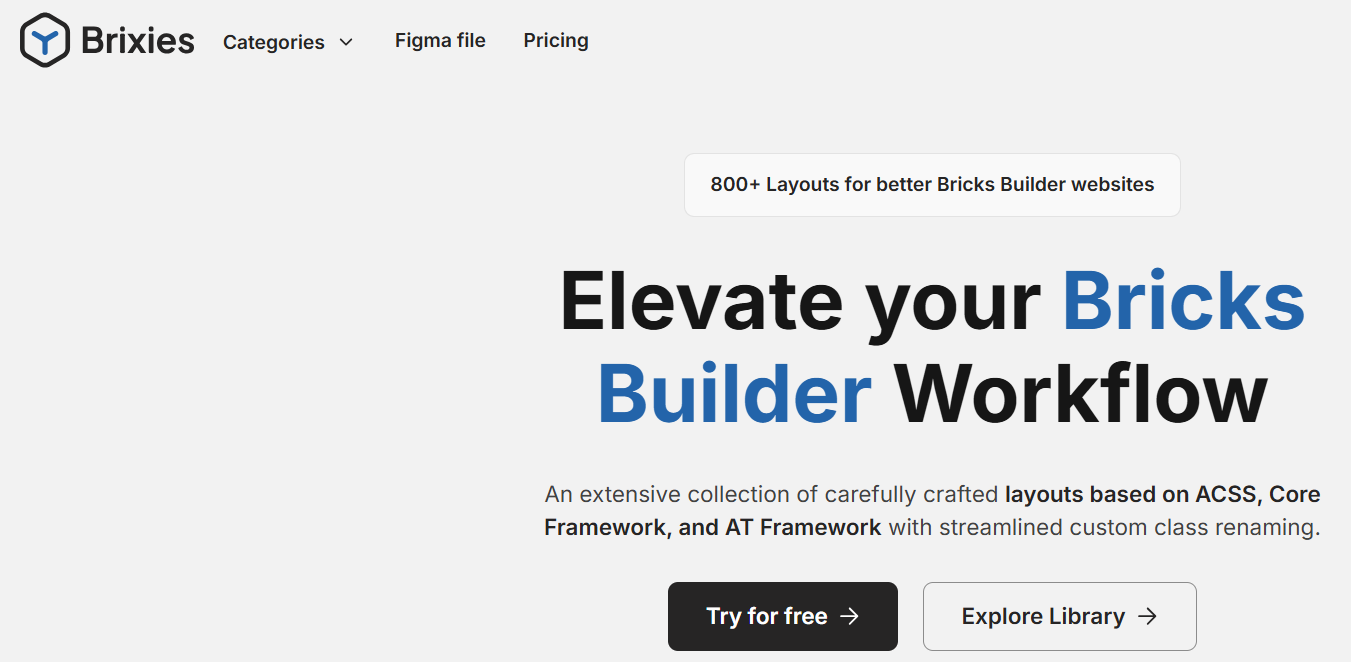
Brixies is a design library built for Bricks users who want consistent, reusable layouts and components. It is structured with attention to spacing, typography, and design systems, making it easy to build professional sites quickly and maintain consistency throughout.
Key Features
- Pre-built layout sections
- Wireframes and structured design patterns
- Reusable blocks with consistent styling
- Systematic design approach
Why Designers Should Use It
Great for agencies, freelancers, and anyone who values speed and consistent design patterns.
14. Frames for Bricks- Bricks Builder Add-Ons
Frames is one of the largest and most polished Bricks template libraries available, built to work seamlessly with utility class frameworks like ACSS. It is a comprehensive collection of hundreds of wireframes, templates, and section blocks covering virtually every page type.
Key Features
- Professionally designed wireframes
- Rapid prototyping layouts
- Organised category system
- Scalable design system support
Why Designers Should Use It
Frames accelerates development dramatically and is perfect for agencies producing multiple client websites per month.
15. Piotnet Bricks PAB
Piotnet Addons for Bricks specialises in advanced forms, dynamic interactions, and user-driven workflows. It brings a level of form-building power that rivals standalone form builders, but is built directly for Bricks.
Key Features
- Multi-step forms and conditional logic
- Payment integrations
- Quote calculators
- Dynamic sliders, tabs, and repeaters
- AJAX interactions
Why Designers Should Use It
If your site requires advanced forms, bookings, calculators, quizzes, or interactive components, PAB is one of the strongest tools available.
Also Read: How to Start a Brick and Mortar Business
Bonus Add-ons Worth Considering
While the main set of add-ons in this guide represents the most powerful and widely used tools in the Bricks ecosystem, there are several smaller yet extremely helpful add-ons that can further enhance your workflow. These tools may not be as feature-heavy as the major suites, but they often solve specific problems, speed up daily tasks, or add useful UI components that can round out your Bricks setup.
Below are additional add-ons worth considering.
1. Bricks Navigator
Bricks Navigator is a lightweight productivity tool designed to improve how you move through your Bricks Builder environment. Instead of endlessly clicking through menus and panels, you get a global command bar that allows you to search, jump, and edit elements instantly.
Why It Is Useful
- Speeds up navigation across templates, pages, and builders
- Works like a spotlight search specifically for Bricks
- Helps you quickly locate elements in deeply nested structures
- Ideal for designers managing complex or large builds
2. Bricksable
Bricksable delivers performance-friendly interactive elements like Lottie animations, flipboxes, scroll effects, and more. Despite being free, it offers functionality and design power comparable to premium add-on packs.
Why It Is Useful
- Great for designers on a budget
- Lightweight and does not slow down sites
- Adds modern design effects with almost no setup
- An easy win for any Bricks user
3. CSSHero Bricks Compatible
CSSHero is not a Bricks-specific add-on, but it complements Bricks beautifully. It lets designers visually customise CSS for any part of their website, including elements built with Bricks, without writing CSS manually.
Why It Is Useful
- Great for quick one-off tweaks
- Helps designers who do not feel comfortable writing CSS
- Ideal for rapid experimentation with design ideas
- Especially handy for freelancers who need to execute visual fixes quickly
4. Other Small but Useful Enhancers
1. Bricks Templates Libraries
Many smaller template packs offer prebuilt sections or landing pages that expand your design toolkit.
2. Icon Packs
Extra icon libraries, such as feather icons, bootstrap icons, and phosphor icons, make it easy to enhance UI components without uploading custom icons.
3. Micro Interaction Plugins
Small JS or CSS effect plugins that integrate smoothly with Bricks for hover effects, cursor animation, scroll cues, and more.
4. Accessibility Tools
Plugins that help ensure compliance with WCAG guidelines are a huge benefit for agencies and enterprise clients.
Who Should Consider These Bonus Add-ons
These tools make sense if you:
- Want to speed up your workflow
- Need minor UI enhancements without installing huge plugin suites
- Build many different types of sites, such as portfolios, small businesses, or landing pages
- Prefer a lightweight setup but still want flexibility
- Want to fill small feature gaps without bloat
While not essential for everyone, these bonus add-ons can make designing with Bricks even more intuitive and efficient.
How to Choose the Right Add-ons
With so many powerful add-ons available for Bricks Builder, it is tempting to install everything. But the best Bricks websites are built with precision, intentionality, and the right balance of tools, not plugin overload. Choosing the right add-ons ensures your workflow stays fast, your sites remain lightweight, and your builds scale effectively.
Here is how designers, freelancers, and agencies can make wise decisions when selecting Bricks Builder add-ons.
1. Avoiding Plugin Bloat
Bricks is already one of the fastest builders in WordPress. Adding unnecessary plugins can compromise that advantage. When choosing add-ons, ask yourself:
- Do I really need this functionality?
- If it is something you will use once or twice, consider doing it with custom CSS or native Bricks features.
- Does another add-on I already own do the same thing?
For example:
- Bricksforge, Dynamic Toolbox, and Bricks Ultimate all offer dynamic logic tools.
- BricksExtras, Max Addons, Bricks Ultra, and Next Bricks have overlapping UI components.
Avoid duplication.
- Will this add on scale with future projects?
- If it will not be used repeatedly, it may not justify the cost or performance impact.
The goal is to build a lean, powerful Bricks stack, not a bloated one.
2. Matching Tools With Project Needs
Different projects require different add-ons. Here is how to match them intelligently.
1. For Data-Driven or Dynamic Sites
Choose:
- Dynamic Toolbox
- Bricks Ultimate
- Bricksforge
- Piotnet Bricks PAB
These are ideal for:
- Directories
- Dashboards
- Membership or login systems
- Custom post types
- Dynamic loops and listings
2. For Visual Design and UI Heavy Projects
Choose:
- BricksExtras
- Max Addons for Bricks
- Next Bricks
- Bricks Ultra
- Fancy Animations
- Bricksmotion
- Bricksable
These are perfect for:
- Landing pages
- Portfolios
- Creative websites
- Interactive branding
3. For Workflow and System Level Optimisation
Choose:
- Swiss Knife for Bricks
- Advanced Themer
- Bricksforge
These help with:
- Class management
- Global styles
- Faster builder workflows
- Cleaner project structure
4. For Rapid Prototyping or Agency Level Speed
Choose:
- Frames
- Brixies
These are ideal for team building:
- Lots of websites per month
- Repetitive design structures
- Fast client mockups or prototypes
Also Read: Top Security Oversights Every Real Estate Agency Should Avoid
3. Recommended Combinations for Different Use Cases
Below are optimal add-on stacks for different types of designers or businesses.
A. Freelancers General Web Designers
Recommended Stack:
- BricksExtras
- Bricksable free
- Max Addons
- Swiss Knife
- Frames optional
Why: Gives you the UI components you need, plus workflow improvements, without overloading your toolkit.
B. Agencies Building Multiple Sites or Scaling Production
Recommended Stack:
- Frames
- Brixies
- Swiss Knife
- Advanced Themer
- BricksExtras
- Bricksforge
Why: This is a systemised workflow stack, perfect for consistency and speed across many projects.
C. eCommerce or WooCommerce Agencies
Recommended Stack:
- Bricks Ultimate
- Piotnet Bricks
- BricksExtras
- Max Addons
- Bricksforge
Why: Boosts product templates, dynamic carts and checkout, advanced forms, and conversion-focused UI.
D. Developers or Technical Designers
Recommended Stack:
- Dynamic Toolbox
- Bricksforge
- Advanced Themer
- Bricks Ultimate
Why: This combination turns Bricks into a robust CMS framework with profound dynamic logic.
E. Creative Designers or Portfolio Focused Builders
Recommended Stack:
- Fancy Animations
- BricksExtras
- Next Bricks
- Bricksmotion
- Bricksable
Why: This stack focuses on storytelling, beautiful visuals, and animations.
F. Budget Friendly Setup Free or Low Cost
Recommended Stack:
- Bricksable
- Max Addons free version
- Swiss Knife free version available
- Frames starter pack, if available
Why: Delivers solid visuals and workflow tools without expensive licensing.
4. Final Tips for Selecting Add-ons Wisely
- Start with your workflow, not the features. The best add-ons improve how you work.
- Avoid redundancy. Pick one tool per category, such as UI pack, dynamic logic, animation, and design system.
- Performance matters. Favour tools known for clean code and selective loading.
- Test add-ons on a staging site before committing. Ensures compatibility with your stack.
- Invest in tools you will use repeatedly, especially if you are an agency or freelancer.
Choosing the right Bricks add-ons is about building a balanced, efficient toolkit tailored to your design style and project requirements.

Conclusion on Bricks Builder Add-Ons
Bricks Builder has rapidly grown into one of the most potent and forward-thinking visual builders in the WordPress ecosystem, but its true creative potential is unlocked when paired with the correct set of add-ons. With dynamic content engines, UI-enhancing components, workflow tools, design systems, large template libraries, and reliable WordPress Hosting to support performance, the Bricks ecosystem now offers everything a designer needs to build faster, smarter, and more beautifully.
UI and Animation Powerhouses
- BricksExtras
- Max Addons
- Fancy Animations
- Bricks Ultra
- Next Bricks
- Bricksable
- Bricksmotion
Dynamic Content Engines
- Dynamic Toolbox
- Bricks Ultimate
- Piotnet Bricks
Workflow and System Enhancers
- Swiss Knife
- Advanced Themer
- Bricksforge
Design Libraries
- Frames
- Brixies
Each tool brings its own unique strengths, and choosing the right ones depends on your project requirements, preferred workflow, and design style. The key takeaway is simple: you do not need all of them. You only need the add-ons that genuinely enhance your process and help you deliver better results.
Whether you are a freelancer crafting smaller websites, an agency managing multiple clients, or a developer building complex, data-driven platforms, the Bricks ecosystem now supports every level of creativity and technical depth, offering powerful Developer Resources to streamline your workflow and enhance your builds.
Intersting Reads:
Free Quizlet Alternative: Smarter Study Tools and What Businesses Can Learn from Them
7 Best Alternatives to Microsoft Teams and Skype for Messaging and Video Calls
