

WordPress, powering over 40% of websites on the internet, boasts a vast array of knowledge base plugins, as evidenced by the 600+ results for “knowledge base” in the WordPress plugin repository. Choosing the right plugin from this abundance can be daunting, but a suitable knowledge base plugin empowers you to effortlessly establish an informative resource centre for your visitors and customers. This tool becomes invaluable in promptly addressing common questions or concerns, enabling users to find solutions independently and reducing the need for frequent customer service interactions. In this blog, we will talk about the BasePress vs Heroic Knowledge Base Plugin.

How Does the Knowledge Base Plugin Help You?
A Knowledge Base Plugin is an invaluable asset for website owners, streamlining information dissemination and enhancing the user experience. This tool essentially serves as a centralised repository where users can access comprehensive, organised information on products, services, and related topics. By categorising and structuring data, a knowledge base enables users to easily navigate and find answers to their queries, reducing reliance on customer support. This not only improves user satisfaction but also frees up resources, as customers can access the information they need independently.
A well-implemented Knowledge Base Plugin can improve SEO by providing search engines with well-structured, informative content, potentially driving more organic traffic to the website. Overall, incorporating a Knowledge Base Plugin is a strategic move for website owners, fostering efficiency, customer satisfaction, and the overall success of their online presence.
What is BasePress Plugin?
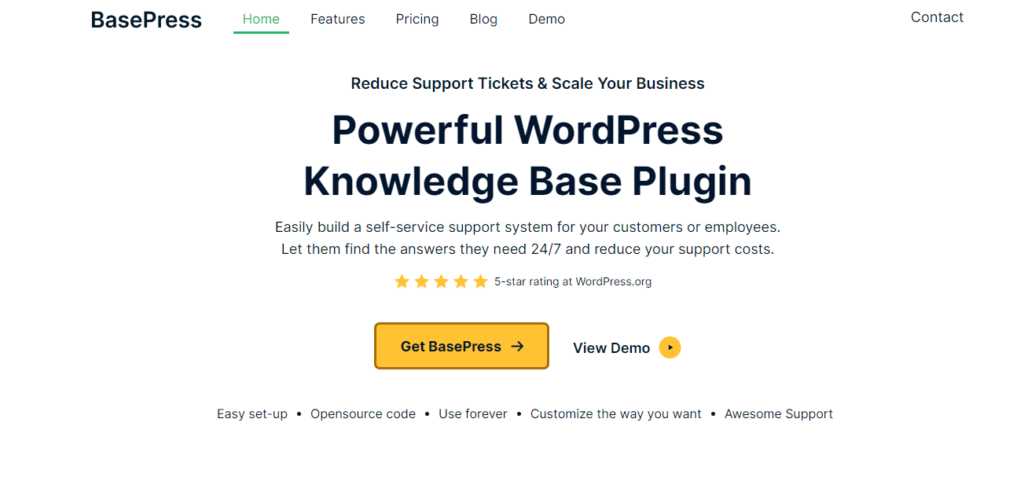
BasePress, a powerful WordPress Knowledge Base Plugin, emerges as a solution designed to empower businesses in reducing support tickets and efficiently scaling their operations. This robust plugin enables the effortless creation of a self-service support system that caters to both customers and employees. With BasePress, users can navigate a well-organised knowledge base available 24/7 to find answers to their queries independently. By fostering a self-reliant approach to information retrieval, businesses that use BasePress can significantly reduce support costs, freeing up resources for other critical aspects of their operations.
Also Read: Best Customer Experience Tools
What is Heroic Knowledge Base Plugin?

Incorporate the ultimate in information management with Heroic KB, acclaimed as the finest WordPress Knowledge Base Plugin that revolutionises the way content is handled. In just a few minutes, users can harness the capabilities of Heroic KB to curate a visually striking, easily searchable knowledge base seamlessly integrated into their websites. No longer bound by convoluted searches, Heroic KB stands out by offering not only aesthetic appeal but also robust search functionality, ensuring users effortlessly locate pertinent information. With its intuitive interface and comprehensive features, the plugin simplifies content organisation, offering an enhanced user experience.
What Things to Look for In a Knowledge Base Plugin?
When evaluating a Knowledge Base Plugin, consider the following top five criteria:
- User-Friendly Interface: A good Knowledge Base Plugin should offer an intuitive and user-friendly interface for both administrators and users. This ensures easy navigation and efficient content management.
- Search Functionality: Robust search features are crucial to allow users to find the information they need quickly. The plugin should offer advanced search capabilities, including keyword search, filters, and relevant suggestions.
- Customisation Options: Look for a plugin that provides customisation options to match your website’s design and branding. The ability to tailor the appearance and structure of the knowledge base is essential for seamless integration with your site.
- Responsive Design: With the growing use of mobile devices, it’s crucial that the Knowledge Base Plugin supports responsive design. This ensures that users can access information easily from various devices without sacrificing usability.
- Analytics and Reporting: A comprehensive Knowledge Base Plugin should include analytics and reporting features. This allows administrators to track user engagement, identify popular topics, and assess the effectiveness of the knowledge base in addressing user queries. Having insights can aid in continuous improvement and optimisation.
By considering these aspects, you can choose a Knowledge Base Plugin that aligns with your specific needs and contributes effectively to a positive user experience.
Head-on Comparison Table Between BasePress and Heroic Knowledge Base
| Feature | BasePress Plugin | Heroic Knowledge Base |
| User Restriction | Yes | Yes |
| Internal/External Site Support | Yes | Yes |
| Multilingual Support | Yes | Yes (with WPML) |
| Article Attachments | Yes | Yes |
| Built-in Table of Contents | Yes | Yes |
| Setup Assistant | Yes | Not specified |
| Article Ordering | Yes | Yes (Drag and Drop) |
| Category Ordering | Yes | Yes (Drag and Drop) |
| Article Tags | Yes | Yes |
| Article Comments | Yes | Yes |
| Revision History | Yes | Yes |
| Supports Video | Yes | Yes |
| Article Ratings & Feedback | Yes | Yes |
| Custom Category Icons | Yes | Yes |
| Email Reports | Yes | Not specified |
| Multiple Knowledge Bases | No | Yes |
| Advanced Search with Live Results | No | Yes |
| Unlimited Section Hierarchy | No | Yes |
| Boxed and List View for Sections | No | Yes |
| SEO-friendly Permalinks | No | Yes |
| Drag and Drop Reorder for KBs and Sections | Yes | Yes |
This comparison table provides a quick overview of the key features offered by BasePress and Heroic Knowledge Base, indicating whether each feature is supported (Yes) or not supported (No) by each plugin. Please note that some features might have additional conditions or dependencies that are not covered in this summary.
Also Read: Unbounce vs WordPress
Feature Comparison of BasePress and Heroic Knowledge Base
Certainly! Let’s break down the feature comparison of Heroic Knowledge Base and BasePress into subheadings:
1. User Access and Content Restriction
Heroic Knowledge Base: Provides fine-grained control over content access with full control over who can access articles, sections, or knowledge bases.
Supports content restriction, allowing administrators to define precisely who can view specific content.
BasePress: Offers the ability to lock the entire knowledge base or specific categories and articles to logged-in users. Allows for internal or external site support, enabling usage on public sites, password-protected sites, or internal intranets.
2. Organisation and Navigation
- Heroic Knowledge Base: Allows unlimited section hierarchy, enabling complex organisation of content. Features a drag-and-drop reorder for knowledge bases, sections, and articles for easy customisation. Breadcrumbs for seamless navigation, ensuring users always know their location within the documentation.
- BasePress: Supports drag-and-drop ordering for both articles and categories, providing flexibility in organising content. Includes a built-in table of contents for articles, enhancing in-article navigation. Offers article and category ordering for precise organisation.
3. Design and Customisation
- Heroic Knowledge Base: Provides options for boxed and list views for sections, allowing visual customisation. Offers three included themes, fully customizable via templates or the option to create custom themes.
- BasePress: Enables customisation through custom category icons, enhancing the visual appeal of the knowledge base. Supports a range of themes, allowing users to choose or create their own for full control over the appearance.
4. Multilingual and Multisite Support
- Heroic Knowledge Base: Integrates with WPML for multilingual support, allowing the creation of a knowledge base in multiple languages. Offers multisite support for users running a WordPress multisite installation.
- BasePress: Integrates with WPML for multilingual knowledge base support out of the box. Supports multisite installations, allowing management across different sites within a WordPress multisite network.
5. Content Interaction and Feedback
- Heroic Knowledge Base: Includes features such as article voting, user feedback, and popular article widgets to gather insights and enhance content over time.
- BasePress: Enables user engagement through article comments, ratings, and feedback, promoting interaction with the knowledge base content.
Provides email reports for administrators, summarising key information and statistics from the knowledge base.
6. Search and Navigation Tools
- Heroic Knowledge Base: Offers an advanced search bar with live results, helping users find content quickly.Provides related articles, widgets, and insightful statistics for content navigation and user engagement.
- BasePress: Supports automatic table of contents for articles, aiding navigation within long-form content. Integrates SearchWP for enhanced search capabilities, improving the overall user experience.
7. Technical Features
- Heroic Knowledge Base: SEO-friendly permalinks for well-organised content structure.Icons Manager for selecting and displaying only the desired icons in the documentation.
- BasePress: SEO-friendly permalinks to communicate the content structure effectively to search engines. Supports embedding videos from platforms like YouTube and Vimeo directly into articles.
This comparison should help you evaluate the features of both Heroic Knowledge Base and BasePress based on different aspects, allowing you to make an informed decision based on your specific requirements and preferences.
Pricing and Rating Comparison
| Plugin | Rating | Regular Price | Sale Price | Discount |
|---|---|---|---|---|
| Heroic Knowledge Base | 4.89 out of 5 | $299 | $149.50 / year | Save $149.50 (50%) |
| BasePress | 5 stars | $199 | $79 | Save $120 (60%) |
This table provides a comparison of the pricing, ratings, and discounts for Heroic Knowledge Base and BasePress plugins, allowing users to make an informed decision based on these factors.
Which Plugin To Choose and Why?
Choosing between the BasePress and Heroic Knowledge Base Plugin ultimately depends on your specific needs, preferences, and the goals of your website. Here are some factors to consider:
1. BasePress
Why Choose: With a substantial discount of 60%, BasePress offers a cost-effective solution without compromising essential features. The significant savings make it an attractive option for budget-conscious users. BasePress provides a comprehensive set of features, including advanced customisation, SEO support, and a user-friendly interface. Its extensive functionality makes it a robust choice for building a knowledge base tailored to specific needs.
2. Heroic Knowledge Base
Why Choose: Heroic Knowledge Base has a highly commendable 4.89 rating, indicating a strong user satisfaction level. While slightly below a perfect score, it still reflects a high degree of user approval. Heroic Knowledge Base stands out with advanced features like insightful statistics, multiple knowledge bases, and a sophisticated search bar. It caters to users looking for a comprehensive knowledge base solution with additional analytical capabilities.

Final Thought of BasePress and Heroic Knowledge Base
In the realm of WordPress knowledge base plugins, both BasePress and Heroic Knowledge Base stand out as formidable options, each with its own strengths and unique offerings. BasePress shines with its stellar 5-star user rating, a testament to its reliability and user satisfaction. Its 60% discount on the regular price makes it an attractive choice for those seeking a cost-effective yet feature-rich solution. On the other hand, Heroic Knowledge Base boasts a commendable 4.89 rating and stands out with advanced features such as insightful statistics, multiple knowledge bases, and a sophisticated search bar. Despite a higher regular price, the 50% discount makes it an enticing option for those looking to invest in a premium knowledge-based solution.
In the end, the choice between BasePress and Heroic Knowledge Base boils down to individual preferences, budget considerations, and the specific features that align with the goals of the user. Both plugins offer robust solutions for creating effective and user-friendly knowledge bases within the WordPress ecosystem.
Interesting Reads:
Must-Have WordPress Plugins for Business Websites
Select Best WordPress FAQ Plugin | Customer Support Knowledge Base
