

In today’s digital landscape, high-quality product video presentations are a must for businesses, marketing teams, and educators. Whether you’re showcasing a new product, creating tutorials, or conducting team presentations, using the right screen recording and video creation tools can make a significant difference in engagement and professionalism.
However, choosing the best recording software for your team isn’t always straightforward. Some tools focus on quick, cloud-based sharing, while others offer advanced editing and high-resolution recording. The ideal choice depends on factors such as collaboration features, ease of use, editing capabilities, and budget.

Best Recording Tools for Product Video Presentations
To help you find the perfect fit, we’ve compiled a list of the top 10 recording tools for product video presentations in Teams. Whether you need simple screen recording, AI-powered editing, or advanced customisation, there’s an option for you.
1. OBS Studio – Product Video Presentations
OBS Studio is a free, open-source recording tool ideal for high-definition product video recordings. It supports multiple video sources, making it perfect for professional-grade recordings.
Key Features:
- Supports screen recording, webcam capture, and live streaming
- Real-time audio and video mixing
- Customisable scene transitions
- Compatible with Windows, macOS, and Linux
Pros:
- Completely free and open-source
- No recording time limits
- Offers advanced settings for professional use
Cons:
- Steep learning curve for beginners
- No built-in editing tools
Best for: Teams with technical expertise needing a powerful, customisable recording solution.
Also Read: Tips for Making A Case Study Presentation
2. Camtasia – Best for Editing & Professional Videos
Camtasia is an all-in-one screen recording and video editing tool designed for high-quality product videos. It offers a drag-and-drop editor, making it easy for teams to refine their content.
Key Features:
- Built-in video editor with effects and animations
- Pre-made templates for faster content creation
- Interactive features like quizzes and clickable links
Pros:
- User-friendly interface
- High-quality screen and webcam recording
- Extensive editing tools
Cons:
- Expensive (One-time purchase: ~$299)
- Resource-intensive, requiring a powerful computer
Best for: Teams needing professional-level editing and recording in one package.
Also Read: Best Screen Recording Software
3. Loom – Product Video Presentations
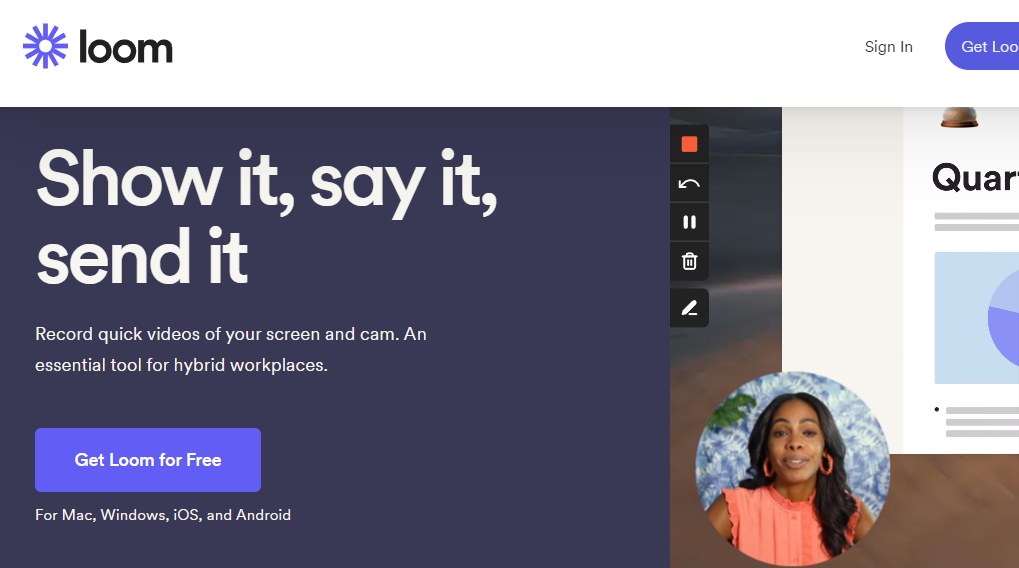
Loom is a cloud-based screen recording tool that allows teams to record and instantly share videos via a link. It’s ideal for quick product walkthroughs, demos, and feedback sessions.
Key Features:
- Instant sharing after recording
- Records screen, webcam, and audio simultaneously
- Viewer insights and engagement tracking
Pros:
- Simple and easy-to-use
- Videos are stored in the cloud
- Free plan available
Cons:
- Limited editing features
- The free plan has a 5-minute recording limit
Best for: Teams looking for a fast and easy way to record and share product videos.
Also Read: Best Recording Software for Digital Course
4. Vmaker – Best for Unlimited Free Recording
Vmaker offers unlimited free recording, making it a great choice for teams that need to record frequently without restrictions.
Key Features:
- Multiple recording modes (Screen, Webcam, or Both)
- Noise control for better audio quality
- Cloud storage for managing video files
Pros:
- Free plan includes unlimited recording
- Simple interface with basic editing tools
- Provides 15GB cloud storage
Cons:
- Advanced features like custom branding require a paid plan
- Available only as a Chrome extension or macOS app
Best for: Teams looking for a free solution with essential recording features.
5. Movavi Screen Recorder – Product Video Presentations
Movavi Screen Recorder is a lightweight and easy-to-use tool for recording product videos. It supports scheduled recording, making it ideal for teams that need to record content at specific times.
Key Features:
- Scheduled recording for automation
- Drawing tools to annotate during recording
- Exports in multiple formats (MP4, AVI, MOV)
Pros:
- User-friendly interface
- High-quality screen and webcam recording
- Free trial available
Cons:
- Free version includes watermarks
- Limited advanced editing features
Best for: Teams that need fast, high-quality screen recording without a complex setup.

Choosing the Best Recording Tool for Your Team
Investing in the right screen recording tool can significantly enhance your team’s ability to create professional product video presentations. Whether you’re demonstrating a new product, training team members, or recording marketing content, the ideal tool depends on your specific needs and budget.
To summarise:
- For professional editing → Choose Camtasia
- For quick, cloud-based sharing → Try Loom
- For high-quality recordings with customisation → Use OBS Studio
- For unlimited free recording → Go with Vmaker
- For simple and fast recording → Consider Movavi Screen Recorder
The key to success is selecting a tool that aligns with your workflow, team size, and presentation style. Whether you need advanced editing, seamless collaboration, or AI-powered enhancements, there’s an option available.
Which recording tool does your team use for product video presentations? Let us know in the comments!?
Interesting Reads:
The Future of AI: Building Systems That Understand Us Naturally
How to Create an Engaging E-Commerce Store for Toys and Gifts
Top 6 Vue.js Development Companies to Watch
Ultimate Guide to SEO/E-commerce Tools for Amazon & Marketplaces
