

Forms are one of the most important elements of a website. Whether you’re collecting leads, running surveys, processing payments, or managing event registrations, forms are the link between you and your audience. In fact, studies show that optimized forms can improve conversions by more than 100%, proving how vital a dependable online form builder is for online growth. That’s why this WPForms Review matters for anyone building a WordPress site in 2025.
With more than 6 million active installations, WPForms has earned its reputation as one of the most popular drag-and-drop form builders for WordPress. Unlike complex plugins designed for developers, WPForms focuses on simplicity, speed, and ease of use, making it especially appealing to beginners, bloggers, and small business owners.
In this WPForms Review, we’ll cover its features, pricing, pros and cons, and how it stacks up against competitors. By the end, you’ll know whether WPForms is truly the best form builder for beginners in 2025—or if another option might be a better fit.

What is WPForms?
WPForms is a WordPress drag-and-drop form builder plugin designed to make form creation simple for beginners and non-technical users. Launched in 2016 by the team behind WPBeginner, it has quickly become one of the most popular form plugins, powering over 6 million websites worldwide.
At its core, WPForms allows you to create forms without writing code. Using its intuitive drag-and-drop interface, you can build contact forms, surveys, payment forms, registration forms, newsletter opt-ins, and more in just a few clicks. The plugin also includes a wide range of pre-built templates, making it especially useful for bloggers and small businesses that want ready-to-use solutions.
WPForms is available in two versions: WPForms Lite (free) for basic forms and WPForms Pro (premium) for advanced features, including conditional logic, payment integrations, and marketing add-ons. This flexible pricing model makes WPForms both beginner-friendly and scalable.
Why Choose WPForms?
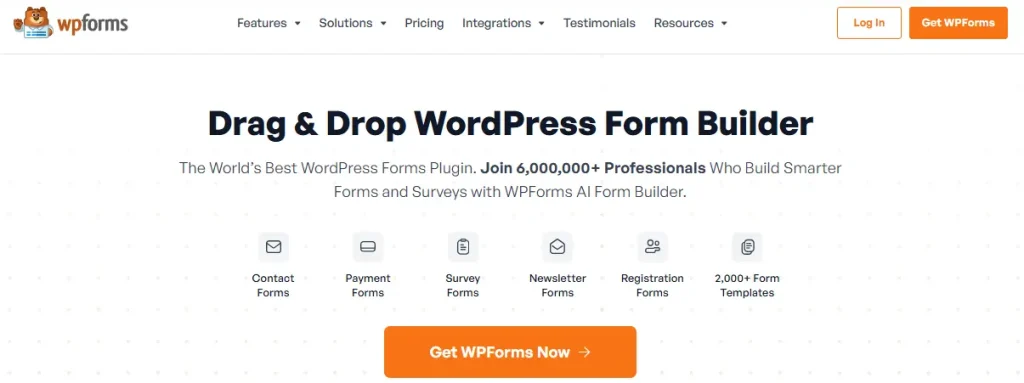
Choosing the right form plugin often comes down to striking a balance between ease of use, features, and flexibility. WPForms has become a favorite among beginners because it delivers all three in a package that’s quick to set up and easy to manage.
One of the biggest reasons users choose WPForms is its drag-and-drop builder, which eliminates the need for coding. Even complete beginners can create a functional contact form in minutes. Combined with a large library of pre-built templates, WPForms saves time and reduces friction for site owners who want fast results.
Another key advantage is scalability. WPForms starts simple with its Lite version and grows with your needs when you upgrade to Pro. Features like conditional logic, multi-page forms, payment processing, and email marketing integrations make it powerful enough for more advanced use cases.
Trusted by millions of websites, WPForms stands out as a user-friendly yet versatile solution, making it one of the best WordPress form builders for beginners in 2025.
How to Get Started with WPForms (Step-by-Step Guide)
One of the biggest reasons WPForms is so popular is its beginner-friendly setup. You don’t need coding knowledge or technical expertise—just follow a few simple steps, and your first form will be live in minutes.
1. Install and Activate WPForms
- Go to your WordPress dashboard → Plugins → Add New.
- Search for “WPForms” and install the free WPForms Lite plugin, or upload the premium version if you purchased Pro.
- Activate the plugin and enter your license key if you’re using WPForms Pro.
2. Create Your First Form
- Navigate to WPForms → Add New.
- Choose a pre-built template such as a Contact Form, Newsletter Signup, or Registration Form.
- Name your form and launch the drag-and-drop builder.
3. Customize Form Fields
- Add, remove, or rearrange fields using drag-and-drop.
- Use advanced fields like dropdowns, file uploads, or payment options (Pro only).
- Apply conditional logic to show or hide fields based on user input.
4. Configure Form Settings
- Set up confirmation messages such as thank-you notes or redirects.
- Configure email notifications for admins and users.
- Enable spam protection using reCAPTCHA, hCaptcha, or built-in anti-spam tools.
5. Embed the Form on Your Site
- Click Embed to insert the form into a post, page, or widget.
- Use Gutenberg blocks or the Classic Editor to place the form easily.
6. Test and Publish
- Submit a test entry to confirm everything works correctly.
- Publish the form and start collecting entries.
With just a few steps, WPForms turns form creation into a hassle-free process, showing why it’s considered one of the best WordPress form builders for beginners in 2025.
Key Features of WPForms
WPForms is more than a basic contact form plugin. It’s designed to help beginners get started quickly while still offering powerful features for growing websites and businesses.
1. Drag-and-Drop Form Builder
The intuitive drag-and-drop editor allows you to build forms visually without touching code, making it ideal for non-technical users.
2. Pre-Built Form Templates
- Contact forms
- Newsletter signups
- Order and payment forms
- Event registration forms
- Donation forms
3. Mobile-Responsive Forms
All WPForms forms are fully responsive and optimized for mobile devices, ensuring a seamless experience on any screen size.
4. Conditional Logic
Smart conditional logic allows you to show or hide fields based on user selections, creating dynamic and personalized forms.
5. Multi-Page Forms
Long forms can be split into multiple pages with progress bars, reducing form abandonment and improving completion rates.
6. Notifications and Confirmations
WPForms sends instant email notifications and confirmation messages, keeping both admins and users informed.
7. Payment Integrations
WPForms Pro integrates with Stripe and PayPal, allowing you to accept payments, subscriptions, or donations directly through forms.
8. Marketing and CRM Integrations
- Email tools: Mailchimp, AWeber, ConvertKit, ActiveCampaign
- CRMs: HubSpot and Salesforce (Elite plans)
9. Entry Management
WPForms Pro stores entries directly in your WordPress dashboard, making it easy to view, export, and manage submissions.
10. Spam Protection
- Google reCAPTCHA and hCaptcha
- Custom CAPTCHA fields
- Built-in honeypot protection
11. Advanced Add-ons
- Surveys and Polls
- Form Abandonment tracking
- User Registration Forms
- Conversational Forms
12. Beginner-Focused Design
WPForms is built with beginners in mind, offering clear UI, helpful documentation, and responsive support to ensure a smooth learning curve.
WPForms Pricing (2025 Update)
One of the biggest reasons WPForms is so widely adopted is its flexible pricing structure. Unlike Gravity Forms, which is premium-only, WPForms offers a free Lite version alongside multiple paid plans. This makes it accessible for beginners while still providing powerful options for professionals and agencies.
1. WPForms Lite (Free)
- Available for free in the WordPress plugin directory.
- Includes the drag-and-drop builder, basic form templates, and email notifications.
- Ideal for bloggers and small websites that only need a simple contact form.
2. Basic Plan – $49.50/year
- Use on 1 website.
- Unlocks entry management inside the WordPress dashboard.
- Includes additional templates and advanced fields compared to Lite.
- Best suited for freelancers and personal websites.
3. Plus Plan – $99.50/year
- Use on up to 3 websites.
- Adds email marketing integrations with Mailchimp, AWeber, GetResponse, and ConvertKit.
- Ideal for small businesses focused on growing their email lists.
4. Pro Plan – $199.50/year
- Use on up to 5 websites.
- Includes payment integrations (Stripe and PayPal), surveys and polls, conditional logic, and multi-page forms.
- The most popular plan, designed for growing businesses, nonprofits, and eCommerce websites.
5. Elite Plan – $299.50/year
- Use on unlimited websites.
- Includes everything in Pro plus advanced features like CRM integrations (HubSpot, Salesforce), webhooks, and priority support.
- Best for agencies, developers, and enterprises managing multiple client sites.
Value for Money
Compared to alternatives such as Gravity Forms or Formidable Forms, WPForms stands out because of its free Lite version, which lowers the entry barrier for beginners. Its paid plans are competitively priced, and the Pro plan delivers excellent value by bundling payments, surveys, and marketing tools. For agencies, the Elite plan offers strong scalability without per-site limitations.
Overall, WPForms provides a pricing option for every type of user—from hobby bloggers to large enterprises—making it one of the most versatile and cost-effective WordPress form builders in 2025.
Pros and Cons of WPForms
Like any plugin, WPForms has both strengths and limitations. Understanding these will help you decide whether it’s the right form builder for your WordPress site.
Pros of WPForms
- Beginner-Friendly Drag-and-Drop Builder:
Designed for non-technical users, WPForms makes form creation fast and intuitive without requiring any coding. - Large Template Library:
With 1,000+ pre-built templates, you can quickly create contact forms, surveys, registrations, and more. - Free Version Available:
WPForms Lite offers essential features for small sites, making it one of the most accessible form plugins. - Responsive and Mobile-Friendly:
All forms work smoothly across desktops, tablets, and smartphones. - Marketing and Payment Integrations:
Integrates with Stripe, PayPal, Mailchimp, ConvertKit, AWeber, and CRMs like HubSpot. - Strong Spam Protection:
Includes reCAPTCHA, hCaptcha, honeypot protection, and custom CAPTCHA fields. - Affordable for Beginners:
Lite and Basic plans offer excellent value compared to premium-only plugins.
Cons of WPForms
- Limited Free Version:
Advanced features like conditional logic, payments, and surveys require a paid plan. - Advanced Features Locked Behind Higher Plans:
Stripe, PayPal, surveys, and CRM integrations are only available in Pro or Elite plans. - Not Developer-Focused:
Offers fewer hooks and deep customization options compared to Gravity Forms. - Annual Renewal Costs:
Subscription pricing may add up for agencies or larger organizations over time.
WPForms vs Other WordPress Form Plugins
With so many WordPress form builders available, choosing the right one depends on your goals and technical comfort level. Here’s how WPForms compares to popular alternatives in 2025.
WPForms vs Gravity Forms
Gravity Forms is a developer-focused, premium-only plugin, while WPForms is built with beginners in mind. WPForms offers a free Lite version and a simpler drag-and-drop interface, making it ideal for non-technical users. Gravity Forms provides deeper customization and advanced workflows, but comes at a higher cost and without a free option.
WPForms vs Ninja Forms
Ninja Forms uses a modular pricing model, where many features require separate add-ons. While this can work for small setups, costs can rise quickly. WPForms bundles most features into its Pro and Elite plans, offering a more straightforward, all-in-one experience for beginners.
WPForms vs Formidable Forms
Formidable Forms excels at advanced, data-driven applications such as calculators and front-end data displays. WPForms, on the other hand, focuses on simplicity and speed, making it a better choice for everyday contact forms, payment forms, and surveys.
WPForms vs Contact Form 7
Contact Form 7 is free and lightweight, but requires coding for customization and lacks a modern interface. WPForms offers a polished drag-and-drop builder, pre-built templates, and built-in spam protection, making it a far more beginner-friendly upgrade.
Which Plugin Should You Choose?
- Choose WPForms if you’re a beginner, blogger, or small business owner who values ease of use and ready-made templates.
- Choose Gravity Forms or Formidable Forms if you’re a developer or enterprise needing advanced workflows and customization.
- Choose Ninja Forms if you prefer modular pricing and only need a few specific features.
- Stick with Contact Form 7 if you want a free, no-frills solution and are comfortable with coding.
Who Should Use WPForms in 2025?
Not every WordPress form plugin is built for the same audience. Some tools, such as Gravity Forms or Formidable Forms, are geared toward developers and enterprises with complex requirements. WPForms, on the other hand, is designed primarily for beginners, bloggers, and small businesses, making it one of the most accessible and practical options in 2025.
1. Bloggers and Content Creators
If you run a blog or content-driven website, WPForms is ideal for creating contact forms, newsletter signup forms, or reader feedback surveys. Its drag-and-drop builder and pre-built templates allow you to publish forms in minutes without any technical knowledge.
2. Small Businesses
Local businesses, startups, and service providers can use WPForms to capture leads, handle appointment requests, and manage customer inquiries. Upgrading to Pro unlocks payment gateways like PayPal and Stripe, allowing businesses to accept payments or donations directly through forms.
3. Nonprofits and Community Projects
Nonprofits can take advantage of WPForms’ donation forms, volunteer signup forms, and fundraising tools. Features like form abandonment (available in Pro) help capture partial entries, reducing missed opportunities for support and engagement.
4. Educators and Event Organizers
Schools, coaches, trainers, and event organizers can use WPForms for course registrations, quizzes, polls, and event RSVP forms. Conditional logic and multi-page forms make it easy to collect detailed information without overwhelming users.
5. Beginners on a Budget
WPForms Lite makes it possible for beginners to get started for free with a basic contact form. As your website grows, you can upgrade to Plus, Pro, or Elite to unlock advanced features—without needing to switch plugins later.
Who May Not Need WPForms
If you are a developer or agency that requires enterprise-level customization, complex data handling, or advanced front-end display of form entries, plugins like Gravity Forms or Formidable Forms may be a better fit.

Is WPForms the Right Plugin for You?
If you’re a beginner, blogger, or small business owner looking for an easy way to build professional forms, WPForms is a strong choice. Its drag-and-drop builder, ready-made templates, and beginner-focused design make it one of the most user-friendly WordPress form plugins available.
This WPForms review shows that the plugin balances simplicity with functionality—offering everything from basic contact forms to payment integrations and marketing add-ons. The free Lite version lowers the barrier to entry, while Pro and Elite plans scale smoothly as your website grows.
However, if your project demands advanced workflows or deep customization, developer-oriented alternatives may be more suitable.
Overall, WPForms remains one of the best form builders in 2025 for users who value ease of use, flexibility, and reliable performance.
Frequently Asked Questions (FAQs)
1. Is WPForms free to use?
Yes. WPForms offers a free Lite version available in the WordPress plugin directory. It’s suitable for simple contact forms. Advanced features like payments, conditional logic, and marketing integrations require a paid plan.
2. What’s the difference between WPForms Lite and WPForms Pro?
WPForms Lite includes basic form creation tools and email notifications. WPForms Pro unlocks advanced features such as conditional logic, multi-page forms, payment gateways, marketing integrations, and entry management.
3. Can WPForms handle payments?
Yes. With WPForms Pro or higher, you can integrate Stripe and PayPal to accept donations, product payments, or subscriptions directly through your forms.
4. Does WPForms work with WooCommerce?
Yes. WPForms integrates with WooCommerce, allowing you to create custom order forms, product inquiry forms, and enhanced checkout experiences.
5. How many sites can I use WPForms on?
This depends on your license. The Basic plan supports 1 site, Plus supports 3 sites, Pro supports 5 sites, and the Elite plan allows unlimited site usage.
6. Is WPForms worth buying?
Yes. WPForms is an excellent investment for beginners and small businesses. It combines ease of use with powerful features, making it one of the best WordPress form builders available in 2025.
Interesting Reads:
Gravity Forms Review 2025: Is It Still the Best WordPress Form Builder?
How to Customize and Style Your WordPress Forms?
Elementor Review 2025: Is It Still the Best WordPress Page Builder?
