

Imagine this: You’ve launched a beautifully designed website, spent weeks perfecting your product pages, and even invested in digital ads to bring in traffic. Visitors are arriving—your analytics dashboard shows healthy numbers. But here’s the problem: conversions are flat. People land on your site, poke around a bit, and then disappear.
Sound familiar?
If you’ve ever wondered why visitors land on your website but don’t convert—or why some customers keep returning while others drop off—you’re already asking the right questions. The answer lies in user behaviour analytics (UBA).
Think of UBA as a behind-the-scenes look at how people interact with your website, app, or product. It’s like watching the replay of a sports game—you see the plays, the mistakes, and the winning moves. For businesses, this knowledge is gold. By understanding what users do (and why they do it), you can make smarter decisions that increase engagement, improve conversions, and boost customer satisfaction.
In today’s digital-first world, relying on guesswork is no longer enough. Competitors are investing heavily in analytics to gain insights, optimise experiences, and personalise customer journeys. Whether you run an eCommerce store, a SaaS platform, or a content-driven business, user behaviour analytics tools are the key to staying ahead.
This guide is designed to walk you through everything you need to know about UBA tools—from the basics to the top software options available in 2024 and beyond. By the end, you’ll know exactly how these tools work, what features to look for, and which ones align with your business goals.

What is User Behaviour Analytics?

At its core, User Behavior Analytics (UBA) is the process of collecting and analyzing data about how users interact with your digital properties—whether that’s your website, mobile app, or SaaS product.
Traditional analytics tools often stop at surface-level metrics: pageviews, bounce rates, and time on page. While these numbers are useful, they don’t tell you the full story. Why did the user leave? Why did they stop at step three of your checkout process? Why did one article keep them hooked while another led to an exit?
UBA goes deeper. It focuses on actions and intent rather than just visits and clicks. It answers questions like:
- Which pages or features are most engaging?
- How long do users spend navigating different sections?
- Where exactly do they click, scroll, or drop off?
- What motivates them to complete a purchase—or abandon it at the last second?
With this data, businesses can uncover hidden pain points, identify patterns, and make data-driven decisions that create smoother, more enjoyable digital experiences.
In short: UBA connects the dots between user activity and business outcomes.
Traditional Analytics vs. User Behaviour Analytics
It’s easy to confuse UBA with traditional analytics, but the two serve very different purposes. Let’s compare.
| Feature | Traditional Analytics (e.g., Google Analytics) | User Behaviour Analytics |
|---|---|---|
| Focus | Traffic and demographics | Actions, intent, and behaviour |
| Key Metrics | Sessions, pageviews, bounce rates | Clicks, scroll depth, heatmaps, funnels |
| Perspective | “How many users?” | “What are users actually doing?” |
| Insights | Broad, quantitative | Detailed, qualitative + quantitative |
| Best For | Measuring marketing effectiveness | Improving UX, conversions, and retention |
For example, let’s say 70% of visitors drop off on your product page. Traditional analytics will tell you the percentage, but UBA tools will show why: maybe users are scrolling down but not finding key product details, or perhaps the “Add to Cart” button isn’t visible without scrolling further.
This level of insight makes the difference between mere guessing and genuine understanding.
Why User Behaviour Analytics Matters
Analytics isn’t just about numbers—it’s about stories. UBA reveals the story of your users, helping you turn confusion into clarity and lost opportunities into wins.
Here are some of the biggest reasons why UBA is essential:
1. Enhanced User Experience (UX)
Imagine a customer landing on your eCommerce site. They want to buy a pair of shoes, but the size chart is buried under three tabs, and the checkout process asks for unnecessary information. Chances are, they’ll leave.
With UBA, you’d see exactly where they dropped off and could fix the bottleneck. Small changes like simplifying checkout fields or making size charts more visible can drastically improve conversions.
2. Increased Conversions
Every business dreams of more conversions. But instead of redesigning your entire website, UBA helps you identify specific changes that make the biggest impact. Maybe it’s repositioning a CTA button, shortening your sign-up form, or rewording product descriptions.
UBA tools give you clarity on what works—and what doesn’t—so you can optimise without wasting resources.
3. Personalisation at Scale
Personalisation isn’t just a buzzword—it’s the expectation. UBA helps you identify user preferences and tailor experiences accordingly.
For example, a SaaS platform might notice that new users are spending most of their time exploring a particular feature. With this insight, they can personalise onboarding emails, guiding users deeper into that feature, increasing satisfaction and retention.
4. Customer Retention & Churn Prevention
It’s often said that retaining a customer costs less than acquiring a new one. UBA helps you spot patterns that signal disengagement. Maybe a subscription customer stops using your core features. With UBA insights, you can proactively reach out with support or offers before they churn.
5. Smarter Decision-Making
Guesswork can be costly. With UBA, decisions are backed by data. Instead of debating internally about what might work, teams can look at user recordings, heatmaps, or funnel data and act with confidence.
Types of User Behaviour Analytics Tools
Not all UBA tools are created equal. They serve different purposes depending on the insights you need. Let’s break them into categories:
1. Heatmap and Session Replay Tools
These tools provide a visual representation of user activity. Heatmaps show where users click, scroll, or hover the most, while session replays let you watch recordings of actual user sessions.
- Best For: Identifying friction points, improving layout and design.
- Examples: Hotjar, Crazy Egg, Microsoft Clarity.
2. Funnel and Conversion Analytics Tools
Funnels track the step-by-step journey users take toward completing a goal (like signing up or purchasing). Conversion analytics pinpoints where people drop off.
- Best For: eCommerce checkout processes, SaaS sign-up flows.
- Examples: Google Analytics, Mixpanel, Amplitude.
3. Product Analytics Tools
Especially popular in SaaS, these tools help teams understand how customers interact with different features, which ones drive value, and where users get stuck.
- Best For: Feature adoption, onboarding optimisation.
- Examples: Userpilot, Pendo, Heap.
4. Experimentation and Optimisation Tools
Want to test two different headlines or button colours? These tools let you run A/B or multivariate tests to see what resonates best with your audience.
- Best For: Continuous improvement, marketing campaigns.
- Examples: Optimizely, VWO.
5. Advanced Analytics & Visualisation Tools
Sometimes, you need to go beyond surface-level behaviour and crunch massive datasets. These platforms combine UBA with predictive modelling, machine learning, and advanced dashboards.
- Best For: Enterprise-level insights, predictive analytics.
- Examples: Tableau, Akkio, FullStory.
6. Voice of Customer (VoC) & Feedback Tools
Numbers are powerful, but so are words. VoC tools capture direct feedback from users through surveys, polls, and sentiment analysis.
- Best For: Understanding emotional drivers behind user behaviour.
- Examples: InMoment, Qualtrics.
7. Social Media & CRM Analytics Tools
Digital behaviour doesn’t stop at your website. These tools help track engagement across platforms and connect it to customer relationship data.
- Best For: Holistic view of customer engagement.
- Examples: Sprout Social, Salesforce.
Real-World Applications of UBA
To see the power of UBA in action, let’s look at a few scenarios:
- Ecommerce Example: An online fashion retailer uses Hotjar to discover that customers rarely scroll past the first set of product images. By reorganising the page to highlight popular categories above the fold, they boost sales by 20%.
- SaaS Example: A project management tool notices that new users aren’t adopting its “collaboration” feature. Using Pendo, they adjust the onboarding flow to emphasise collaboration. Result? 30% more users stick around after the first month.
- Content Site Example: A news publisher finds that readers bounce quickly from certain long-form articles. With heatmaps, they realise ads are interrupting reading flow. By repositioning ads, they increase time on site by 40%.
Heatmap & Session Replay Tools – An In-Depth Guide
Picture this: you’ve invested months designing a beautiful website, creating engaging content, and optimising your marketing campaigns. Traffic is coming in steadily, but your conversion rates aren’t reflecting your hard work. Where are users getting lost? Which elements are confusing or ignored? This is where heatmaps and session replay tools become game-changers.
These tools let you see the digital footprints of every visitor. They visualise user interactions and replay sessions, revealing patterns, friction points, and hidden opportunities for optimisation. Let’s dive deep.
🔥 Heatmap Tools: Seeing What Users See
1. What Are Heatmaps?
Heatmaps are colour-coded visualisations of user interactions on your website or app. The hotter the colour (usually red or orange), the more engagement that area receives. Cooler colours indicate minimal attention.
Unlike traditional analytics dashboards that show metrics like page views or bounce rates, heatmaps provide context. They answer questions such as:
- Which buttons or links attract the most clicks?
- Are users scrolling far enough to see key content?
- Which sections of the page are completely ignored?
2. Types of Heatmaps
Heatmaps come in several types, each serving a unique purpose:
Click Heatmaps
- Track where users click most frequently.
- Highlight popular calls-to-action (CTAs) and neglected links.
- Example: If your “Buy Now” button is rarely clicked, it could be poorly positioned or visually unappealing.
Scroll Heatmaps
- Show how far users scroll on a page.
- Identify content that isn’t reaching your audience.
- Example: If only 30% of users scroll to the bottom of your blog post, consider condensing key information near the top or adding sticky CTAs.
Mouse Movement Maps
- Track mouse movement as a proxy for eye movement.
- Highlight areas of interest even if no clicks occur.
- Useful for understanding user attention and navigation paths.
Attention Maps
- Combine scroll depth, clicks, and movement to show areas with the most engagement.
- Helps prioritise content placement for maximum impact.
3. Benefits of Heatmap Tools
Optimize User Experience (UX)
- Quickly identify navigation issues, confusing layouts, or broken links.
- Example: A heatmap may reveal that users are clicking on a static image expecting it to be clickable.
Increase Conversions
- By knowing which elements users engage with, you can strategically place CTAs where they are most likely to be seen and clicked.
- Example: Moving a signup form above the fold can increase conversions by 15–25%.
Prioritise Content & Design Changes
- Not all changes have equal impact. Heatmaps show which areas matter most to users.
Support Data-Driven Decisions
- Remove guesswork from design or content changes. Decisions are guided by real user behaviour, reducing the risk of costly mistakes.
4. Top Heatmap Tools
Hotjar
- Features: Heatmaps, session recordings, surveys, and feedback polls.
- Pros: Easy to implement, integrates with major CMS and SaaS tools.
- Cons: Some advanced analytics features are limited to higher-tier plans.
- Pricing: Free plan available; paid plans start at $39/month.
Crazy Egg
- Features: Clickmaps, scrollmaps, confetti reports, A/B testing.
- Pros: Excellent visualisation and detailed click tracking.
- Cons: Can be overwhelming for beginners with too many metrics.
- Pricing: Starts at $49/month.
Microsoft Clarity
- Features: Heatmaps, session recordings, and insights on rage clicks.
- Pros: Completely free, GDPR-compliant, easy to use.
- Cons: Limited integrations compared to paid alternatives.
Session Replay Tools: Watch Users in Action
What Are Session Replay Tools?
Session replay tools record users’ sessions on your website or app, allowing you to watch exactly how users navigate, scroll, click, and interact. Think of it as watching over your visitors’ shoulders in real time.
They are invaluable because they show why users behave a certain way, not just what they do.
Key Features of Session Replay Tools
User Session Recording
- Record entire sessions, including mouse movements, clicks, scrolls, and keystrokes.
- Helps detect friction points, such as confusing forms or navigation menus.
Frustration Detection
- Identify rage clicks, repeated scrolls, or erratic mouse movements signalling user frustration.
Form Analytics
- Track where users abandon forms and which fields cause errors.
Device & Browser Segmentation
- Replay sessions filtered by device type, browser, or geography to spot device-specific issues.
3. Benefits of Session Replay Tools
Identify UX Pain Points
- Observe exactly where users struggle or abandon tasks.
Boost Conversion Rates
- Understand why users drop off at checkout, signup forms, or other key funnel stages.
Improve Product Features
- For SaaS, observe how users interact with features and optimise onboarding or UI flows.
Support Customer Service
- Provide customer support teams with exact session replays to resolve issues faster.
4. Popular Session Replay Tools
FullStory
- Features: Session replay, heatmaps, frustration signals, and analytics dashboards.
- Pros: Combines quantitative and qualitative data; strong analytics features.
- Cons: Premium pricing may be high for small businesses.
Mouseflow
- Features: Session replay, heatmaps, funnels, form analytics.
- Pros: All-in-one solution for tracking and analysing user behaviour.
- Cons: Can be complex for small teams to set up initially.
Smartlook
- Features: Session recordings, events, funnels, and heatmaps.
- Pros: Strong mobile and web tracking; detailed event-based insights.
- Cons: Some advanced features are available only on higher-tier plans.
Real-World Applications of Heatmaps & Session Replays
1. E-commerce Example
- Heatmaps reveal users clicking non-clickable product images. Adding click functionality increases engagement by 20%.
- Session replays uncover users abandoning checkout due to hidden shipping costs. Clarifying costs reduces cart abandonment by 15%.
2. SaaS Example
-
Session replays show users skipping tutorial steps. Introducing guided onboarding increases feature adoption by 25%.
3. Content Websites Example
-
Scroll maps show that most users don’t reach the end of long articles. Adjusting layout and inserting key CTAs mid-article increases engagement by 30%.
Best Practices for Heatmaps & Session Replays
- Segment Users: Track different behaviours for new vs. returning users, or by geography and device.
- Combine with Analytics: Use Google Analytics, Mixpanel, or Amplitude alongside heatmaps to get both qualitative and quantitative insights.
- Test Changes Iteratively: Don’t overhaul your site at once—make small, data-backed improvements.
- Prioritise Privacy: Anonymise personal data and comply with GDPR or CCPA.
- Focus on High-Impact Pages: Analyse key landing pages, checkout flows, and signup forms first.
The Future of Heatmaps & Session Replay
- AI-Powered Insights: AI will automatically detect patterns, highlight anomalies, and suggest improvements.
- Real-Time Session Replay: Immediate feedback will allow businesses to address UX issues instantly.
- Cross-Platform Tracking: Advanced tools will seamlessly track users across web, mobile, and apps for a holistic view.
- Personalised Experiences: Insights will enable hyper-personalisation of content and UX based on behavioural patterns.
Heatmap and session replay tools provide unparalleled insight into user behaviour. They bridge the gap between raw metrics and real user experiences.
- Heatmaps help visualise engagement and identify high-priority areas.
- Session replays reveal the why behind user actions.
- Together, they allow businesses to optimise design, boost conversions, reduce friction, and deliver better user experiences.
By implementing these tools, companies can turn visitor data into actionable strategies, creating websites and apps that not only attract users but keep them engaged and converting.
Funnel & Conversion Analytics Tools – Turning Visitors into Customers
Picture this: you’ve got traffic coming in from ads, social media, and search engines. Visitors land on your website, but the conversions just aren’t matching the numbers. Why? The issue often lies in funnel inefficiencies—the critical paths users take from first visit to purchase or signup.
Funnel and conversion analytics tools help you map, monitor, and optimise these journeys, identifying bottlenecks and uncovering hidden opportunities to increase conversions.
What Are Funnel & Conversion Analytics Tools?
Funnel analytics tools visualise the path users take through your website or app. They track each stage of the conversion funnel—from awareness to action—and pinpoint where users drop off.
For example, an eCommerce site might have a funnel like this:
Landing Page → 2. Product Page → 3. Add to Cart → 4. Checkout → 5. Purchase Confirmation
A funnel analytics tool will show:
- How many users move from step to step
- Where the largest drop-offs occur
- How changes impact overall conversion rates
Conversion analytics goes a step further by measuring how well your site drives desired outcomes, such as purchases, form submissions, or sign-ups. Together, these tools give businesses a complete picture of user journeys.
Why Funnel & Conversion Analytics Matter
Identify Drop-Off Points
- Knowing where users abandon your funnel allows you to fix friction points.
- Example: If 60% of users abandon checkout at the payment page, you may need to simplify payment options or address trust issues.
Optimise Marketing ROI
- Track which campaigns or channels drive the highest quality traffic that actually converts.
- Example: Organic search visitors may spend more time but convert less frequently than paid traffic.
Boost Revenue
- Even small improvements in conversion rates can lead to significant revenue gains.
- Example: A 10% increase in conversion can yield thousands in additional sales per month, depending on traffic volume.
Data-Driven Decision Making
- Remove guesswork from website changes, marketing campaigns, or product updates.
- Test hypotheses and implement improvements based on real user behaviour.
Personalization & Retargeting
- Funnel analytics helps segment users based on behaviour, enabling personalised messaging and retargeting strategies.
Key Features of Funnel & Conversion Analytics Tools
1. Visual Funnel Mapping
- See each step of the user journey in a visual diagram.
- Quickly identify weak points and test interventions.
2. Drop-Off Analysis
- Measure the exact stages where users abandon the funnel.
- Highlight high-impact areas for optimisation.
3. Conversion Tracking
- Track goals like purchases, sign-ups, downloads, or form submissions.
- Compare performance across different campaigns or user segments.
4. Segmentation & Cohorts
- Segment users by demographics, behaviour, or acquisition channels.
- Understand how different audiences move through the funnel.
5. A/B Testing Integration
- Run experiments on page layouts, CTAs, or copy to see which version improves conversions.
6. Real-Time Reporting
- Monitor conversion performance live, enabling immediate insights and adjustments.
Top Funnel & Conversion Analytics Tools
1. Google Analytics (GA4)

- Features: Funnel visualisation, conversion tracking, cohort analysis, and goal tracking.
- Pros: Free, widely adopted, integrates with Google Ads, robust reporting.
- Cons: GA4’s interface can be overwhelming for beginners.
- Use Case: E-commerce, SaaS, and content websites can track multi-step conversions, monitor drop-offs, and optimise user flows.
2. Mixpanel
- Features: Event-based tracking, advanced funnel analysis, cohort reports, and retention analysis.
- Pros: Excellent for SaaS and app analytics, strong data visualisation, flexible segmentation.
- Cons: Steeper learning curve for non-technical users.
- Use Case: Track feature adoption, in-app purchases, or trial-to-paid conversions for software products.
3. Amplitude
- Features: Conversion funnels, behavioural cohorts, path analysis, anomaly detection.
- Pros: Ideal for product teams; predictive analytics features help forecast user behaviour.
- Cons: Premium plans can be expensive for small businesses.
- Use Case: SaaS or mobile apps can use Amplitude to analyse user retention and optimise feature usage.
4. Heap Analytics
- Features: Automatic event tracking, funnel creation, and advanced behavioural analytics.
- Pros: No manual event tagging needed, easy for teams without analytics expertise.
- Cons: Large-scale data may require premium plans.
- Use Case: Great for startups looking to quickly implement full-funnel tracking.
5. Kissmetrics
- Features: Funnel tracking, cohort analysis, and behaviour-based email triggers.
- Pros: Focuses on customer lifetime value (CLV) and retention metrics.
- Cons: Limited integrations compared to GA4 or Mixpanel.
- Use Case: Subscription-based services can track recurring revenue and churn patterns.
Real-World Applications of Funnel Analytics
1. E-commerce Example
-
Funnel analytics reveals that 40% of users abandon checkout due to complicated shipping options. By simplifying choices and showing estimated costs upfront, conversion rates increase by 18%.
2. SaaS Example
-
Funnel analysis identifies a drop in trial-to-paid conversions after the onboarding tutorial. Adding contextual tooltips and in-app messaging boosts conversion by 22%.
3. Lead Generation Example
- A B2B website sees high traffic on landing pages but low form submissions. Funnel tracking uncovers the long-form fields as a barrier. Reducing form length increases leads by 30%.
Best Practices for Funnel & Conversion Analytics
1. Define Clear Goals
- Establish measurable goals like purchases, sign-ups, or downloads before building funnels.
2. Segment Your Users
- Analyse funnels for new vs. returning users, device types, or geographic regions.
3. Track Multiple Funnels
- Monitor key flows: onboarding, checkout, content engagement, lead capture.
4. Integrate with A/B Testing
- Use funnel insights to create experiments targeting drop-off points.
5. Monitor Trends Over Time
- Track changes weekly, monthly, or quarterly to measure the impact of optimisations.
6. Combine Quantitative & Qualitative Data
- Pair funnel analytics with heatmaps and session replays for deeper insights.
Industry Statistics Supporting Funnel Analytics
- Cart Abandonment: 69% of e-commerce carts are abandoned (Baymard Institute, 2024). Funnel analytics helps pinpoint where users drop off.
- SaaS Trial Conversions: On average, only 25–30% of trial users convert to paid customers. Funnel insights improve onboarding and trial activation rates.
- Lead Generation Forms: Reducing form fields from 5+ to 3 or fewer can boost conversion rates by 20–30% (HubSpot, 2023).
- Multi-Step Funnels: Companies that monitor funnel stages see up to 35% faster optimisation cycles and a 15–25% increase in overall conversions (Forrester, 2023).
The Future of Funnel & Conversion Analytics
AI-Powered Funnels
- AI can predict drop-offs and suggest changes to improve conversion automatically.
Cross-Platform Tracking
- Unified funnels for web, mobile, and apps will become standard.
Predictive Conversion Optimisation
- Tools will forecast the potential revenue impact of changes before they are implemented.
Personalized Funnels
- Dynamic funnels based on user behaviour and segmentation for hyper-personalised experiences.
Funnel and conversion analytics tools are essential for any business looking to optimise its digital presence. They turn traffic data into actionable insights, showing where users drop off, why they abandon, and how to improve conversions.
By integrating these tools:
- Businesses can boost conversion rates, reduce friction, and maximize ROI.
- Teams gain data-backed insights to improve UX, design, and marketing strategies.
- Marketers and product managers can continuously iterate, creating seamless user journeys that delight customers.
Whether you’re a SaaS company, e-commerce business, or content-driven website, funnel and conversion analytics are the backbone of growth. Pairing these insights with heatmaps, session replays, and behavioural analytics gives you a complete understanding of your users, empowering smarter decisions and higher revenue.
Product Analytics Tools – Understanding How Users Engage with Your Product
In the rapidly evolving digital world, understanding how users interact with your product is no longer optional—it’s essential. Imagine releasing a new feature, redesigning your app, or launching a marketing campaign without knowing how users respond. You’d essentially be navigating blindfolded. Product analytics tools remove that uncertainty, offering a comprehensive, data-driven view of user engagement, feature adoption, and retention.
These tools help businesses not only track what users do but also understand why they behave a certain way, enabling product teams to optimise experiences, increase conversions, and ultimately grow revenue.
What Are Product Analytics Tools?
Product analytics tools are specialised software platforms that collect, measure, and analyse user interactions within your product—be it a web app, mobile app, SaaS platform, or digital service. Unlike traditional web analytics, which focuses mainly on traffic metrics like pageviews or bounce rates, product analytics digs deeper into user behaviour patterns, tracking actions, engagement levels, and user journeys in detail.
With product analytics, businesses can:
- Identify which features users interact with the most and least
- Analyse drop-off points and friction in workflows
- Understand engagement patterns across different user segments
- Optimise onboarding and retention strategies
- Predict future user behaviour using AI and machine learning
In essence, product analytics bridges the gap between data collection and actionable insights, enabling teams to make informed decisions rather than relying on assumptions.
Why Product Analytics Matters
Here’s why product analytics has become a cornerstone for product teams and businesses worldwide:
1. Feature Adoption Insights
A recurring challenge for SaaS and mobile apps is ensuring that users actually use the features you build. Product analytics shows you what users engage with and what they ignore.
Example: A collaboration tool introduces a “task dependencies” feature. Analytics reveal that only 25% of users engage with it. By improving the onboarding flow and adding contextual prompts, adoption rises to 65%, significantly boosting retention.
2. Retention & Churn Analysis
Understanding which users are likely to churn is critical. Product analytics identifies behavior patterns that indicate potential disengagement.
Example: Users who skip the initial tutorial for a finance app are 50% more likely to cancel within the first month. Targeted in-app messages and nudges can reduce this churn.
3. Data-Driven Product Decisions
Instead of guessing which design or feature will resonate, product analytics provides empirical evidence for decision-making.
Example: By tracking clicks and feature usage, a team discovers that a minor UI adjustment increases click-through rates by 18%, validating the change before a full rollout.
4. Optimising Onboarding Experiences
A frictionless onboarding experience significantly impacts activation and retention. Product analytics tracks every step of the onboarding flow, identifying drop-offs and pain points.
Example: A project management SaaS notices that users who complete all onboarding steps are 3x more likely to upgrade to a premium plan. This insight leads to redesigning the tutorial flow to improve activation rates.
5. Personalisation Opportunities
Segment users based on behaviour, demographics, or engagement level, and deliver tailored experiences that enhance satisfaction.
Example: An e-commerce platform offers personalised product recommendations based on past interactions, increasing add-to-cart rates by 25%.
Key Features of Product Analytics Tools
To truly leverage product analytics, businesses should look for the following features:
1. Event Tracking
Track specific user actions like button clicks, form submissions, feature engagement, and navigation patterns. This allows teams to see which interactions drive desired outcomes.
2. Funnels & Path Analysis
Visualise user journeys, from first interaction to conversion, to identify where users drop off. Funnel analysis helps optimise the steps that lead to purchase, upgrade, or subscription.
3. Segmentation & Cohort Analysis
Group users based on behaviour, demographics, signup date, or engagement level. Cohort analysis reveals patterns such as retention rates among specific user segments over time.
4. Retention Tracking
Measure long-term user engagement with metrics like Daily Active Users (DAU), Weekly Active Users (WAU), Monthly Active Users (MAU), and churn rate.
5. Feature Usage Analytics
Identify which features are used the most or least. This insight guides product development and prioritisation.
6. User Journey Mapping
Map the full path users take within your product. Identify friction points, optimise flows, and ensure a smoother experience.
7. A/B Testing & Experimentation
Test new features, UI elements, or content changes to measure their impact on engagement, retention, or conversion.
8. Predictive Analytics
Use AI to forecast user behaviour, such as potential churn, upgrades, or likelihood to complete a task.
9. Alerts & Notifications
Set up real-time alerts for unusual patterns, like sudden drop-offs or spikes in feature engagement, enabling rapid intervention.
Top Product Analytics Tools in 2024
Here’s a closer look at some of the best product analytics tools available today:
1. Userpilot
- Focus: SaaS user journey analytics
- Features: Customer profiles, funnel & path analysis, retention tables, AI-powered insights
- Use Case: Track feature adoption, optimise onboarding, and reduce churn
2. Pendo
- Focus: Mobile and web app product analytics
- Features: Multi-platform tracking, feature adoption, user feedback, path reports
- Use Case: Improve onboarding, analyse feature usage, and enhance engagement
3. Heap Analytics
- Focus: Automatic event tracking
- Features: Auto-capture of user interactions, funnel analysis, retention tracking
- Use Case: Quickly deploy analytics without manually tagging events
4. Mixpanel
- Focus: Advanced product analytics
- Features: Event-based tracking, cohort analysis, funnel & retention insights, predictive analytics
- Use Case: Analyse feature engagement, optimise trial-to-paid conversions
5. Amplitude
- Focus: Behavioural product analytics
- Features: Conversion funnels, path analysis, behavioural cohorting, anomaly detection
- Use Case: Track multi-step journeys in SaaS or mobile apps
Real-World Applications
1. SaaS Application
-
A project management tool discovers that the “calendar view” is underutilised. By analysing feature adoption and user feedback, they redesigned the calendar integration, resulting in a 40% increase in usage and higher subscription retention.
2. Mobile App
-
A fitness app tracks goal-setting behaviour and finds that users who set weekly goals retain longer. Targeted push notifications and in-app guidance improve 30-day retention by 20%.
3. E-Commerce SaaS
-
A website builder platform identifies that users exploring SEO tools are more likely to upgrade. Contextual prompts encourage feature exploration, increasing conversion rates by 18%.
4. Gaming App
-
A mobile game uses product analytics to identify levels where users frequently drop off. Adjustments to difficulty and reward systems improve engagement and monetisation.
Best Practices for Product Analytics
Set Clear Objectives
- Define KPIs like feature adoption, retention, or activation rates before collecting data.
Segment Users Strategically
- Analyse behaviour across different user types, tiers, or demographics for actionable insights.
Combine Qualitative & Quantitative Data
- Use session recordings, surveys, and NPS alongside analytics to understand the “why” behind user actions.
Monitor Retention Metrics Consistently
- Track DAU, WAU, MAU, and churn trends to identify issues early.
Prioritise High-Impact Features
- Focus resources on improving or promoting features that drive engagement and revenue.
Leverage Predictive Analytics
- Forecast churn, upsell potential, or engagement trends using AI-driven insights.
Iterate Continuously
- Product analytics should inform ongoing improvements; always test, learn, and adapt.
Industry Statistics

- Feature Adoption: 30–50% of new users actively use key features in SaaS products (Gainsight, 2023).
- Trial-to-Paid Conversion: Optimising onboarding with analytics improves conversion by 20–40% (HubSpot, 2023).
- Mobile App Retention: 30-day retention averages 20%, but targeted insights can improve it by 15–25%.
- Behavioural Segmentation Impact: Targeted interventions based on behaviour can increase engagement by 30% and revenue by 10–15% (Forrester, 2023).
Future Trends in Product Analytics
1. AI-Powered Insights
- Predictive analytics automatically suggests improvements based on user behaviour patterns.
2. Cross-Platform Analytics
- Unified tracking across web, mobile, and SaaS platforms for a complete view of user behaviour.
3. Real-Time Personalisation
- Dynamic adaptation of product experiences based on live user behaviour.
4. Behavioural Cohorts
- Advanced segmentation enables highly targeted interventions for retention, upselling, or re-engagement campaigns.
Integration with Marketing & CRM
- Connect product analytics with marketing and CRM tools for a holistic understanding of the customer lifecycle.
Experimentation & Optimisation Tools – Testing Your Way to Better User Experiences
Imagine you’ve analysed your users, identified pain points, and redesigned key elements on your website or app. But how do you know that these changes will actually improve engagement or conversions? This is where experimentation and optimisation tools come in.
These tools allow businesses to test, measure, and validate changes before rolling them out to all users. By combining data-driven insights with controlled experiments, teams can confidently make decisions that increase conversions, retention, and revenue.
What Are Experimentation & Optimisation Tools?
Experimentation and optimisation tools are software platforms designed to test variations of your digital experiences, such as website layouts, mobile app features, or content placements. They help businesses determine which design, copy, or feature performs best for users.
Unlike traditional analytics, which tells you what is happening, these tools tell you what works best and why. This ensures that your decisions are evidence-based, reducing the risk of wasted time, resources, or failed product updates.
Why Experimentation & Optimisation Matter
In today’s hyper-competitive digital landscape, guesswork is risky. Even minor changes can significantly affect user behavior. Experimentation allows teams to:
1. Increase Conversions
Testing variations of product pages, checkout flows, or calls-to-action helps identify the most effective layout or messaging.
- Example: A SaaS company tests two pricing page designs. Version B, featuring a simplified layout and clearer CTA, increases trial sign-ups by 28%.
- Stat: According to a report by Invesp (2023), companies that continuously A/B test see up to 30% higher conversion rates than those that do not.
2. Improve User Experience (UX)
- By validating design changes, businesses reduce friction points and create smoother experiences.
- Example: An e-commerce site tests two navigation menus. The optimised menu reduces bounce rates by 15% and increases product discovery.
3. Reduce Churn & Improve Retention
- Experimentation can reveal what keeps users engaged over time.
- Example: A fitness app tests gamified rewards for daily workouts. Users who experience the gamified version log 25% more sessions per week than the control group.
4. Personalise Experiences
- A/B and multivariate testing allow businesses to deliver tailored experiences to different user segments.
- Example: A news website tests personalised headlines for returning users. Engagement increases by 18% among loyal visitors.
5. Make Data-Driven Decisions
Experimentation tools ensure that changes are backed by statistical evidence, reducing reliance on intuition or assumptions.
Case Study: An online travel company implemented an experimentation framework to test multiple homepage layouts. Data-driven decisions led to a 20% increase in bookings, directly impacting revenue.
Key Features of Experimentation & Optimisation Tools
When evaluating experimentation tools, look for these essential features:
1. A/B Testing
- Compare two variations of a webpage, app screen, or feature to see which performs better.
- Example: Test two CTA button colours to see which drives more clicks.
2. Multivariate Testing
- Test multiple elements simultaneously to determine the best combination of changes.
- Example: Test headline, image, and CTA together on a landing page to find the most effective layout.
3. Personalisation & Targeting
- Deliver different experiences to specific user segments based on demographics, behavior, or engagement history.
- Example: Show a special offer to users who have abandoned their cart twice in the last month.
4. Experiment Scheduling & Rollout
- Gradually roll out experiments to small percentages of users and expand once results are confirmed.
- Example: Launch a new feature to 10% of users, monitor feedback, then expand to 50%.
5. Analytics & Reporting
- Measure key metrics like conversion rates, click-through rates, retention, and engagement during experiments.
- Example: Track which variant of a pricing page increases subscriptions and by how much.
6. Integration with Other Tools
- Connect experimentation platforms with analytics, CRM, or product analytics tools for seamless insights.
- Example: Sync results with Google Analytics to track overall traffic and conversion patterns.
Advanced Features & Innovations
Modern experimentation platforms go beyond simple A/B tests. They include AI-driven recommendations, predictive modelling, and cross-platform optimisation.
- AI-Powered Insights: Some tools utilise machine learning to predict which variations will perform best, thereby reducing the need for lengthy test cycles.
- Full-Funnel Experimentation: Optimise user journeys from landing page to post-purchase engagement.
- Behavioural Targeting: Customise experiments based on real-time user behaviour, engagement level, or past interactions.
- Mobile & Web Optimisation: Run experiments simultaneously across web, mobile apps, and email campaigns for a unified experience.
Top Experimentation & Optimisation Tools
1. Optimizely
- Focus: Digital experience optimisation, A/B & multivariate testing
- Features: Omnichannel experimentation, lifecycle management, personalisation, AI-powered insights
- Use Case: A retail site tests two checkout flows; the simplified process increases completed purchases by 22%
2. VWO (Visual Website Optimiser)
- Focus: Website and app conversion optimisation
- Features: A/B testing, multivariate testing, heatmaps, session recordings, behavioural targeting
- Use Case: A SaaS landing page tests two versions of the signup form, leading to a 15% increase in trial registrations
3. Google Optimise
- Focus: Free experimentation tool for websites
- Features: A/B testing, multivariate testing, redirect tests, deep integration with Google Analytics
- Use Case: An e-commerce store tests different promotional banners; results show a 12% uplift in product clicks
4. Adobe Target
- Focus: Enterprise-grade personalisation and testing
- Features: AI-driven personalisation, multivariate testing, mobile app optimisation, omnichannel targeting
- Use Case: A media platform personalises article recommendations based on user behaviour, boosting engagement by 20%
5. Unbounce
- Focus: Landing page optimisation for marketing campaigns
- Features: A/B testing, drag-and-drop editor, dynamic text replacement, analytics
- Use Case: A startup tests multiple landing page headlines, improving lead generation by 25%
Implementation Strategies
- Identify Key Metrics: Determine which metrics matter most—conversions, engagement, retention, revenue.
- Segment Users Effectively: Tailor experiments to different audience segments.
- Start Small: Begin with simple A/B tests before tackling complex multivariate tests.
- Run Experiments for Sufficient Duration: Ensure statistical significance before concluding results.
- Combine Quantitative and Qualitative Insights: Pair experimentation with heatmaps, session replays, and surveys for a deeper understanding.
- Document Learnings: Keep detailed records to guide future optimisations.
Real-World Applications
E-Commerce Optimization
-
An online fashion retailer uses multivariate testing on homepage layouts, product recommendations, and CTA placements. The best-performing combination increases average order value by 18%.
SaaS Product Feature Testing
-
A project management platform tests a new “automation workflow” feature with a subset of users. Metrics show higher engagement and lower churn, guiding a full-scale rollout.
Content & Marketing Optimisation
-
A media company tests two versions of a newsletter signup pop-up. The variant with personalised copy converts 30% more visitors than the generic version.
Mobile App Optimisation
-
A fitness app tests two onboarding flows. The version with interactive tutorials leads to a 35% increase in 7-day retention.
Challenges & How to Overcome Them
- Insufficient Traffic: Low traffic sites may struggle to reach statistical significance. Consider longer test periods or smaller variations.
- Confounding Variables: Ensure that external factors, like marketing campaigns, don’t influence results.
- Analysis Paralysis: Too many tests can overwhelm teams. Prioritise high-impact experiments first.
- Technical Implementation: Partner with experienced developers or choose tools with robust support to avoid errors.
Industry Statistics
- A/B Testing Impact: Businesses that continuously A/B test see up to 30% higher conversion rates (Invesp, 2023).
- Multivariate Testing: Companies using multivariate testing report a 25–35% improvement in user engagement (VWO, 2023).
- Personalisation: Personalised experiences driven by testing increase customer satisfaction by 20–30% (Econsultancy, 2023).
- Experimentation Adoption: 70% of top-performing e-commerce and SaaS companies regularly run at least one experiment per week (Forrester, 2023).
Future Trends in Experimentation & Optimisation
- AI-Powered Experimentation: AI identifies high-impact test ideas and predicts the best-performing variations.
- Real-Time Testing: Experiments adjust dynamically based on user behaviour in real-time.
- Cross-Platform Experimentation: Test experiences across web, mobile apps, and email campaigns simultaneously.
- Behavioural Targeting: Experiments tailored to user behaviour and engagement patterns improve outcomes significantly.
- Full-Funnel Optimisation: Integration with product analytics and marketing tools ensures optimisation across the entire user journey.
Advanced Analytics & Visualisation Tools – Turning Data into Actionable Insights
In today’s digital-first era, data is everywhere. Every click, scroll, session, and conversion generates valuable information—but raw data alone won’t drive business growth. The key is turning data into actionable insights, and that’s where advanced analytics and visualisation tools come in.
These tools help businesses analyse large datasets, identify patterns, forecast trends, and present insights in clear, visual formats that decision-makers can act upon immediately. Unlike traditional analytics, which often stops at descriptive metrics (pageviews, bounce rates), advanced analytics platforms dive deep into predictive, diagnostic, and prescriptive insights.
Businesses that adopt these tools gain a competitive advantage, as they can respond to changing market trends faster, personalise customer experiences more effectively, and optimise operations across departments.
Also Read: What IS Sales Funnel And How To Create A Sales Funnel For Your Business
What Are Advanced Analytics & Visualisation Tools?
Advanced analytics tools go beyond simple tracking. They:
- Aggregate massive datasets from multiple sources
- Apply AI/ML algorithms to predict trends or detect anomalies
- Visualise complex data in intuitive dashboards and charts
- Support data-driven decision-making across teams
Visualisation tools complement analytics by presenting data visually, making it easier to spot trends, correlations, and outliers that may not be obvious in spreadsheets or raw reports.
In short, these tools help businesses see the story behind the numbers, enabling smarter strategies and faster growth.
Example in Practice:
A SaaS company can integrate analytics and visualization tools to track product usage across features, predict which users are at risk of churn, and visualize adoption trends across cohorts. Instead of guessing which features to improve, the team has data-backed evidence guiding product development.
Why They Matter
1. Simplify Complex Data
Data today comes from multiple sources—websites, apps, CRM systems, social media platforms, email campaigns, and more. Without proper analytics tools, businesses face data overload, making decision-making nearly impossible.
Advanced visualisation platforms convert millions of data points into interactive dashboards, charts, and graphs, allowing executives and teams to digest insights quickly.
Statistic: According to a 2023 Forrester report, companies that use visualisation tools are 3x more likely to make fast and accurate decisions compared to those relying on spreadsheets.
2. Spot Hidden Patterns
AI-driven analytics can detect patterns humans might miss, such as:
- Predicting churn risk
- Identifying high-value customer segments
- Forecasting future revenue trends
This capability transforms businesses from reactive to proactive, enabling them to solve problems before they escalate.
3. Support Strategic Decision-Making
Insights from advanced analytics guide:
- Marketing strategy optimisation
- UX improvements and product iterations
- Inventory and operational decisions
- Customer retention initiatives
Example: A retailer using predictive analytics can adjust stock levels before high-demand periods, reducing out-of-stock situations and lost sales.
4. Enhance Collaboration
Interactive dashboards can be shared across teams, keeping sales, marketing, product, and leadership aligned on goals.
5. Predictive & Prescriptive Power
- Unlike descriptive analytics, which only tells you what happened, advanced analytics can tell you why it happened and what actions to take next, helping companies stay ahead of competitors.
- Statistic: Gartner reports that 62% of top-performing companies leverage predictive analytics to improve customer retention and revenue growth.
Key Features of Advanced Analytics & Visualisation Tools
When selecting a platform, businesses should look for the following features:
1. Data Aggregation & Integration
- The ability to pull data from multiple sources into a single dashboard is crucial. Integration ensures that no insights are missed and provides a holistic view of the business.
- Example: A retail brand combines e-commerce, CRM, and social media data to understand how campaigns affect both online sales and in-store visits.
2. Predictive Analytics
Predictive analytics leverages historical data to forecast future outcomes. This helps in:
- Churn prediction
- Sales forecasting
- Demand planning
- Feature adoption in SaaS products
Example: Akkio uses AI to predict which users are likely to cancel subscriptions, allowing proactive retention campaigns.
3. Real-Time Analytics
- Real-time insights help companies respond instantly to emerging trends or issues.
- Example: Streaming platforms use real-time analytics to recommend content dynamically, increasing user engagement and watch time.
4. Interactive Dashboards
- Customizable dashboards allow teams to focus on metrics that matter most, such as engagement, revenue, or conversion rates.
- Example: Tableau and Power BI offer drag-and-drop dashboards that can visualize sales, website analytics, and product metrics simultaneously.
5. Anomaly Detection
- Advanced platforms automatically flag unexpected spikes or drops, allowing teams to investigate issues immediately.
- Example: Amplitude alerts a SaaS team when a new feature causes a sudden decrease in user engagement, enabling quick UX fixes.
6. Custom Reporting
Tailor-made reports can be generated for different stakeholders, ensuring everyone from executives to operational teams has actionable insights.
7. Advanced Segmentation & Filtering
- Segmenting data by demographics, behaviour, traffic source, or engagement level allows businesses to uncover specific patterns and trends.
- Example: An e-commerce brand identifies that mobile users from a specific region have higher conversion rates, guiding marketing and UX optimisation.
Top Advanced Analytics & Visualisation Tools in 2024
1. Tableau

- Focus: Data visualisation & business intelligence
- Key Features: Interactive dashboards, geospatial analysis, AI-powered insights, real-time updates
- Use Case: A retail chain identifies underperforming stores across regions and reallocates resources for better ROI
2. Akkio
- Focus: AI-powered predictive analytics
- Key Features: Churn prediction, forecasting, GPT-powered chat analysis, no-code ML
- Use Case: A SaaS company predicts customer churn and implements automated retention campaigns, improving retention by 18%
3. FullStory
- Focus: Digital experience intelligence
- Key Features: Session replay, frustration signals, tagless auto-capture, behavioural segmentation
- Use Case: An e-commerce site identifies UX friction points, reducing cart abandonment by 15%
4. Power BI (Microsoft)
- Focus: Business analytics & visualisation
- Key Features: Real-time dashboards, AI insights, Excel integration, cloud collaboration
- Use Case: Finance teams optimise ad spend by tracking ROI and visualising marketing trends in real time
5. Looker (Google Cloud)
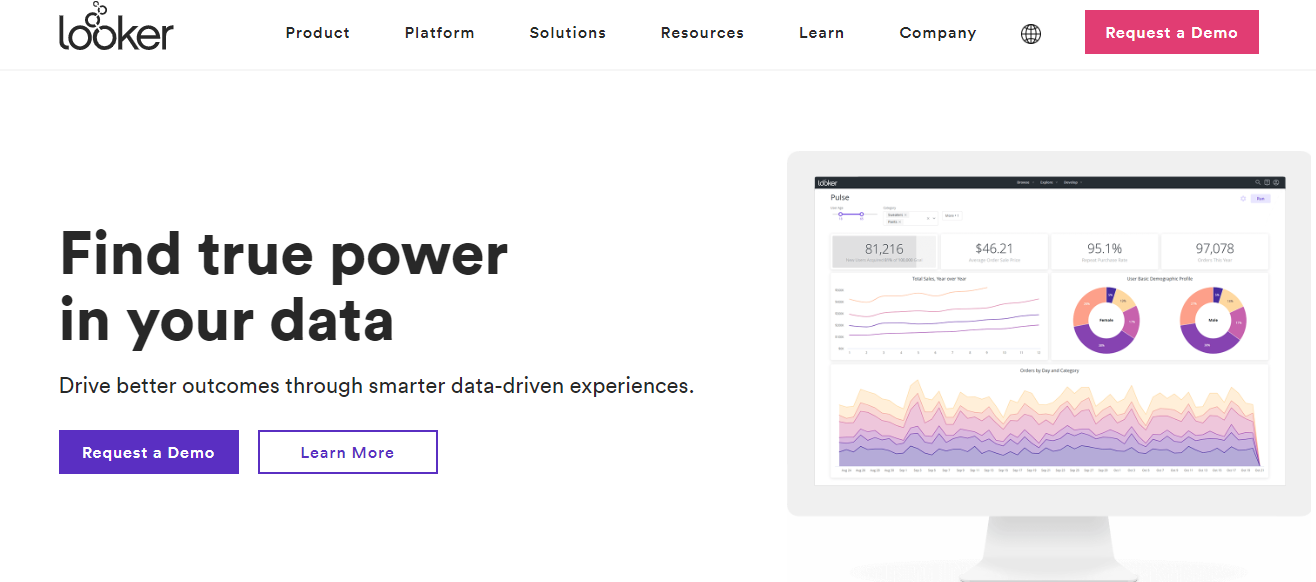
- Focus: Data exploration & business intelligence
- Key Features: Custom dashboards, predictive modelling, SQL-based queries, multi-source integration
- Use Case: Subscription services improve onboarding by analysing trial-to-paid conversion trends
6. Domo- Tracking User Behavior
- Focus: Enterprise data visualisation & analytics
- Key Features: Cloud-based dashboards, AI-driven insights, collaboration tools, mobile access
- Use Case: A logistics company tracks shipments and KPIs in real-time, enhancing delivery efficiency
Advanced Strategies for Using Analytics & Visualisation
- Combine Quantitative & Qualitative Data: Use heatmaps, session replays, and surveys to complement dashboards and understand why users behave a certain way.
- Segment Data for Personalised Insights: Drill down by geography, device, or behaviour to create targeted strategies.
- Set Benchmarks & KPIs: Use historical data to establish baseline metrics, monitor performance, and adjust strategies.
- Automate Reports & Alerts: Automated notifications for anomalies reduce manual monitoring, saving time and improving response speed.
- Iterative Improvement: Use insights for continuous testing and optimisation, refining products and campaigns over time.
Real-World Applications- Tracking User Behavior
- E-Commerce: Track product performance, optimise inventory, and tailor promotions.
- SaaS Products: Predict churn, monitor feature adoption, and improve retention.
- Marketing Campaigns: Optimise ROI by tracking cross-channel performance and engagement.
- Mobile Apps: Analyse retention, session duration, and in-app purchases to improve UX and monetisation.
Industry Statistics
- Data-Driven Companies: 5x more likely to make faster decisions and 3x more likely to execute as intended (Forrester, 2023)
- ROI of Visualisation: 20–30% increase in decision-making efficiency (Tableau, 2023)
- Predictive Analytics Adoption: 62% of top-performing companies leverage it for retention and revenue growth (Gartner, 2023)
- Customer-Centric Companies: Companies using predictive analytics experience a 10–20% increase in customer satisfaction and loyalty
Challenges & Solutions
- Data Overload: Focus on KPIs and actionable insights rather than raw numbers
- Complexity for Non-Technical Users: Choose intuitive, no-code platforms
- Data Quality Issues: Regularly clean and validate data
- Integration Issues: Ensure tools integrate with CRM, marketing, and product platforms
Future Trends- Tracking User Behavior
- AI-Driven Visualisation: Auto-generated dashboards based on natural language queries
- Predictive & Prescriptive Analytics: Increased reliance on AI for actionable recommendations
- Cross-Platform Insights: Unified analytics for web, mobile, CRM, and social media
- Real-Time Decision Making: Instant responses to behavioural changes
- Data Democratisation: Analytics accessible to all team members, not just data scientists
Voice of Customer (VoC) & Feedback Tools – Listening to Your Customers (Expanded)
Imagine a scenario: your team has launched a new feature on your app. Traffic is high, engagement seems normal, but adoption is lower than expected. You might have all the quantitative analytics—clicks, scroll depth, conversion rates—but the missing piece is why users aren’t engaging as expected.
This is where Voice of Customer (VoC) tools become indispensable. VoC tools capture direct feedback, sentiment, and preferences, bridging the gap between “what users do” and “why they do it.” Combining VoC insights with behavioural analytics provides a 360-degree view of user behaviour, allowing you to act confidently and strategically.
Deep Dive: What Is Voice of Customer (VoC)?
At its heart, VoC is the structured process of understanding customer needs and expectations through direct and indirect feedback.
Key aspects of VoC:
- Direct Feedback: Surveys, polls, NPS scores, and reviews
- Indirect Feedback: Social media monitoring, user-generated content, chat transcripts
- Behavioural Context: Coupling feedback with analytics data to understand the actions behind the words
- Example: A streaming platform discovers that users are cancelling subscriptions due to poor recommendation algorithms. By integrating VoC insights with behavioural data, they identify which content categories are most missed and update their recommendation engine accordingly. This leads to a 20% reduction in churn.
- Why it matters: Without VoC, businesses risk making assumptions about user needs, which can lead to wasted development resources, misaligned marketing campaigns, and dissatisfied customers.
Why Voice of Customer Matters
1. Enhance Customer Experience (CX)
VoC tools provide actionable insights on customer expectations and pain points. Improving CX not only satisfies customers but also drives repeat purchases, higher engagement, and loyalty.
Statistic: According to Forrester, companies prioritising CX see 1.5x higher employee engagement and 1.6x higher customer satisfaction scores.
2. Reduce Churn
By listening to early signs of dissatisfaction, businesses can intervene proactively. VoC data can predict churn by identifying negative sentiment, recurring complaints, or feature frustrations.
Example: A SaaS company using VoC tools identifies that users struggling with onboarding often cancel subscriptions. They implement guided tutorials and live support, reducing churn by 18%.
3. Product Innovation & Prioritisation
VoC helps prioritise product roadmap decisions based on real user needs rather than assumptions.
Statistic: Companies using VoC-driven product development are 2x more likely to launch features that see strong adoption (Gartner, 2023).
4. Drive Marketing Effectiveness
Understanding your users’ voice allows marketing teams to craft resonating campaigns, personalised messaging, and targeted promotions.
Example: A clothing e-commerce brand tracks feedback that customers want more inclusive sizing. The marketing team creates campaigns highlighting this range, increasing click-through rates by 27%.
Types of VoC & Feedback Tools- Tracking User Behavior
VoC tools are diverse, and businesses often need a combination of multiple tools to cover all touchpoints.
1. Surveys & Polls
- Short, structured, and often delivered at key touchpoints (post-purchase, post-chat, onboarding).
- Includes NPS, CSAT, and custom surveys.
Best Practices:
- Use targeted surveys for specific customer segments
- Keep surveys under 3 minutes
- Include open-ended questions to capture qualitative insights
Example: Airbnb uses post-stay surveys to measure guest satisfaction and identify improvement areas. Insights from these surveys led to over 15% improvement in host ratings.
2. Customer Reviews & Ratings
- Platforms like Yelp, Amazon, or Google Reviews provide valuable feedback for both businesses and new customers.
- Encourage honest reviews to improve product offerings and SEO ranking through user-generated content.
Statistic: 93% of consumers say online reviews influence purchasing decisions (Podium, 2023).
3. Social Listening & Monitoring
- Monitor social platforms for brand mentions, hashtags, or competitor discussions.
- Tools use AI and NLP (Natural Language Processing) to gauge sentiment.
Benefits:
- Detect emerging trends and customer sentiment
- Respond to complaints proactively
- Identify brand advocates
Example: Starbucks monitors Twitter mentions to identify common complaints and responds publicly, enhancing brand loyalty.
4. Chat & Messaging Feedback- Tracking User Behavior

- Feedback through chatbots or live chat allows real-time insights.
- Capture context-rich data alongside behavioural actions for accurate analysis.
Example: A fintech app captures chat feedback about confusing transfer flows and redesigns the interface, leading to a 12% increase in completed transactions.
5. Behavioural Feedback- Tracking User Behavior
- Combines quantitative analytics with qualitative feedback.
- Tools like FullStory or Hotjar integrate VoC surveys with session replays.
Example: An e-commerce site uses Hotjar’s in-page feedback tool and notices that multiple users are leaving at checkout due to unclear shipping fees. By redesigning the checkout flow, the business boosts conversion by 18%.
Key Features to Look for in VoC Tools
When selecting a VoC tool, consider:
- Multi-Channel Feedback Collection – Web, mobile, social, chat, email
- AI-Powered Sentiment & Emotion Analysis – Understand customer feelings at scale
- Actionable Dashboards – Visualise trends, recurring complaints, and KPIs
- Integration with Analytics & CRM – Combine feedback with behavioural insights
- Closed-Loop Feedback Management – Act on feedback and inform customers of improvements
- Survey Customisation & Automation – Tailor surveys based on customer touchpoints
Top VoC & Feedback Tools (2024)
| Tool | Key Features | Use Case | Pricing |
|---|---|---|---|
| InMoment | AI-driven insights, emotion analysis, and intent prediction | Retail & Hospitality | Quote-based |
| Qualtrics | Survey automation, predictive insights | B2B SaaS | Quote-based |
| Medallia | Real-time feedback, multi-channel, AI analysis | Hotels & Service Industry | Quote-based |
| Typeform | Interactive surveys, logic jumps | E-commerce | Free & Paid plans |
| Sprout Social | Social listening, sentiment detection | Marketing teams | Paid plans |
How to Effectively Use VoC Tools
- Collect Feedback Across Multiple Channels – Ensure coverage of all customer touchpoints.
- Segment Feedback – Analyse by demographics, behaviour, and product usage.
- Prioritise Actionable Insights – Focus on feedback that impacts conversion, satisfaction, and revenue.
- Combine with Behavioural Analytics – Link actions with words to understand the full customer journey.
- Close the Feedback Loop – Act on feedback and communicate changes back to customers.
Example: A subscription box company tracks customer feedback on box themes and communicates monthly improvements, increasing retention by 25%.
Real-World Applications- Tracking User Behavior
- E-commerce: Post-purchase surveys reveal delivery pain points → redesign logistics
- SaaS: In-app feedback captures feature requests → drives roadmap prioritisation
- Hospitality: Real-time guest surveys → improve services instantly
- Healthcare: Patient surveys → optimise appointment scheduling & care quality
Industry Statistics
- 86% of buyers are willing to pay more for excellent customer experience (PwC, 2023)
- Companies using VoC see 10–15% higher retention (Gartner, 2023)
- 68% of customers leave due to feeling ignored (Zendesk, 2023)
- Brands acting on feedback see 20–30% improvement in satisfaction
Challenges & Solutions
| Challenge | Solution |
|---|---|
| Low survey response rates | Incentives, shorter surveys, targeted timing |
| Unstructured feedback | AI-driven sentiment & text analysis |
| Lack of action | Implement a closed-loop feedback system |
| Integration issues | Choose tools compatible with CRM & analytics |
Future Trends in VoC
- AI-Driven Analysis – Automate categorisation, sentiment, and priority
- Voice & Video Feedback – Capture richer insights
- Predictive VoC Analytics – Forecast dissatisfaction or churn
- Real-Time Alerts – Immediate intervention for negative experiences
- Integration with Behavioural Data – Link words with actions for holistic insights.
Also Reasd: Top WooCommerce Analytics & Tracking Integrations: Use Cases + Comparison
Social Media & CRM Analytics Tools – Understanding Users Beyond Your Website

In today’s omnichannel digital ecosystem, user behaviour extends far beyond your website or mobile app. Customers interact with brands across social media, email campaigns, chatbots, in-app notifications, and even offline experiences. To truly understand your audience, you need tools that track behaviour across all these touchpoints.
This is where Social Media & CRM Analytics Tools come in. They provide businesses with a 360-degree view of customer interactions, bridging the gap between marketing, sales, and customer service. By leveraging these insights, businesses can optimise engagement, increase conversions, and strengthen retention.
What Are Social Media & CRM Analytics Tools?
Social Media & CRM Analytics Tools are platforms that monitor, analyse, and report on user interactions across various channels. Here’s what makes them essential:
- Social Media Analytics Tools focus on engagement, sentiment, and trends across platforms like Instagram, Facebook, Twitter, LinkedIn, TikTok, and YouTube. They help you understand what resonates with your audience, when they engage, and why.
- CRM Analytics Tools collect and analyse data from customer interactions such as emails, phone calls, chats, and in-person engagements. These tools link user behaviour to revenue outcomes, enabling precise targeting, better lead scoring, and improved retention strategies.
Why it matters: Consumers today expect consistent, personalised experiences across all channels. Businesses that fail to monitor multi-channel interactions often lose opportunities to engage and convert customers.
Benefits of Social Media & CRM Analytics
1. Measure Campaign Effectiveness Across Platforms
Social media analytics platforms help businesses track key metrics, including:
- Likes, shares, and comments
- Click-through rates and conversions
- Audience growth and demographic insights
- Post reach, impressions, and engagement trends
Example: A cosmetics brand uses Sprout Social to monitor Instagram campaigns. They find that carousel posts featuring user testimonials generate 30% more engagement than product-only posts. This insight leads them to produce more testimonial content, boosting conversions.
Statistic: HubSpot reports that businesses tracking social media ROI are 12% more likely to report higher revenue growth.
2. Understand Customer Sentiment in Real-Time
Sentiment analysis tools utilise AI to categorise interactions as positive, neutral, or negative. This allows brands to respond proactively and maintain strong relationships.
- Example: A telecom company uses Sprout Social to monitor Twitter mentions during a network outage. By quickly addressing complaints, they reduce negative sentiment and maintain customer trust.
- Statistic: Microsoft reports that 70% of consumers who feel their complaints are addressed promptly become loyal customers.
3. Map Multi-Channel Customer Journeys- Tracking User Behavior
CRM analytics platforms reveal the full path a customer takes—from social engagement to website visit to final purchase. This holistic view enables businesses to identify friction points and optimise conversion paths.
Example: Salesforce CRM tracks a lead who attends a webinar, downloads a whitepaper, and clicks an email link. The marketing team identifies this lead as high-potential, enabling personalised outreach and higher conversion rates.
4. Improve Customer Retention & Loyalty
Behaviour analytics from CRM tools helps identify at-risk customers. Early intervention can prevent churn and increase lifetime value.
Example: A SaaS company uses Salesforce Einstein Analytics to detect declining engagement in premium accounts. Automated emails and proactive support increase retention by 18%.
5. Enable Data-Driven Marketing & Sales Decisions
Social Media & CRM analytics provide actionable insights for:
- Optimising ad spend
- Personalising marketing campaigns
- Prioritising high-potential leads
- Forecasting revenue trends
Example: HubSpot’s integrated platform allows a B2B SaaS company to track lead behaviour across webinars, emails, and demo requests, helping the sales team focus on leads with the highest conversion potential.
Types of Social Media & CRM Analytics Tools
1. Social Media Analytics Platforms
- Track engagement metrics, post performance, hashtag trends, and audience demographics.
- Help marketers refine content strategies and campaigns.
Top Tools:
- Sprout Social: Engagement tracking, social listening, sentiment analysis
- Hootsuite Analytics: Performance dashboards, campaign tracking, reporting
- Buffer Analyse: Insights on reach, engagement, and optimal posting times
Example: A travel company tracks hashtags like #WeekendGetaway on Instagram to identify trending destinations, using insights to guide ad targeting and blog content creation.
2. CRM Analytics Platforms- Tracking User Behavior
- Analyse customer data from emails, calls, chats, and website interactions.
- Enable segmentation, lead scoring, churn prediction, and upsell opportunities.
Top Tools:
- Salesforce: AI-powered analytics, revenue forecasting, behavioural segmentation
- HubSpot CRM: Contact tracking, pipeline management, marketing analytics
- Zoho CRM: Multi-channel tracking, reporting dashboards, predictive insights
Example: A B2B SaaS company uses HubSpot CRM to analyse lead behaviour during demo requests and email engagement. Sales teams prioritise leads most likely to convert, improving efficiency.
3. Social Listening Tools
- Monitor brand mentions, competitors, and industry trends.
- Detect sentiment and emerging trends in real-time.
Example: A restaurant chain uses Brandwatch to monitor online reviews and social posts, identifying complaints about delivery delays and addressing them proactively.
Statistic: 76% of marketers using social listening report improved campaign performance (Sprout Social, 2023).
Also Read: How Casino Website Design Can Encourage Responsible Gambling
4. Integrated Analytics Suites
- Combine social media, CRM, and website analytics into one platform.
- Provide a unified, 360-degree view of user behaviour.
Top Tools:
- Salesforce Marketing Cloud: Integrates email, social, advertising, and website data
- HubSpot: Combines CRM, marketing, and social analytics
- Zoho Analytics: Connects multiple data sources for advanced dashboards
Best Practices for Social Media & CRM Analytics
- Define Clear Goals: Identify whether you aim to measure engagement, conversions, retention, or brand sentiment.
- Segment Your Audience: Use demographics, purchase history, and behavioural patterns for meaningful insights.
- Combine Behavioural & VoC Data: Track user actions and feedback to understand why behaviours occur.
- Monitor Competitors: Benchmark against competitors to identify gaps and opportunities.
- Act on Insights Quickly: Set automated dashboards and alerts for timely responses.
- Regular Reporting & Iteration: Analytics is ongoing; adapt strategies based on trends and insights.
Real-World Applications- Tracking User Behavior
- E-commerce: Predict future best-sellers using social engagement data.
- SaaS: Forecast subscription renewals and upsell opportunities using CRM analytics.
- Hospitality: Detect negative reviews early to prevent PR issues.
- Healthcare: Track patient feedback and multi-channel interactions to improve services.
Industry Statistics
- Companies using CRM analytics see 41% higher revenue per salesperson
- Social listening users report 2x higher customer retention
- 80% of consumers expect personalised experiences across channels
- Brands responding to social media complaints resolve issues 25% faster
Challenges & Solutions
| Challenge | Solution |
|---|---|
| Data silos across teams | Use integrated analytics platforms like HubSpot or Salesforce |
| High volume of unstructured data | Leverage AI for sentiment analysis and prioritisation |
| Attribution of conversions | Implement multi-touch attribution models |
| Need for real-time insights | Set automated dashboards and alerts |
Future Trends
- Predictive Analytics: Forecast lead quality, purchase likelihood, and churn probability.
- AI-Powered Sentiment Analysis: Understand emotions and intent at scale.
- Omnichannel Analytics: Track behaviour across web, mobile, social, and offline touchpoints.
- Hyper-Personalisation: Deliver AI-driven experiences in real-time.
- Automated Reporting: Focus on actionable insights with less manual effort.
Experimentation & Optimisation Tools – Turning Data Into Action
Why Experimentation Matters More Than Ever
The modern digital landscape is noisy. Businesses are competing for attention with shorter user attention spans, increasing acquisition costs, and evolving privacy laws. In this environment, simply getting traffic to your website isn’t enough—you must convert that traffic efficiently.
Experimentation and optimisation tools give you the ability to:
- Validate assumptions before investing heavily.
- Scale successful experiments across channels.
- Uncover hidden opportunities in user journeys.
- Build a culture where failure isn’t feared but is instead embraced as an opportunity for learning.
💡 Insight: According to Forrester, companies that adopt structured experimentation programs grow revenue 8x faster than their peers.
Also Read: Tips for Product Recommendation on E-commerce Store
The Experimentation Lifecycle- Tracking User Behaviour
Optimisation isn’t just about running random A/B tests—it’s a structured process.
Research & Hypothesis
- Gather insights from analytics, heatmaps, and customer feedback.
- Form a hypothesis: “If we reduce form fields from 7 to 3, sign-ups will increase by 20%.”
Prioritization
- Use frameworks like ICE (Impact, Confidence, Ease) or PIE (Potential, Importance, Ease) to rank tests.
Test Design
- Choose the right test: A/B, multivariate, split URL, or personalisation.
- Define KPIs (conversion rate, AOV, bounce rate, etc.).
Execution
- Run the test long enough to reach statistical significance.
- Ensure randomised traffic split for reliability.
Analysis
- Evaluate whether the results support or reject the hypothesis.
- Look beyond averages—segment results by device, traffic source, and audience.
Implementation
- Roll out winning variations sitewide.
- Document learnings in a “Test Library” for future reference.
Iteration
- Optimisation never ends—new user behaviours and competitors require ongoing testing.
Deep Dive Into A/B Testing- Tracking User Behaviour
Definition: A/B testing is the simplest form of controlled experimentation where one variable is changed, and performance is compared between Version A and Version B.
Common Elements to Test
- Headlines and hero copy
- CTA buttons (text, colour, placement)
- Pricing strategies (monthly vs. annual plans)
- Form length and layout
- Product images and descriptions
- Navigation menus
Example:
- A SaaS brand tested “Get Started Free” vs. “Start Your Free Trial.”
- Result: The second option increased sign-ups by 14% because it clarified the value proposition.
Multivariate Testing
When multiple elements are tested at once, you can discover interaction effects.
Example:
- Testing button colour + headline + background image.
- Version with “Try It Today” headline, green button, and product-focused image boosted conversions by 19% over baseline.
Best For: High-traffic sites with millions of visitors (e.g., e-commerce, travel portals).
Personalisation at Scale
Modern optimisation platforms allow for dynamic experiences tailored to user segments.
- Geolocation: Show currency and shipping details based on region.
- Behavioural: Offer discounts to cart abandoners.
- Demographic: Adjust tone and imagery for different age groups.
- Device-Based: Mobile users see shorter forms and one-click checkouts.
💡 Stat: 91% of consumers prefer brands that provide relevant offers and recommendations (Accenture, 2023).
Advanced Testing Approaches
Multi-Armed Bandit Testing
- Uses AI to dynamically allocate traffic to better-performing variants in real time.
- Ideal when speed is critical (e.g., limited-time campaigns).
Sequential Testing
- Useful for lower-traffic websites to avoid long wait times.
Predictive Optimization
- Emerging tools use machine learning to predict the likely winner before full statistical significance.
Case Studies
1. Expedia – Simplifying Checkout
Expedia tested removing one optional form field during checkout. The result was a $12 million annual revenue increase from reduced friction.
2. HubSpot – Call-to-Action Colours
HubSpot tested red vs. green CTA buttons. Red buttons outperformed by 21%, proving that design conventions don’t always predict results.
3. Walmart – Personalisation at Scale
By using AI-driven personalisation, Walmart boosted e-commerce conversions by 10% across millions of product pages.
4. LinkedIn – Onboarding Flow
LinkedIn tested different onboarding sequences for new users. The winning sequence increased engagement by 20% in the first week.
Tools in Detail- Tracking User Behavior
Optimizely
- Strengths: Enterprise-grade, integrates with CMS & CDPs.
- Use Case: A global airline tested loyalty program messaging, improving sign-ups by 17%.
VWO
- Strengths: Best for mid-sized businesses, all-in-one CRO suite.
- Use Case: A SaaS firm tested pricing tiers, leading to 28% higher ARPU (Average Revenue Per User).
Adobe Target
- Strengths: AI-powered personalisation.
- Use Case: Retailer used auto-targeting for recommendations, resulting in a 20% revenue uplift.
Convert
- Strengths: Privacy-first, GDPR-compliant.
- Use Case: Non-profit tested donation forms, boosting donor conversions by 12%.
Unbounce
- Strengths: Landing page testing without developers.
- Use Case: Agency clients saw 35% faster campaign launches with built-in testing.
Common Pitfalls & How to Avoid Them
- Stopping Tests Too Early: Leads to false positives. Solution: Commit to sample size calculators.
- Testing Trivial Changes: Button colours alone may not move the needle. Solution: Focus on high-impact hypotheses.
- Ignoring External Factors: Seasonality, ad campaigns, and news events skew results. Solution: Document test context.
- Lack of Organisational Buy-In: Teams resist testing culture. Solution: Share wins to build momentum.
Emerging Trends in Experimentation
- AI-Powered Personalization – Tools will predict user intent in real time.
- Cross-Channel Experimentation – Extending beyond websites into apps, emails, and offline touchpoints.
- Voice & AR Testing – Experimenting with new interfaces (voice search, AR commerce).
- Privacy-First Testing – Tools will adapt to cookieless tracking and stricter compliance.
- Continuous Optimisation – Always-on testing engines replacing campaign-based approaches.
Voice of Customer (VoC) & Feedback Tools- Tracking User Behavior
When you think about analytics, it’s easy to imagine dashboards filled with numbers—conversion rates, funnels, heatmaps, bounce rates, and churn curves. But here’s the truth: numbers only tell you what’s happening, not why it’s happening. And if you’ve ever stared at an analytics chart wondering why users are dropping off, you already know the frustration of incomplete data.
That’s exactly where Voice of Customer (VoC) and feedback tools come in. They bridge the gap between quantitative and qualitative insights, helping businesses hear the human side of analytics. In simple terms, VoC tools let you capture, analyze, and act on feedback directly from your users. Whether through surveys, ratings, reviews, or social media chatter, these tools amplify the customer’s voice and weave it into your decision-making process.
What Are VoC & Feedback Tools?
VoC tools are systems designed to systematically collect feedback across multiple channels—your website, mobile app, emails, live chat, social media, or even offline kiosks. Unlike traditional analytics platforms that focus on user actions, VoC tools directly ask questions such as:
- “How satisfied were you with this purchase?”
- “What almost stopped you from completing this checkout?”
- “What feature would you like us to add next?”
By capturing and categorizing responses, VoC platforms allow businesses to understand customer expectations, identify pain points, and uncover opportunities for innovation.
Think of VoC as the “emotion and reasoning” layer added on top of behavioral data. Together, they create a 360° view of customer experience (CX).
Why VoC Tools Are Essential in User Behavior Analytics
- They Provide Context to Numbers
Analytics may tell you that your bounce rate is 70%, but VoC tools uncover that visitors leave because the homepage feels “too cluttered” or “the pricing isn’t transparent.” - Early Problem Detection
Feedback tools act like an early warning system. By gathering real-time customer opinions, you can catch dissatisfaction before it escalates into negative reviews or churn. - Fosters a Customer-Centric Culture
Companies that consistently act on customer feedback build trust and loyalty. Users feel heard, and that builds long-term relationships. - Drives Product & Service Innovation
Feedback often highlights unmet needs. Many iconic product updates—like Instagram Stories or Slack integrations—were influenced directly by user requests. - Impacts the Bottom Line
According to Forrester (2023), companies that prioritize VoC improve retention by up to 55% and increase lifetime value by 25–30%.
Key Types of VoC & Feedback Tools
1. Surveys and Polls
- NPS (Net Promoter Score): Measures loyalty by asking if customers would recommend you.
- CSAT (Customer Satisfaction Score): Evaluates satisfaction with a specific experience.
- CES (Customer Effort Score): Measures how easy a task or interaction was.
Example: After checkout, a pop-up survey asking, “How easy was it to complete your purchase?”
2. In-App Feedback Widgets
Small, unobtrusive pop-ups embedded in websites or apps allow users to rate experiences or leave quick comments. Perfect for gathering context-sensitive feedback.
3. Online Reviews & Testimonials
VoC tools that help capture and showcase customer reviews across Google, Trustpilot, or your website. These reviews also double as social proof.
4. Sentiment Analysis
AI-powered systems analyse written feedback to detect whether the tone is positive, neutral, or negative.
5. Chatbots & Conversational Feedback
Instead of static surveys, modern feedback is conversational—through chatbots or live messages that feel natural to users.
6. Social Listening
Monitoring platforms that track brand mentions, hashtags, and customer discussions across social platforms.
Popular VoC & Feedback Tools (Deep Dive)
Here’s a closer look at the most widely used platforms, along with their features, pricing, pros, and cons.
1. InMoment- Tracking User Behavior

InMoment is a leading customer experience (CX) and VoC platform built with artificial intelligence at its core. Designed primarily for large enterprises, it helps organisations go beyond surface-level feedback to truly understand customer emotions, behaviours, and expectations. Its strength lies in capturing unstructured feedback from multiple sources and turning it into actionable insights.
Features:
- Text and Sentiment Analytics: AI-powered engines process customer comments, reviews, and survey data to identify themes and emotions.
- Emotion Recognition: Goes deeper than traditional sentiment, detecting feelings such as frustration, delight, or confusion.
- Predictive Churn Alerts: Identifies early warning signs of customer dissatisfaction and predicts churn risk.
- Multi-Channel Data Collection: Supports surveys, social media, contact centres, and online review integration.
Pros: Excellent for businesses that want real-time, AI-driven insights across large customer bases.
Cons: Complex for small teams; requires training and investment.
Best For: Large enterprises managing complex, multi-touchpoint customer journeys.
2. Qualtrics- Tracking User Behavior
Qualtrics is one of the most established survey and feedback platforms worldwide. Known for its flexibility and research-grade survey capabilities, it has become the go-to solution for organisations that need to design advanced feedback collection systems. From academic institutions to Fortune 500 companies, Qualtrics is trusted to deliver deep VoC insights.
Features:
- Advanced Survey Builder: Drag-and-drop tools with logic branching, conditional flows, and multi-language support.
- Customer Journey Mapping: Visualises how customers interact across different touchpoints.
- Predictive Analytics: Uses machine learning to flag at-risk customers.
- CRM Integration: Works seamlessly with Salesforce and other CRMs to connect feedback to customer profiles.
Pros: Highly customizable, robust, and scalable.
Cons: Licensing can be costly, making it less accessible for small businesses.
Best For: Enterprises, universities, healthcare organisations, and SaaS platforms seeking detailed customer insights.
3. Medallia
Medallia specialises in experience management and multi-channel VoC. It is widely adopted by global enterprises that want to gather real-time insights across diverse customer interactions—from online transactions to in-store visits.
Features:
- Omnichannel Feedback: Collects input via email, SMS, mobile apps, websites, and social media.
- Real-Time Alerts: Flags negative sentiment instantly to enable fast response.
- AI-Powered Insights: Identifies churn risk and emerging customer concerns.
- Role-Based Dashboards: Provides tailored reports for managers, executives, and customer-facing teams.
Pros: Ideal for large organisations that need unified, real-time insights.
Cons: Complex to implement and requires dedicated resources.
Best For: Global corporations with diverse customer touchpoints (retail, banking, hospitality).
4. UserVoice
UserVoice is a customer feedback and product management platform best known for helping SaaS and tech companies gather and prioritize feature requests. It turns customer opinions into a structured product roadmap, ensuring product development is aligned with user needs.
Features:
- Feature Request Voting: Customers can submit and vote on feature ideas.
- Product Roadmap Alignment: Helps teams prioritise what to build next.
- Integrations: Connects with Jira, Slack, and CRM systems for workflow management.
- Data Analysis: Highlights top requests and trends over time.
Pros: Streamlines product decision-making by showing what customers really want.
Cons: Narrower focus; less useful for non-digital businesses.
Best For: SaaS companies, startups, and product teams practising agile development.
5. Survicate- Tracking User Behaviour
Survicate is a lightweight, flexible VoC tool designed to gather feedback without overwhelming teams. Known for its ease of use and fast setup, it’s an ideal solution for growing businesses that need actionable insights without enterprise complexity.
Features:
- Pop-Up Website Surveys: Engage users during browsing or after specific actions.
- In-App Mobile Surveys: Perfect for SaaS and mobile-first companies.
- CRM & Marketing Integrations: Works with HubSpot, Salesforce, and Mailchimp for unified workflows.
- Pre-Made Templates: Speeds up survey creation with best-practice designs.
Pros: Affordable, intuitive, and easy to deploy.
Cons: Lacks some advanced analytics found in enterprise platforms.
Best For: Startups and SMBs needing flexible and cost-effective feedback tools.
6. AskNicely
AskNicely is a customer feedback solution built around NPS (Net Promoter Score). Its goal is to help businesses track customer loyalty and improve frontline employee performance by linking feedback to recognition systems.
Features:
- NPS Tracking: Automates real-time collection of customer loyalty scores.
- Employee Engagement: Shares feedback directly with staff for recognition and coaching.
- Integrations: Works with Salesforce, Zendesk, Slack, and other systems.
- Custom Branding: Keeps surveys aligned with the company identity.
Pros: Excellent for tracking customer loyalty and motivating teams.
Cons: Focused primarily on NPS, so less versatile for other feedback needs.
Best For: Businesses emphasising customer loyalty and employee alignment.
7. Zonka Feedback
Zonka Feedback is a versatile VoC platform supporting online and offline feedback collection. It’s especially strong for businesses operating in hybrid environments like retail, events, and hospitality, where in-person experiences are as critical as digital ones.
Features:
- Offline Surveys: Tablets or kiosks for collecting feedback in physical locations.
- Multi-Channel Support: Web, mobile, email, SMS, and WhatsApp surveys.
- Real-Time Dashboards: Provides instant analysis of feedback trends.
- Survey Templates: Supports NPS, CSAT, CES, and custom surveys.
Pros: Excellent hybrid functionality; great for businesses with physical and online customer touchpoints.
Cons: User interface feels dated compared to newer platforms.
Best For: Retailers, hospitality providers, and event-driven businesses.
Real-World Examples of VoC in Action
- Airbnb: Used VoC to refine their cancellation policies and introduce the “Superhost” badge system.
- Slack: Relies heavily on feature requests to decide which integrations to prioritise.
- Amazon: Reviews function as a giant VoC engine, shaping rankings, recommendations, and even product design.
Best Practices for Using VoC Tools
- Ask at the Right Time – Don’t overwhelm users. Context is key.
- Close the Feedback Loop – Tell customers how their feedback was used.
- Combine With Analytics – Use behavioural + feedback data for richer insights.
- Segment Responses – Different personas, different needs.
- Act Fast – Customers expect action, not just listening.
Future Trends in VoC & Feedback
- AI-Powered Predictive Feedback – Tools that warn you about churn before it happens.
- Conversational Interfaces – Gathering feedback via natural conversations, not static forms.
- Unified CX Analytics – VoC + user behaviour analytics in one dashboard.
- Instant Personalisation – Feedback data directly influences real-time customer journeys.
Comparison Table: Best VoC Tools in 2025
| Tool | Best For | Starting Price | Key Strength |
|---|---|---|---|
| InMoment | Global enterprises | $40,000+/year | AI-driven insights & emotion analysis |
| Qualtrics | Enterprise & academia | $1,500+/year | Advanced surveys & journey mapping |
| Medallia | Large enterprises | $50,000+/year | Multi-channel, real-time response |
| UserVoice | SaaS & startups | $799/month | Feature prioritization |
| Survicate | Startups & SMBs | $99/month | Affordable, easy web/app surveys |
| AskNicely | Loyalty-focused businesses | $375/month | Real-time NPS & employee engagement |
| Zonka Feedback | Retail & hospitality | $49/month | Offline + online hybrid surveys |

Turning Insights into Actionable Strategies
At the heart of every successful business lies a straightforward truth: understanding your customers. From tracking clicks and scrolls to capturing real emotions through surveys and feedback, user behaviour analytics and Voice of Customer tools give you a window into what your users truly want.
These insights aren’t just numbers on a dashboard—they’re actionable stories. They show you where your customers feel delighted, frustrated, or confused, and they give you the power to make smarter decisions that improve experiences, increase conversions, and build lasting loyalty.
Whether you’re a startup testing new features, an eCommerce store trying to reduce cart abandonment, or a global enterprise managing complex customer journeys, leveraging these tools can transform the way you engage with your audience. It’s about moving from guesswork to understanding, from assumptions to empathy, and from reactive fixes to proactive improvements.
In today’s competitive digital landscape, listening to your customers is no longer optional—it’s essential. By embracing the right analytics and feedback tools, you’re not just collecting data—you’re building trust, fostering meaningful connections, and paving the way for sustainable growth.
Remember: happy customers aren’t just repeat buyers—they’re advocates, partners in your journey, and the most valuable source of insight you’ll ever have. Start exploring, start listening, and watch your business thrive.
Interesting Reads:
How to Use Data Analytics to Improve Your Online Marketplace?
How to Add Hashtags in BuddyPress for Better Engagement
Benchmarking Performance: Lightweight Newsletter Plugins for High-Traffic Sites
