

Online success often starts with a form. From capturing leads and processing payments to managing surveys and event registrations, forms are the bridge between a website and its audience. Research shows that well-optimized forms can boost conversions by up to 120 percent, underscoring the need for a dependable form builder. That’s where this Gravity Forms Review comes in.
For more than a decade, Gravity Forms has been a go-to solution for WordPress users who need more than just a basic contact form. Built for businesses, agencies, and developers, it delivers advanced functionality such as conditional logic, file uploads, payment gateway integrations, and CRM connections, all within a user-friendly interface.
In this Gravity Forms Review, we’ll take a closer look at its features, pricing, pros and cons, and how it compares to other plugins. By the end, you’ll know whether Gravity Forms still deserves its reputation as the best WordPress form buil
der in 2025.

What is Gravity Forms?
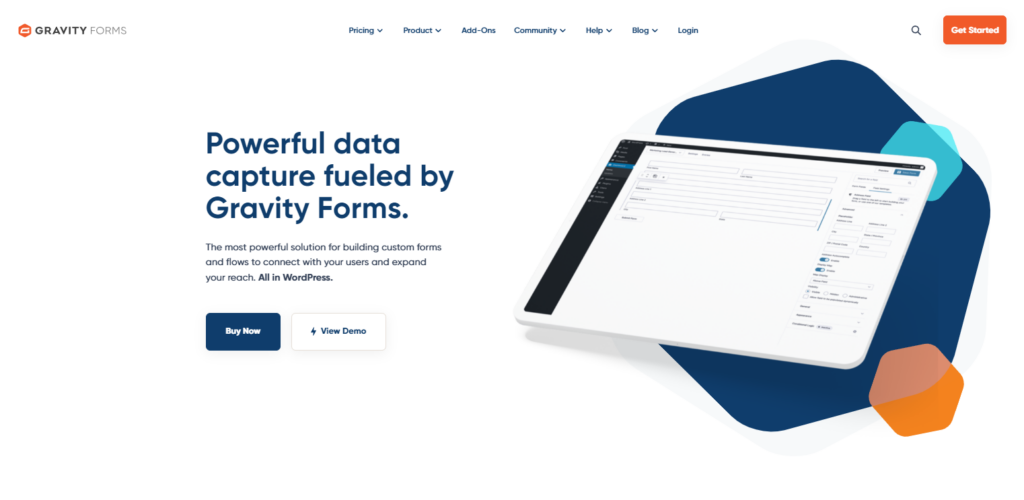
Gravity Forms is a premium WordPress form builder plugin designed to help website owners create everything from simple contact forms to advanced data collection systems. Unlike free plugins such as Contact Form 7 or WPForms Lite, Gravity Forms is built with scalability in mind, making it a strong choice for businesses, agencies, and developers.
The plugin features a drag-and-drop builder, allowing users to design custom forms without coding. Beyond standard fields like text and email, it supports advanced options such as file uploads, multi-page forms, conditional logic, and payment integrations. This makes it versatile enough to power lead generation campaigns, e-commerce checkouts, surveys, registrations, and application forms.
With a strong ecosystem of add-ons and integrations, Gravity Forms connects seamlessly with CRMs, email marketing platforms, and automation tools. In short, it’s a powerful solution for websites that need more than just a basic contact form.
Why Choose Gravity Forms?
 width=””</p” />
With so many WordPress form plugins available, you might wonder why Gravity Forms continues to stand out after more than a decade. The answer lies in its balance of power, reliability, and scalability. Unlike free plugins that only handle basic forms, Gravity Forms equips you with advanced tools that grow with your business.
One of its biggest advantages is flexibility. You can use it to build simple contact forms, detailed surveys, multi-step applications, payment forms, or event registrations, all within the same plugin. Its drag-and-drop builder makes form creation accessible to beginners, while its developer-friendly hooks and APIs provide endless customization options for advanced users.
Another reason to choose Gravity Forms is its ecosystem of add-ons and integrations. Whether you want to connect with CRMs like HubSpot, automate workflows with Zapier, or accept payments through Stripe and PayPal, the plugin offers seamless compatibility.
In short, Gravity Forms is more than just a form builder. It’s a business solution that adapts to your website’s evolving needs.
How to Get Started with Gravity Forms (Step-by-Step Guide)
Getting started with Gravity Forms is straightforward, even if you’ve never worked with form builders before. The plugin is designed to make form creation simple while offering advanced options for businesses and developers. Follow these steps to set it up on your WordPress site.
1. Install and Activate Gravity Forms
- Purchase a license from the Gravity Forms website.
- Download the plugin file and upload it through your WordPress dashboard under Plugins → Add New → Upload Plugin.
- Activate the plugin and enter your license key for updates and add-ons.
2. Create Your First Form
- Navigate to Forms → New Form.
- Enter a form title and description.
- Use the drag and drop builder to add fields such as text, email, dropdowns, checkboxes, or file uploads.
3. Configure Form Settings
- Set up form confirmations for users after submission.
- Configure email notifications for admins and users.
- Enable spam protection with tools like Google reCAPTCHA or Akismet.
4. Add Advanced Features
- Apply conditional logic to show or hide fields based on user input.
- Create multi-page forms with progress indicators.
- Enable file uploads if users need to submit documents.
5. Enable Payment Integrations (Optional)
- Install add-ons for Stripe, PayPal, or Authorize.Net.
- Configure product fields or donation forms.
- Test the checkout process before going live.
6. Embed Your Form
- Copy the shortcode provided after saving the form.
- Paste it into a WordPress post, page, or widget area.
- Alternatively, use the Gutenberg block or Classic Editor button to insert the form.
Key Features of Gravity Forms
Gravity Forms is not just a simple contact form plugin. It’s a powerful form-building solution designed to handle everything from lead generation to payment processing. Here are its standout features that make it a top choice for businesses, agencies, and developers in 2025.
1. Drag and Drop Form Builder
The core of Gravity Forms is its intuitive drag-and-drop editor. You can easily build forms by adding fields, rearranging them, and customizing settings without touching code.
2. Advanced Field Types
- File uploads
- Multi-select dropdowns
- Address and phone fields
- Date and time pickers
- Hidden fields for tracking
3. Conditional Logic
With conditional logic, you can display or hide fields, sections, or entire pages based on user input, creating dynamic and personalized forms.
4. Multi-Page Forms with Progress Indicators
Long applications or surveys can be broken into multi-step forms with progress bars to reduce abandonment.
5. Payment Processing
Gravity Forms integrates with popular payment gateways like Stripe, PayPal, and Authorize.Net to handle donations, product sales, and subscriptions.
6. Email Notifications and Confirmations
Send customized email notifications to admins and users and configure on-screen confirmations or redirects.
7. Spam Protection
Integrations with Google reCAPTCHA, hCaptcha, and Akismet help reduce spam submissions.
8. Add-ons and Integrations
- CRMs such as HubSpot, Salesforce, and Zoho
- Email marketing tools like Mailchimp, ConvertKit, and ActiveCampaign
- Automation platforms like Zapier and Make
- Project management tools such as Trello and Slack
9. Developer Friendly Customization
Hooks, filters, and APIs allow developers and agencies to build custom workflows and advanced integrations.
10. Accessibility and Responsiveness
Gravity Forms is mobile responsive and accessibility ready, meeting WCAG standards, so forms work seamlessly across devices and for all users.
Gravity Forms Pricing Plans (2025 Update)
Unlike many WordPress form plugins that offer free versions, Gravity Forms is a premium-only plugin. While this may seem like a drawback at first, it’s important to note that the pricing reflects the professional-grade features and reliability the plugin provides. As of 2025, Gravity Forms offers three main license tiers.
1. Basic License
- Price: Around $59 per year
- Use on 1 site
- Includes standard features like unlimited forms, entries, conditional logic, file uploads, and basic add-ons (Mailchimp, ActiveCampaign, AWeber, etc.).
- Best for bloggers or small businesses that need professional forms without advanced integrations.
2. Pro License
- Price: Around $159 per year
- Use on 3 sites
- Includes everything in Basic plus Pro add-ons such as Stripe, PayPal, Dropbox, Trello, and Slack integrations.
- Designed for growing businesses that require payment forms, automation, and multi-platform connections.
3. Elite License
- Price: Around $259 per year
- Use on unlimited sites
- Access to all Basic and Pro features plus Elite add-ons like User Registration, Survey, Quiz, Polls, and Webhooks.
- Best for agencies, developers, or enterprises managing multiple websites.
Value for Money
When compared to alternatives like WPForms or Formidable Forms, Gravity Forms might appear more expensive upfront because it lacks a free version. However, it delivers significant value through scalability, advanced features, and enterprise-ready integrations. For agencies and businesses that rely heavily on form-driven workflows, the cost quickly pays for itself.
For smaller projects or hobby websites, plugins like Contact Form 7 or WPForms Lite may suffice. But for anyone serious about running professional websites in 2025, Gravity Forms remains a worthwhile investment.
Pros and Cons of Gravity Forms
Every plugin has strengths and limitations, and understanding both sides is key before making a purchase decision. Here’s a closer look at where Gravity Forms excels and where it may fall short.
Pros of Gravity Forms
- Professional Grade Features: Offers advanced functionality like conditional logic, file uploads, multi-page forms, and payment integrations.
- Unlimited Forms and Entries: Allows unlimited form creation and data collection, even on the Basic plan.
- Robust Ecosystem of Add-ons: Integrates with CRMs, email marketing tools, automation platforms, and payment gateways for seamless workflows.
- Developer Friendly: Provides hooks, filters, and APIs for deep customization, making it ideal for agencies and developers.
- Responsive and Accessible: All forms are mobile-friendly and compliant with accessibility standards, ensuring a smooth user experience across devices.
- Reliable and Secure: Trusted by professionals for over a decade, known for stability, regular updates, and strong support.
Cons of Gravity Forms
- No Free Version: There’s no free tier. You must buy a license to use it, which may deter beginners.
- Higher Price Point: Its cost is higher compared to some competitors, especially for small or personal projects.
- Add-ons Required for Many Integrations: Advanced features like surveys, quizzes, and some CRM integrations require additional add-ons, increasing overall cost.
- Learning Curve for Beginners: The feature-rich interface can feel overwhelming for users who only need a simple contact form.
Gravity Forms vs Other Form Plugins
When considering a WordPress form builder, Gravity Forms is often compared to alternatives like WPForms, Ninja Forms, Formidable Forms, and Contact Form 7. Each plugin has its strengths, but your choice depends on whether you need a simple contact form or a professional grade solution.
Gravity Forms vs WPForms
WPForms is one of the most popular form builders due to its beginner-friendly interface and free Lite version. It’s perfect for small websites that only need basic forms. However, its advanced features, such as payment integrations and conditional logic, are locked behind premium plans. Gravity Forms, by contrast, has more advanced field types, stronger developer tools, and a larger ecosystem of add-ons, making it better for businesses that need scalability.
Gravity Forms vs Ninja Forms
Ninja Forms also offers a free version, but many essential features are sold separately as paid extensions. While this modular pricing may suit small users, costs can quickly add up for growing businesses. Gravity Forms includes most professional tools in its license tiers, providing a more all-in-one package for serious users.
Gravity Forms vs Formidable Forms
Formidable Forms is known for data-driven applications such as calculators, directories, and listings. It’s great for advanced use cases where form submissions are displayed on the front end. Gravity Forms is more versatile for general business use, especially for lead generation, ecommerce, and surveys. Developers may use both depending on project requirements.
Gravity Forms vs Contact Form 7
Contact Form 7 is the oldest and most widely installed free form plugin. While lightweight, it lacks advanced features, integrations, and a user-friendly design. Customization requires coding, which isn’t ideal for non-technical users. Gravity Forms provides a far more polished, drag-and-drop experience with robust functionality out of the box.
Who Should Use Gravity Forms in 2025?
With so many form plugins available for WordPress, it’s important to know who will get the most value from Gravity Forms. Since it is a premium-only solution, it’s not necessarily the best fit for hobby bloggers or small websites with very basic needs. Instead, Gravity Forms shines when used by professionals, businesses, and developers who need advanced functionality and reliability.
1. Agencies and Developers
Agencies that build websites for multiple clients benefit from Gravity Forms’ Elite License, which allows unlimited site usage. Its developer-friendly APIs, hooks, and filters make it easy to create custom workflows, connect with external applications, and deliver tailored solutions.
2. Businesses and Enterprises
Medium to large businesses that rely on forms for lead generation, applications, registrations, and payments will find Gravity Forms invaluable. With integrations for CRMs, marketing platforms, and payment gateways, it fits seamlessly into existing business processes.
3. eCommerce and Nonprofits
For e-commerce stores, Gravity Forms integrates with Stripe, PayPal, and Authorize.Net to handle product sales or donations. Nonprofits can use it for fundraising campaigns, donor forms, or volunteer registrations without needing a separate donation platform.
4. Educators and Event Managers
Gravity Forms is also a strong choice for educators running online courses, quizzes, or surveys, and for event organizers who need registration forms, RSVP systems, or ticketing workflows.

Why Gravity Forms Still Stands Out in 2025
After reviewing its features, pricing, and performance against competitors, it’s clear that Gravity Forms continues to hold its place as one of the most dependable WordPress form builders. It offers much more than a basic contact form solution, empowering businesses with conditional logic, payment integrations, file uploads, and advanced workflows that free plugins simply can’t match.
This Gravity Forms Review highlights why the plugin remains a favorite among agencies, developers, and businesses that demand reliability and scalability. Its extensive add-on ecosystem, developer-friendly customization, and enterprise-level integrations make it a future-ready solution for websites that rely on forms to capture leads, process transactions, and automate tasks.
Of course, the lack of a free version means it’s not ideal for beginners or small hobby sites. But for anyone serious about building a professional WordPress site, Gravity Forms delivers unmatched value.
In short, this Gravity Forms Review proves that it still stands out in 2025 by offering the right mix of power, flexibility, and long-term dependability.
Frequently Asked Questions (FAQs)
1. Is Gravity Forms free to use?
No, Gravity Forms does not offer a free version. It is a premium-only WordPress plugin, with pricing starting from the Basic License. If you need advanced features like payment processing, conditional logic, and integrations, the paid plans provide excellent value.
2. Can Gravity Forms handle payments?
Yes. Gravity Forms integrates with major payment gateways such as Stripe, PayPal, and Authorize.Net. You can use it to accept donations, sell products, or process subscription payments directly through your forms.
3. Does Gravity Forms work with WooCommerce?
Yes. Gravity Forms integrates with WooCommerce using official add-ons or third-party extensions. This makes it possible to create custom product forms, order forms, and advanced checkout options.
4. Is Gravity Forms beginner-friendly?
Gravity Forms includes a drag-and-drop form builder that makes it accessible to beginners. However, because it has advanced features, new users may face a small learning curve compared to simpler plugins like WPForms Lite.
5. How many sites can I use Gravity Forms on?
That depends on the license you purchase. The Basic License covers one site, the Pro License covers up to three sites, and the Elite License allows use on unlimited sites with all available add-ons.
6. Is Gravity Forms worth the price in 2025?
Yes. As this Gravity Forms Review shows, the plugin provides powerful features, scalability, and integrations that make it a strong investment for businesses, agencies, and developers. While it may be overkill for small blogs, it’s an excellent choice for professional websites.
Interesting Reads:
Restrict Content Review 2025: Should You Choose It Over Other Membership Plugins?
Top 11 Alternatives to Gravity Forms for WooCommerce
WP Job Manager Review 2025: Is It Still the Best WordPress Job Board Plugin?
