

Elementor is one of the most powerful page builders for WordPress, providing users with an easy way to create custom-designed websites without requiring any coding knowledge. While Elementor itself offers a wide array of design elements, third-party add-ons take your website-building capabilities to the next level. In this article, we’ll explore 10 of the best free Elementor addons that will help you create stunning WordPress sites in 2025.

Top 10 Free Elementor Addons for WordPress
1. Essential Addons for Elementor

I’ve worked with Elementor for years, and one thing I quickly realised is that its real power shines when you pair it with the right add-ons. That’s why I tested Essential Addons for Elementor, one of the most popular free extensions available — and with over a million active installs, it’s easy to see why so many designers rely on it.
After experimenting with it on multiple client projects, I noticed how effortlessly it added design flexibility and creative control without slowing down the site. It truly bridges the gap between Elementor’s core features and the premium tools that most small businesses can’t always afford.
Best For:
Website builders and small business owners who want to enhance Elementor with extra widgets and features — without spending on premium plugins.
Why I Picked It:
I wanted to see if the free version of Essential Addons could really deliver professional-level results. After testing it on a few client sites, I was genuinely impressed. The add-on instantly expanded Elementor’s capabilities with features like Post Grids, Pricing Tables, and Advanced Data Tables, all while keeping the site fast and lightweight.
Key Features:
- Over 40 free widgets to extend Elementor’s functionality.
- Lightweight and performance-focused, ensuring your site speed isn’t affected.
- Includes advanced post grids, data tables, and creative content elements.
- Fully compatible with WooCommerce, making it great for online stores.
Pricing:
Essential Addons for Elementor is available as a free plugin on the WordPress repository. A Pro version is also available starting around $39.97 per year, which adds even more advanced widgets and customisation controls.
Pros:
- Generous free version with plenty of useful widgets.
- Seamless integration with Elementor’s interface.
- Lightweight and stable even on content-heavy pages.
- Regular updates and good community support.
Cons:
- Some of the most powerful widgets (like dynamic content and forms) require the Pro upgrade.
- It can feel overwhelming for complete beginners due to the sheer number of widgets.
Bottom Line:
If you’re using Elementor, Essential Addons is a no-brainer. I found it to be one of the easiest and most impactful ways to boost your page-building potential without adding unnecessary bulk or cost. Whether you’re creating a blog, portfolio, or eCommerce site, it lacks the flexibility and creative freedom that it gives you.
2. Happy Addons
When I first tried Happy Addons, I was curious to see if it could really make my Elementor design process faster and more enjoyable. After a few projects, I quickly understood why so many designers recommend it. The plugin brings a fresh, creative edge to Elementor — and it’s not just about adding more widgets; it’s about making your entire workflow smoother and smarter.
Best For:
Designers and website builders who want extra creativity, flexibility, and productivity features built right into Elementor.
Why I Picked It:
I’ve used several Elementor add-ons, but Happy Addons stood out because of its clever time-saving features. The cross-domain copy-paste option alone has saved me hours when transferring sections between websites. Combine that with the preset library and live copy feature, and you get a toolkit that’s not only powerful but also genuinely fun to use.
Key Features:
- Cross-Domain Copy-Paste: Easily duplicate sections or widgets between different websites.
- 50+ Unique Widgets: Add creative elements like info boxes, grids, and pricing tables.
- Pre-Built Designs and Templates: Start faster with ready-to-use layouts.
- Inline Editing and Responsive Controls: Fine-tune every design element across devices.
Pricing:
Happy Addons offers a free version that’s packed with useful features. For more advanced widgets and design templates, the Pro version starts at around $39 per year, which I found to be reasonably priced for the flexibility it adds.
Pros:
- Great mix of creative and productivity-focused tools.
- Super helpful for designers managing multiple Elementor sites.
- A clean interface that blends seamlessly with Elementor.
- The preset library significantly speeds up design work.
Cons:
- Some advanced widgets and templates are locked behind the Pro plan.
- It may add a slight learning curve for complete beginners.
Bottom Line:
After testing it hands-on, I can confidently say that Happy Addons is one of the most designer-friendly Elementor extensions out there. It’s fast, reliable, and brings a playful, creative feel to page building. If you love crafting unique layouts and want to speed up your design process, Happy Addons is a must-have in your toolkit.
3. PowerPack Lite for Elementor
I tested PowerPack Lite while building a few client landing pages, and I was pleasantly surprised at how much functionality it adds to Elementor’s free version. This plugin is a lightweight powerhouse that focuses on conversion-friendly elements, making it perfect for marketers, small businesses, and anyone looking to turn visitors into leads.
Best For:
Website owners and designers who want to create high-converting pages with Elementor using free yet professional-grade widgets.
Why I Picked It:
I picked PowerPack Lite because I wanted to see if a free add-on could deliver meaningful design flexibility for business websites. After testing it, I found that widgets like advanced accordions, dual buttons, and testimonial sliders made creating engaging and persuasive pages a breeze — without needing the Pro version of Elementor or another premium add-on.
Key Features:
- 30+ Custom Widgets: Adds useful elements for content display, user engagement, and design variety.
- Specialised Content & Design Widgets: Ideal for landing pages, testimonials, pricing sections, and CTAs.
- Optimised for Speed: Doesn’t slow down your Elementor-powered site.
- Responsive Design Support: All widgets work seamlessly across mobile, tablet, and desktop devices.
Pricing:
PowerPack Lite is a free plugin, making it accessible for beginners and small business owners. A Pro version is available with over 70 widgets and advanced features starting at $49 per year, which I found reasonable for more serious design needs.
Pros:
- Great collection of free, conversion-focused widgets.
- Lightweight and performance-friendly.
- Perfect for marketers and business-focused websites.
- Easy to use, even for beginners with Elementor.
Cons:
- The free version has fewer widgets compared to the Pro version.
- Some design elements require additional CSS for advanced customisation.
Bottom Line:
If your goal is to build professional-looking, conversion-oriented websites without incurring a significant expense, PowerPack Lite is a plugin I highly recommend. I found it simple to use, effective for boosting engagement, and a great addition to any Elementor toolkit.
4. Elementor Header & Footer Builder
I tested the Elementor Header & Footer Builder while redesigning a client website, and it quickly became one of my go-to tools. Before this plugin, customising headers and footers in Elementor often required coding or relying on theme limitations. With this plugin, that’s no longer a problem—it puts full creative control right in your hands.
Best For:
Elementor users who want to design fully custom headers and footers without touching a single line of code.
Why I Picked It:
I wanted a straightforward way to create unique, branded headers and footers for client sites. After using this plugin, I was impressed by how easily I could set up custom layouts using Elementor’s familiar drag-and-drop interface. It also ensures that your designs remain responsive and SEO-friendly, which is critical for any professional website.
Key Features:
- Easy Header & Footer Customisation: Design any layout you like using Elementor widgets.
- Custom Templates: Save and reuse templates across pages or websites.
- No Coding Required: Everything is built visually, so even beginners can use it effectively.
- SEO-Friendly & Responsive: Works seamlessly across devices and is optimised for search engines.
Pricing:
This is a completely free plugin, making it an excellent option for anyone looking to improve their site’s design without investing in premium themes or add-ons.
Pros:
- Intuitive drag-and-drop interface that integrates perfectly with Elementor.
- Allows full creative control over site headers and footers.
- Responsive and SEO-friendly designs out of the box.
- No technical knowledge required.
Cons:
- Limited to header and footer customisation for full site design, additional Elementor widgets or add-ons are needed.
- Some advanced design features may require combining with Elementor Pro.
Bottom Line:
If you want to design professional, custom headers and footers quickly, Elementor Header & Footer Builder is a must-have. I found it extremely user-friendly, and it saved me hours compared to working with theme defaults or custom code. For any Elementor user aiming for a polished, unique site, this plugin is a no-brainer.
5. Livemesh Addons for Elementor
I tested Livemesh Addons on a few client websites, and I was pleasantly surprised by how versatile and easy-to-use it is. If you’re looking to add visually engaging elements like pricing tables, team profiles, or image carousels to your site without slowing it down, this plugin is a solid choice.
Best For:
Website owners and designers who want lightweight, visually appealing widgets to enhance their Elementor pages.
Why I Picked It:
I chose Livemesh Addons because I needed a free plugin that could handle multiple design-focused elements without compromising site speed. After testing it, I found the widgets not only visually polished but also easy to customise and integrate into different page layouts.
Key Features:
- 20+ Widgets: Includes carousels, galleries, pricing tables, team profiles, and more.
- Lightweight and Fast: Adds functionality without slowing down your site.
- Fully Responsive Design: Works seamlessly on desktop, tablet, and mobile devices.
- WooCommerce Integration: Ideal for online stores that require visually appealing product and content displays.
Pricing:
Livemesh Addons is available as a free plugin on the WordPress repository, making it accessible for beginners and small business owners.
Pros:
- Offers a good variety of free, high-quality design widgets.
- Lightweight and optimised for performance.
- Fully responsive and works well with different themes.
- Easy to use, even for beginners.
Cons:
- Limited number of widgets compared to premium Elementor add-ons.
- Some advanced design options require custom CSS for full customisation.
Bottom Line:
If you want to add engaging, professional-looking design elements to your Elementor site without spending a dime, Livemesh Addons is a great option. I found it simple, reliable, and perfect for enhancing pages with visually rich content.
6. ElementsKit Lite

I tested ElementsKit Lite on a client project that required more than just basic page widgets. What impressed me most was how comprehensive this plugin is—it not only adds a wide range of widgets but also includes tools like header and footer builders, mega menus, and advanced parallax effects, all for free.
Best For:
Website designers and small business owners who want a full-featured Elementor add-on that covers both creative design and functional website elements.
Why I Picked It:
I chose ElementsKit Lite because I needed an all-in-one solution to create visually dynamic and professional-looking websites without relying on multiple plugins. After testing it, I found it incredibly versatile—especially for building interactive pages and menus that feel polished and modern.
Key Features:
- 40+ Free Widgets: Add creative elements like tabs, accordions, and pricing tables.
- Header & Footer Builder: Fully customise site headers and footers without coding.
- Mega Menu Builder: Create large, engaging menus to improve navigation and user experience.
- Advanced Parallax & Scroll Effects: Add motion and visual interest to your pages.
Pricing:
ElementsKit Lite is a free plugin, making it perfect for small businesses or beginners. A Pro version is also available starting at $39 per year for additional widgets and advanced features.
Pros:
- Extremely versatile, covering both design and functional needs.
- Easy-to-use interface that integrates seamlessly with Elementor.
- The free version is feature-rich and sufficient for many websites.
- Advanced effects make pages visually dynamic.
Cons:
- It can feel overwhelming for beginners due to the number of options.
- Some advanced features are only available in the Pro version.
Bottom Line:
If you’re looking for an all-in-one Elementor add-on that combines design flexibility, advanced effects, and functional tools like headers, footers, and mega menus, ElementsKit Lite is a solid choice. I found it reliable, versatile, and a huge time-saver when building dynamic websites.
7. Ultimate Addons for Elementor (Lite Version)

I tested Ultimate Addons for Elementor Lite while building a few client websites, and I was impressed by how intuitive and lightweight it feels. This plugin is perfect for Elementor users who want extra creative options without complicating their workflow.
Best For:
Website builders and small business owners are looking for highly customizable widgets that are easy to use and integrate seamlessly with Elementor.
Why I Picked It:
I chose Ultimate Addons Lite because I needed free widgets that could quickly add professional-looking design elements. After testing, I found widgets like Info Box, Price List, and Modal Popups particularly useful for creating visually engaging and conversion-focused content.
Key Features:
- User-Friendly & Lightweight: Easy to use without affecting site performance.
- 20+ Free Customizable Widgets: Extend Elementor’s functionality for various design needs.
- Unique Widgets: Includes Info Box, Price List, Modal Popups, and more.
- WooCommerce Integration: Ideal for creating attractive product pages and layouts.
Pricing:
Ultimate Addons Lite is a free plugin, making it accessible to beginners and small business owners. A Pro version is available for around $69 per year, offering advanced widgets and additional customisation options.
Pros:
- Intuitive interface that’s easy for beginners.
- Lightweight and performance-friendly.
- Offers a variety of creative and practical widgets.
- WooCommerce compatibility enhances online store design.
Cons:
- The free version has limited widgets compared to the Pro version.
- Some design options may require CSS for full customisation.
Bottom Line:
If you want a simple yet powerful way to extend Elementor’s functionality, Ultimate Addons Lite is an excellent choice. I found it easy to work with, effective for enhancing site design, and especially useful for adding professional-looking, conversion-focused elements to any website.
8. Prime Slider
I tested Prime Slider while working on a portfolio website, and I was impressed by how easy it is to create visually striking sliders without any coding. If you want to showcase products, blog posts, or portfolio items in a professional and engaging way, this plugin does the job beautifully.
Best For:
Designers and website owners who want stunning, customizable sliders to highlight content effectively.
Why I Picked It:
I picked Prime Slider because I needed a lightweight solution that could integrate seamlessly with Elementor and WooCommerce. After testing, I found that the pre-built templates and customisation options made it simple to create sliders that look polished on any device.
Key Features:
- 6+ Pre-Designed Slider Templates: Ready-to-use designs for portfolios, products, or blog posts.
- WooCommerce Compatible: Perfect for showcasing products in online stores.
- Mobile-Responsive Sliders: Ensure content looks great on all devices.
- Lightweight and Fast: Doesn’t slow down your website, even with multiple sliders.
Pricing:
Prime Slider is a free plugin which makes it accessible for beginners and small business owners looking to enhance their website visuals without extra cost.
Pros:
- Easy to use with Elementor’s drag-and-drop interface.
- Visually appealing pre-built slider templates.
- Fast and lightweight, no performance issues.
- Fully responsive design ensures a great mobile experience.
Cons:
- Limited number of slider templates in the free version.
- Advanced effects and transitions require more customisation or a premium add-on.
Bottom Line:
If you want to create engaging and professional sliders quickly, Prime Slider is an excellent tool. I found it reliable, lightweight, and perfect for highlighting your content or products without complicating your workflow.
9. Qi Addons for Elementor
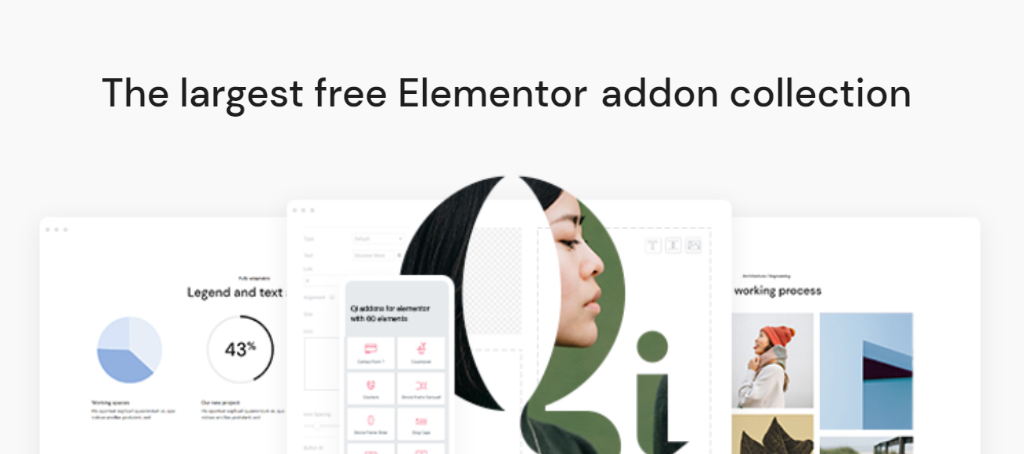
I tested Qi Addons for Elementor on a couple of client projects, and I was impressed by the versatility it offers, especially considering it’s a relatively new plugin. With over 60 free widgets, it adds creative and functional elements that can really elevate your website design without slowing it down.
Best For:
Website builders and designers looking for advanced, unique design elements and extensive customisation options for Elementor.
Why I Picked It:
I chose Qi Addons because I wanted a plugin that could deliver both creativity and performance. After experimenting with it, I found features like pricing tables, counters, and custom post grids extremely useful for building visually engaging and conversion-focused pages.
Key Features:
- 60+ Free Widgets: Offers a wide range of content and design elements.
- Advanced Customisation Options: Tailor each widget to match your website’s branding.
- SEO-Optimised and Lightweight: Ensures your site remains fast and search engine friendly.
- Regular Updates and Premium-Like Features: Keeps the plugin reliable and current.
Pricing:
Qi Addons is available as a free plugin, which makes it ideal for beginners and small business owners. A Pro version is also available for more advanced widgets and features, starting at around $39 per year.
Pros:
- Large selection of creative and functional widgets.
- Lightweight and optimised for performance.
- Regular updates maintain compatibility and security.
- Advanced customisation options for professional websites.
Cons:
- It may feel overwhelming for beginners due to the number of widgets.
- Some of the most advanced features require the Pro version.
Bottom Line:
If you’re looking for a versatile Elementor add-on that brings both creativity and functionality, Qi Addons is an excellent choice. I found it reliable, feature-rich, and perfect for creating unique, professional websites without the need for multiple plugins.
10. Master Addons for Elementor
I tested Master Addons while building a few client websites, and I was impressed by the range of advanced widgets and extensions it brings to Elementor. Features like animated headlines, content tickers, and dual headlines made it easy to create dynamic, engaging pages that stand out.
Best For:
Website designers and small business owners who want advanced design elements and flexible customisation options in Elementor.
Why I Picked It:
I chose Master Addons because I wanted a plugin that could add both creative widgets and practical extensions like custom CSS for more control over designs. After using it, I found it easy to enhance Elementor pages without slowing down site performance.
Key Features:
- 30+ Free Widgets: Includes dynamic content elements like animated headlines and content tickers.
- Extensions for Custom CSS & Headers/Footers: Adds flexibility for advanced design customisation.
- Optimised for Speed: Lightweight and doesn’t impact page load times.
- Regular Updates & Strong Community Support: Ensures reliability and ongoing improvements.
Pricing:
Master Addons is a free plugin which is perfect for beginners and small business owners. A Pro version is available starting at $39 per year, offering additional widgets and premium extensions.
Pros:
- Wide selection of advanced widgets.
- Extensions provide more design flexibility.
- Lightweight and performance-friendly.
- Regular updates and active community support.
Cons:
- Some advanced widgets and extensions require the Pro version.
- Beginners may need time to explore all features.
Bottom Line:
If you want advanced widgets and extra flexibility for Elementor, Master Addons is an excellent choice. I found it reliable, easy to use, and perfect for creating visually engaging, professional websites without the need for multiple add-ons.
Additional Plugins to Enhance Your Elementor Experience
Beyond these free Elementor addons, you can integrate your WordPress site with additional plugins to create a robust and feature-rich website.
1. BuddyPress Schedule Activity
This plugin allows you to schedule and manage activities on your BuddyPress community. It helps in planning and organizing activities to keep your social network vibrant and engaging.
2. WP Stories
WP Stories is a plugin that adds Instagram-like stories to your website. Utilise images and videos to engage your audience and enhance the dynamic of your site.
3. BuddyPress Business Profile
If you’re running a community-based website, this plugin enables businesses to create and manage their profiles, facilitating connections with users and promoting their products and services.
Installing and Setting Up Elementor Addons
To install any of the above-mentioned Elementor addons, follow these steps:
- Go to your WordPress dashboard.
- Navigate to Plugins > Add New.
- Search for the specific addon plugin in the search bar.
- Click “Install Now” and activate the plugin.
- Go to Elementor and check out the new widgets added to your Elementor editor.
Once installed, these Elementor addons will extend the default features and help you design beautiful, functional websites without needing premium plans.
Why Use Free Elementor Addons?
There are many reasons why using free Elementor addons can enhance your WordPress experience:
- Extended Functionality: Addons introduce more design elements, helping you create custom layouts easily.
- Cost-effective: Free addons provide premium-like features without requiring additional investment.
- User-friendly: Most addons are designed to integrate seamlessly with Elementor, offering drag-and-drop functionality.
- Regular Updates: Many of the most popular Elementor addons are actively maintained, ensuring you receive regular updates and improvements.

Wrapping Up on Free Elementor Addons
With Elementor and its wide range of free addons, you can unlock the full potential of your WordPress website. Whether you’re building a portfolio, an eCommerce site, or a community-driven platform, the right addons can enhance your site’s design and functionality. By using the best free Elementor addons for WordPress in 2024, you’ll have access to professional-grade tools without the need to spend on premium options.
These addons provide an excellent balance between performance, customisation, and ease of use, making Elementor an even more powerful tool for WordPress users.
Interesting Reads:
How to Make a WordPress Website with AI?
Be Secure With Premium And Free WordPress Themes 2024
How to Edit WordPress Footer?- 3 Ways to Create Perfect Footer for Your Site
