

Are you searching for ways to add a coming soon page or website maintenance mode on WordPress? Is your website under construction? And you want your website to be seen by the users if it is under construction. Sites constantly need updating and maintenance. The problem occurs when you are working on your sites; things can get buggy, and you don’t want to show your visitors a buggy site.
To solve this problem, you must set a maintenance mode point or add a coming soon page on your website. Instead of showing your visitors a complete site, you show them a maintenance mode page, and only users with access still see the full site. You should be happy to hear that today, in this article, I’m going to discuss with you 5 awesome WordPress Maintenance Mode plugins for your site. Excited to know about them?

Why You Need a WordPress Maintenance Mode Plugin
A common problem for online business owners is when your website requires maintenance, or you are adding new features to your website, and then the website goes under maintenance. For the solution to this problem, you need a “coming soon” page, usually consisting of a text saying something like “We’re working hard to make this website better. We’ll be back shortly.”
If you’d prefer to do things differently, you can also use a countdown timer. This way, you can tell your visitors how long they have left to wait. Coming soon, plugins will also help you gather the emails from your visitors while your website is in maintenance mode.
1. Coming Soon Page & Maintenance Mode by SeedProd
Coming Soon Page & Maintenance Mode by SeedProd is the most popular and well-rated WordPress maintenance mode plugin at WordPress.org. It comes in both a free and a premium version.
In the free version, you can quickly create a basic maintenance or coming soon page via a user-friendly interface. You can also add your own tracking scripts, which help monitor the traffic that comes to your page.
Key Features
- This plugin can easily work with any WordPress theme
- Highly responsive and easily customizable
- Supports multisite and BuddyPress
- Perfect for every modern user and brand that prefers simplicity
Is your website in maintenance mode? If it is, try out this plugin.
Also Read: Is It Possible To Get A Bird’s-Eye View Over Your Business’s Security?
2. WP Maintenance mode- WordPress Maintenance Mode Plugins
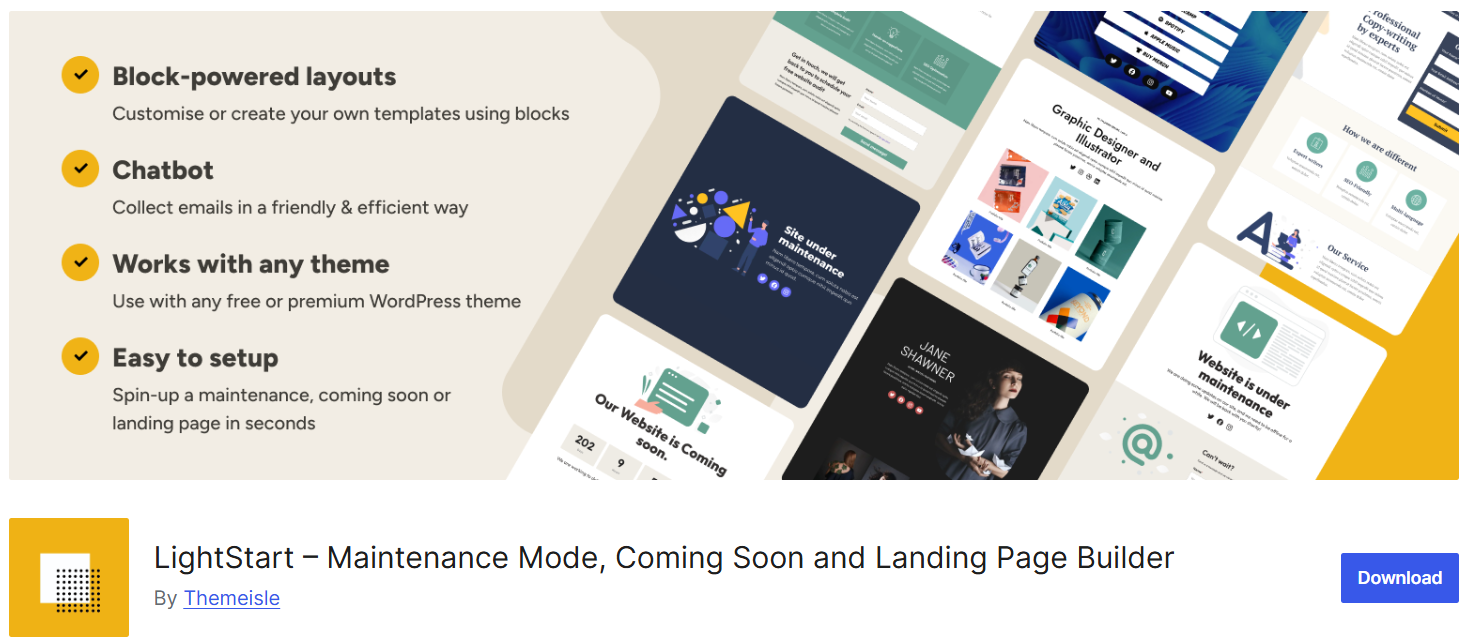
WP Maintenance comes with configurable options for colors, fonts, backgrounds, countdown timers, and pre-built templates to let you create landing pages, maintenance pages, coming soon pages, and more with ease. The plugin also includes social icons, contact forms, SEO options, and subscriber data export features.
Key Features
- Customize all colors, texts, and backgrounds.
- Exclude certain URLs from maintenance mode.
- Exclude certain user roles from maintenance mode.
- Allow search engine robots to bypass maintenance mode.
With all these features, you can easily give a unique look and feel to your maintenance website.
3. 8Degree Coming Soon Page
The next plugin on my list is the 8Degree Coming Soon Page, which focuses on making the coming soon page look sleek and elegant. It has a neat and clean backend as well as front-end design, ensuring a nice user experience.
8Degree Coming Soon Page is a free WordPress plugin used for a website under construction, coming soon, or in maintenance mode. The plugin has all the basic features required to build a beautiful and secure coming soon page. Though it’s free, the features are valuable.
Key Features
- Option to configure background and text
- Email subscription and social icons
- Fully responsive and customizable
- Easy to use
With more than 8,000 installations, this plugin is popular. Try it out once.
4. Under Construction Page
This plugin can be quickly installed from the WordPress repository and allows you to put your site under construction mode in seconds. You can choose a background image, customize the title and body with text, images, and videos, and add social network information.
Key Features
- Choose which user roles see the maintenance page
- Quick setup with beautiful background images
- 25+ pre-made themes
- Set an automatic end date for maintenance mode
- Social media icons
5. Ignite Up – Coming Soon and Maintenance Mode
This plugin offers features comparable to premium plugins, allowing you to set up a professional-looking coming soon page in no time. With its intuitive interface, you can customize colors, text, backgrounds, and countdown timers without any coding knowledge.
It also supports adding social media links, SEO options, and subscriber forms, giving you the flexibility to engage visitors even before your website is live. Whether you are launching a new project or performing website maintenance, this plugin makes the process seamless and efficient.
Key Features
- Fully responsive and adapts to all devices
- Fully customizable templates
- Create a Coming Soon or Maintenance Mode page within a minute
- More than seven templates to choose from
- Supports almost every WordPress theme
- MailChimp and MailPoet integration
6. Elementor Maintenance Mode
Elementor is a free WordPress page builder that allows anyone to build websites without coding. You can drag and drop elements like text boxes, images, forms, menus, sliders, galleries, and buttons.
When you turn on maintenance mode, it tells search engines your website is temporarily down with a 503 error.
Key Features
- Drag and drop page builder
- Inform search engines with a 503 error
- Pre-built templates
7. Smart Maintenance Mode
This plugin helps keep your site running smoothly during scheduled maintenance. Turn off comments, posts, and plugins with one click. Customize your maintenance page with messages, images, CSS, and add a countdown clock.
Key Features
- Open source plugin
- Add or remove custom HTML content
- Set the title and description on the maintenance page
8. Fancy Coming Soon & Maintenance Mode
This plugin allows you to set your website under maintenance quickly with a live customizer. It collects visitor emails and works with all WordPress themes.
Key Features
- Mailchimp integration
- Quick and easy setup
- Social media buttons
9. Slim Maintenance Mode
Slim Maintenance Mode is a lightweight, free plugin. Activate it to make changes to your website. No extra settings are required. Deactivate it when done. You get alerts in the backend when activated.
Key Features
- Works with any WordPress theme
- No extra settings needed
- Sends a 503 error to search engines and users
10. Maintenance by WP Maintenance

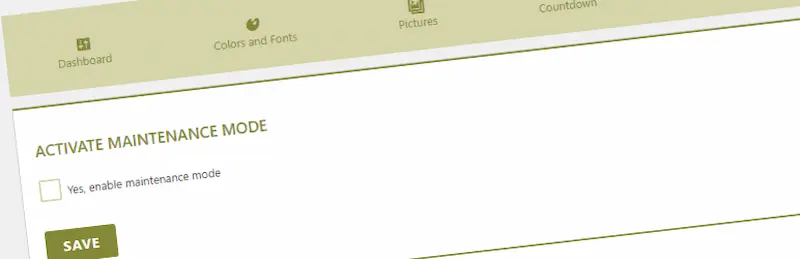
Maintenance by WP Maintenance is another simple, highly rated plugin for quickly enabling maintenance mode. It allows you to customize backgrounds, titles, and texts with a live preview.
Key Features:
- Live preview customization
- Custom HTML support
- Countdown timer option
- SEO-friendly maintenance page
Also Read: The 3 Most Bulletproof WordPress Hosts That Never Go Down

Help Others With Your Insights
Did you find this post useful? If yes, I’d love for you to give these plugins a try and see how they can simplify your workflow. Once you’ve tested them out, don’t forget to share your experience with me. I always enjoy hearing how these tools work in real-world scenarios.
Have you already used any of these maintenance mode plugins before? If so, which one is your favorite and why? Or maybe you know another great option that deserves a mention? Drop your thoughts, tips, or recommendations in the comments below, and let’s start a conversation. Your feedback could be the next big help for someone else looking for the perfect solution! Like this post? Share it with your friends!
Interesting Read:
