

When it comes to building a multilingual website with WordPress, choosing the right plugin can make or break your global success. Studies reveal that over 70% of internet users prefer browsing in their native language, and websites that deliver localized content see significantly higher engagement and conversions. This WPML Review explores how one of the most trusted multilingual solutions helps WordPress site owners effectively tap into international audiences.
WPML (WordPress Multilingual Plugin) is used by hundreds of thousands of websites worldwide, making it a go-to choice for bloggers, businesses, e-commerce stores, and agencies. From translating blog posts and product descriptions to handling multilingual SEO, WPML offers a professional, all-in-one solution for reaching customers in different languages.
In this WPML Review, we’ll dive into its features, setup process, pricing, pros and cons, and how it stacks up against alternatives like Polylang, TranslatePress, and Weglot—helping you decide if WPML is still the best multilingual plugin for WordPress in 2025.

What is WPML?
WPML (WordPress Multilingual Plugin) is one of the most widely used solutions for creating multilingual websites on WordPress. Developed by OnTheGoSystems and first launched in 2007, it has grown into a professional-grade tool trusted by businesses, agencies, e-commerce stores, and bloggers worldwide.
At its core, WPML allows you to translate pages, posts, custom post types, taxonomies, menus, and even theme or plugin strings into over 40 languages. It integrates seamlessly with WordPress’ structure, ensuring that every part of your website can be localized.
Unlike many free translation plugins, WPML is a premium plugin with a strong focus on stability, compatibility, and SEO. It works smoothly with popular page builders like Elementor and Divi, e-commerce platforms like WooCommerce, and offers integrations with professional translation services and automatic translation engines like DeepL and Google Translate.
For WordPress users serious about reaching a global audience, WPML provides a comprehensive and reliable multilingual solution.
Why Choose WPML?
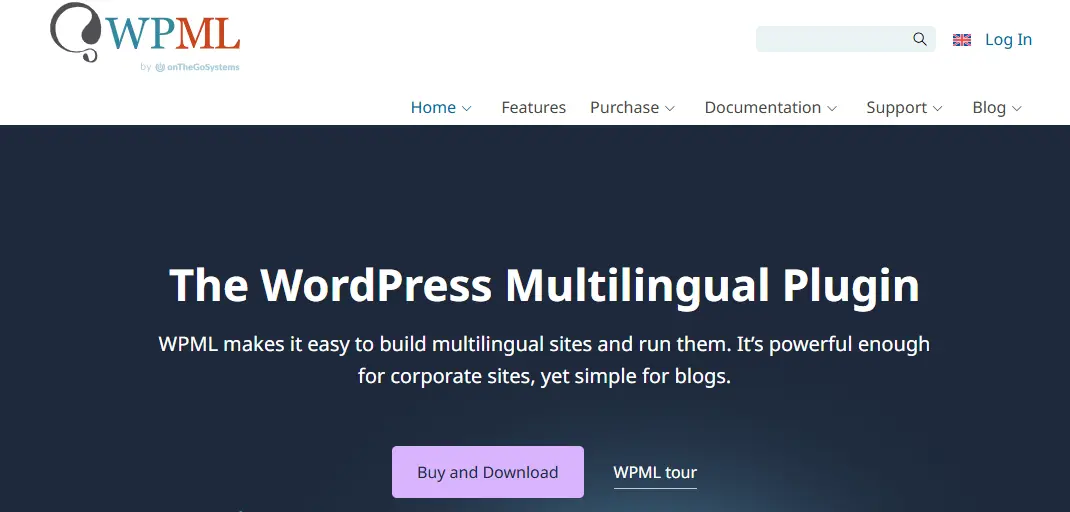
For WordPress site owners aiming to reach a global audience, WPML stands out as one of the most reliable solutions. While there are several translation plugins available, WPML offers a unique balance of professional-grade features, compatibility, and multilingual SEO support that makes it the top choice for many businesses and agencies.
One of the strongest reasons to choose WPML is its comprehensive translation management system. It doesn’t just translate posts and pages—it also handles menus, widgets, taxonomy, custom fields, and even strings from themes or plugins. This ensures your website delivers a consistent multilingual experience across every element.
Another major advantage is its compatibility. WPML works seamlessly with WooCommerce for multilingual e-commerce, integrates with popular page builders like Elementor and Divi, and connects with professional translation services for human or machine translation.
From an SEO perspective, WPML offers features like hreflang tags, localized URLs, and multilingual sitemaps, helping your site rank better in different languages.
In short, WPML is the ideal plugin for anyone who wants a professional, scalable, and SEO-friendly multilingual WordPress website.
How to Get Started with WPML (Step-by-Step Guide)
Setting up a multilingual WordPress website might sound complex, but with WPML, the process is straightforward. Here’s a simple step-by-step guide to help you get started:
1. Install and Activate WPML
- Purchase WPML from the official website and download the plugin files.
- In your WordPress dashboard, go to Plugins → Add New → Upload Plugin.
- Upload the WPML ZIP file, then click Install Now and Activate.
- Once activated, WPML will launch its setup wizard.
2. Choose Your Default Language
- The wizard will first ask you to set a default site language (e.g., English).
- Next, select the target languages you want your site to support (e.g., Spanish, French, German).
3. Configure Translation Options
-
Decide whether you want to:
-
Translate content manually.
-
Use automatic translation (via DeepL, Google Translate, or Microsoft).
-
Assign roles to translators or integrate professional translation services.
-
4. Translate Your Content
- Go to Pages → All Pages or Posts → All Posts.
- You’ll see a plus (+) icon next to each page or post. Click it to add a translation in the selected language.
- Use the translation editor to create or review translations.
5. Translate Menus and Widgets
- Navigate to Appearance → Menus. WPML lets you translate menu items into different languages.
- For widgets or theme strings, use the String Translation add-on to localize all text elements.
6. Optimize for Multilingual SEO
- In WPML settings, configure hreflang tags, localized URLs, and multilingual sitemaps.
- This helps search engines index your content correctly in multiple languages.
7. Test Your Multilingual Site
- Switch between languages on the frontend using the language switcher widget.
- Check menus, content, and URLs to ensure everything displays correctly.
Key Features of WPML
WPML (WordPress Multilingual Plugin) is widely considered one of the most powerful translation plugins available for WordPress. Designed for professional use, it goes beyond basic content translation to provide a comprehensive multilingual solution for websites of all sizes. Below are the standout features that make WPML a top choice in 2025.
1. Support for 40+ Languages
WPML comes with over 40 pre-configured languages, and you can even add custom language variants. For example, you can set up French (Canada) or Spanish (Mexico) in addition to standard French or Spanish. This level of localization ensures your website resonates with diverse audiences.
2. Translate Every Element of Your Site
Unlike some plugins that only translate posts and pages, WPML covers the entire website:
- Posts, pages, and custom post types.
- Categories, tags, and taxonomies.
- Menus and navigation.
- Widgets and theme texts.
- Plugin strings (via String Translation add-on).
This makes your site fully multilingual, not just partially translated.
3. Translation Management Dashboard
WPML includes a powerful Translation Management system. From one dashboard, you can:
- Assign translation tasks to team members.
- Track progress across multiple languages.
- Integrate with professional translation services for human translations.
This is especially useful for agencies and larger businesses managing multilingual teams.
4. WooCommerce Multilingual Support
For e-commerce sites, WPML offers WooCommerce Multilingual, allowing you to:
- Translate product titles, descriptions, and categories.
- Handle multiple currencies.
- Sync stock and shipping details across languages.
- Run localized promotions for global customers.
This feature makes WPML an excellent choice for international online stores.
5. Automatic Translation Options
WPML connects with popular machine translation services like DeepL, Google Translate, and Microsoft Translator. You can:
- Automatically translate entire pages.
- Review and edit machine-generated translations for accuracy.
- Purchase additional translation credits if needed.
This saves time for large websites with extensive content.
6. String Translation Add-on
One of WPML’s most powerful tools is String Translation, which lets you translate texts that don’t appear in posts or pages, such as:
- Theme headers and footers.
- Plugin settings and notifications.
- Widget titles and form labels.
This ensures your entire website feels truly multilingual.
7. SEO-Friendly Multilingual Setup
WPML is built with SEO in mind and includes features like:
- hreflang tags to help search engines identify localized content.
- Localized URLs (e.g.,
example.com/fr/for French). - Integration with SEO plugins like Yoast SEO and Rank Math.
- Multilingual XML sitemaps.
These features help your site rank higher in search engines across multiple languages.
8. Compatibility with Themes and Page Builders
WPML is compatible with most modern WordPress themes and plugins. It also integrates seamlessly with popular page builders such as Elementor, Divi, Beaver Builder, and WPBakery, allowing you to translate visually designed pages without breaking layouts.
9. Role-Based Access and Collaboration
With WPML, you can assign different roles to translators, editors, and administrators. This makes it easy for teams to collaborate, especially when managing content in multiple languages across a large site.
10. Stable and Well-Supported
WPML has been around for more than a decade and is backed by OnTheGoSystems, a company dedicated to WordPress tools. It offers extensive documentation, tutorials, and premium support for paid users. This reliability makes it a trusted choice for professional projects.
WPML Pricing (2025 Update)
Unlike some WordPress plugins that offer free and premium versions, WPML is a premium-only plugin. This makes it a professional solution designed for site owners who are serious about building and managing multilingual websites. Its pricing structure is straightforward, with three main plans tailored to different needs.
1. Multilingual Blog
- Price: Around $39/year
- Designed for bloggers and small sites.
- Supports basic translation of posts, pages, categories, and tags.
- Doesn’t include advanced features like translation management or WooCommerce support.
This plan is best for individuals who only need to translate blog content without complex site structures.
2. Multilingual CMS
- Price: Around $99/year
- The most popular plan for businesses and organizations.
- Includes translation of custom post types, menus, widgets, and theme/plugin texts.
- Provides access to the String Translation and Translation Management add-ons.
- Full compatibility with WooCommerce for multilingual e-commerce.
This option is ideal for professional websites, schools, and businesses that need comprehensive multilingual functionality.
3. Multilingual Agency
- Price: Around $199/year
- Designed for developers and agencies managing multiple client sites.
- Offers all features of the CMS plan but allows unlimited site usage.
For agencies or freelancers building multilingual sites for clients, this plan delivers excellent value.
Renewal Discounts
WPML offers renewal discounts of up to 75% after the first year, making long-term use affordable. For example, renewing the CMS plan costs significantly less than the initial purchase price.
Comparing Value with Alternatives
- Polylang – Offers a free version but charges extra for WooCommerce and SEO add-ons.
- TranslatePress – Starts free, but the Pro version costs $89/year for one site.
- Weglot – SaaS-based pricing model, starting at ~$150/year, which can get expensive for large websites.
Compared to these, WPML provides a stable, professional-grade solution at a fair price, especially considering its renewal discounts and long-standing reliability.
Pros and Cons of WPML
As one of the most established translation plugins for WordPress, WPML offers a wide range of advantages—but it also has some drawbacks you should consider. Here’s a balanced look at the pros and cons to help you decide if WPML is the right fit for your multilingual website.
Pros of WPML
-
Comprehensive Multilingual Support: Translates not only posts and pages but also menus, taxonomies, custom fields, widgets, and plugin strings. Your entire site can be localized.
-
Professional Translation Management: Built-in dashboard for assigning tasks, tracking progress, and integrating with professional translation services—ideal for agencies and large teams.
-
WooCommerce Compatibility: With WooCommerce Multilingual, you can sell products globally with translated descriptions, prices in multiple currencies, and localized checkout.
-
SEO-Friendly: WPML includes hreflang tags, multilingual sitemaps, and localized URLs, helping your content rank in different languages.
-
Automatic and Human Translation Options: Supports DeepL, Google Translate, and Microsoft for automatic translations while also enabling human translation workflows.
-
Strong Compatibility: Works seamlessly with major themes, plugins, and page builders like Elementor, Divi, and WPBakery.
-
Reliable Support and Updates: Backed by OnTheGoSystems, WPML offers premium support, extensive documentation, and consistent updates for long-term reliability.
Cons of WPML
-
No Free Version: Unlike competitors such as Polylang or TranslatePress, WPML is premium-only. This can be a barrier for hobbyists or those testing multilingual sites.
-
Performance Concerns on Large Sites: With many languages and translations, WPML may impact site performance if not optimized properly.
-
Learning Curve for Beginners: The plugin is feature-rich, which can feel overwhelming for new users unfamiliar with translation workflows.
-
Automatic Translation Credits Are Limited: While WPML supports machine translation, free credits are limited. Large sites may need to purchase extra credits.
-
Costs Can Add Up: Although renewal discounts are generous, the upfront pricing can be higher compared to free plugins with optional upgrades.
WPML vs Other Multilingual Plugins
When it comes to making your WordPress site multilingual, WPML isn’t the only option. Popular alternatives like Polylang, TranslatePress, and Weglot have gained traction in recent years. Each plugin offers different strengths, pricing models, and workflows. Here’s how WPML compares to its top competitors in 2025.
WPML vs Polylang
Polylang is one of the most popular free multilingual plugins. It allows you to create bilingual or multilingual websites without cost, making it attractive to beginners. The Pro version (starting around $99) adds advanced features like custom post type translation and WooCommerce support.
-
Strengths of Polylang: Free core, lightweight, simple to set up.
-
Limitations: No translation management system, weaker compatibility with page builders, and limited professional support.
WPML, on the other hand, offers a more comprehensive translation system, professional-grade management tools, and stronger multilingual SEO capabilities. It’s better suited for businesses and agencies, while Polylang works well for bloggers or small websites on a budget.
WPML vs TranslatePress
TranslatePress takes a different approach by offering visual, front-end translation. Instead of working from the dashboard, you can translate directly on the page using a live editor. It also integrates with Google Translate for automatic translations.
- Strengths of TranslatePress: Intuitive live editor, good for beginners, free version available.
- Limitations: Limited translation management features, not as robust for large sites, Pro plans ($89–$199) needed for SEO and WooCommerce support.
WPML is better for large, complex websites that need structured translation management and collaboration across teams. TranslatePress is ideal for smaller sites or users who prefer a hands-on, visual workflow.
WPML vs Weglot
Weglot is a cloud-based SaaS translation solution that connects to WordPress via a plugin. It offers automatic translation in over 100 languages and is extremely beginner-friendly. However, its pricing is based on word count and the number of languages, starting at about $150/year.
- Strengths of Weglot: Easy setup, fast automatic translations, excellent SEO handling.
- Limitations: Expensive for large sites, translations stored on Weglot’s servers, less control compared to self-hosted plugins.
WPML gives you full control of your translations within WordPress, with no limits on word count or languages. Weglot is great for quick deployment, but WPML is better for long-term projects where control and scalability matter.
Which Multilingual Plugin Should You Choose?
- Choose WPML if you need a professional, SEO-friendly, and fully integrated multilingual solution.
- Choose Polylang if you’re a blogger or small site owner looking for a free option.
- Choose TranslatePress if you want an easy, visual translation workflow with live previews.
- Choose Weglot if you need fast, automatic translations and don’t mind a SaaS subscription.
In short, while alternatives may suit hobbyists or small sites, WPML remains the most complete and reliable option for businesses and agencies building multilingual WordPress websites in 2025.
Who Should Use WPML in 2025?
With its professional-grade features and strong track record, WPML is built for WordPress site owners who are serious about reaching a global audience. While it’s versatile enough for different industries, certain types of users benefit the most from this plugin.
1. Businesses Expanding Internationally
Companies looking to reach customers across multiple regions will find WPML invaluable. Its WooCommerce Multilingual feature enables product translations, multi-currency support, and localized checkout—making it ideal for e-commerce stores aiming to sell globally.
2. Agencies and Developers
Agencies that build and manage websites for clients can rely on WPML’s Multilingual Agency plan, which supports unlimited sites. Its translation management tools allow teams to assign tasks, track progress, and integrate with professional translation services—saving time and ensuring consistency across projects.
3. Educational Institutions and Nonprofits
Schools, universities, and nonprofits with diverse audiences can use WPML to provide multilingual resources. From course content to informational pages, WPML ensures accessibility for international students, volunteers, or communities.
4. Bloggers and Content Creators
While premium-only pricing may deter hobbyists, professional bloggers or media publishers who want to increase traffic from different regions will benefit from WPML’s multilingual SEO features. Localized URLs, hreflang tags, and sitemaps improve visibility in search engines across languages.
Who May Not Need WPML
If you run a small personal blog or hobby site and only need simple translations, free plugins like Polylang or lightweight options like TranslatePress may be more cost-effective. Similarly, if you prefer automatic translations with minimal involvement, Weglot might be a better choice.

Why WPML Still Leads in 2025
In the crowded field of multilingual WordPress plugins, WPML continues to hold its ground as a professional, reliable, and feature-rich solution. While alternatives like Polylang, TranslatePress, and Weglot offer appealing features for smaller sites or specific use cases, none match WPML’s depth of functionality and long-term stability.
This WPML Review demonstrates how the plugin excels in three critical areas: comprehensive translation coverage, multilingual SEO optimization, and seamless WooCommerce integration. By translating every element of a site—from posts and menus to plugin strings and product details—WPML ensures a consistent experience for global audiences. Its compatibility with page builders, themes, and third-party tools further solidifies its role as a go-to choice for businesses and agencies.
Of course, WPML requires an upfront investment and has a learning curve, but for those serious about building a scalable, professional multilingual site, it remains unmatched. This WPML Review confirms that WPML still leads in 2025 as the most trusted multilingual plugin for WordPress.
Frequently Asked Questions (FAQs)
1. Is WPML free to use?
No. WPML is a premium-only plugin. Unlike Polylang or TranslatePress, it doesn’t offer a free version. However, it comes with professional-grade tools, multilingual SEO support, and WooCommerce compatibility that justify the cost.
2. Does WPML work with WooCommerce?
Yes. WPML offers a dedicated WooCommerce Multilingual add-on that translates product descriptions, categories, checkout pages, and even supports multi-currency setups for global e-commerce.
3. Can WPML handle automatic translations?
Absolutely. WPML integrates with DeepL, Google Translate, and Microsoft Translator. You can use automatic translations, then refine them manually for better accuracy.
4. Is WPML beginner-friendly?
WPML offers a setup wizard and detailed documentation, but it does have a learning curve compared to simpler plugins like TranslatePress. Beginners can still manage it with some practice, especially using automatic translations.
5. How does WPML compare with Polylang or Weglot?
- Polylang is free but lacks WPML’s advanced translation management and SEO tools.
- Weglot is SaaS-based, easy to set up but more expensive over time.
- WPML strikes a balance with flexibility, scalability, and professional features for serious multilingual sites.
6. Does WPML support multilingual SEO?
Yes. WPML includes hreflang tags, localized URLs, multilingual sitemaps, and compatibility with SEO plugins like Yoast SEO and Rank Math—helping your site rank across multiple languages.
Interesting Reads:
LearnPress Review: Is It Still the Best WordPress LMS Plugin?
How to Build a Multilingual WooCommerce Store (2025)
WPForms Review 2025: Is It the Best WordPress Form Builder for Beginners?
