

Global eCommerce is stronger than ever, with online marketplaces projected to drive more than 65% of worldwide retail sales by 2025. Entrepreneurs are no longer limited to selling through giants like Amazon or Etsy. Thanks to WordPress and WooCommerce, they can now create their own multivendor platforms with the help of plugins. In this WC Vendors Review, we’ll explore whether this long-standing marketplace plugin is still a top contender in 2025.
WC Vendors has been part of the WordPress ecosystem since 2014, offering business owners the ability to turn a single WooCommerce store into a full-featured marketplace. It gives vendors independent dashboards, flexible commission options, and storefront customization, while admins maintain overall control. Over the years, the plugin has carved out a reputation for being lightweight, affordable, and developer-friendly.
But in 2025, the competition is fierce. Plugins like Dokan and WCFM Marketplace continue to evolve rapidly, leaving many to wonder: Does WC Vendors still provide enough features and value to remain the go-to choice for building marketplaces on WordPress?
This WC Vendors Review will take a closer look at its features, pricing, pros, cons, and alternatives to help you decide if it’s the right plugin for your marketplace project.

What is WC Vendors?
WC Vendors is a WordPress plugin that extends WooCommerce to create a fully functional multivendor marketplace, allowing multiple sellers to list products, manage sales, and operate their own storefronts under one website. Launched in 2014, it is one of the earliest multivendor solutions for WordPress and has remained a reliable option for entrepreneurs who want to build marketplaces without heavy coding.
The plugin comes in two versions: WC Vendors Free and WC Vendors Pro. The free version provides essential features such as vendor registration, commission management, and a basic vendor dashboard. The Pro version adds advanced functionality, including customizable vendor storefronts, shipping and tax management, multiple product types, and improved reporting tools.
By combining simplicity, flexibility, and affordability, WC Vendors enables marketplace owners to create platforms similar to Amazon, Etsy, or niche eCommerce sites, all while staying within the familiar WordPress and WooCommerce environment.
Why Choose WC Vendors for Your Marketplace?
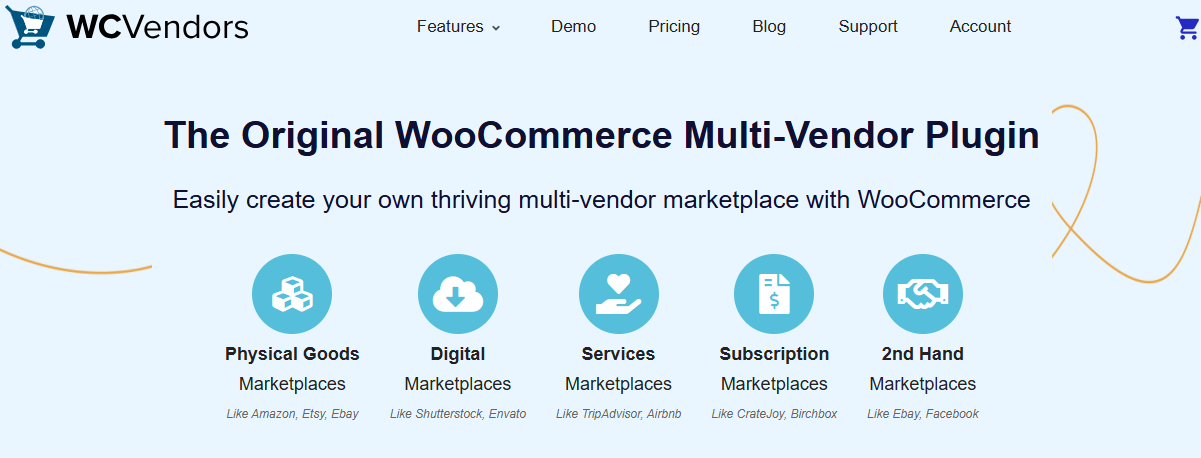
Choosing the right multivendor plugin can determine how smoothly your marketplace runs. Many entrepreneurs prefer WC Vendors because it strikes a balance between ease of use, affordability, and flexibility.
For WordPress users, WC Vendors integrates seamlessly with WooCommerce, which means you can expand functionality with thousands of available extensions. Vendors get their own front-end dashboard to manage products, track orders, and view earnings, while admins control commissions, payments, and overall marketplace operations. This structure allows both parties to work independently yet cohesively.
Another reason to choose WC Vendors is its cost-effectiveness. Compared to alternatives like Dokan or WCFM, WC Vendors provides strong marketplace features at a lower entry price, making it especially attractive for startups and small businesses. It’s also developer-friendly, allowing customizations and integrations without complex restrictions.
In 2025, WC Vendors remains a smart choice for entrepreneurs who want to build a scalable, multi-seller platform without overspending on setup or licensing fees.
How to Get Started with WC Vendors (Step-by-Step Guide)
Launching a marketplace with WC Vendors is straightforward, especially if you’re already familiar with WordPress and WooCommerce. The plugin integrates seamlessly and provides both admins and vendors with tools to get up and running quickly. Here’s a step-by-step guide to help you start:
Step 1: Set Up WordPress and WooCommerce
Before using WC Vendors, you’ll need a working WordPress site with WooCommerce installed. WooCommerce provides the core eCommerce functionality, while WC Vendors adds the multivendor features.
Step 2: Install and Activate WC Vendors
- Go to your WordPress dashboard and navigate to Plugins, then Add New.
- Search for WC Vendors and install the free version.
- Activate it and configure the basic marketplace settings.
Step 3: Configure Marketplace Settings
Adjust your admin controls to fit your business model:
- Set global commission rates.
- Choose vendor permissions, such as product publishing rules.
- Configure withdrawal and payment methods.
Step 4: Enable Vendor Registration
Open up your site for vendor applications. Once approved, vendors get access to their front end dashboard, where they can add products, track orders, and manage earnings.
Step 5: Add Products and Categories
As an admin, you can create product categories to keep the marketplace organized. Vendors can then add products under these categories, whether they’re physical goods, digital downloads, or services.
Step 6: Set Up Payments
WC Vendors integrates with WooCommerce payment gateways like PayPal and Stripe. Configure payout methods and commission rules so vendors get paid accurately and on time.
Step 7: Test and Launch
Before going live, test the entire customer journey, including product browsing, cart, and checkout. Also test vendor activities like product uploads and withdrawals. Once everything works smoothly, invite vendors and launch your marketplace.
Key Features of WC Vendors in 2025
In 2025, WC Vendors continues to be a trusted WordPress plugin for creating multivendor marketplaces. While it may not have the largest ecosystem of add-ons compared to some competitors, it offers a solid set of features that make it reliable, lightweight, and affordable for entrepreneurs.
1. Vendor Dashboards
WC Vendors provides vendors with a dedicated front-end dashboard where they can manage their stores without accessing the WordPress backend. From here, vendors can add products, track orders, view commissions, and update store information.
2. Commission Management
Admins can set flexible commission rules for vendors, either as a percentage of sales or a flat fee. These rules can be applied globally or individually for specific vendors, ensuring accurate earnings tracking.
3. Payment Gateway Support
Since WC Vendors relies on WooCommerce, it is compatible with all major WooCommerce payment gateways, including PayPal, Stripe, and Authorize.Net.
4. Multiple Product Types
WC Vendors supports physical goods, digital downloads, services, and virtual products. Advanced options like bookings and subscriptions typically require additional WooCommerce extensions.
5. Vendor Storefronts
Each vendor gets their own customizable storefront page, where they can display products, logos, and policies while customers enjoy a centralized checkout experience.
6. Shipping and Tax Controls
Vendors can manage their own shipping rules and tax rates, giving them independence in handling logistics across regions.
7. Reporting and Analytics
Vendors can view sales summaries and commission details, while admins can monitor overall marketplace performance and growth.
8. Integration with WooCommerce Extensions
Because it’s built on WooCommerce, WC Vendors works well with thousands of extensions, including subscriptions, bookings, memberships, and SEO tools.
9. Developer Friendly Customization
WC Vendors is designed with developers in mind. Its clean codebase and hooks make it easy to customize features, integrate third-party solutions, or build unique marketplace functionality.
WC Vendors Pricing in 2025
One of the main reasons entrepreneurs consider WC Vendors is its affordability compared to other WordPress marketplace plugins. The plugin offers two options: a free version and a Pro version.
The free version, available on the WordPress plugin repository, includes essential features such as vendor registration, commission settings, and basic vendor dashboards. It’s a good starting point for small businesses or those testing the marketplace model before investing further.
For more advanced functionality, WC Vendors Pro is available at around $199 per year. The Pro version adds several key features, including:
- Front-end vendor dashboards with extended tools.
- Customizable vendor storefronts.
- Shipping and tax management.
- Advanced reporting and analytics.
- More control for admins over product approval and vendor activity.
Compared to alternatives like Dokan or WCFM Marketplace, WC Vendors’ pricing is highly competitive. While it may not offer as many premium add-ons, its lower entry cost and straightforward licensing make it attractive to startups and businesses seeking a cost-effective multivendor solution.
Pros and Cons of WC Vendors
Like any WordPress plugin, WC Vendors has its strengths and weaknesses. Understanding its pros and cons will help you decide whether it’s the right marketplace solution for your business in 2025.
Pros of WC Vendors
- Affordable Pricing: With a competitive Pro plan and a feature-rich free version, WC Vendors is budget-friendly compared to alternatives.
- WooCommerce Compatibility: Since it’s built on WooCommerce, it integrates smoothly with thousands of extensions, giving you flexibility.
- Vendor Dashboards: Vendors can manage their products, orders, and earnings from a dedicated front-end dashboard without accessing the WordPress backend.
- Customizable Storefronts: Each vendor gets their own store page, helping build brand identity within your marketplace.
- Lightweight and Developer-Friendly: Its clean code and hooks make it easy for developers to customize and extend functionality.
Cons of WC Vendors
- Limited Free Features: Many advanced tools, such as detailed reporting and storefront customization, are locked behind the Pro version.
- Fewer Add-ons Compared to Competitors: Plugins like Dokan and WCFM Marketplace offer a wider library of premium extensions.
- Smaller Community: WC Vendors has a smaller user base compared to Dokan, which means fewer third-party integrations and tutorials.
- Manual Setup for Some Features: Advanced functionality like subscriptions or bookings requires additional WooCommerce plugins, which may increase costs.
WC Vendors vs Alternatives
When considering a WordPress multivendor plugin, it’s important to compare WC Vendors with leading alternatives like Dokan, WCFM Marketplace, and even hosted solutions like Shopify marketplace apps. Each has its own strengths, so the right choice depends on your business needs.
WC Vendors vs Dokan
- Ease of Use: WC Vendors is lightweight and straightforward, while Dokan offers a polished setup wizard that makes onboarding easier for beginners.
- Features: Dokan includes a broader range of features, like vendor subscriptions, bookings, and auctions through add-ons. WC Vendors provides core essentials but fewer premium extensions.
- Pricing: WC Vendors is more affordable, making it ideal for startups. Dokan, while costlier, delivers greater scalability for large marketplaces.
WC Vendors vs WCFM Marketplace
- Feature Set: WCFM offers many advanced features, such as memberships and vendor badges in its free version, while WC Vendors reserves advanced tools for Pro users.
- User Experience: WC Vendors has a simpler structure, while WCFM’s extensive features can overwhelm beginners.
- Community: WCFM has grown rapidly, but WC Vendors’ longer history gives it stability and reliability.
WC Vendors vs Shopify Marketplace Apps
- Flexibility: Shopify apps are easy to set up but limited in customization. WC Vendors, running on WordPress, offers full ownership and extensive customization options.
- Costs: Shopify apps charge monthly fees, which can add up. WC Vendors uses a flat annual fee, which is often more cost-effective long term.
- Control: Shopify hosts your marketplace, while WC Vendors gives you complete control over your website and data.
Who Should Use WC Vendors in 2025?
Not every marketplace plugin is right for everyone, but WC Vendors fits perfectly for certain types of users in 2025. Its balance of affordability, flexibility, and developer-friendly design makes it an appealing choice for a wide audience.
1. Entrepreneurs and Startups
If you’re just starting with a marketplace idea and want to test it without high upfront costs, WC Vendors is a great option. Its free version lets you build a basic marketplace, and you can upgrade to Pro once your platform gains traction.
2. Small to Medium-Sized Businesses
Businesses that want to expand from a single-vendor WooCommerce store into a multivendor platform will find WC Vendors affordable and effective. It offers the core features needed to manage vendors, commissions, and storefronts without overwhelming complexity.
3. Developers and Agencies
WC Vendors’ clean code and hooks make it a developer-friendly tool. Agencies building client marketplaces can customize and extend them to suit niche industries, from digital downloads to service-based marketplaces.
4. Cost-Conscious Marketplace Owners
If budget is your top priority, WC Vendors provides excellent value for money. Compared to competitors like Dokan or WCFM, it offers essential functionality at a lower entry price.
Tips to Grow a Marketplace with WC Vendors
Launching a marketplace with WC Vendors is just the beginning. The real challenge lies in scaling it into a thriving platform that attracts both vendors and customers. Here are some proven tips to help you grow your marketplace successfully in 2025:
1. Attract Quality Vendors
The strength of any marketplace lies in its vendors. Create clear onboarding guidelines, offer incentives for early sign-ups, and highlight the benefits of joining your platform. Providing an easy vendor registration process with WC Vendors helps reduce friction.
2. Focus on Niche Markets
Instead of competing directly with giants like Amazon, target niche audiences. WC Vendors supports digital products, services, and physical goods, making it perfect for niche marketplaces such as handmade crafts, local services, or e-learning resources.
3. Enhance Vendor Experience
Happy vendors mean sustainable growth. Use WC Vendors Pro features like custom storefronts, reporting tools, and flexible commissions to empower sellers and keep them engaged.
4. Optimize for Customer Trust
Enable vendor ratings, reviews, and transparent policies to build credibility. A user-friendly checkout system powered by WooCommerce ensures smooth transactions.
5. Use WooCommerce Extensions to Scale
Pair WC Vendors with WooCommerce add-ons for subscriptions, bookings, memberships, and SEO tools. This allows you to expand functionality as your marketplace grows.
6. Invest in Marketing and SEO
Promote your marketplace with content marketing, social media campaigns, and search engine optimization.
Highlight unique products and top vendors to attract new buyers.

Is WC Vendors Still Worth It in 2025?
After exploring its features, pricing, pros and cons, and comparisons, this WC Vendors Review makes one thing clear. WC Vendors remains a solid and affordable choice for building WordPress multivendor marketplaces in 2025. Its lightweight design, WooCommerce integration, and straightforward setup make it especially attractive for startups, small businesses, and developers who want flexibility without high costs.
That said, WC Vendors may not be the best fit for those who need extensive premium add-ons or an all-in-one ecosystem. Alternatives like Dokan and WCFM Marketplace provide more advanced modules out of the box, but often at a higher price.
Ultimately, WC Vendors is still worth considering if you value simplicity, cost-effectiveness, and developer-friendly customization. For many entrepreneurs, it offers just the right balance of features and affordability to launch and grow a successful online marketplace.
This WC Vendors Review shows that while competition has increased, WC Vendors continues to hold its ground as one of the most reliable marketplace plugins for WordPress users.
Frequently Asked Questions (FAQs)
1. Is WC Vendors free in 2025?
Yes. WC Vendors offers a free version on the WordPress plugin repository. It includes vendor registration, commission management, and basic dashboard features. For advanced functionality, you’ll need WC Vendors Pro.
2. How much does WC Vendors Pro cost?
As of 2025, WC Vendors Pro costs around $199 per year. The Pro version includes advanced features like customizable storefronts, extended vendor dashboards, shipping and tax management, and detailed reporting tools.
3. Can WC Vendors handle digital products?
Absolutely. WC Vendors supports physical, digital, and virtual products. With WooCommerce extensions, you can also add functionality for subscriptions, bookings, or memberships.
4. Does WC Vendors support multiple payment gateways?
Yes. WC Vendors works with all WooCommerce-compatible payment gateways, including PayPal, Stripe, and Authorize.Net. Admins can configure commission payouts and withdrawal options.
5. How does WC Vendors compare to Dokan?
Dokan offers more built-in premium add-ons and advanced features, but it comes at a higher cost. WC Vendors is more affordable and lightweight, making it ideal for startups and cost-conscious businesses.
6. Is WC Vendors good for large marketplaces?
WC Vendors can handle growing marketplaces, but for very large stores with thousands of vendors, you’ll need optimized hosting and possibly third-party extensions to maintain performance.
7. Do WC Vendors work with WordPress themes?
Yes. WC Vendors is compatible with WooCommerce-ready themes. For best results, choose a theme designed for marketplaces, as it will better support vendor storefronts and product displays.
Interesting Reads
Dokan Review 2025: Is It Still the Best WordPress Multivendor Marketplace Plugin?
How to Create an Online WordPress Marketplace 2025
WooCommerce Review 2025: Is It the Right Choice for Your Store?
