

Online learning continues to expand in 2025, with educators, trainers, and businesses seeking flexible tools to deliver professional-quality courses. WordPress remains a leading platform for website creation, and when combined with the right LMS plugin, it can transform into a powerful e-learning platform. Among the many available options, Tutor LMS has quickly risen in popularity for offering an impressive mix of ease of use, affordability, and advanced features. In this Tutor LMS Review, we’ll explore whether it lives up to the hype as one of the best LMS plugins for WordPress.
Tutor LMS is a feature-rich WordPress LMS plugin that allows you to create, manage, and sell online courses with ease. From an intuitive course builder to advanced quiz options, certificates, and monetization tools, it covers everything needed to build a professional learning experience. Its free version is surprisingly robust, making it a great starting point for beginners, while the Pro version unlocks premium features for advanced educators and institutions.
In this Tutor LMS Review 2025, we’ll dive into its key features, pricing, pros and cons, and how it compares to competitors like LearnDash, LifterLMS, and hosted solutions. By the end, you’ll know whether Tutor LMS is the right e-learning solution for your needs.

What is Tutor LMS?
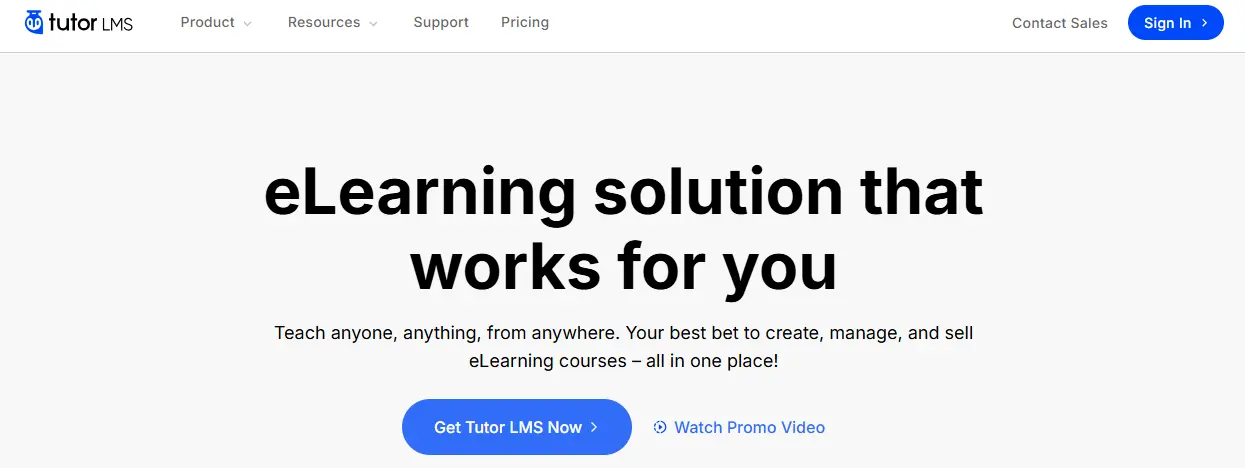
Tutor LMS is a powerful WordPress LMS plugin that enables educators, trainers, and businesses to create and manage professional-quality online courses directly within WordPress. Launched by Themeum, Tutor LMS has quickly become one of the most popular e-learning solutions because of its user-friendly design, strong free version, and robust Pro features.
At its core, Tutor LMS provides a drag-and-drop course builder that allows instructors to structure courses with lessons, topics, quizzes, and assignments. Learners can track progress, earn certificates, and engage with content in an organized, interactive way. For course creators, built-in features such as drip-feed content, multi-instructor support, and advanced quiz settings make it possible to deliver a flexible learning experience.
One of the standout aspects of Tutor LMS is its free version, which includes features that other LMS plugins often reserve for premium plans. This makes it an attractive choice for beginners and small businesses starting with e-learning. The Pro version, meanwhile, unlocks advanced tools such as certificates, detailed reports, WooCommerce integration, and premium add-ons for Zoom and Google Classroom.
As this Tutor LMS Review will highlight, the plugin combines affordability with professional-grade features, making it a strong contender for anyone looking to build an e-learning platform on WordPress.
Why Tutor LMS is So Popular?
In recent years, Tutor LMS has become one of the fastest-growing WordPress LMS plugins, and for good reason. Its popularity comes from a combination of affordability, ease of use, and a strong free version that makes it accessible to beginners as well as professionals. As this Tutor LMS Review shows, it fills a gap in the e-learning market by offering both simplicity and flexibility.
One of the biggest factors driving Tutor LMS’s popularity is its free plan, which includes features like a drag-and-drop course builder, quizzes, and basic reporting. Many LMS plugins lock these tools behind paywalls, but Tutor LMS provides them upfront, giving users a solid foundation to start building courses without cost.
Another reason is its scalability. Whether you’re a solo instructor, a small training business, or a growing online academy, Tutor LMS adapts to your needs. The Pro version unlocks advanced features like certificates, drip-feed content, assignments, multi-instructor support, and monetization tools, allowing creators to grow as their platform expands.
Its integration with WooCommerce, Easy Digital Downloads, and membership plugins also makes it versatile for selling courses. Combined with add-ons for Zoom and Google Classroom, Tutor LMS appeals to educators who want both in-person and virtual teaching options.
How Tutor LMS Works
Tutor LMS transforms a WordPress website into a complete e-learning platform by adding tools for course creation, student management, and monetization. Once installed, it introduces a clean and intuitive dashboard where instructors can start building structured courses. In this Tutor LMS Review, understanding its workflow helps explain why it has become a favorite among educators.
The process begins with the drag-and-drop course builder, which allows you to organize content into lessons, topics, and quizzes. This structure makes courses easy to navigate and gives instructors flexibility to design learning paths. Interactive tools like quizzes, assignments, and Q&A sections keep learners engaged and help measure progress.
Tutor LMS also includes advanced features such as drip content, which schedules lessons to release over time, and certificates, which reward learners upon course completion. For instructors who want to collaborate, the multi-instructor support feature enables multiple teachers to manage a course together.
Monetization is built into Tutor LMS through integrations with WooCommerce, Easy Digital Downloads, and Paid Memberships Pro. These options allow you to sell courses individually, bundle them, or offer subscription-based access.
Key Features of Tutor LMS
Tutor LMS has become one of the most popular WordPress LMS plugins thanks to its powerful and flexible feature set. In this Tutor LMS Review, we’ll break down the key features that make it an attractive choice for educators, trainers, and businesses looking to launch online courses.
1. Drag-and-Drop Course Builder
The course builder is at the core of Tutor LMS. With its drag-and-drop interface, instructors can easily organize lessons, topics, and quizzes. This visual workflow makes creating structured courses simple, even for users without technical expertise.
2. Quizzes and Question Types
Tutor LMS offers a variety of quiz options, including multiple choice, true/false, short answer, and fill-in-the-blank. You can set timers, randomize questions, and define passing grades, giving educators flexibility to test learners effectively.
3. Assignments and Grading
Instructors can assign tasks, projects, or essays and manually grade submissions. This feature is especially useful for academic institutions and professional training programs that require deeper evaluation beyond quizzes.
4. Drip Content
With content drip, lessons can be released gradually over time. This keeps learners engaged and ensures they progress through the course at a manageable pace, instead of rushing through all lessons at once.
5. Certificates of Completion
Tutor LMS allows you to award certificates when learners complete a course. These certificates can be customized with branding, making them ideal for professional training programs and certifications.
6. Monetization Options
Selling courses is seamless with Tutor LMS. It integrates with:
- WooCommerce for flexible e-commerce features.
- Easy Digital Downloads (EDD) for digital course sales.
- Paid Memberships Pro for subscription or membership models.
This flexibility makes it suitable for individuals, small businesses, and larger institutions alike.
7. Frontend Course Builder
Unlike many LMS plugins, Tutor LMS offers a frontend course builder, allowing instructors to create and edit courses directly from the frontend of the website. This improves usability and streamlines the course creation process.
8. Multi-Instructor Support
Tutor LMS supports multiple instructors for a single course, making it perfect for schools, academies, and collaborative projects where more than one educator contributes to the curriculum.
9. Add-ons and Integrations
Tutor LMS includes add-ons for popular tools such as:
- Zoom and Google Classroom for live classes.
- BuddyBoss for social learning communities.
- Mailchimp for email automation.
These integrations extend its functionality and create a more connected learning environment.
10. Analytics and Reports
Built-in reporting tools allow administrators to track student progress, course completion rates, and quiz performance. These insights help instructors improve course design and ensure learners stay on track.
11. Student Engagement Tools
Features like Q&A forums, messaging, and notifications help foster communication between instructors and learners, making the platform more interactive.
Step-by-Step Guide to Installing Tutor LMS on WordPress
Installing Tutor LMS is a beginner-friendly process that takes only a few minutes. Whether you’re using the free version or upgrading to Pro, the setup is straightforward. In this Tutor LMS Review, here’s a step-by-step breakdown to help you get started.
Step 1: Install Tutor LMS Free
- Log in to your WordPress dashboard.
- Go to Plugins > Add New.
- Search for “Tutor LMS” in the plugin directory.
- Click Install Now, then Activate.
At this stage, you already have access to the free version, which includes essential features like the course builder, quizzes, and student management tools.
Step 2: Upgrade to Tutor LMS Pro (Optional)
If you want advanced features such as certificates, drip content, and multi-instructor support, you’ll need the Pro version.
- Purchase Tutor LMS Pro from the official website.
- Download the Pro plugin file.
- In your WordPress dashboard, go to Plugins > Add New > Upload Plugin.
- Upload the file, install, and activate it.
- Enter your license key to unlock premium updates and support.
Step 3: Run Setup Wizard
Tutor LMS provides a guided setup wizard that helps you:
- Configure basic course and lesson settings.
- Set enrollment options.
- Connect payment gateways like WooCommerce or Easy Digital Downloads.
Step 4: Configure Course Settings
After setup, you can fine-tune your site:
- Adjust course visibility (public, free, or paid).
- Define grading and quiz options.
- Enable certificates and assignments.
Step 5: Start Building Your First Course
Now it’s time to create your first course using the drag-and-drop course builder. Add lessons, topics, quizzes, and assignments to structure your e-learning platform.
Ease of Use: Is Tutor LMS Beginner-Friendly?
One of the strongest points of Tutor LMS is its ease of use, which makes it appealing to beginners and non-technical users. In this Tutor LMS Review, it’s clear that the plugin has been designed with simplicity in mind while still offering professional-grade tools.
The installation process is straightforward, and the built-in setup wizard helps guide users through initial configurations such as course settings, enrollment options, and payment methods. This ensures that even first-time users can get started without confusion.
The drag-and-drop course builder is another highlight. It allows instructors to visually organize lessons, topics, quizzes, and assignments without needing any coding knowledge. Pre-built templates and intuitive navigation make the learning curve even smoother.
That said, Tutor LMS does include advanced features like drip content, multi-instructor support, and integrations, which may take some time to fully master. However, the plugin provides extensive documentation, tutorials, and community support, making it easy to overcome challenges.
Overall, Tutor LMS is highly beginner-friendly while also offering depth for advanced users. Whether you’re building your first online course or scaling into a full e-learning platform, the user experience is designed to be intuitive and efficient.
Tutor LMS Pricing Breakdown
When choosing an LMS plugin, pricing often determines whether a platform is suitable for individuals, small businesses, or large institutions. Tutor LMS is unique because it offers a generous free version, making it one of the most accessible options for course creators who want to start without upfront investment.
Free vs Pro
The free version includes essential features such as the drag-and-drop course builder, basic quizzes, assignments, and student management. This is more than enough for educators or businesses testing e-learning or launching smaller projects. However, scaling requires the Pro version, which unlocks advanced tools like certificates, detailed reports, drip content, multi-instructor support, and premium integrations.
Pricing Tiers (2025)
The Pro license is billed annually and comes in three plans:
- Individual Plan – $199/year: Best for solo educators or small businesses running one site.
- Business Plan – $399/year: Covers up to 10 sites, making it suitable for freelancers or small agencies.
- Agency Plan – $799/year: Designed for larger organizations or enterprises managing multiple e-learning platforms.
Each plan includes premium features, updates, and customer support.
Value for Money
Tutor LMS stands out because its free version is stronger than most competitors’ entry-level offerings. This allows course creators to experiment with real features before committing financially. The Pro pricing is comparable to other premium LMS plugins like LearnDash and LifterLMS, but the strong free tier gives Tutor LMS an edge for budget-conscious users.
Bottom Line
While the Pro version unlocks its full potential, the free version ensures Tutor LMS is one of the most cost-effective ways to build a professional e-learning platform on WordPress.
Pros and Cons of Tutor LMS
Every LMS plugin has its strengths and weaknesses, and Tutor LMS is no exception. Here’s a balanced look at what it does well and where it may fall short.
Pros of Tutor LMS
- Generous Free Version: Offers a robust free plan that includes a course builder, quizzes, and student management—features that other plugins often reserve for premium plans.
- Beginner-Friendly Design: The drag-and-drop course builder and setup wizard make it easy for anyone to create and manage online courses without technical expertise.
- Affordable Pro Plans: Pricing is competitive compared to alternatives like LearnDash and LifterLMS, making it a cost-effective choice for individuals and small businesses.
- Certificates and Drip Content: Pro features such as certificates, content drip, and assignments help deliver structured and engaging learning experiences.
- Frontend Course Builder: Allows instructors to create and edit courses directly from the frontend, streamlining the process and improving usability.
- Multi-Instructor Support: Enables collaborative teaching by allowing more than one instructor per course—ideal for schools and academies.
- Strong Integrations: Works seamlessly with WooCommerce, Easy Digital Downloads, Paid Memberships Pro, Zoom, and Google Classroom.
Cons of Tutor LMS
- Limited Free Features for Advanced Users: While the free version is strong, advanced tools like certificates, reports, and monetization require the Pro upgrade.
- Scalability Concerns: May not be as powerful for enterprise-level training programs compared to premium LMS plugins like LearnDash.
- Reliance on Add-Ons: Advanced functionality often requires additional add-ons, which can increase complexity.
- Design Flexibility: Out-of-the-box design options are basic; you may need a page builder like Elementor or a theme optimized for LMS platforms.
Tutor LMS vs Competitors in 2025
Tutor LMS vs LearnDash
LearnDash is often considered the benchmark among WordPress LMS plugins thanks to its enterprise-level scalability and advanced feature set. It offers a powerful course builder, detailed reporting, and strong integrations, making it ideal for universities, corporations, and professional training programs. However, it comes at a premium price point, starting at $199/year for a single site. Tutor LMS, by contrast, appeals to beginners and smaller businesses with its generous free version and affordable Pro plans. While LearnDash is stronger for complex e-learning platforms, Tutor LMS delivers better value for users who want essential tools without a steep learning curve or high cost.
Tutor LMS vs LifterLMS
LifterLMS also provides a flexible e-learning solution with a free core plugin. However, many advanced features such as payment gateways and add-ons, require separate purchases, which can make it more expensive in the long run. Tutor LMS takes a different approach by packaging many of these features into its Pro version at predictable annual pricing. For course creators focused on affordability and simplicity, Tutor LMS offers an easier entry point. LifterLMS remains appealing to developers who want modular control and don’t mind piecing together add-ons.
Why Choose Tutor LMS for Your Courses?
Choosing the right WordPress LMS plugin can make all the difference in building a successful e-learning platform. Tutor LMS stands out because it combines affordability, ease of use, and professional-grade tools in a single solution. Its generous free version gives new course creators access to essentials like a drag-and-drop course builder, quizzes, and student management without any upfront cost.
For those ready to scale, the Pro version adds certificates, drip content, assignments, multi-instructor support, and advanced monetization features. This makes it equally suitable for individual educators, training businesses, and online schools. With seamless integrations for WooCommerce, Zoom, and Google Classroom, Tutor LMS also adapts to hybrid teaching models.
Simply put, Tutor LMS offers the flexibility to start small and grow as your needs expand, making it a smart choice for anyone serious about creating and selling online courses.

Our Honest Take on Tutor LMS in 2025
After exploring its features, pricing, pros and cons, and comparisons with competitors, this Tutor LMS Review 2025 makes it clear why the plugin has gained such popularity. It offers a strong balance of affordability, usability, and professional tools, making it one of the most practical WordPress LMS plugins available today.
For beginners, the free version provides a solid entry point with essentials like a course builder, quizzes, and student management. As needs grow, the Pro version unlocks advanced features such as certificates, drip content, multi-instructor support, and monetization options—all at competitive pricing compared to premium alternatives.
While it may not offer the same enterprise-level scalability as LearnDash, Tutor LMS is more than capable of powering online schools, training programs, and small to medium businesses. Its ease of use and integrations with WooCommerce, Zoom, and Google Classroom make it adaptable for diverse learning models.
In short, Tutor LMS is an excellent choice for educators and businesses seeking an affordable yet powerful way to deliver online courses on WordPress in 2025.
Frequently Asked Questions (FAQ) About Tutor LMS
1. Is Tutor LMS worth it?
Yes. Tutor LMS is a strong choice for educators, businesses, and online schools that want a cost-effective yet feature-rich WordPress LMS plugin. It’s free plan lowers the barrier to entry, while the Pro version offers advanced tools like certificates, drip content, and monetization features.
2. Is Tutor LMS safe?
Absolutely. Tutor LMS is developed by Themeum, a reputable WordPress company, and is regularly updated for security and performance. Like any plugin, it’s best to use trusted hosting and keep your site updated for maximum safety.
3. How much does Tutor LMS cost?
The Pro version starts at $199/year for one site, $399/year for up to 10 sites, and $799/year for unlimited sites. Each plan includes premium features, updates, and dedicated support.
4. Is Tutor LMS free?
Yes. Tutor LMS has a free version that includes a course builder, quizzes, and student management. This makes it one of the most generous free LMS solutions available for WordPress.
5. Does Tutor LMS support certificates?
Yes. With the Pro version, you can create and award certificates to students upon course completion, helping add credibility to your e-learning platform.
6. Can I sell courses with Tutor LMS?
Yes. It integrates with WooCommerce, Easy Digital Downloads, and Paid Memberships Pro, allowing you to sell courses individually, in bundles, or as part of subscriptions.
Interesting Reads
LearnDash Review 2025: Is It the Best LMS Plugin for WordPress?
Reign BuddyPress Tutor LMS Theme Review
WordPress Review 2025: Is It Still the Best Website Builder?
