

When it comes to building and selling online courses with WordPress, choosing the right LMS (Learning Management System) plugin is critical. With countless options available, many educators, schools, and businesses turn to LearnPress for its reputation as a flexible, user-friendly, and affordable solution. In this LearnPress Review, we’ll take a closer look at why it has become one of the most popular WordPress LMS plugins.
Developed by ThimPress, LearnPress allows you to create, manage, and monetize courses directly from your WordPress site. Its drag-and-drop course builder, free core plugin, and wide range of add-ons make it appealing to both beginners and advanced users. Whether you’re a teacher, entrepreneur, or organization, LearnPress provides the tools to launch and scale an e-learning platform.
In this LearnPress Review, we’ll explore its features, setup process, pricing, pros and cons, and compare it with alternatives like LearnDash, Tutor LMS, and LifterLMS, helping you decide if LearnPress is still the best LMS plugin for WordPress in 2025.

What is LearnPress?
LearnPress is a free WordPress Learning Management System (LMS) plugin developed by ThimPress. It allows educators, schools, and businesses to create and manage online courses directly within WordPress without relying on external platforms. With over 100,000 active installations, it is one of the most popular LMS solutions in the WordPress ecosystem.
At its core, LearnPress offers tools to design courses, lessons, quizzes, and assignments. Instructors can organize content into structured modules, track student progress, and award certificates upon completion. For monetization, LearnPress integrates with payment gateways like PayPal, Stripe, and WooCommerce, making it easy to sell courses or offer membership packages.
The plugin is designed to be both beginner-friendly and scalable. While the free version includes essential LMS features, a wide range of premium add-ons extend its capabilities with advanced options such as content drip, gradebooks, and subscriptions.
Why Choose LearnPress?
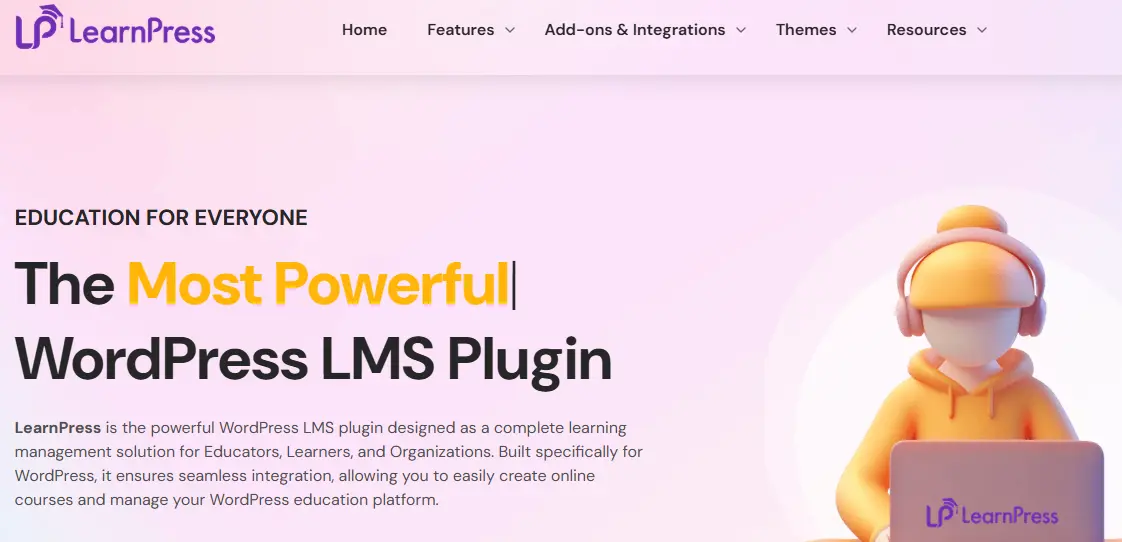
With so many Learning Management System (LMS) plugins available for WordPress, it’s natural to ask, Why choose LearnPress? The answer lies in its balance of affordability, flexibility, and ease of use.
Unlike premium LMS plugins that require upfront investment, LearnPress is free to use with a robust set of core features. You can build unlimited courses, add lessons and quizzes, and even manage students, all without spending a cent. For many beginners and small businesses, this makes it the most accessible way to start offering online courses.
Another reason to choose LearnPress is its scalability. As your e-learning site grows, you can enhance functionality with premium add-ons. These cover advanced needs like assignments, certificates, content drip, and gradebooks. Combined with payment integrations like PayPal, Stripe, and WooCommerce, LearnPress makes it easy to monetize your courses.
Finally, LearnPress is designed for WordPress users. Its drag-and-drop course builder feels intuitive, while its compatibility with page builders like Elementor ensures smooth customization. Whether you’re an educator, trainer, or entrepreneur, LearnPress provides a cost-effective and beginner-friendly path to building an online learning platform.
How to Get Started with LearnPress (Step-by-Step Guide)
One of the biggest advantages of LearnPress is how easy it is to set up, even for beginners. Whether you want to create a single online course or build a full-scale e-learning platform, LearnPress provides a straightforward process. Here’s how to get started:
1. Install and Activate LearnPress
- Go to your WordPress dashboard → Plugins → Add New.
- Search for LearnPress.
- Click Install Now and then Activate.
Once activated, a new LearnPress menu will appear in your WordPress dashboard.
2. Configure General Settings
- Navigate to LearnPress → Settings.
- Set up key options such as:
- Currency and payment gateways (PayPal, Stripe, or WooCommerce).
- Course page layouts.
- Email notifications for students and instructors.
3. Create Your First Course
- Go to LearnPress → Courses → Add New.
- Add a course title, description, and featured image.
- Add lessons, quizzes, and assignments using the drag-and-drop course builder.
- Assign a price or keep the course free.
- Publish the course to make it live.
4. Add Lessons and Quizzes
- Create lessons with text, video, or downloadable content.
- Add quizzes to test learner knowledge and engagement.
- Organize lessons into sections for structured learning paths.
5. Enroll Students and Manage Access
- Share your course page with students.
- Track student progress, quiz scores, and course completions.
- Offer certificates using add-ons for completed courses.
6. Extend with Add-ons (Optional)
LearnPress offers free and premium add-ons to expand functionality:
- Certificates – award completion certificates.
- Content Drip – release lessons over time.
- WooCommerce Integration – sell courses using memberships or subscriptions.
With these steps, you’ll have a fully functional online learning platform inside WordPress. LearnPress makes it easy to start small and expand as your e-learning business grows.
Key Features of LearnPress
LearnPress has earned its place as one of the most popular LMS (Learning Management System) plugins for WordPress because of its balance of flexibility, affordability, and ease of use. It allows educators and businesses to build online courses with tools that rival premium LMS platforms.
Below are the key features that make LearnPress stand out in 2025.
1. Drag-and-Drop Course Builder
LearnPress includes a visual, drag-and-drop course builder that makes creating and organizing courses simple. You can add lessons, quizzes, and assignments, then rearrange them into sections without writing any code. This helps instructors create well-structured, student-friendly courses quickly.
2. Unlimited Courses, Lessons, and Quizzes
There’s no restriction on how much content you can create. LearnPress supports:
- Unlimited courses with unlimited lessons
- Quizzes and assignments to enhance learning outcomes
- Multi-instructor support (via add-ons)
This flexibility makes LearnPress suitable for solo educators, schools, and large-scale e-learning platforms.
3. Flexible Monetization Options
LearnPress offers multiple ways to monetize your courses:
- Sell individual courses
- Bundle multiple courses into packages
- Accept payments via PayPal, Stripe, 2Checkout, or WooCommerce
- Enable subscriptions or membership models using add-ons
These options make LearnPress a strong choice for building a sustainable online course business.
4. Student Management & Progress Tracking
LearnPress includes built-in tools to manage learners effectively:
- Track student progress through lessons and quizzes
- Monitor quiz scores and overall performance
- Allow students to resume incomplete courses
- Offer course completion certificates (via add-ons)
This helps both instructors and learners clearly measure progress and results.
5. Certificates & Gamification
Keeping students motivated is essential in e-learning. With premium add-ons, LearnPress allows you to:
- Award certificates upon course completion
- Customize certificate designs with branding and logos
- Add gamification elements such as badges and achievements (via integrations)
These features significantly improve engagement and course completion rates.
6. Content Drip and Course Prerequisites
With content drip add-ons, you can release lessons gradually instead of making all content available at once. This prevents information overload and encourages consistent learning. LearnPress also supports course prerequisites, requiring learners to complete one course before accessing another.
7. Quiz and Assignment Tools
LearnPress offers flexible assessment options:
- Multiple question types (true/false, multiple choice, fill-in-the-blank)
- Timed quizzes and randomized questions
- Instant grading and results display
Assignments allow instructors to collect essays, projects, or files and grade them manually.
8. Integrations with Popular Tools
LearnPress integrates smoothly with popular WordPress tools, including:
- WooCommerce for selling courses and subscriptions
- Elementor and other page builders for custom course layouts
- BuddyPress for community and social learning features
- MailChimp for email marketing and student communication
These integrations make LearnPress versatile for both small and enterprise-level e-learning sites.
9. Mobile-Friendly and Responsive Design
All LearnPress courses are fully responsive by default, ensuring learners can access content seamlessly on desktops, tablets, and smartphones.
10. Extendable with Add-ons
While the free version includes core LMS functionality, LearnPress offers a wide range of free and premium add-ons, including:
- Certificates
- Gradebook
- Content Drip
- Multi-instructor support
- Paid Membership Pro integration
This modular approach allows you to scale features only when you need them.
LearnPress Pricing (2025 Update)
LearnPress follows a flexible pricing model that makes it accessible for beginners while remaining scalable for professional e-learning businesses. The core plugin is completely free, with optional add-ons for advanced functionality.
1. Free Core Plugin
- Available on WordPress.org
- Includes course creation, lessons, quizzes, and basic student management
- Ideal for teachers, individuals, and small businesses starting with e-learning
2. Free Add-ons
LearnPress offers several free extensions, such as:
- Course Wishlist – allows students to save courses
- Course Review – enables ratings and feedback
- Import/Export Courses – move course content between sites
3. Premium Add-ons
Premium add-ons typically range from $19 to $49 each and include:
- Certificates
- Content Drip
- Gradebook
- Assignments
- WooCommerce, Stripe, or Paid Membership Pro integrations
Costs can increase if you require multiple add-ons.
4. LearnPress Pro Bundle
The LearnPress Pro Bundle (around $249/year) includes the core plugin and all premium add-ons. This option is best for schools, academies, and businesses running a full-featured online learning platform.
5. Value Comparison
- LearnPress vs LearnDash: LearnDash starts at around $199/year with most features included
- LearnPress vs Tutor LMS: Tutor LMS has a free core but higher premium pricing tiers
- LearnPress vs LifterLMS: LifterLMS offers a free core, but premium plans are significantly more expensive
Overall, LearnPress offers one of the most affordable and flexible LMS pricing models for WordPress users.
Pros and Cons of LearnPress
Like any LMS plugin, LearnPress has both strengths and limitations. Understanding both helps determine if it’s the right fit in 2025.
Pros of LearnPress
- Free core plugin with essential LMS features
- Beginner-friendly interface with drag-and-drop course building
- Highly scalable through free and premium add-ons
- Flexible monetization via PayPal, Stripe, WooCommerce, and memberships
- Strong integrations with Elementor, BuddyPress, WooCommerce, and MailChimp
- Multi-instructor support for academies and training platforms
- Responsive design for mobile and tablet users
Cons of LearnPress
- Key features require paid add-ons (certificates, assignments, content drip)
- Costs can add up if many premium add-ons are needed
- Performance optimization may be required for very large sites
- Limited reporting in the free version
- Priority support is mainly available for Pro users
LearnPress vs Other LMS Plugins
With so many Learning Management System (LMS) plugins available for WordPress, it’s important to understand how LearnPress compares with popular alternatives like LearnDash, Tutor LMS, and LifterLMS. Each plugin serves a different type of user, and the right choice depends on your goals, budget, and technical requirements.
LearnPress vs LearnDash
LearnDash is often considered the most powerful WordPress LMS plugin. It includes advanced features such as content drip scheduling, dynamic quizzes, detailed reporting, and strong monetization tools directly in the core plugin. However, it is a premium-only solution, with pricing starting at around $199 per year for a single site.
LearnPress, on the other hand, is free to start. Its core plugin supports basic course creation, lessons, and quizzes, with advanced features available through add-ons or the Pro Bundle. This makes LearnPress more accessible for beginners and smaller websites. That said, for enterprise-level training platforms with thousands of learners, LearnDash offers a stronger out-of-the-box experience.
- Choose LearnPress if you want a free, flexible LMS with modular pricing.
- Choose LearnDash if you need advanced features and enterprise-level performance.
LearnPress vs Tutor LMS
Tutor LMS has quickly gained popularity as a modern, feature-rich LMS with a clean and intuitive interface. It offers drag-and-drop course creation, built-in analytics, and strong monetization options. Its free version is generous, while the Pro version (starting around $199 per year) adds certificates, assignments, and advanced reporting.
Both LearnPress and Tutor LMS are capable platforms, but Tutor LMS provides a more polished user experience and includes some features—like reporting—that LearnPress offers only through paid add-ons. LearnPress, however, benefits from a longer presence in the WordPress ecosystem and a wide range of integrations.
- Choose LearnPress if you want a proven LMS with flexible add-ons.
- Choose Tutor LMS if you prefer a modern interface with built-in analytics.
LearnPress vs LifterLMS
LifterLMS focuses on building a complete e-learning ecosystem. It includes features such as course prerequisites, memberships, certificates, and gamification. While the core plugin is free, selling courses requires paid add-ons, with pricing starting at around $120 per year.
Compared to LifterLMS, LearnPress offers more pricing flexibility. You can purchase only the extensions you need or opt for the Pro Bundle for full access. LifterLMS, however, has an advantage in community and engagement features, including memberships and gamification tools.
- Choose LearnPress if you want cost flexibility and strong WooCommerce integration.
- Choose LifterLMS if you want built-in memberships and engagement-focused features.
Which LMS Should You Choose?
- LearnPress – Best for beginners, educators, and small businesses looking for a free yet scalable LMS.
- LearnDash – Best for enterprises or large-scale platforms needing advanced, all-in-one features.
- Tutor LMS – Best for modern design, analytics, and ease of use.
- LifterLMS – Best for community-driven learning with memberships and gamification.
Overall, LearnPress remains a strong choice in 2025 for WordPress users who want a cost-effective, flexible, and beginner-friendly LMS—especially when paired with the right add-ons.
Who Should Use LearnPress in 2025?
Thanks to its flexible pricing and scalable features, LearnPress appeals to a wide range of users. From solo instructors to educational institutions, it provides the tools needed to build engaging online learning experiences.
1. Teachers and Educators
Individual teachers and tutors will find LearnPress easy to use thanks to its drag-and-drop course builder. Since the core plugin is free, educators can launch online courses with minimal investment and upgrade only when needed.
2. Schools and Universities
Institutions managing multiple courses and instructors can benefit from LearnPress’ multi-instructor support, student tracking, and course bundles. With premium add-ons like gradebooks and certificates, schools can replicate many enterprise LMS features at a lower cost.
3. Entrepreneurs and Businesses
Businesses offering training programs, certifications, or skill-based courses can use LearnPress to sell courses online. Its WooCommerce and payment gateway integrations support one-time purchases, subscriptions, and membership-based models.
4. Nonprofits and Community Groups
Nonprofits can use LearnPress to provide free or affordable training to their communities. Features like course reviews and wishlists help encourage participation while keeping learning accessible.
Who May Not Need LearnPress
If you operate a large enterprise platform that requires advanced reporting, automation, and gamification out of the box, a premium LMS such as LearnDash or LifterLMS may be a better fit.

Is LearnPress Worth It for Online Courses?
In 2025, LearnPress remains one of the most practical solutions for creating and selling online courses on WordPress. Its biggest advantage is accessibility—the free core plugin allows educators, businesses, and nonprofits to launch courses without high upfront costs.
LearnPress’ modular design makes it easy to scale. You can start with basic features like lessons and quizzes, then expand with premium add-ons such as certificates, content drip, or WooCommerce integration as your platform grows.
While advanced features require add-ons and large enterprises may prefer premium LMS solutions, LearnPress offers an excellent balance of affordability, flexibility, and usability for most WordPress users.
In short, LearnPress is absolutely worth it for online courses—especially if you want a customizable, budget-friendly, and beginner-friendly LMS plugin.
Frequently Asked Questions (FAQs)
1. Is LearnPress free to use?
Yes. The core LearnPress plugin is completely free and includes essential LMS features like course creation, lessons, and quizzes. Additional functionality is available through free and premium add-ons.
2. Can I sell courses with LearnPress?
Yes. LearnPress integrates with PayPal, Stripe, 2Checkout, and WooCommerce, allowing you to sell courses, bundles, or memberships.
3. Does LearnPress support certificates and content drip?
Yes, through premium add-ons. Certificates allow you to reward course completion, while the Content Drip add-on lets you release lessons over time.
4. Is LearnPress beginner-friendly?
Absolutely. Its drag-and-drop course builder and intuitive interface make it suitable for users with little or no technical experience.
5. What are the best LearnPress add-ons?
- Certificates for course completion
- Assignments for student submissions
- Gradebook for tracking performance
- WooCommerce Integration for advanced monetization
- Paid Membership Pro for membership-based access
6. Is LearnPress better than LearnDash or Tutor LMS?
It depends on your needs. LearnPress is more cost-effective and flexible, while LearnDash and Tutor LMS provide more advanced features out of the box at a higher price point.
Interesting Reads:
bbPress Review 2025: Is It the Best Forum Plugin for WordPress?
Tutor LMS Review 2025: Is It the Best LMS Plugin for WordPress?
