

The demand for online learning has never been higher, and in 2025, educators, businesses, and entrepreneurs are searching for flexible solutions to deliver professional-quality courses. WordPress remains a popular platform for building websites, and when paired with the right tools, it can also power feature-rich e-learning platforms. Among the many options available, LearnDash stands out as one of the most trusted solutions. In this LearnDash Review, we’ll explore whether it still deserves its reputation as the best LMS plugin for WordPress.
LearnDash is a premium WordPress LMS plugin that transforms a standard website into a powerful e-learning platform. It offers a robust set of tools for creating and selling online courses, complete with lessons, quizzes, certificates, and gamification features. From individual course creators to large enterprises and universities, LearnDash has become the go-to choice for anyone serious about e-learning.
But with growing competition from tools like LifterLMS, Tutor LMS, and hosted platforms like Teachable, the question remains: is LearnDash still the best option in 2025? This LearnDash Review 2025 will dive into its features, pricing, pros and cons, and alternatives, helping you decide if it’s the right solution for your online course needs.

What is LearnDash?
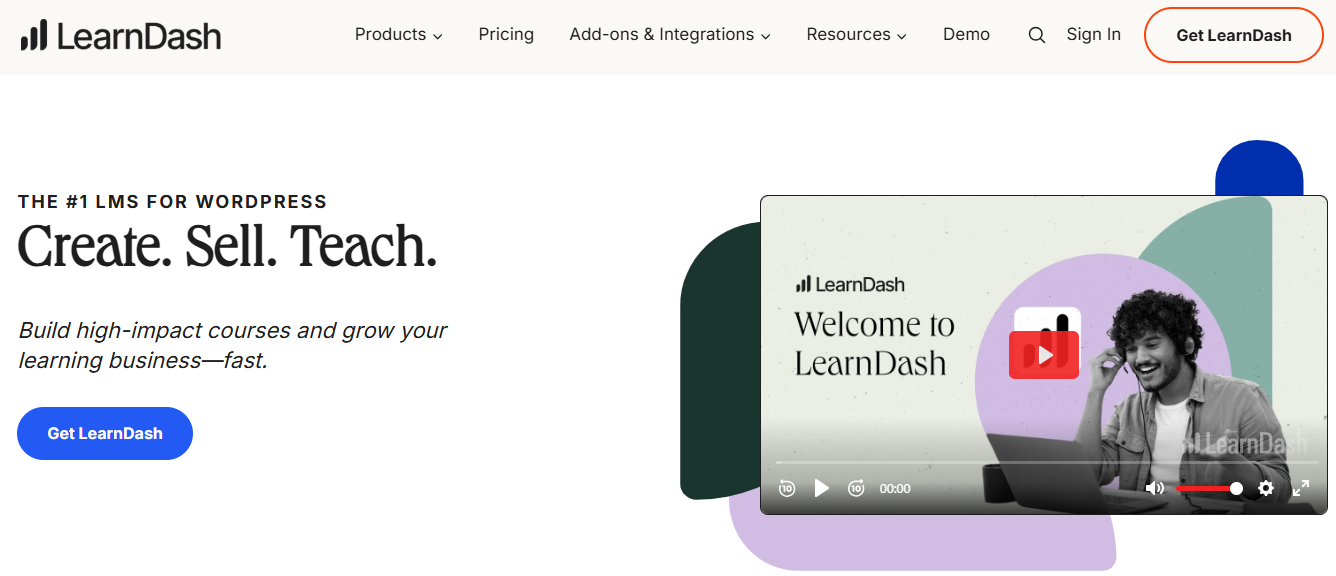
LearnDash is a premium WordPress LMS plugin (Learning Management System) that enables educators, businesses, and course creators to design and deliver professional-quality online courses directly from a WordPress site. Unlike hosted platforms such as Teachable or Thinkific, LearnDash is self-hosted, giving users full control over customization, branding, and student data.
Launched in 2013, LearnDash has grown into one of the most recognized e-learning solutions in the WordPress ecosystem. It is trusted by universities, training organizations, entrepreneurs, and even Fortune 500 companies. Its popularity comes from its flexibility. Whether you’re building a small set of tutorials or a full-fledged e-learning portal, LearnDash provides the tools to scale.
At the heart of LearnDash is its intuitive course builder, which allows users to create structured courses with lessons, topics, and quizzes. Features like drip-feed scheduling, prerequisites, certificates, and gamification make learning more engaging and effective. For those interested in monetization, LearnDash supports payments through PayPal, Stripe, and WooCommerce, giving course creators multiple ways to sell their content.
As this LearnDash Review will explore further, the plugin offers a balance of advanced features and user-friendly design, making it a top choice for anyone serious about online education in 2025.
Why LearnDash is So Popular?
In the crowded market of e-learning solutions, LearnDash continues to stand out as one of the most widely used WordPress LMS plugins. Its popularity comes from a blend of powerful features, flexibility, and scalability that appeals to educators, businesses, and professional trainers.
One of the key reasons for LearnDash’s popularity is its scalability. It works just as well for individual course creators as it does for large universities or enterprises managing thousands of learners. The plugin adapts to different use cases, from selling simple digital courses to running complex corporate training systems.
Another factor is its extensive ecosystem of add-ons and integrations. LearnDash connects seamlessly with WooCommerce, MemberPress, BuddyBoss, and Zapier, making it easy to extend functionality. Whether you need advanced memberships, community engagement, or automated workflows, LearnDash integrates without disrupting your site’s core setup.
The platform also supports engaging learning experiences through quizzes, certificates, gamification, and drip-fed content, which keep students motivated and on track. Combined with monetization options like PayPal and Stripe, LearnDash makes it simple to create, manage, and sell courses all in one place.
Ultimately, LearnDash’s popularity stems from its ability to provide a professional-grade e-learning platform within the familiar environment of WordPress.
How LearnDash Works
LearnDash simplifies the process of building and managing online courses inside WordPress. Once installed, the plugin adds a course builder to your dashboard, allowing you to create structured learning experiences with lessons, topics, and quizzes. The drag-and-drop interface makes it easy to organize course content without technical skills.
A typical course flow in LearnDash starts with creating a course, then adding lessons and topics as the foundation. You can layer in interactive elements such as quizzes, assignments, and discussion forums to boost engagement. Advanced tools like drip-feed content let you release lessons gradually, keeping learners on pace.
LearnDash also supports gamification by awarding certificates and badges when students complete modules or achieve specific scores. For monetization, you can sell courses individually or through subscriptions using PayPal, Stripe, or WooCommerce integrations.
In short, LearnDash works by transforming your WordPress site into a complete LMS plugin. It combines structured course management with interactive features, ensuring both educators and learners enjoy a seamless experience.
Key Features of LearnDash
LearnDash has earned its place as one of the most powerful WordPress LMS plugins, thanks to its robust and flexible feature set. Below are the core features that make it such a popular choice.
1. Drag-and-Drop Course Builder
The intuitive course builder allows you to create courses using a simple drag-and-drop interface. You can structure your content into courses, lessons, topics, and quizzes, making it easy to design both simple and complex learning paths.
2. Advanced Quizzing System
LearnDash offers one of the most powerful quiz builders among LMS plugins. Instructors can create multiple question types, including multiple choice, essays, fill-in-the-blank, and timed quizzes. Quizzes can be graded automatically or manually.
3. Drip-Feed Content
To keep learners engaged and on track, LearnDash lets you drip-feed lessons over time. Instead of giving access to all content at once, you can release modules daily, weekly, or on a custom schedule.
4. Certificates and Badges
Completion-based rewards like certificates and badges add credibility and motivation. You can design certificates for course completion or award digital badges for specific achievements.
5. Assignments and Grading
Instructors can require learners to submit assignments for review. Submissions can be approved or graded manually, making LearnDash suitable for academic and professional training environments.
6. Gamification and Engagement Tools
LearnDash integrates with gamification plugins like GamiPress, allowing you to add leaderboards, points, and achievements that increase interaction and motivation.
7. Monetization Options
LearnDash supports multiple ways to sell courses:
- One-time payments
- Subscriptions and memberships
- Course bundles and discounts
It integrates with PayPal, Stripe, and WooCommerce, giving you the flexibility to monetize your courses.
8. Integrations and Add-ons
LearnDash connects seamlessly with popular tools:
- BuddyBoss for social learning communities
- MemberPress for advanced memberships
- Zapier for automation
- Official LearnDash add-ons for reporting, gradebooks, and more
9. Mobile-Friendly Learning
LearnDash ensures that course content is responsive and mobile-friendly, offering a smooth learning experience across all devices.
10. Reporting and Analytics
Admins can track progress with detailed reports, including completion rates, quiz scores, and learner performance. These insights help improve content and learner engagement.
Why These Features Matter
LearnDash combines course creation, learner engagement, and monetization into a single package. The course builder ensures ease of setup, while certificates, quizzes, and gamification improve the learning journey. Monetization and integrations extend its use cases beyond education into corporate training and professional development.
Together, these features explain why LearnDash continues to lead the market in 2025.
Ease of Use: Is LearnDash Beginner-Friendly?
When evaluating any LMS plugin, ease of use is one of the most important considerations. In this LearnDash Review, it’s clear that LearnDash balances professional-grade tools with an approachable interface, especially for those already comfortable with WordPress.
Installation and Setup
Getting started with LearnDash is straightforward, especially if you’re familiar with WordPress. Unlike some hosted e-learning platforms, LearnDash integrates directly into your existing WordPress site, giving you full control over setup and customization. Below is a step-by-step look at how the installation works.
Step 1: Install the Plugin
- Purchase LearnDash from the official website.
- Download the plugin ZIP file from your account.
- In your WordPress dashboard, go to Plugins > Add New > Upload Plugin.
- Upload the file, click Install Now, and then Activate.
Step 2: Activate Your License
After activation, you’ll be prompted to enter your license key. This ensures you have access to updates, new features, and premium support.
Step 3: Run the Setup Wizard
LearnDash provides a setup wizard that guides you through:
- Creating your first course.
- Choosing default settings for lessons and quizzes.
- Configuring payment gateways like PayPal or Stripe.
- Setting enrollment options such as open access, free, or paid courses.
Step 4: Configure Basic Settings
Once the wizard is complete, you can refine additional options:
- Adjust course display and layout preferences.
- Enable certificates or assignments.
- Integrate with membership plugins or e-commerce tools if needed.
Step 5: Start Building Courses
You are now ready to use the drag-and-drop course builder. This allows you to create lessons, add quizzes, and organize topics in a clear structure.
Course Builder Experience
The drag-and-drop course builder is one of LearnDash’s most user-friendly features. It allows you to organize lessons, topics, and quizzes visually, making it easier to structure courses without technical knowledge. Pre-built templates and sample courses also help speed up the initial setup.
Learning Curve
While LearnDash is intuitive for basic tasks, its depth of functionality means there is a learning curve. Advanced options like drip-feed scheduling, gamification, and reporting may take time to master. Fortunately, extensive documentation, tutorials, and community support make it easier for beginners to overcome hurdles.
Overall Usability
LearnDash strikes a balance between simplicity and power. Beginners can start quickly with core features, while advanced users can dive deeper into customization and integrations. This makes it a scalable solution that grows with your e-learning needs.
LearnDash Pricing Breakdown
Pricing is often a deciding factor when choosing an LMS solution. LearnDash positions itself as a premium WordPress LMS plugin, designed for professional course creators, educators, and businesses. While it isn’t free, its value lies in the combination of robust features and scalability.
Annual License Plans
LearnDash follows an annual subscription model, with three main pricing tiers in 2025:
- 1-Site License – $199/year
Best for individual educators, bloggers, or small businesses running a single website. - 10-Site License – $399/year
Suitable for freelancers or agencies managing multiple client projects. - Unlimited Sites – $799/year
Designed for larger organizations, universities, or businesses needing scalability.
Each plan includes core features such as the course builder, quizzes, certificates, drip-feed content, and reporting tools, along with premium support and updates.
Value for Money
Compared to free LMS plugins, LearnDash’s pricing may feel steep. However, the plugin replaces multiple tools by combining course creation, monetization, and learner engagement in one solution. Add-ons and integrations with tools like BuddyBoss, MemberPress, or WooCommerce can expand functionality, but these may increase the total investment.
Cost vs Competitors
- LifterLMS offers a free core plugin but charges for advanced features and integrations, which can add up quickly.
- Tutor LMS has both free and pro versions at lower entry costs, but does not offer the same scalability as LearnDash.
- Hosted platforms like Teachable or Thinkific charge higher monthly fees and limit customization compared to LearnDash’s self-hosted flexibility.
Pros and Cons of LearnDash
Every e-learning solution has its advantages and drawbacks, and LearnDash is no exception. Below is a balanced look at the pros and cons to help you decide if it’s the right LMS for your needs.
Pros of LearnDash
- Powerful Course Builder: The drag-and-drop builder makes it easy to organize lessons, topics, and quizzes without technical skills.
- Advanced Learning Features: Includes drip-feed content, prerequisites, quizzes, assignments, and certificates to create engaging learning experiences.
- Professional-Grade Flexibility: Scales well from small courses to enterprise-level training programs.
- Monetization Options: Built-in support for PayPal, Stripe, and WooCommerce lets you sell courses individually or via subscriptions.
- Strong Integrations: Works seamlessly with BuddyPress, BuddyBoss, MemberPress, Zapier, and other tools.
- Gamification and Engagement: Points, badges, and certificates motivate learners and improve completion rates.
- Trusted by Institutions: Used by universities, corporations, and training organizations worldwide.
Cons of LearnDash
- Premium Pricing: At $199/year for a single site, it is more expensive than some alternatives.
- Learning Curve: Mastering advanced features like drip schedules and reporting takes time.
- Add-On Costs: Some advanced functionality depends on third-party add-ons.
- Limited Design Control Out of the Box: You may need a compatible theme or page builder for polished designs.
LearnDash vs Competitors in 2025
In a crowded e-learning market, it’s essential to see how LearnDash stacks up against other popular LMS tools. In this LearnDash Review, let’s compare it with three key competitors: LifterLMS, Tutor LMS, and hosted platforms like Teachable and Thinkific.
LearnDash vs LifterLMS
LifterLMS is another well-known WordPress LMS plugin that offers a free core version. However, many essential features, such as advanced quizzes, payment gateways, and integrations, require paid add-ons, which can become costly. LearnDash, on the other hand, packages most of these features into its premium license, making it more streamlined for serious educators. LifterLMS is a good choice for those starting on a budget, but LearnDash offers greater scalability and fewer limitations as your platform grows.
LearnDash vs Tutor LMS
Tutor LMS has gained popularity for its beginner-friendly interface and affordable pricing. Its free version provides a strong starting point, while the Pro version adds advanced features. However, Tutor LMS doesn’t match LearnDash in terms of enterprise-level scalability, reporting, and integrations. For hobbyists or smaller projects, Tutor LMS is an attractive choice, but LearnDash remains the better option for professional course creators and organizations seeking long-term growth.
LearnDash vs Teachable and Thinkific
Hosted platforms like Teachable and Thinkific are attractive for users who don’t want to manage their own WordPress site. They offer simple setup, built-in hosting, and reliable customer support. However, they come with monthly subscription fees, limited customization, and less control over data. LearnDash, being self-hosted, gives you full ownership of your content and design, making it more appealing for businesses that want flexibility and control.
Why Choose LearnDash for Your Online Courses?

LearnDash has established itself as one of the most reliable WordPress LMS plugins because it balances professional features with flexibility. Its drag-and-drop course builder, advanced quizzes, certificates, and drip-feed content make it ideal for creating structured, engaging courses. For educators and businesses looking to monetize, LearnDash integrates with WooCommerce, PayPal, and Stripe, offering multiple revenue models. Unlike hosted platforms, it gives you full control over customization and student data, making it a scalable solution for both small creators and enterprises.
As this LearnDash Review highlights, its combination of ease of use, powerful features, and professional integrations makes it a strong choice for anyone serious about building an e-learning platform in 2025.

Is LearnDash the Right LMS Plugin for You in 2025?
After exploring its features, pricing, pros and cons, and competitors, this LearnDash Review 2025 shows that LearnDash continues to lead the market as one of the most powerful WordPress LMS plugins. Its intuitive course builder, advanced quizzes, certificates, and gamification tools make it an excellent choice for creating professional online courses.
The plugin’s biggest strengths lie in its flexibility and scalability. LearnDash works equally well for individual educators launching their first digital course and for large institutions managing thousands of learners. Its wide range of integrations, such as BuddyBoss, WooCommerce, and MemberPress, ensure it adapts to different use cases, from academic learning to corporate training.
That said, LearnDash does come with trade-offs. Its premium pricing may feel steep for beginners, and mastering advanced features requires time. Some add-ons may also add to the total cost. However, these factors are outweighed by the long-term value it provides for serious course creators and organizations.
In short, this LearnDash Review highlights why LearnDash remains the go-to e-learning platform for WordPress in 2025. If you want complete ownership, professional-grade features, and the ability to scale as your courses grow, LearnDash is still one of the best LMS solutions you can choose.
Frequently Asked Questions (FAQ) About LearnDash
1. What is LearnDash used for?
LearnDash is a WordPress LMS plugin that allows educators, businesses, and course creators to design and sell online courses. It supports lessons, quizzes, certificates, gamification, and payment integrations to deliver a complete e-learning experience.
2. Is LearnDash free?
No, LearnDash is a premium plugin. Pricing starts at around $199 per year for a single site license. While alternatives like Tutor LMS and LifterLMS offer free versions, LearnDash is designed as a professional-grade e-learning platform.
3. Do I need coding skills to use LearnDash?
No coding is required. The plugin includes a drag-and-drop course builder, making it easy to create courses visually. However, advanced users can extend functionality with custom code or integrations.
4. What makes LearnDash different from other LMS plugins?
Unlike many plugins, LearnDash combines powerful course management, quizzes, certificates, and monetization into one package. Its scalability and integrations with WooCommerce, BuddyBoss, and MemberPress make it ideal for both small creators and large institutions.
5. Can I monetize courses with LearnDash?
Yes. LearnDash supports multiple payment gateways, including PayPal, Stripe, and WooCommerce, enabling one-time sales, subscriptions, or bundled course offerings.
6. Is LearnDash beginner-friendly?
Yes, LearnDash includes a setup wizard and a drag-and-drop course builder. While advanced features may take time to learn, their documentation and tutorials help beginners get started quickly.
Interesting Reads
BuddyPress Demo Guide: Everything You Need to Build a Community on WordPress
Top LearnDash Add-ons To Give Your E-Learning Website New Heights
Elementor Review 2025: Is It Still the Best WordPress Page Builder?
