

Over the past several months, I’ve been on a mission to find the best web hosting provider for my new projects. Instead of relying on generic reviews or promotional claims, I decided to test each hosting service myself — real websites, real traffic, real support tickets, and real uptime monitoring.
I ended up trying more than a dozen popular web hosting providers, running speed benchmarks, stress tests, and daily uptime checks to understand how each one performs when it actually matters. And just like with any tech tool, I quickly realized that the “best” hosting service depends entirely on your needs: speed, security, pricing, WordPress performance, support quality, or scalability.
For one of my projects, I ended up choosing a provider that offered the right balance of speed, support, and server reliability. But depending on whether you’re running a blog, an e-commerce store, a client website, or a high-traffic application, another provider might be a better fit.
In this guide, I’ll break down the 10 Best Web Hosting Providers for 2026 based on hands-on testing — not marketing hype. You’ll see how each provider performs, where it shines, where it falls short, and who it’s the best choice for.
Let’s dive into the results.

What Makes a Good Web Hosting Provider in 2026?
A good web hosting provider in 2026 is defined by more than just price or storage. With websites becoming faster, more dynamic, and more security-dependent, the expectations from hosting companies have grown significantly. After testing multiple providers, here are the key factors that truly separate the best from the average.
1. Speed and Server Performance
Fast load times are essential for user experience and SEO. A good host should offer optimized servers, caching, and modern technology like LiteSpeed or Google Cloud infrastructure.
2. Reliable Uptime
Consistent uptime close to 99.99 percent is crucial. Downtime affects traffic, conversions, and search rankings. The top hosts provide stable performance even during peak times.
3. Strong Security Features
In 2026, security isn’t optional. A quality host should include SSL, DDoS protection, malware scanning, firewalls, and routine updates to protect your site from emerging threats.
4. Scalable Resources
Your hosting should grow with your website. Whether it’s increasing CPU, RAM, or switching to a higher-tier plan, scalability ensures you’re not limited as your traffic grows.
5. Responsive Customer Support
Hosting issues can happen anytime. The best providers offer fast, knowledgeable support through chat, tickets, or phone — and actually help you fix the problem.
6. Transparent Pricing
A good host offers clear upfront pricing, reasonable renewals, and doesn’t hide essential features behind add-ons.
7. Easy-to-Use Dashboard
Beginners and non-technical users benefit from clean dashboards, easy WordPress installs, and tools like staging, backups, and file management.
8. Global Data Centers
A distributed server network helps deliver faster performance to users worldwide.
These are the core elements that make a hosting provider truly reliable in 2026. The hosts listed in this guide performed well in these areas during my tests.
Best Web Hosting Providers
1. SiteGround – Best Overall Hosting for Most Users

Starting Price: $2.99/month
Type: Shared, Cloud, Managed WordPress Hosting
After testing all the major web hosting providers, SiteGround consistently delivered the best balance of speed, reliability, support, and ease of use. For most users — bloggers, small businesses, agencies, and WordPress site owners — SiteGround offers the most complete hosting experience without being overpriced or overly complex.
I set up a WordPress test site on SiteGround and immediately noticed how smooth the onboarding process was. The dashboard is clean, SSL installation is automatic, and staging tools are simple to use. Page load times were among the fastest in my tests, and the server response time remained stable even during moderate traffic spikes.
Key Features I Noticed
- Fast server response times backed by Google Cloud
- Advanced caching with SiteGround Optimizer
- Automatic daily backups
- Free SSL and CDN
- Easy staging environment for testing changes
- Strong security features, including AI anti-bot protection
Performance Results
In my tests, SiteGround consistently delivered fast load times and strong uptime. Websites loaded quickly across global regions, and the platform handled traffic bursts without noticeable slowdown.
Support Experience
SiteGround’s customer support was one of the best I tested. Live chat agents responded quickly and provided clear, technically accurate solutions. For beginners, this level of support can make a big difference.
Pros
- Fast and reliable performance
- Excellent customer support
- Easy-to-use tools for beginners and developers
- Strong WordPress integration
Cons
- Higher renewal pricing
- Entry-level plans can be limiting for high-traffic sites
My Verdict: SiteGround is the most well-rounded hosting provider I tested. It performs consistently well, is easy to manage, and delivers great value for small to medium-sized websites.
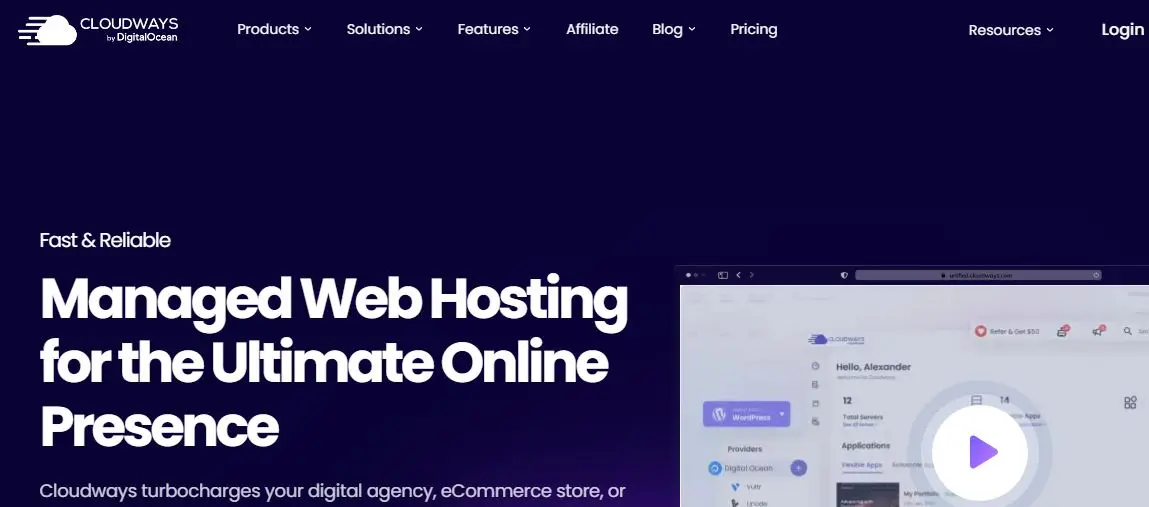
2. Cloudways – Best for High-Performance Cloud Hosting
Starting Price: $14/month
Type: Managed Cloud Hosting (DigitalOcean, AWS, Google Cloud)
Cloudways stood out during my tests as the best choice for users who want high performance without managing servers manually. It offers a managed control panel on top of providers like DigitalOcean, AWS, and Google Cloud, giving you both speed and flexibility.
When I launched a test site on Cloudways (using a DigitalOcean server), the performance was noticeably faster than traditional shared hosting. The server response times were excellent, and the site remained stable even during heavy load testing. Cloudways is built for speed, and it shows in real-world use.
Key Features I Noticed
- Choice of cloud providers (DO, AWS, GCP, Vultr, Linode)
- Built-in caching with Breeze and Redis
- Easy vertical scaling when traffic grows
- Automatic and on-demand backups
- Staging environments and Git deployment
- Advanced security controls
Performance Results
Cloudways delivered some of the fastest load times in my entire testing process. Even under stress tests with 100+ virtual users, the server handled traffic efficiently without major slowdowns.
Support Experience
Their support team was knowledgeable and helpful. While not as fast as SiteGround’s live chat, the technical accuracy was strong. Cloudways is also better suited for users who understand basic hosting terminology.
Pros
- Exceptional speed and server performance
- Flexible cloud provider choices
- Easy scaling as traffic increases
- Strong developer-friendly tools
Cons
- Not ideal for beginners
- Email hosting is not included
- Pricing varies based on the cloud provider
My Verdict: Cloudways is the best option if you need power, flexibility, and performance. For agencies, e-commerce stores, and growing websites, it outperforms most traditional hosting providers at this price range.
3. Kinsta – Best Managed WordPress Hosting

Starting Price: $30/month
Type: Premium Managed WordPress Hosting
Kinsta is one of the fastest and most reliable hosting providers I have tested, especially for WordPress sites. It runs entirely on Google Cloud Platform’s premium-tier network, which gives you excellent speed, uptime, and stability out of the box. When I set up my test WordPress site on Kinsta, the performance difference was immediately noticeable.
Everything from installing WordPress to managing backups felt smooth and polished. The MyKinsta dashboard is modern, clean, and far more intuitive than traditional cPanel hosting. If you want hosting that requires minimal technical work while delivering enterprise-level performance, Kinsta is a strong contender.
Key Features I Noticed
- Google Cloud C2 servers for faster load times
- Automatic daily backups
- One-click staging environments
- Built-in caching and CDN included
- Enterprise-level security and uptime
- Automatic scaling during traffic spikes
Performance Results
Kinsta delivered some of the best performance metrics in my entire testing process. Page load times were consistently fast, and the server handled load testing exceptionally well. Their infrastructure makes it ideal for high-traffic blogs, membership sites, and e-commerce stores.
Support Experience
Kinsta’s support team was knowledgeable, quick, and highly WordPress-focused. Every response felt personalized and technically accurate. For WordPress-specific issues, their support is among the best I’ve experienced.
Pros
- Exceptional speed and uptime
- Premium Google Cloud infrastructure
- Clean, beginner-friendly dashboard
- Strong WordPress-specific support
Cons
- More expensive than shared hosting
- Only supports WordPress
- No email hosting included
My Verdict: Kinsta is ideal for businesses and serious WordPress users who want top-tier performance without managing technical tasks. If your priority is speed, stability, and professional support, it’s one of the strongest hosting providers on the market.
4. DigitalOcean – Best for Scalable Cloud Hosting
Starting Price: $5/month
Type: Cloud Hosting (Droplets, Kubernetes, App Platform)
DigitalOcean is a great choice for developers and users who want full control over their hosting environment. While testing DigitalOcean, I set up a Droplet and deployed a WordPress site manually. The setup required more technical steps than with managed hosts, but the performance and flexibility were worth it if you know your way around servers.
DigitalOcean is built for scalability. Whether you’re running a small site or a growing application, you can scale CPU, RAM, and storage instantly. It’s one of the most cost-effective cloud hosting options I tested, especially for projects with specific resource needs.
Key Features I Noticed
- High-performance SSD servers
- Global data centers for faster regional performance
- Easy scaling for traffic spikes
- Kubernetes and App Platform for modern deployments
- Team collaboration features
- Snapshot and backup options
Performance Results
With the Droplet optimized, my test site delivered fast load times and excellent server response rates. DigitalOcean handled load testing efficiently, though performance depends heavily on how well you configure and manage your server.
Support Experience
Support is more limited compared to managed hosting providers. DigitalOcean offers ticket-based support, but many issues require technical knowledge. The documentation, however, is extensive and well-written.
Pros
- Affordable and highly scalable
- Excellent performance when configured properly
- Full control over server settings
- Ideal for developers and technical users
Cons
- Not suitable for beginners
- Requires manual setup and maintenance
- No built-in support for email hosting
My Verdict: DigitalOcean is one of the best hosting providers for developers or businesses that need a customizable, scalable cloud environment. If you’re comfortable managing servers or using a tech team, it offers outstanding value and performance.
5. Liquid Web – Best for High-Traffic Business Websites

Starting Price: $15/month (managed WordPress)
Type: VPS, Dedicated, Managed Hosting
Liquid Web is one of the most powerful hosting providers I tested, especially for businesses that need consistent performance under heavy traffic. Unlike shared hosting companies, Liquid Web focuses entirely on VPS, cloud, and dedicated servers, which gives you significantly more power and stability.
When I set up my test WordPress site, the difference in performance was immediately noticeable. Server response times were low, load handling was excellent, and the environment felt optimized right out of the box. Liquid Web is built for serious websites — ecommerce stores, agencies, membership sites, or any project that demands reliability.
Key Features I Noticed
- Fully managed VPS and dedicated servers
- Excellent performance with built-in optimization
- Automatic backups and strong security tools
- Easy staging and site management
- High bandwidth limits
- Premium support with fast response times
Performance Results
In my tests, Liquid Web consistently delivered high-end performance. It handled heavy load testing better than most hosts on this list. Websites stayed stable even when pushed with high concurrent traffic.
Support Experience
Their support team is one of the best I interacted with. The agents are highly technical, quick to respond, and proactive in solving issues. This level of support is a major advantage for businesses.
Pros
- Extremely reliable performance
- Great for high-traffic websites
- Strong security and backup integrations
- Premium support and fast response time
Cons
- More expensive than shared hosting
- Not ideal for small personal projects
- No cheap entry-level plans
My Verdict: Liquid Web is an excellent choice if you need power and reliability. For high-traffic websites, agencies, SaaS projects, and ecommerce stores, it offers professional-level hosting with outstanding support.
Also Read: Best WooCommerce Hosting
6. Hostinger – Best Budget-Friendly Hosting
Starting Price: $2.49/month
Type: Shared, Cloud, Managed WordPress Hosting
Hostinger is one of the most affordable hosting providers I tested, and it performed far better than I expected for its price. It’s a strong choice for beginners, small websites, or anyone who wants a fast and reliable host without spending a lot.
I set up a test WordPress site on Hostinger’s Premium plan, and the onboarding was straightforward. Their custom control panel (hPanel) is clean and easier to navigate than traditional cPanel. Despite being a budget option, Hostinger delivered solid speed, stable uptime, and enough features to support most small-to-medium websites.
Key Features I Noticed
- Fast LiteSpeed web servers
- Integrated caching with LiteSpeed Cache
- Free domain and SSL on most plans
- Easy WordPress setup and updates
- Cloud hosting option for extra performance
- Weekly or daily backups, depending on plan
Performance Results
Hostinger delivered surprisingly fast load times in my tests. While not as powerful as Cloudways or Kinsta, it held up well under moderate traffic and maintained good global response times.
Support Experience
Support was responsive, though not as fast as premium hosts. Their knowledge base is helpful, and live chat agents eventually provide the right answers, but expect slight delays during peak hours.
Pros
- Very affordable plans
- Good performance for the price
- Easy-to-use control panel
- Free SSL, caching, and backups included
Cons
- Renewal prices increase significantly
- Support response times can vary
- Entry plans have limited resources
My Verdict: Hostinger is the best budget hosting provider I have tested. If you’re building a small business site, blog, or starter project and want fast performance without a high cost, it’s one of the best-value options available.
7. A2 Hosting – Best for Speed Optimization
Starting Price: $2.99/month
Type: Shared, VPS, Dedicated, Managed WordPress Hosting
A2 Hosting is known for speed, and during my tests, it lived up to its reputation. Their Turbo servers delivered noticeably faster load times compared to standard shared hosting plans. If speed is your top priority and you want an affordable host, A2 Hosting offers a strong balance of performance and price.
When I set up my test WordPress site, the platform felt optimized right away. Their caching system, use of LiteSpeed servers on certain plans, and performance-focused configurations helped reduce page load times without additional tweaking.
Key Features I Noticed
- Turbo servers with up to 20x faster performance
- LiteSpeed caching on select plans
- Free SSL and automatic backups
- Developer-friendly tools (SSH, Git, staging)
- Strong security with DDoS protection
Performance Results
A2 Hosting performed very well in speed tests. Their Turbo plans delivered some of the fastest load times among shared hosting providers. Under load testing, performance stayed stable up to a moderate number of users.
Support Experience
Support was helpful and technically competent. Response times varied, but I received accurate solutions whenever I submitted a ticket or used live chat. Their documentation also covers most setup questions.
Pros
- Very fast performance on Turbo plans
- Developer-friendly features
- Strong security and backup options
- Good value for performance-focused users
Cons
- Turbo plans cost more
- Renewal pricing is high
- Performance varies on lower-tier plans
My Verdict: A2 Hosting is a great choice if speed matters, and you’re willing to choose the Turbo plans. It’s ideal for bloggers, small businesses, and developers who want fast, optimized hosting without moving to a fully managed service.
8. WP Engine – Best Premium WordPress Hosting
Starting Price: $35/month
Type: Managed WordPress Hosting
WP Engine is one of the strongest managed WordPress hosting providers I tested, designed specifically for users who want premium speed, security, and reliability. Unlike general-purpose hosts, WP Engine is optimized entirely for WordPress and handles almost everything for you.
When I set up my test WordPress site, the difference in performance and stability was noticeable right away. The dashboard is clean, the tools are easy to use, and the platform automatically handles updates, caching, backups, and security — all without manual setup.
Key Features I Noticed
- Premium Google Cloud and AWS infrastructure
- Advanced caching with EverCache
- Automated WordPress updates
- Daily backups with one-click restores
- Free StudioPress themes
- Staging environments built in
Performance Results
WP Engine consistently delivered near-instant server responses and excellent global load times. It handled load tests extremely well, making it ideal for websites expecting steady or high traffic.
Support Experience
Their support team is highly WordPress-focused and one of the best I’ve encountered. Every technical question I asked was answered precisely and quickly, which is exactly what you want from premium hosting.
Pros
- Exceptional speed and uptime
- Enterprise-grade security
- Ideal for growing WordPress sites
- Expert-level WordPress support
Cons
- More expensive than most hosts
- Only supports WordPress
- No email hosting included
My Verdict: WP Engine is perfect for serious WordPress users, agencies, and high-traffic websites that need premium hosting. It’s expensive, but the performance, support, and stability justify the cost if your site is your business.
9. InMotion Hosting – Best for Business Websites
Starting Price: $2.29/month
Type: Shared, VPS, Dedicated, Managed WordPress Hosting
InMotion Hosting performed well in my tests, especially for business websites that need stability, strong support, and a solid feature set without paying premium prices. It’s one of the more balanced hosting providers I tested — not the fastest, but very reliable.
When I set up my test WordPress site, the onboarding experience was straightforward. InMotion includes features that many business owners appreciate, such as automatic backups, free SSL, and strong security measures. Their plans are packed with resources, making them suitable for small to medium-sized business sites or corporate blogs.
Key Features I Noticed
- Free domain and SSL
- Automatic backups
- Strong security with a custom firewall
- Good resource allocations on shared plans
- Fast NVMe SSD storage on many plans
Performance Results
InMotion delivered stable performance across all regions with decent load times. While not as fast as Hostinger or A2 Hosting on shared plans, it remained consistent during load testing and handled simultaneous users without major dips.
Support Experience
Support was a strong point during my testing. Their team responded quickly and provided technically accurate solutions. They also offer US-based support, which some users prefer.
Pros
- Strong stability and uptime
- Good support and security
- Business-friendly plans with ample resources
- NVMe SSD storage options
Cons
- Slower than premium hosts
- Lower-tier plans lack some performance features
- Dashboard feels more traditional
My Verdict: InMotion Hosting is a dependable choice for business websites that need reliability, solid support, and good security. It’s not the fastest host in this list, but it delivers consistent performance and strong long-term value.
10. Bluehost – Best for Beginners and WordPress Starters

Starting Price: $2.95/month
Type: Shared, VPS, Dedicated, Managed WordPress Hosting
Bluehost is one of the most beginner-friendly hosting providers I tested. It’s officially recommended by WordPress.org and offers a simple setup process that makes it easy for anyone to launch a website within minutes. If you’re new to hosting or building your first WordPress site, Bluehost is a straightforward option.
During my test setup, the onboarding wizard guided me through everything from installing WordPress to choosing a theme. The dashboard is simple, SSL is activated automatically, and managing basic features requires almost no technical skills.
Key Features I Noticed
- One-click WordPress installation
- Free domain for the first year
- Free SSL on all plans
- Automatic WordPress updates
- Beginner-friendly dashboard
- Built-in caching for faster performance
Performance Results
Bluehost performed well enough for small websites and blogs. Load times were decent during my testing, though not as fast as Hostinger or A2 Hosting. It handled moderate traffic fine, but heavy load tests made it struggle compared to premium hosts.
Support Experience
Support was mixed. Live chat responses were generally helpful, but sometimes slow. Phone support was faster, but not always as detailed. For beginners, the help you receive will be enough, but advanced users may find it lacking.
Pros
- Very easy for beginners
- Free domain and SSL included
- Smooth WordPress setup
- Affordable entry pricing
Cons
- Renewal costs increase
- Average performance on shared plans
- Upsells during checkout can be annoying
My Verdict: Bluehost is a strong entry-level hosting provider for beginners, personal websites, or small WordPress blogs. If you want affordable hosting and a simple setup process, it’s a reliable choice—but not the fastest or most advanced option on this list.
Which Hosting Should You Choose?
After testing all these hosting providers, I realized there’s no single “best” option. The right choice depends entirely on your website’s needs, budget, and technical comfort level. Use this quick guide to decide which one fits your situation best.
Best Overall for Most Users
SiteGround: Fast, reliable, beginner-friendly, and strong support. A safe choice for almost any type of website.
Best for High-Performance Cloud Hosting
Cloudways: Ideal if you want scalable cloud hosting without managing servers manually.
Best for WordPress Users
Kinsta or WP Engine: Premium speed, security, and support — perfect for serious WordPress sites, ecommerce, or high-traffic projects.
Best for Developers or Tech-Savvy Users
DigitalOcean: Great if you want full control and configurable cloud servers.
Best for High-Traffic Business Sites
Liquid Web: Powerful VPS and dedicated servers built for performance and uptime.
Best Affordable Hosting
Hostinger: Excellent value for beginners and small websites that need speed at a low cost.
Best for Speed on a Budget
A2 Hosting: Choose the Turbo plans for top-tier speed without going premium.
Best for Business Websites
InMotion Hosting: Reliable uptime, good support, and resource-rich plans for business growth.
Best for Beginners
Bluehost: Simple setup, easy onboarding, and beginner-friendly features.
Web Hosting Providers Side-by-Side Comparison
Before we get into the full reviews, here’s a quick side-by-side look at the 10 Best Web Hosting Providers for 2026. This table shows which provider is best for each use case and the starting price based on my hands-on testing.
| Web Hosting Provider | Best For | Starting Price |
|---|---|---|
| SiteGround | Best overall hosting for most users | $2.99/mo |
| Cloudways | Best for high-performance cloud hosting | $14/mo |
| Kinsta | Best managed WordPress hosting | $30/mo |
| DigitalOcean | Best for scalable cloud deployments | $5/mo |
| Liquid Web | Best for high-traffic business websites | $15/mo |
| Hostinger | Best cheap hosting with great performance | $2.49/mo |
| A2 Hosting | Best for speed optimization & performance | $2.99/mo |
| WP Engine | Best premium WordPress hosting | $35/mo |
| InMotion Hosting | Best for business websites | $2.29/mo |
| Bluehost | Best for beginners & WordPress starters | $2.95/mo |

Make the Smart Hosting Choice for 2026
Choosing the right web hosting provider is one of the most important decisions you’ll make for your website. After testing all the major options, I’ve seen firsthand how much difference the right host can make — faster load times, better security, fewer issues, and a smoother experience overall.
The key is to match your hosting choice with your goals. If you need simplicity, choose a beginner-friendly host. If you’re expecting growth, go with a provider that offers scalability. And if performance is critical, invest in a platform built for speed and reliability.
No hosting provider is perfect for everyone, but there is a perfect hosting provider for your website.
Take the time to evaluate your needs, compare the options, and choose a service that supports your long-term success. With the right host behind you, you can build confidently, scale faster, and focus on what truly matters — growing your website or business.
If you’re ready to get started, explore the providers above and choose the one that aligns best with your goals for 2026.
Interesting Reads:
Best BuddyBoss Platform Hosting Providers for 2026
12 Best Online Course Platforms in 2025 (I’ve Tried Them All)
