

Email remains the backbone of professional communication, but it’s also a major target for cyberattacks. Over 300 billion emails are sent daily, and many of them contain sensitive data, from financial reports to personal records. In 2025, with remote and hybrid work still going strong, securing email communication isn’t optional—it’s critical. Whether you’re an individual trying to protect personal conversations or an enterprise needing airtight compliance, using software for email encryption helps keep your messages safe from prying eyes.
Luckily, several tools are available that offer robust encryption, seamless integration with email platforms, and intuitive interfaces. Below, we review the 10 best software for email encryption to help you secure your communication across devices and platforms.

What Is Email Encryption and How Does It Work?
Email encryption is a security process that protects the contents of your email from being read by anyone except the intended recipient. It works by converting plain text into unreadable code using cryptographic algorithms. Only someone with the right decryption key can unlock and read the message.
There are two main types of encryption used in email:
- End-to-End Encryption (E2EE): Ensures only the sender and recipient can access the content. Even email service providers can’t read it.
- Transport Layer Security (TLS): Encrypts emails while they’re being transmitted but not once they land in your inbox.
By using software for email encryption, individuals and teams can avoid data leaks, protect sensitive business communications, and comply with privacy laws like GDPR or HIPAA.
How to Choose the Right Software for Email Encryption
When selecting the best software for email encryption, start by evaluating your specific needs. Are you securing personal messages, or do you need to protect large volumes of business communication? Personal users may prioritize ease of use and affordability, while organizations often require advanced features like admin controls, integration with existing systems, and regulatory compliance.
Next, consider compatibility. The ideal tool should work seamlessly with your current email provider (like Gmail or Outlook) and across multiple platforms (web, Android, iOS). Look for end-to-end encryption, user authentication features, and support for S/MIME or PGP protocols. Also, check whether the software offers automatic encryption or requires manual activation. Finally, choose a solution that balances strong security with user-friendly design—because if it’s too hard to use, it won’t get used.
The Best Software for Email Encryption
1. Proton Mail (Web, Android, iOS)
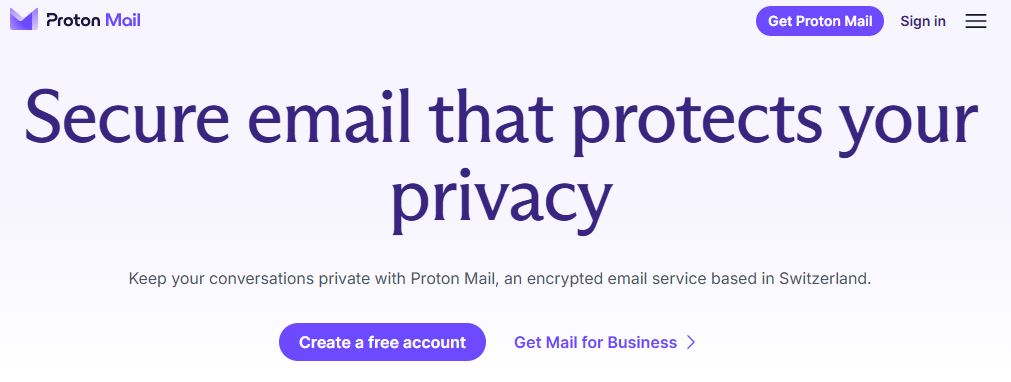
Best for: Individuals and small teams focused on privacy-first email.
Pros:
- End-to-end encryption by default
- Based in privacy-friendly Switzerland
- User-friendly interface
Cons:
- Limited storage on free plan
- Integration with third-party clients is limited
Proton Mail is built around security. Every email you send is end-to-end encrypted, meaning only the sender and recipient can read it. It works out-of-the-box without needing extra plugins or keys, making it especially user-friendly for privacy-conscious users. It’s also open-source, which gives it extra credibility among cybersecurity pros.
Proton Mail’s free plan offers 1GB of storage and limited features, but paid plans unlock custom domains and additional storage. It’s best for users who value privacy over extensive productivity tools.
Recommendation: A solid choice for anyone who wants hassle-free encrypted emails with no compromise on privacy.
2. Tutanota (Web, Android, iOS)
Best for: Budget-conscious users who want privacy without the price tag.
Pros:
- End-to-end encrypted inbox and calendar
- Open-source and ad-free
- Affordable paid plans
Cons:
- Fewer integrations with other apps
- No IMAP/SMTP support
Tutanota automatically encrypts all your emails, contacts, and calendars. It doesn’t rely on PGP, opting instead for its own system, which encrypts even the subject line. The free version gives you 1GB of storage and is fully functional.
Its clean UI, automatic encryption, and open-source model make it great for personal users and small teams who want serious security on a budget.
Recommendation: Ideal if you want private communications and don’t need integrations with tools like Outlook or Gmail.
3. Mailfence (Web)
Best for: Users needing encrypted email plus productivity tools.
Pros:
- Includes email, calendar, documents, and contacts
- Supports OpenPGP encryption
- Interoperable with other services
Cons:
- Slightly dated user interface
- No mobile app (web-only access)
Mailfence provides a secure email suite with built-in OpenPGP encryption. It also offers secure document storage, digital signatures, and collaboration tools like a calendar and contact manager—all encrypted.
It’s especially useful for users who need a little more than just email. The free plan includes 500MB of email storage, while paid options start affordably.
Recommendation: A good fit for professionals who want an encrypted alternative to Google Workspace.
4. Zoho Mail (Web, Android, iOS)
Best for: Teams and small businesses seeking secure, integrated communication.
Pros:
- End-to-end encrypted email with S/MIME
- Ad-free interface
- Part of Zoho ecosystem
Cons:
- Encryption setup may require admin effort
- Limited automation tools
Zoho Mail is part of Zoho’s productivity suite, offering encrypted email, calendar, and tasks in a secure environment. With support for S/MIME and TLS, your emails are protected both in transit and at rest.
The platform also allows for custom domains, admin control, and user management—making it a strong option for small teams.
Recommendation: Best if you’re already using Zoho apps and want integrated, secure email.
5. Virtru (Web, Gmail/Outlook plugin)
Best for: Organizations using Gmail or Outlook that need easy encryption.
Pros:
- Seamless integration with Gmail and Outlook
- Granular access control
- Real-time revoke and expiry options
Cons:
- Paid-only service
- Limited to major email platforms
Virtru offers enterprise-grade encryption with minimal user effort. With its browser extension or Outlook add-in, it layers strong encryption over your existing email platform. It also lets you set expiration dates, revoke access, and track when emails are opened.
Virtru supports HIPAA, GDPR, and other compliance requirements, making it perfect for legal, healthcare, and financial industries.
Recommendation: A smart pick for businesses that need compliance and ease of use.
6. PreVeil (Web, Android, iOS, macOS, Windows)
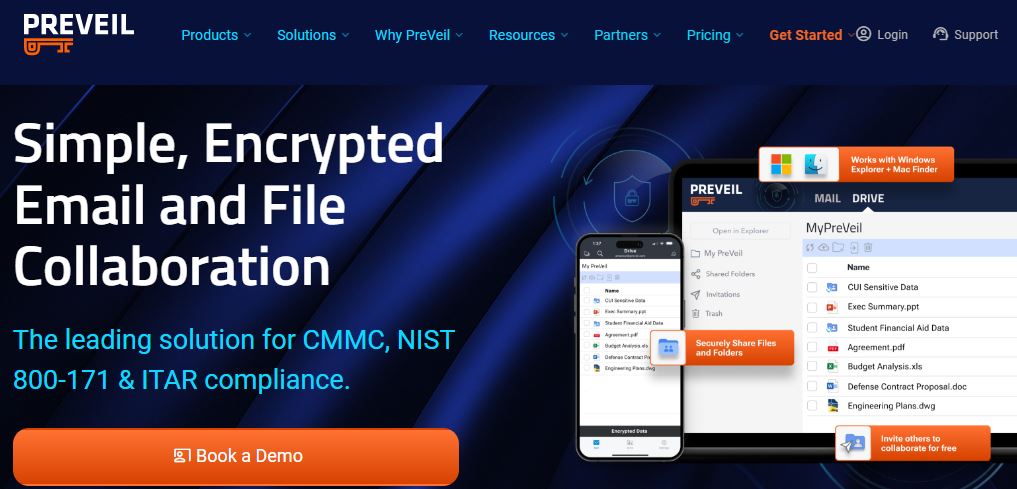
Best for: Teams with high-security requirements across multiple devices.
Pros:
- End-to-end encryption for email and files
- Integrates with Outlook and Gmail
- Supports encrypted file sharing
Cons:
- Slight learning curve
- Paid plans only
PreVeil encrypts emails and attachments using zero-trust security. Unlike typical tools, it stores encryption keys on user devices, not servers. It integrates with Outlook and Gmail, and also offers secure file storage.
It’s built for enterprises, researchers, and teams working with confidential data.
Recommendation: Great for regulated industries needing advanced security without ditching familiar email clients.
7. StartMail (Web)
Best for: Users who want encrypted email without changing habits.
Pros:
- Easy-to-use with PGP support
- Disposable email aliases
- Based in the Netherlands (strong privacy laws)
Cons:
- No free plan
- Fewer collaboration features
StartMail lets you use encryption without leaving the traditional email format. You can create burner email addresses to keep your identity safe and protect against spam.
It’s not open source, but the company is privacy-focused and offers a sleek, straightforward UI.
Recommendation: Ideal for users who want encryption without a steep learning curve.
8. CounterMail (Web)
Best for: Hardcore privacy advocates.
Pros:
- End-to-end encryption with USB key support
- No IP logging
- Diskless web servers
Cons:
- Outdated interface
- More technical setup required
CounterMail is designed with security-first architecture. It supports PGP, anonymous email headers, and diskless servers. You can even use a USB key for hardware-based security.
It’s not flashy or modern, but it’s trusted by privacy veterans for its strict policies and minimalist approach.
Recommendation: Best for advanced users who care more about protection than presentation.
9. Hushmail (Web, iOS)
Best for: Healthcare providers and legal professionals.
Pros:
- HIPAA-compliant email encryption
- Custom domain support
- Easy-to-use templates
Cons:
- Paid-only plans
- iOS app only (no Android)
Hushmail is tailored for industries that need secure communication and regulatory compliance. It includes encrypted email, e-signatures, and secure web forms.
It’s especially popular among healthcare, legal, and nonprofit sectors thanks to its compliance-ready tools.
Recommendation: Perfect for professionals who need legally compliant encrypted communication.
10. FlowCrypt (Gmail, Outlook, Chrome extension, Android)

Best for: Gmail and Outlook users who want easy PGP encryption.
Pros:
- PGP encryption with a simple interface
- Chrome extension and mobile app
- Open-source
Cons:
- Focused mainly on Gmail
- Basic free version
FlowCrypt brings strong encryption into Gmail and Outlook without changing how you work. It’s designed for users new to PGP, offering tutorials and a friendly interface.
It supports attachments, rich text, and password-protected emails. The free plan includes core features, with premium tiers adding more control and support.
Recommendation: A good starting point if you want to learn and use PGP within familiar email tools.

Final Thoughts
Choosing the right software for email encryption isn’t just about ticking off features—it’s about protecting your communication without slowing it down. Whether you’re sending confidential business files or simply want more control over your personal data, the right tool can offer peace of mind and practical functionality.
Look for software that matches your workflow, integrates easily with your existing email platform, and keeps encryption seamless in the background. Prioritize tools that offer both strong security protocols and a user-friendly experience. With the right solution in place, you’ll reduce risk, stay compliant, and communicate confidently—knowing your emails are protected every step of the way.
Interesting Reads:
10 Best Software for Secure Messaging in 2025
Establishing Your Professional Presence: Creating a Free Business Email Address
