

Minification is the process of removing unnecessary characters from code without affecting its functionality. It eliminates whitespace, comments, and redundant characters to make WordPress CSS & JS Minification Plugins files smaller and more efficient. This optimisation speeds up website loading times, enhancing user experience and improving search engine rankings.
Why does minification matter? A slow-loading website frustrates users and leads to higher bounce rates. Search engines like Google prioritise fast websites in their rankings, making speed optimisation a critical aspect of SEO. By minifying CSS and JavaScript files, WordPress site owners can enhance their website’s performance and efficiency.
How does minification work? WordPress plugins simplify this process by automatically compressing CSS and JavaScript files. These plugins analyse code, remove redundant elements, and serve optimised versions of the files to visitors. This ensures a seamless browsing experience without compromising functionality or design.

Why Your WordPress Site Needs CSS & JavaScript Minification
Speed plays a vital role in website success. Visitors expect web pages to load within seconds, and delays can lead to lost traffic and conversions. When CSS and JavaScript files are unoptimized, they increase page load times, affecting user engagement and site performance.
Minification reduces the size of these files, allowing browsers to load content faster. This results in a smoother user experience, lower bounce rates, and improved SEO rankings. Additionally, minified files consume less bandwidth, reducing server load and improving overall website efficiency.
Security is another factor to consider. Many minification plugins offer additional security features, such as firewalls, to protect websites from cyber threats. Combining minification with security enhancements ensures a well-optimised and safeguarded WordPress site.
Also Read:Organic Social Tips to Boost Your Reach Without Ads
The Role of WordPress Plugins in Website Optimisation
WordPress plugins provide an effortless way to implement CSS and JavaScript minification. Instead of manually editing code, these tools handle the process automatically, saving time and effort. Many plugins also offer caching, CDN integration, and other performance enhancements to further improve website speed.
Choosing the right plugin is crucial. Some plugins focus solely on minification, while others offer a comprehensive suite of optimisation features. Understanding the unique benefits of each plugin helps site owners make an informed decision that aligns with their website needs.
Also Read:Why Keyword Grouping and Intent Matter More Than Ever
10 Best WordPress Firewall & CSS & JavaScript Minification Plugins
1. WP Rocket
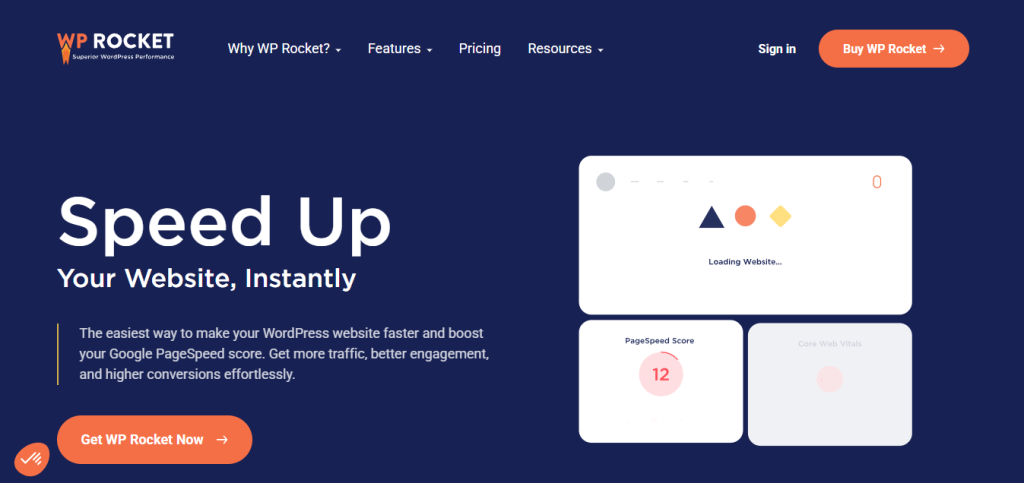
WP Rocket is one of the most powerful performance optimization plugins available. It includes CSS and JavaScript minification, caching, lazy loading, and database optimization. With a user-friendly interface, WP Rocket automates the optimisation process, making it ideal for beginners and advanced users alike.
Its built-in firewall adds an extra layer of security, protecting websites from malicious attacks. The combination of speed optimization and security makes WP Rocket a top choice for WordPress site owners.
2. Autoptimize-WordPress CSS & JS Minification Plugins
Autoptimize is a widely used plugin that specializes in CSS and JavaScript optimization. It aggregates, minifies, and caches files, reducing the number of HTTP requests and improving page load speeds. The plugin also supports critical CSS generation, ensuring that essential styles load quickly.
In addition to minification, Autoptimize offers image optimization and lazy loading features, further enhancing website performance. Its lightweight nature makes it an excellent choice for sites that require minimal resource consumption.
3. W3 Total Cache

W3 Total Cache is a comprehensive performance optimization plugin that includes CSS and JavaScript minification, caching, and CDN integration. It enhances website speed by reducing load times and improving server response.
With features like object caching, database optimization, and HTML minification, W3 Total Cache is perfect for websites that require extensive performance tuning. Its ability to integrate with various CDN providers ensures global content delivery with minimal latency.
Also Read:How to Dominate Local Markets Using White Label Local SEO
4. WP Fastest Cache-WordPress CSS & JS Minification Plugins
WP Fastest Cache is a user-friendly plugin that simplifies caching and minification. It allows users to enable CSS and JavaScript minification with a single click, making optimization effortless.
The plugin also offers browser caching, GZIP compression, and database cleanup features. With a built-in firewall to enhance security, WP Fastest Cache ensures a well-optimized and protected website.
5. Fast Velocity Minify
Fast Velocity Minify is designed for users who need advanced control over CSS and JavaScript minification. It combines multiple files into a single, optimized version, reducing server requests and speeding up page loading times.
This plugin is particularly useful for developers and advanced users who require customization options. It allows for exclusions, inline CSS handling, and script optimization, providing flexibility in performance tuning.
6. WP Super Minify
WP Super Minify is a lightweight plugin that focuses solely on minification. It compresses CSS, JavaScript, and HTML files, reducing their size and improving website performance.
Due to its simplicity, WP Super Minify is an excellent choice for those who want a quick and efficient solution without unnecessary features. It ensures fast-loading pages while maintaining website functionality.
7. Hummingbird-WordPress CSS & JS Minification Plugins
Hummingbird is an all-in-one optimization plugin that includes minification, caching, and performance monitoring. It offers detailed insights into website speed, helping users identify and fix performance issues.
The plugin’s minification feature optimizes CSS and JavaScript files, while its firewall capabilities enhance website security. Hummingbird is an excellent choice for users who want a complete performance and security solution.
8. Asset CleanUp: Page Speed Booster
Asset CleanUp is a powerful plugin that optimizes CSS and JavaScript files by selectively loading them on specific pages. This reduces unnecessary resource consumption and improves page speed.
With features like script deferral, minification, and resource cleanup, Asset CleanUp provides granular control over website optimization. It’s an ideal choice for users looking to fine-tune their performance settings.
Also Read:Creative Easter Marketing Ideas for Small Businesses
9. WP-Optimize-WordPress CSS & JS Minification Plugins
WP-Optimize offers a combination of minification, caching, and database optimization. It cleans up redundant database entries while ensuring CSS and JavaScript files are minified for better performance.
Its built-in security features make it a valuable tool for protecting WordPress sites from cyber threats. WP-Optimize is perfect for users who need an all-in-one optimization solution.
10. Breeze – WordPress Cache Plugin

Breeze is a lightweight and easy-to-use plugin that focuses on caching and minification. It offers GZIP compression, database cleanup, and CDN support to enhance website speed.
With a simple interface and automated optimization features, Breeze is a great choice for beginners who want a hassle-free performance boost. It effectively balances speed and security for a well-optimized website.

Closing Remarks
Optimizing CSS and JavaScript files is essential for a fast and efficient website. The right WordPress minification plugin can significantly improve loading times, boost SEO rankings, and enhance user experience. Whether you need a lightweight solution or a comprehensive performance tool, these 10 plugins offer a range of options to suit different website needs.
Consider factors like ease of use, additional features, and security capabilities when selecting a plugin. By implementing the right optimization strategy, you can ensure a seamless browsing experience while keeping your website secure and efficient.
Interesting Reads:
Best WordPress Custom Dashboard Branding Plugins
