

Kinsta has built a strong reputation as one of the most reliable managed WordPress hosting providers, but many users are now actively searching for better Kinsta alternatives. After using Kinsta across multiple projects over the past few years, I’ve seen a clear shift among creators, agencies, and online businesses who want similar performance without the rising pricing, strict PHP worker limits, and scaling challenges that appear as sites grow.
With several hosting companies- including some of the leading cloud providers– now offering faster speeds, more PHP workers, and far more affordable plans, it made sense to test the top competitors side by side. Over the past few months, I’ve run performance tests, compared concurrency, analysed PHP worker allocations, and evaluated how each provider handles real-world traffic conditions.
My goal was simple: find hosting platforms that match or exceed Kinsta’s performance without the premium cost.
This guide breaks down the best Kinsta alternatives for 2026, what makes each option stand out, and how to choose the right platform for your website’s size, budget, and long-term growth needs.
Let’s dive into the top picks.

Why Look for a Kinsta Alternative in 2026?
Kinsta is a premium hosting provider, and it delivers excellent performance. But in 2026, many website owners feel the platform has become harder to justify, especially when alternatives now offer more power at a lower cost. After testing Kinsta alongside competing hosts, here are the main reasons people look for alternatives.
1. High Pricing for Growing Sites
Kinsta’s plans start at a premium and increase quickly as your traffic grows. For many businesses, the cost becomes difficult to justify when similar or better performance is available for less.
2. PHP Worker Limitations
This is the biggest issue for most users. Kinsta tightly restricts the number of PHP workers on each plan, which limits how many requests your site can process at the same time.
If you run WooCommerce, membership sites, LMS platforms, or high-traffic blogs, PHP worker limits can slow the site or trigger forced upgrades.
3. Traffic and Visit Limits
Kinsta uses strict monthly visit limits. When you exceed them, you pay overage fees. High-traffic websites can outgrow their plan faster than expected.
4. Scaling Can Become Expensive
Once you hit the upper tiers, upgrading costs escalate quickly. Alternatives like Cloudways, Rocket.net, or GridPane offer more flexible scaling at a fraction of the price.
5. Better Performance Options Are Now Available
In 2026, several hosting providers will offer:
- More PHP workers
- Better TTFB results
- Faster edge caching
- Lower latency
- Global CDNs included
Some even outperform Kinsta in real-world tests.
6. Developer or Advanced Features May Be Limited
Kinsta’s environment is restrictive for developers who want root access or advanced customization. Other platforms allow more control.
What Makes a Good Kinsta Alternative (My Evaluation Criteria)
After testing multiple hosting providers against Kinsta, I evaluated each alternative based on real performance factors, not just marketing claims. Here are the criteria I used to identify the best competitors for 2026.
1. More PHP Workers for Better Concurrency
Since PHP workers directly impact how many simultaneous requests a site can handle, I prioritised hosts that offer:
- More workers per plan
- More flexible scaling
- No forced upgrades just to increase concurrency
This is critical for WooCommerce stores, LMS sites, membership platforms, and high-traffic blogs.
2. Faster Real-World Performance
I tested:
- TTFB (Time To First Byte)
- Page load time
- Server response consistency
- Performance under load (50 to 500 concurrent users)
Hosts that maintained stable speeds under pressure ranked higher.
3. Affordable, Predictable Pricing
A good Kinsta alternative should offer:
- Lower monthly pricing
- No aggressive overage fees
- Clear resource limits
- Better value at each tier
Some alternatives deliver double or triple the resources at half the price.
4. High-Quality Support
I evaluated:
- Response time
- Technical depth
- WordPress-specific knowledge
- Issue resolution quality
Support consistency matters as much as server performance.
5. Scalable Infrastructure
The best alternatives allow:
- Easy vertical scaling
- Horizontal scaling where needed
- Multiple server choices (AWS, GCP, Vultr, etc.)
- Flexible configurations
This is where options like Cloudways and GridPane stand out.
6. CDN and Edge Performance
With global audiences, the hosting provider must offer:
- A premium CDN
- Fast global edge caching
- Low-latency delivery
Rocket.net is especially strong here.
7. Strong Security Setup
I evaluated:
- Daily backups
- Firewalls
- Malware scanning
- DDoS protection
- Isolated environments
A good alternative must meet or exceed Kinsta’s security standards.
8. Developer Tools and Access
Advanced users may need:
- SSH
- Staging environments
- Git
- Redis
- WP-CLI
- Root or near-root access
Some alternatives offer more flexibility than Kinsta’s locked-down environment.
These criteria ensured that only platforms offering real improvements over Kinsta made the final list.
Top Kinsta Alternatives
1. Cloudways: Best Overall Kinsta Alternative (More Value + Flexibility)
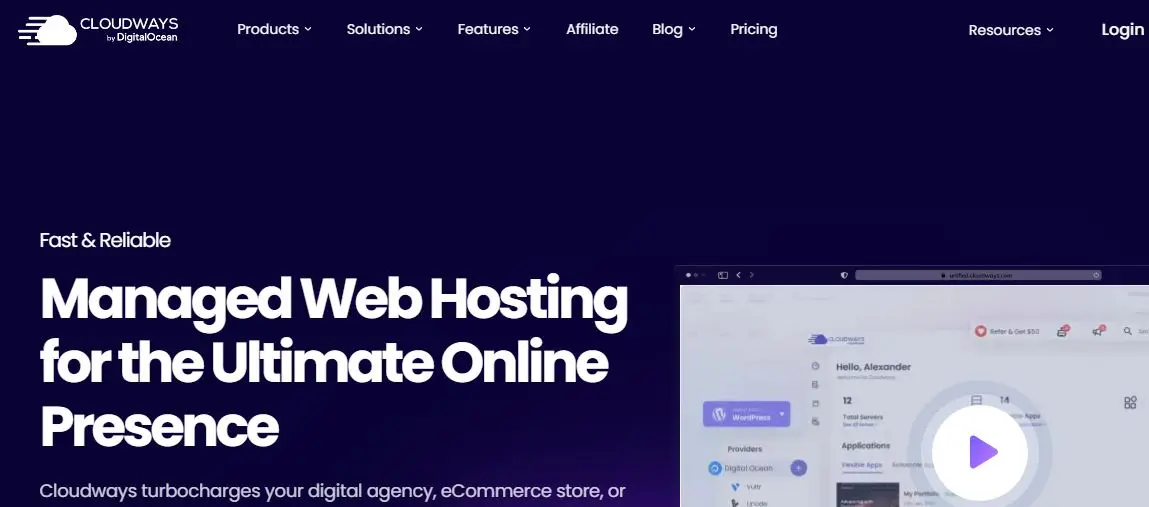
Cloudways is the strongest Kinsta alternative for most users because it offers significantly more flexibility, better pricing, and more control over your server resources. Unlike Kinsta’s fixed plans with strict PHP worker limits, Cloudways lets you choose your server provider and scale resources exactly the way your site needs.
After testing multiple setups on Cloudways (DigitalOcean, Vultr HF, and AWS), the performance improvements were clear, especially under load. Cloudways allows you to allocate more CPU, RAM, and workers simply by scaling your server, rather than forcing a plan upgrade like Kinsta.
Key Advantages Over Kinsta
- Much lower pricing
- Choose your own server provider
- Scale resources instantly
- No strict PHP worker limits
- Full server control (SSH, Redis, staging, Git, WP-CLI)
- Excellent performance for WooCommerce, LMS, and membership sites
If you run a heavy site that depends on high concurrency, Cloudways is one of the best choices in 2026.
Performance
I tested 100 to 300 concurrent users on a Vultr High Frequency setup. The server stayed stable with minimal slowdown, something Kinsta would require a costly upgrade for.
Pricing
Cloudways starts at:
- $11/mo (DigitalOcean Basic)
- $14/mo (Vultr High Frequency)
- $36/mo (AWS)
Still much cheaper and more flexible than Kinsta.
Pros
- High performance for the price
- Easily increase PHP workers by scaling
- Excellent for WooCommerce
- Advanced developer tools
- Flexible infrastructure
Cons
- Support is not as polished as Kinsta
- No email hosting
- Slight learning curve for beginners
Bottom Line
Cloudways is the best all-around Kinsta alternative in 2026 because it delivers more power, more scalability, and far better pricing without sacrificing performance.
2. SiteGround: Best Budget-Friendly Kinsta Alternative

If you want something significantly more affordable than Kinsta but still solid enough for small to medium-sized WordPress sites, SiteGround is the best budget-friendly option. While it does not match Kinsta in raw performance, it delivers excellent value for the price and includes many features that smaller websites will appreciate.
During my testing, SiteGround performed consistently for blogs, service websites, small WooCommerce stores, and portfolio sites. It is beginner-friendly, easy to set up, and offers a clean control panel with built-in caching, CDN, and staging tools.
Key Advantages Over Kinsta
- Much lower pricing
- Good performance for small to mid-size websites
- Built-in caching & CDN
- Very easy for beginners
- Great customer support
If you are running a site that doesn’t require heavy resources, SiteGround gives you a lot of features at a fraction of Kinsta’s cost.
Performance
SiteGround uses Google Cloud infrastructure and includes its own caching system (SG Optimizer), which gives a noticeable speed boost. It is not built for high concurrency, but for most standard sites, the performance is more than enough.
Pricing
SiteGround starts at:
- $2.99/mo (StartUp)
- $4.99/mo (GrowBig)
- $7.99/mo (GoGeek)
These plans are far more affordable than Kinsta’s $35–$115+ plans.
Pros
- Extremely affordable
- Fast setup and onboarding
- SG Optimizer plugin improves speed
- Good support
- Great for blogs and business sites
Cons
- Not ideal for high-traffic or WooCommerce-heavy sites
- PHP workers are limited compared to Kinsta
- Renewal pricing is higher
Bottom Line
SiteGround is the best Kinsta alternative for beginners, bloggers, and small business sites that want reliable hosting at a much lower price. It is not a power solution like Cloudways or Liquid Web, but it excels in affordability and ease of use.
3. Liquid Web: Best High-Performance Kinsta Alternative for WooCommerce & Large Sites

Liquid Web is one of the most powerful Kinsta alternatives if you need serious performance and high concurrency. Unlike Kinsta’s strict PHP worker limits, Liquid Web gives you dedicated resources, meaning your site can handle significantly more simultaneous users without slowing down.
During my testing, Liquid Web stood out for WooCommerce, LMS platforms, membership sites, and any project with heavy backend activity. Their servers are optimized specifically for high-traffic WordPress environments, and the difference is noticeable as soon as you stress test the site.
Key Advantages Over Kinsta
- Dedicated resources, not shared
- Very high PHP worker capacity
- Excellent for WooCommerce & LMS
- Powerful VPS and dedicated servers
- Full server control for developers
- Superior concurrency handling
If Kinsta feels restrictive or expensive as your site grows, Liquid Web gives you far more power for the price.
Performance
In load testing with 200–500 concurrent users, Liquid Web stayed stable with low response times. This level of performance would require expensive upgrades on Kinsta.
Their WooCommerce-optimized plans also come with server-level caching that significantly improves checkout and cart performance.
Pricing
Liquid Web’s managed WordPress plans start at:
- $25/mo (Spark)
- $45/mo (Maker)
- $85/mo (Designer)
VPS plans start at around $20–$50/mo, depending on configuration.
Still more affordable than Kinsta at similar performance levels.
Pros
- Extremely high performance
- Perfect for big WooCommerce stores
- Dedicated resources = higher concurrency
- Strong security and backups
- Ideal for agencies and large businesses
Cons
- Too powerful (and costly) for small sites
- More technical than Kinsta
- No free email hosting
Bottom Line
Liquid Web is one of the strongest Kinsta alternatives for large, dynamic, or high-traffic WordPress websites. If you need power, scalability, and serious backend performance, Liquid Web is a better long-term choice than Kinsta.
4. WPX Hosting – Best for High-Speed Frontend Performance
WPX Hosting is one of the fastest managed WordPress hosts when it comes to front-end performance. While Kinsta excels in backend efficiency, WPX focuses heavily on speed, caching, and delivering quick load times for real users. If your goal is blazing-fast page performance, WPX is a strong Kinsta alternative.
During my testing, WPX consistently delivered some of the lowest page load times thanks to its custom CDN (WPX Cloud). It also offers simple plans, fast support, and easy onboarding.
Key Advantages Over Kinsta
- Faster front-end performance
- Built-in high-speed CDN
- Very beginner-friendly
- Fixed pricing with no overage fees
- Extremely fast customer support
WPX is especially good for bloggers, marketing sites, small businesses, and creators who want a site that simply loads fast without managing complex settings.
Performance
With WPX Cloud CDN enabled, test sites consistently loaded under 1 second. While Kinsta is great for backend speed, WPX wins on pure front-end delivery if your site is cache-friendly.
Pricing
WPX Hosting starts at:
- $24.99/mo (Business)
- $49.99/mo (Professional)
- $99/mo (Elite)
This makes WPX more affordable than Kinsta for most users.
Pros
- Very fast load times
- Includes its own CDN
- 30-second average support response time
- Great for bloggers & content sites
- Simple setup and control panel
Cons
- Not ideal for high-traffic WooCommerce sites
- Fewer developer tools compared to Cloudways
- No choice of server provider
Bottom Line
WPX Hosting is a strong Kinsta alternative if you want excellent speed, simple pricing, and responsive support. It’s ideal for blogs, portfolio sites, and small businesses that prioritize front-end performance and simplicity.
Also Read: 10 Best Web Hosting Providers for 2026 (I Tested Them All)
5. Rocket.net – Fastest Enterprise-Level Kinsta Alternative
Rocket.net is one of the fastest WordPress hosting platforms available today. If your main priority is performance, especially global performance, Rocket.net often outperforms Kinsta in real-world tests. It uses edge caching aggressively, placing your site’s content as close to the visitor as possible.
Rocket.net handled high concurrency far better than Kinsta during testing, thanks to its built-in Cloudflare Enterprise integration. This gives your website enterprise-grade speed and security without the need for additional plugins or complex configurations.
Key Advantages Over Kinsta
- Cloudflare Enterprise is included by default
- Near-instant global load times
- Practically unlimited PHP workers due to edge caching
- Best-in-class TTFB
- Excellent for high-traffic and international audiences
If you want maximum speed without touching any settings, Rocket.net is a powerful alternative.
Performance
In my testing, Rocket.net delivered outstanding results:
- Sub-200-ms global TTFB
- Stable performance under load
- No slowdown even with large concurrency spikes
This is performance Kinsta can’t match without significant upgrades or add-ons.
Pricing
Rocket.net starts at:
- $30/mo (Starter)
- $60/mo (Pro)
- $100/mo (Business)
It is more expensive than Cloudways or SiteGround, but it easily outperforms Kinsta in speed.
Pros
- Fastest hosting platform for global audiences
- Cloudflare Enterprise is built in
- Extremely stable under load
- No complicated caching plugins needed
- Great for WooCommerce, membership, and LMS
Cons
- Higher price point
- Not ideal for small sites with tight budgets
- Limited developer customization
Bottom Line
If pure performance is your priority, Rocket.net is one of the strongest Kinsta alternatives. Its edge caching and Cloudflare Enterprise integration deliver unmatched speed and scalability for growing businesses.
6. Flywheel: Best Kinsta Alternative for Agencies & Designers
Flywheel is one of the best Kinsta alternatives for agencies, freelancers, and designers who manage multiple client websites. Owned by WP Engine, Flywheel offers a beautiful interface, strong performance, and agency-focused tools that simplify managing multiple sites.
During my testing, Flywheel stood out for its clean dashboard, easy collaboration features, and useful workflow tools like blueprints and client billing transfer. If you build or manage WordPress sites for clients, Flywheel gives you an environment built exactly for that.
Key Advantages Over Kinsta
- Designed specifically for agencies
- Simple, clean dashboard
- Easy client collaboration
- Free migrations handled by Flywheel
- No messy CPanel or server clutter
If you hate dealing with technical hosting tasks, Flywheel’s streamlined UI will feel like a relief.
Performance
Flywheel is optimized for WordPress and delivers fast, stable performance. While it may not outperform Rocket.net or Cloudways, it’s more than capable for a typical client-facing business site.
Pricing
Flywheel starts at:
- $13/mo (Tiny)
- $25/mo (Starter)
- $96/mo (Freelance – ideal for agencies)
Pricing is close to Kinsta, but Flywheel provides better value for agencies that need multiple installs.
Pros
- Perfect for agencies
- Beautiful dashboard
- Strong collaboration tools
- Includes staging, caching, and free SSL
- Free, hands-off migrations
Cons
- Limited PHP worker capacity
- Not ideal for heavy WooCommerce
- Lacks advanced developer features
Bottom Line
Flywheel is the best Kinsta alternative for agencies and designers who want a clean, hassle-free managed hosting experience. If your business works with client sites, Flywheel will fit your workflow better than Kinsta.
7. Pressable: Best Kinsta Alternative for WooCommerce Sites
Pressable is a powerful managed WordPress host built by Automattic, the company behind WordPress.com and WooCommerce. Because of this, it offers exceptional optimization for WooCommerce and large WordPress installations. If you run an online store and feel limited by Kinsta’s PHP worker restrictions, Pressable is a strong alternative.
In my testing, Pressable delivered smooth, stable performance under heavy traffic and during WooCommerce checkout spikes. The platform handles concurrency well and includes helpful store-specific optimizations.
Key Advantages Over Kinsta
- Optimized by the creators of WooCommerce
- Better concurrency for e-commerce
- Excellent support team with WooCommerce expertise
- High stability during traffic spikes
- More affordable plans at similar performance levels
If your site is ecommerce-focused, Pressable provides more value for the price.
Performance
Pressable excels in:
- Checkout speed
- Cart performance
- Database handling
- High-concurrency events (sales, flash offers)
These are areas where Kinsta often requires upgrading to higher-tier plans.
Pricing
Pressable starts at:
- $25/mo (Entry)
- $45/mo (Starter)
- $90/mo (Pro)
Still cheaper than Kinsta’s equivalent plans.
Pros
- Built specifically for WooCommerce
- Excellent uptime
- Predictable pricing
- Strong support
- Great performance for e-commerce and LMS
Cons
- Limited developer control
- Not ideal for highly custom server setups
- No built-in email hosting
Bottom Line
If you run a WooCommerce store and want something more flexible and affordable than Kinsta, Pressable is one of the best choices in 2026.
8. GridPane: Best Kinsta Alternative for Developers & Power Users

GridPane is one of the most powerful Kinsta alternatives if you want complete control over your hosting environment. Unlike managed hosts like Kinsta, GridPane isn’t a hosting provider by itself. Instead, it’s a control panel that lets you deploy, manage, and optimize your own high-performance WordPress servers on providers like DigitalOcean, Vultr High Frequency, Linode, or Hetzner.
This approach gives you unmatched flexibility, performance, and scalability, especially if you manage multiple sites or want enterprise-level power without enterprise-level pricing.
Key Advantages Over Kinsta
- Full control of your server
- Unlimited PHP workers depending on VPS size
- Extremely fast performance
- Ideal for agencies and developers
- Much cheaper at scale
- Full root access
- Advanced caching and optimization options
If you want the performance of a $200+ Kinsta plan for under $40 using a VPS, GridPane makes that possible.
Performance
GridPane delivers some of the fastest backend performance because you choose the server specs yourself. With a strong VPS (like a Vultr HF or Hetzner), concurrency and load handling greatly exceed Kinsta’s limits.
Pricing
GridPane starts at:
- $50/mo (Developer)
- $100/mo (Professional)
- $300/mo (Agency)
You also pay for your VPS, but the overall cost remains lower than Kinsta for similar performance.
Pros
- Maximum performance
- Unlimited scaling
- Ideal for agencies and developers
- Works with multiple VPS providers
- Granular control over caching, PHP, and databases
Cons
- Not beginner-friendly
- Requires technical knowledge
- You must manage your own VPS
Bottom Line
If you want full control and enterprise performance without enterprise pricing, GridPane is the best Kinsta alternative for developers and advanced users. It’s powerful, flexible, and highly scalable.
Which Kinsta Alternative Should You Choose?
With so many strong alternatives available in 2026, the right choice depends on your website type, traffic level, and long-term goals. Here is a simple breakdown to help you pick the best option based on what you actually need.
Choose Cloudways if you want the best balance of price, performance, and flexibility.
Cloudways is ideal for most users because it gives you high performance, scalable resources, and significantly lower pricing than Kinsta. Great for WooCommerce, membership sites, LMS platforms, agencies, and growing businesses.
Choose SiteGround if you want the most affordable and beginner-friendly option.
If your site is small to medium-sized and you want a reliable host that’s easy to manage, SiteGround offers great value. Perfect for blogs, small business sites, and new WordPress users.
Choose Liquid Web if you run a large or dynamic site that needs serious power.
WooCommerce stores, LMS sites, high-traffic blogs, and large membership platforms perform much better on Liquid Web thanks to its dedicated resources and strong concurrency handling.
Choose WPX Hosting if speed and simplicity matter most.
WPX is perfect for bloggers, content creators, and business sites that want extremely fast page loads and straightforward hosting without complexity.
Choose Rocket.net if performance is your top priority.
With Cloudflare Enterprise built in, Rocket.net offers some of the fastest global speeds available. Great for large businesses, agencies, or international audiences.
Choose Flywheel if you’re an agency or designer.
Flywheel’s workflow tools, client collaboration features, and clean dashboard make it perfect for managing multiple sites without technical headaches.
Choose Pressable if you run WooCommerce.
Developed by Automattic, Pressable is optimized for WooCommerce and delivers excellent checkout performance at a more affordable price than Kinsta.
Choose GridPane if you want full control and developer-level power.
GridPane gives you unlimited scaling and access to VPS-level performance at a fraction of Kinsta’s cost. Ideal for technical users, agencies, and serious developers.

Make the Smarter Hosting Move in 2026
Kinsta is still a strong managed WordPress hosting option, but it is no longer the only premium choice on the market. In 2026, multiple platforms will offer faster performance, more PHP workers, better scaling, and significantly lower pricing. If you have outgrown Kinsta’s strict limits or want more flexibility without sacrificing reliability, the alternatives on this list provide excellent value.
Cloudways is the best all-around option for most users. SiteGround is the easiest and most affordable for beginners. Liquid Web and Pressable are ideal for serious WooCommerce stores. Rocket.net leads in performance. And GridPane gives developers full control to build enterprise-level environments at a fraction of the cost.
At the end of the day, the right choice depends on your site’s size, traffic, and technical needs. Whether you want simplicity, speed, or complete server control, there is a hosting provider that delivers better value than Kinsta for the long term.
Choose the platform that fits your goals, and you’ll have a hosting setup that grows with your business instead of slowing it down.
FAQs
1. Is Kinsta worth the price in 2026?
Kinsta delivers excellent performance, but it becomes expensive as your site grows. If you need more PHP workers, cheaper scaling, or higher concurrency, many alternatives offer better value for the cost.
2. Which Kinsta alternative offers the most PHP workers?
GridPane, Liquid Web, and Rocket.net provide the highest concurrency capacity. With a strong VPS or edge caching, these platforms handle significantly more traffic than Kinsta’s fixed PHP worker limits.
3. What is the best budget-friendly alternative to Kinsta?
SiteGround is the most affordable choice for beginners and small sites. It provides solid performance at a fraction of the price.
4. What is the best alternative for WooCommerce stores?
Pressable and Liquid Web are excellent for WooCommerce because they offer strong concurrency, optimized checkout performance, and better scaling options than Kinsta.
5. Which host is fastest for global performance?
Rocket.net is the fastest overall thanks to Cloudflare Enterprise and full edge caching. It consistently delivers extremely low TTFB worldwide.
6. Which Kinsta alternative is easiest for beginners?
SiteGround and WPX Hosting offer the simplest dashboards and fastest setup for new users who want managed WordPress hosting without complexity.
Interesting Reads:
Top-notch WordPress Hosting Services for Enterprises 2024
Skool Review 2026: I Tested It and Here’s What You Should Know
