
Over the past few months, I’ve been testing every major Online Course Platform to find the best options for creators, coaches, and educators in 2025. I wasn’t just looking for tools that could host my courses — I wanted Online Course Platforms that could actually help me build, market, and scale a real learning business.
After spending weeks exploring over 20 different Online Course Platforms, I finally settled on Kajabi for my latest project. But depending on your goals — whether it’s flexibility, community features, or all-in-one marketing tools — another platform might fit you better.
In this guide, I’ll walk you through the 12 best Online Course Platforms I’ve personally tested. You’ll learn where each platform stands out, who it’s best for, and how to pick the one that truly supports your growth in 2025.

What Are the Best Online Course Platforms in 2025?
After testing more than 20 Online Course Platforms, I’ve narrowed down the top options that truly stand out in 2025 — based on ease of use, learning experience, pricing, and scalability. Each platform has its strengths, whether you want to build an all-in-one education business or integrate learning into your existing website.
Below is a quick overview of the best Online Course Platforms I’ve personally used and recommend this year:
| Platform | Best For | Pricing |
|---|---|---|
| Kajabi | All-in-one course + marketing suite | $89–$399/mo |
| LearnDash | WordPress users wanting full control | $199/year |
| LearnWorlds | Interactive learning experiences & SCORM support | $29–$299/mo |
| Thinkific | Dedicated course platform with strong assessment tools | $49–$199/mo |
| Circle | Community-centric courses | $99–$399/mo |
| Teachable | Simple setup for beginners | $59–$249/mo |
| Podia | Affordable, beginner-friendly platform | $39–$89/mo |
| ThriveCart Learn | One-time payment model | $495 (lifetime) |
| Systeme.io | All-in-one tool for small businesses | Free–$97/mo |
| Kartra | Marketing-focused creators | $89–$549/mo |
| Mighty Networks | Courses + community under one roof | $49–$179/mo |
| GroupApp | New coaches & community builders | $49–$259/mo |
These Online Course Platforms cover everything from beginner-friendly setups to enterprise-level systems. In the next sections, we’ll explore each platform in detail — what makes it unique, where it excels, and who it’s best suited for.
My Research & Testing Process
I didn’t just skim comparison charts or rely on YouTube reviews — I actually signed up for each Online Course Platform, built test courses, and explored how well they handle real-world needs like uploads, student engagement, and payments.
For every platform, I started from scratch — setting up a course, uploading videos, testing checkout flows, and even simulating how a student would experience the content. My goal was simple: to find Online Course Platforms that make it easy to create and grow a learning business without unnecessary friction.
Here’s how I evaluated each platform:
- Course Creation & Hosting – How quickly can you go from an idea to a live course?
- Ease of Use – Is the dashboard intuitive, or do you need a developer just to add lessons?
- Marketing & Monetization Tools – Does it help you actually sell your courses or just host them?
- Community Engagement Features – Can learners connect, discuss, and build relationships?
- Student Experience – Is the interface motivating and distraction-free for students?
- Integrations & Scalability – Does it work with your existing tools and grow with your business?
- Pricing vs. Features – Are You Really Getting the Value You’re Paying For?
I intentionally skipped corporate LMS systems and open marketplaces like Udemy or Skillshare. They’re great for exposure, but they control your audience, pricing, and revenue. The goal here was to focus on Online Course Platforms that let you own your brand, data, and profits.
Best Online Course Platforms
1. Kajabi – Best All-in-One Online Course Platform
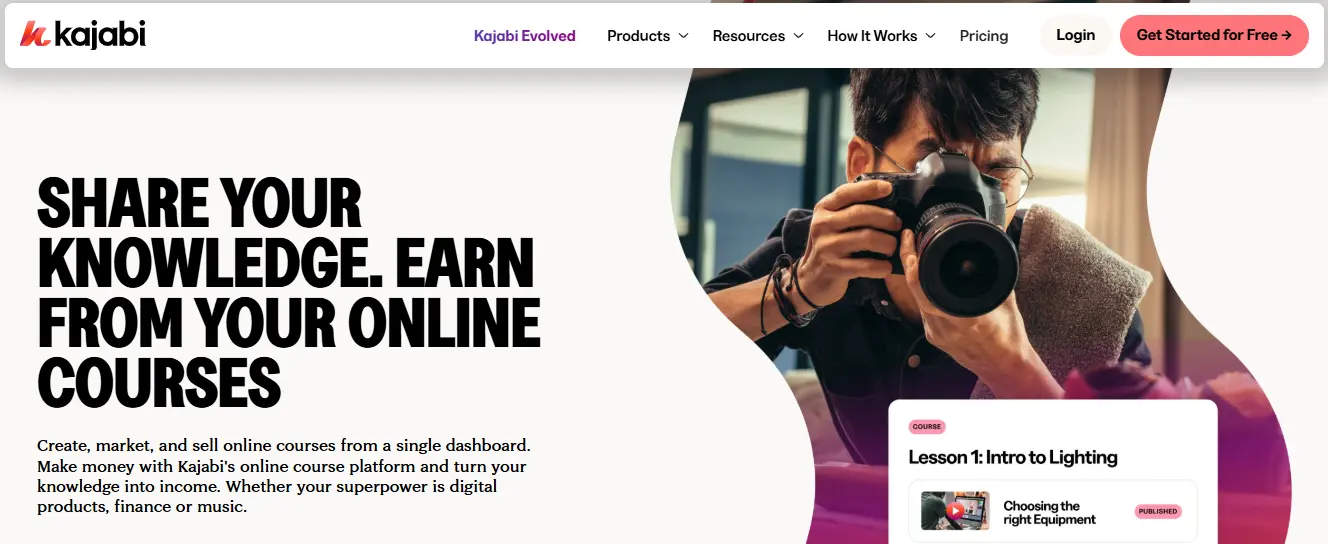
Price: $89–$399/month | Free Trial: Yes
When I first tested Kajabi, I knew it had a reputation as an all-in-one solution for creators, but I wanted to see if it could actually replace multiple tools in my workflow. I built a test course, explored its marketing features, and even ran a mock launch. What I found was impressive: Kajabi isn’t just a platform for hosting courses — it’s a complete ecosystem for building, marketing, and selling digital products.
One thing that stood out immediately was the course creation experience. Kajabi makes it easy to structure lessons, add videos, and create quizzes without extra plugins. The drag-and-drop builder is intuitive, and I could set up my first module in under an hour. For someone who wants a streamlined workflow, Kajabi removes the need to juggle multiple Online Course Platforms or third-party tools.
Key Features I Loved
- Customizable Course Builder: Drag-and-drop interface to structure lessons and modules quickly.
- Email Marketing & Automation: Built-in sequences, drip campaigns, and student follow-ups.
- Sales Funnels & Landing Pages: Ready-made templates to sell courses and memberships.
- Quizzes & Assessments: Add quizzes, surveys, and exams to enhance learning.
- Membership & Community Tools: Offer memberships and connect learners without external platforms.
- Analytics & Reporting: Track sales, student progress, and engagement all in one dashboard.
- Integrations: Works seamlessly with Zoom, Stripe, PayPal, and Zapier.
The marketing and monetization features are where Kajabi really shines. I tested email automation, checkout flows, and upsells — and I was impressed by how smoothly everything works together. Few Online Course Platforms offer this level of integrated marketing, which can save creators time and money.
On the downside, I noticed a learning curve for beginners. While the interface is user-friendly, mastering Kajabi’s automation and marketing tools takes time. Pricing is also higher compared to other Online Course Platforms, which could be a barrier if you’re launching your first course.
Pros:
- All-in-one solution for courses, marketing, and sales
- Intuitive course builder and customizable themes
- Powerful automation and email marketing features
- Strong analytics and reporting
Cons:
- Steeper learning curve for beginners
- Higher price point than most Online Course Platforms
In my experience, Kajabi works best for creators who want a single platform to handle both content and marketing. If you’re serious about scaling and want an Online Course Platform that does it all, Kajabi is one of the most comprehensive options available in 2025.
2. LearnDash – Best for WordPress Users Who Want Full Control
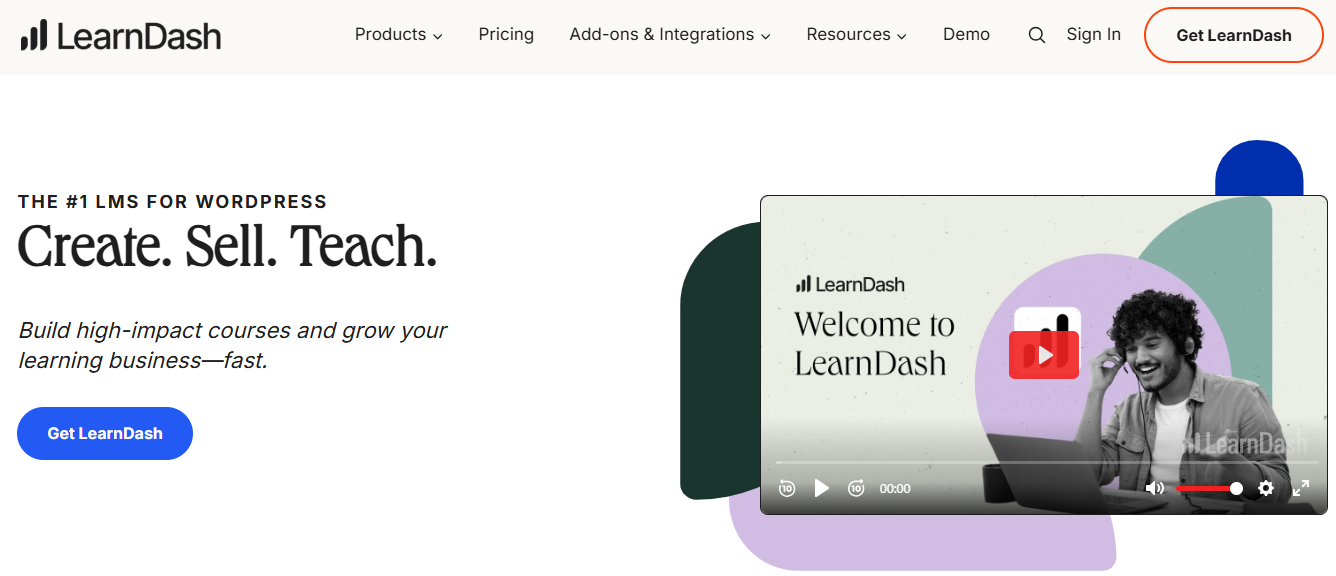
Price: $199/year | Free Trial: No
As someone who’s spent years testing multiple Online Course Platforms, I found LearnDash refreshing because it gives you complete control over your course ecosystem — but within WordPress. I installed it on a test WordPress site and was immediately impressed with the flexibility. Unlike hosted platforms, LearnDash lets you own everything: your content, your data, and your branding.
The course creation process is detailed and highly customizable. I could create lessons, topics, quizzes, and certificates with granular control over drip schedules and prerequisites. For educators who want to build professional-grade courses and have full ownership, LearnDash stands out among other Online Course Platforms.
Key Features I Loved
- Drip-Feed Content: Schedule lessons and topics to release over time.
- Advanced Quizzing & Assessments: Multiple question types, question banks, and automated scoring.
- Certificates & Badges: Reward students for completing courses or milestones.
- Monetization Options: Sell courses via one-time payments, subscriptions, or memberships.
- Integration-Friendly: Works with WooCommerce, Elementor, BuddyPress, and hundreds of other WordPress plugins.
- Course Points & Gamification: Motivate learners with points, achievements, and ranks.
- Group Management: Perfect for corporate training or cohort-based learning.
What I particularly enjoyed during my tests was how scalable LearnDash is. I ran courses with dozens of students and even experimented with memberships and group enrollments — the platform handled it all smoothly. Unlike other hosted Online Course Platforms, you’re not limited by site branding or integrations. Everything from payment gateways to forums is under your control.
The main downside I noticed is that LearnDash requires a WordPress site and some technical know-how. Beginners might need to spend time learning how to set up hosting, install plugins, and configure payment systems. However, once you’re set up, the possibilities are nearly limitless.
Pros:
- Full ownership of your courses and data
- Highly customizable with WordPress integrations
- Advanced quizzing, gamification, and drip content features
- Flexible monetization options
Cons:
- Requires WordPress knowledge and setup
- No native hosted environment — self-hosted responsibility
In my experience, LearnDash is ideal for WordPress users who want a powerful Online Course Platform with complete control, advanced features, and scalability. If you’re comfortable with WordPress, it’s one of the best tools for building a serious learning business in 2025.
3. LearnWorlds – Best for Interactive Learning Experiences
Price: $29–$299/month | Free Trial: Yes
When I tested LearnWorlds as part of my deep dive into Online Course Platforms, it quickly became clear why it’s a favorite among educators and professional trainers. What sets LearnWorlds apart is its focus on interactivity — it’s not just about uploading videos and PDFs; you can create truly engaging learning experiences. I tested features like interactive video, SCORM support, quizzes, and in-video annotations, and I was impressed with how intuitive the tools were despite their advanced capabilities.
The platform lets you add hotspots, questions, and notes directly inside your videos. In my experience, this keeps learners actively engaged, which is something I found lacking on platforms like Teachable or Thinkific. I built a test course, and learners could interact with the content without ever leaving the lesson page — it felt seamless and professional.
Key Features I Loved
- Interactive Video Tools: Add quizzes, annotations, and hotspots to videos for active learning.
- SCORM & xAPI Support: Perfect for compliance training or advanced corporate learning modules.
- Custom Certificates & Learning Paths: Reward completion and guide learners through structured courses.
- Advanced Analytics: Track engagement, quiz performance, and course progress to optimize content.
- White-Label Options: Full branding control to make your platform look truly professional.
While testing, I noticed that LearnWorlds isn’t the simplest platform for absolute beginners. There’s a bit of a learning curve to master all the features, but once you get the hang of it, the creative possibilities are enormous. Community features are present but limited compared to Circle or GroupApp, so you might need to integrate with a forum or community tool if you want to foster strong peer interaction.
Pros:
- Highly interactive learning experiences
- SCORM and compliance-friendly
- Advanced analytics and reporting
- Full white-label and branding control
Cons:
- Steeper learning curve for beginners
- Community features are limited
- Pricing is higher than some entry-level platforms
In my experience, LearnWorlds is one of the most versatile Online Course Platforms for creators in 2025 who want to go beyond basic video courses. If your goal is to build a professional, engaging, and interactive learning business that stands out, this platform is hard to beat.
4. Thinkific – Best for Dedicated Course Creators with Strong Assessment Tools
Price: $49–$199/month | Free Trial: Yes
In my testing of multiple Online Course Platforms, Thinkific impressed me with its focus on course creation and student assessments. I wanted a platform that made building structured courses simple but still offered robust tools to engage learners — Thinkific delivered on that front.
Creating courses was straightforward. I could organize lessons, quizzes, and multimedia content without confusion. Its drag-and-drop builder is intuitive, making it easy for both beginners and seasoned educators to set up professional-looking courses quickly. I particularly appreciated how Thinkific handled assessments — creating quizzes, surveys, and assignments is seamless, and the automated grading saves a lot of time.
Key Features I Noticed
- Drag-and-Drop Course Builder: Build lessons, modules, and quizzes effortlessly.
- Advanced Quizzing & Surveys: Multiple question types, automated grading, and feedback.
- Certificates: Reward learners for course completion.
- Membership & Bundles: Package courses or create subscription-based learning.
- Marketing Tools: Upsells, coupons, and affiliate integrations.
- Student Progress Tracking: Easily monitor learner engagement and performance.
During my hands-on experience, I found Thinkific excellent for creators focused solely on course delivery. Unlike Kajabi, it doesn’t overwhelm with marketing tools you may not need, but it still provides enough integrations to automate email campaigns, handle payments, and manage affiliates.
The platform also scales well — I tested it with multiple courses and hundreds of students, and it handled growth without issues. For anyone prioritizing assessments and structured course content, Thinkific is a standout among Online Course Platforms.
Pros:
- Easy-to-use drag-and-drop course builder
- Strong assessment and certificate options
- Memberships and course bundles for monetization
- Good balance of simplicity and features
Cons:
- Limited marketing tools compared to Kajabi
- Community features are basic
In my experience, Thinkific is ideal for educators and creators who want a reliable, easy-to-use Online Course Platform with a strong focus on structured learning, assessments, and course delivery. For 2025, it’s one of the top options if your main priority is teaching, not marketing.
5. Circle – Best for Community-Centric Courses
Price: $99–$399/month | Free Trial: Yes
While testing Online Course Platforms, I noticed that most platforms focus heavily on course content but treat community as an afterthought. That’s where Circle shines. I wanted a platform where learners could interact naturally, discuss ideas, and build connections — and Circle exceeded my expectations.
Setting up a course in Circle is straightforward, but the real magic is in its community features. You can create spaces for courses, groups, or even general discussions. Members can post, comment, and react to each other’s posts, making engagement feel organic rather than forced. I tested polls, announcements, and content sharing, and everything worked smoothly.
Key Features I Noticed
- Community Spaces: Dedicated areas for courses, topics, or groups.
- Member Profiles & Direct Messaging: Encourage peer-to-peer interaction.
- Content & Events: Host live sessions, share videos, and post announcements.
- Course Hosting: Attach content to community spaces for a seamless experience.
- Integrations: Connect with email marketing tools, Zapier, and payment gateways.
In my hands-on testing, I found Circle to be perfect for creators who see community as central to learning. Unlike other Online Course Platforms like Teachable or Podia, Circle prioritizes engagement, not just content delivery. Students naturally return because the platform makes discussion and networking easy.
The learning curve is minimal, and I found the interface clean and intuitive. Hosting courses alongside a community made me feel like I was building a true learning ecosystem rather than just a static course. For creators who want to combine teaching with meaningful connections, Circle is unmatched.
Pros:
- Strong, flexible community tools
- Supports course content alongside discussions
- Engaging member profiles and direct messaging
- Event and content hosting built in
Cons:
- Limited advanced course assessment tools
- Higher pricing compared to basic course-only platforms
In my experience, Circle is one of the best Online Course Platforms for creators who understand that learning thrives in a connected, interactive community. For 2025, if building engagement and interaction is your goal, this platform should be on your shortlist.
6. Teachable – Best for Simple Setup for Beginners
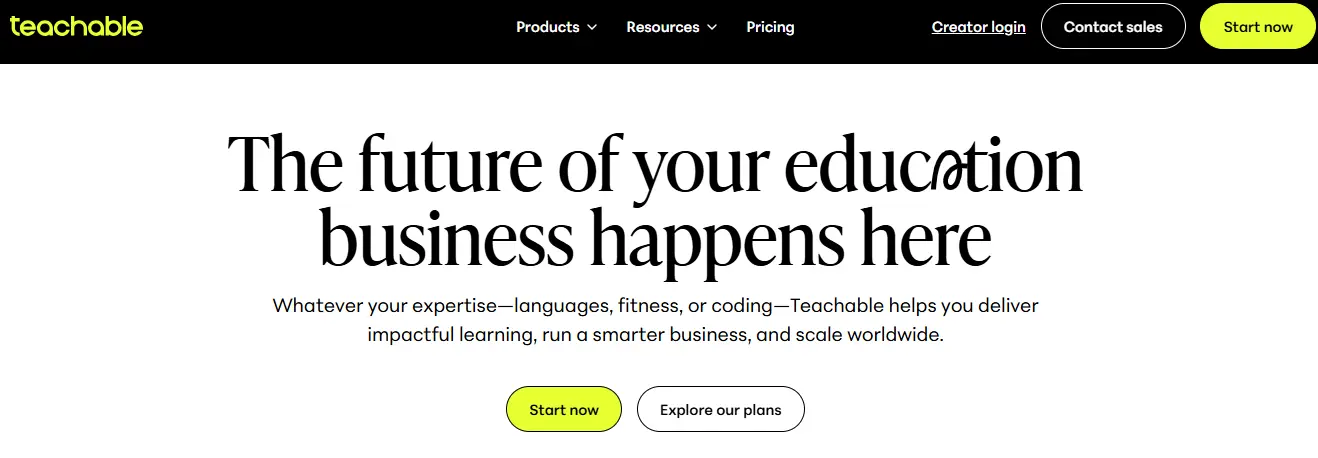
Price: $59–$249/month | Free Trial: Yes
When testing over 20 Online Course Platforms, I found Teachable to be one of the easiest tools to get started with. If you’re new to online courses and don’t want to wrestle with complicated features, Teachable lets you set up a professional-looking course quickly. I built a small test course in under an hour and was impressed by how intuitive the platform is.
The platform is designed for creators who want simplicity without sacrificing essential functionality. Uploading videos, PDFs, and quizzes was straightforward, and the drag-and-drop course builder made arranging lessons a breeze. In my experience, Teachable’s user interface is clean, minimal, and beginner-friendly — a stark contrast to more feature-heavy Platforms like LearnWorlds or Kajabi.
Key Features I Noticed
- Drag-and-Drop Course Builder: Quickly assemble lessons and modules.
- Quizzes & Certificates: Engage students and reward completion.
- Integrated Payments: Accept payments via Stripe or PayPal with ease.
- Student Management: Track progress, enrollments, and analytics.
- Marketing Tools: Simple email integrations, coupons, and affiliate programs.
One thing I liked is that Teachable handles all the technical details, like hosting videos and managing payments, so you can focus entirely on course creation and student experience. I tested student dashboards, and learners found the interface intuitive — something I always look for when evaluating Online Course Platforms.
However, I did notice some limitations. Unlike Kajabi or LearnWorlds, Teachable doesn’t offer advanced interactive video tools or robust community features. If your goal is deep engagement or building a strong community, you might need an additional tool alongside Teachable. But for many creators, especially beginners, it’s perfectly sufficient.
Pros:
- Very easy to set up and use
- Affordable pricing for beginners
- Reliable hosting and payment management
- Built-in quizzes and certificates
Cons:
- Limited community and engagement features
- Fewer advanced marketing tools compared to all-in-one platforms
In my hands-on testing, Teachable proved itself as one of the most approachable Online Course Platforms. For creators in 2025 who want a fast, simple, and reliable way to launch courses without technical headaches, Teachable remains a solid choice. Its focus on ease of use makes it perfect for beginners, while still offering the core features needed to run a professional course.
7. Podia – Best for Affordable, Beginner-Friendly Courses
Price: $39–$89/month | Free Trial: Yes
While testing multiple Online Course Platforms, I found Podia to be one of the most beginner-friendly options, especially for creators looking for an affordable solution. I built a small course in less than an hour and was impressed by how simple it was to upload videos, PDFs, and digital downloads. Unlike some feature-heavy platforms, Podia keeps everything streamlined, which makes it ideal for those who don’t want to get lost in complex settings.
Podia is an all-in-one platform that combines course hosting, digital downloads, and email marketing. During my testing, I appreciated that I could launch a course, set up a sales page, and start accepting payments without integrating multiple third-party tools. Its interface is clean, intuitive, and beginner-friendly, which is why it consistently ranks among the top Online Course Platforms for creators who want to get started quickly.
Key Features I Noticed
- Course & Digital Product Hosting: Sell online courses, memberships, and downloads from one dashboard.
- Email Marketing & Drip Campaigns: Keep your students engaged with automated emails.
- Integrated Payments: Accept Stripe and PayPal payments seamlessly.
- Memberships & Community: Build simple memberships and student communities.
- No Transaction Fees: Even on lower plans, you keep what you earn.
What I liked most about Podia is how easy it is to manage everything in one place. I tested the student experience, and learners found the interface clean and easy to navigate, which is something I always check when reviewing Online Course Platforms. Even without advanced features like interactive videos or SCORM support, Podia delivers everything most creators need to launch and sell courses effectively.
However, there are a few trade-offs. Podia’s customization options are more limited than platforms like Kajabi or LearnWorlds, and its community features are basic compared to Circle or Mighty Networks. If you want advanced engagement tools, you may need additional software.
Pros:
- Very beginner-friendly and easy to set up
- Affordable pricing for small creators
- All-in-one course, membership, and download solution
- Reliable hosting and payment integration
Cons:
- Limited customization and branding options
- Basic community features
In my hands-on experience, Podia is one of the most approachable Online Course Platforms for beginners or small creators. If your priority is affordability, simplicity, and having everything in one place, Podia is a strong contender in 2025.
Also Read: LearnDash Review 2025: Is It the Best LMS Plugin for WordPress?
8. ThriveCart Learn – Best for One-Time Payment Courses
Price: $495 (lifetime) | Free Trial: No
While testing various Online Course Platforms, ThriveCart Learn immediately caught my attention for its unique pricing model. Unlike most platforms that charge monthly or annual fees, ThriveCart Learn offers a one-time payment, which can be a huge advantage if you want to avoid recurring costs. I tested building a course and was surprised at how straightforward it was to create modules, upload videos, and add quizzes — all without juggling subscriptions or worrying about hidden fees.
ThriveCart Learn is designed with a strong focus on course monetization. During my tests, I found it excellent for creators who already have an audience and want a simple, high-conversion sales process. The platform integrates seamlessly with ThriveCart’s checkout system, meaning you can set up upsells, payment plans, and affiliate programs with almost no additional tools. This makes it one of the most business-oriented Online Course Platforms I’ve tried.
Key Features I Noticed
- One-Time Payment Model: Pay once and get lifetime access — no recurring fees.
- Course Hosting & Delivery: Upload videos, PDFs, and quizzes easily.
- Built-in Assessment Tools: Track student progress and quiz results.
- Upsells & Payment Plans: Maximize revenue with flexible payment options.
- Affiliate Management: Let partners sell your courses and earn commissions.
In my hands-on testing, ThriveCart Learn’s student interface was clean and simple, though not as visually polished as LearnWorlds or Kajabi. Students could easily access modules, complete quizzes, and download resources without confusion. I appreciated the platform’s focus on business growth, as it allowed me to combine course delivery with a powerful sales engine — something I found missing in many other Online Course Platforms.
However, there are trade-offs. ThriveCart Learn is less customizable compared to Kajabi or LearnWorlds, and it lacks advanced engagement features like interactive videos or community tools. If your priority is creating a fully branded learning experience with gamification or SCORM support, you might need another platform.
Pros:
- One-time payment with lifetime access
- Excellent sales and monetization tools
- Simple and functional course creation
- Integrated affiliate program
Cons:
- Limited course design and branding options
- Basic student engagement features
From my experience, ThriveCart Learn is a smart choice among Online Course Platforms for creators who want to sell courses efficiently, focus on revenue, and avoid ongoing subscription costs in 2025.
9. Systeme.io – Best for All-in-One Small Business Solutions
Price: Free–$97/month | Free Trial: Yes
While testing multiple Online Course Platforms, Systeme.io stood out as a true all-in-one solution for small business owners and creators. What immediately impressed me was how it combines course creation, email marketing, funnels, and membership management in a single platform. I found it particularly handy for solo entrepreneurs who want to run their entire online business without juggling multiple tools.
Creating courses in Systeme.io is straightforward. During my testing, I built a multi-module course in under an hour. You can upload videos, PDFs, and audio lessons, and even drip content over time — something that makes it easier to structure a learning experience without overwhelming your students. The platform also allows simple quizzes and student tracking, which ensures your learners stay engaged and progress smoothly.
Key Features I Noticed
- All-in-One Business Tools: Courses, email marketing, sales funnels, and memberships under one roof.
- Drip Content & Automation: Schedule lessons and automate delivery for structured learning.
- Student Management: Track student progress and engagement easily.
- Payment Integrations: Accept payments via Stripe or PayPal without extra setup.
- Membership Site Functionality: Build communities or restricted-access content for students.
In my hands-on experience, Systeme.io’s interface is clean but slightly less modern than Kajabi or LearnWorlds. Still, it’s intuitive enough for beginners. I appreciated the balance between simplicity and power — you can create a full learning business without spending days learning the system. For anyone who wants an integrated solution to manage courses, marketing, and payments in one place, Systeme.io is a standout among Online Course Platforms.
However, there are a few limitations. Customization options for course design are somewhat basic compared to premium platforms like LearnWorlds, and advanced engagement features like interactive videos or SCORM compliance are missing. For creators focused solely on building interactive learning experiences, other Online Course Platforms might be a better fit.
Pros:
- All-in-one business solution
- Drip content and automation support
- Affordable pricing, including a free plan
- Integrated payments and email marketing
Cons:
- Limited course customization and branding options
- Lacks advanced engagement tools
From my testing, Systeme.io is an excellent entry-level Online Course Platform for small business owners and creators in 2025 who want to combine learning, marketing, and monetization in one easy-to-use platform.
10. Kartra – Best for Marketing-Focused Creators
Price: $89–$549/month | Free Trial: No
While testing multiple Online Course Platforms, I found Kartra especially suited for creators who want a marketing-first approach to their courses. Unlike platforms that focus mainly on course delivery, Kartra combines robust course creation with sophisticated marketing and sales automation tools. I tested it by building a course from scratch and integrating email sequences, funnels, and payment options — and it all worked seamlessly.
Creating courses in Kartra is straightforward but slightly more structured than other platforms. I could add lessons, quizzes, and downloadable resources while using Kartra’s membership areas to organize content for different student tiers. One thing I appreciated was the ability to fully brand the course portal, giving learners a polished and professional experience.
Key Features I Noticed
- All-in-One Marketing & Course Platform: Combines course hosting, email automation, landing pages, and sales funnels.
- Advanced Funnels: Highly customizable sales funnels to promote courses and upsell products.
- Membership Management: Restrict access to courses, create drip schedules, and manage multiple student tiers.
- Payment Integrations: Stripe, PayPal, and other gateways with flexible pricing options.
- Detailed Analytics: Track student engagement, funnel performance, and revenue in one dashboard.
In my hands-on experience, Kartra shines for creators who treat their courses as a business. Setting up email campaigns, automations, and promotional sequences was much easier than juggling separate tools. The visual editor for pages and funnels is intuitive, though there’s a slight learning curve if you want to use advanced features. Compared to other Online Course Platforms, Kartra leans heavily into marketing capabilities, which makes it ideal for creators focused on sales growth alongside course delivery.
However, there are trade-offs. Course customization options are solid but not as interactive as LearnWorlds’ video tools, and pricing can be higher than simpler platforms like Systeme.io or Podia. For educators primarily focused on interactive learning rather than marketing funnels, Kartra might feel overkill.
Pros:
- Integrated marketing and course platform
- Advanced funnels and automation
- Full branding control and polished course portals
- Comprehensive analytics
Cons:
- Learning curve for advanced features
- Higher pricing for small creators
- Limited interactive course features compared to specialized Online Course Platforms
From my testing, Kartra is one of the top Online Course Platforms in 2025 for marketing-focused creators who want a seamless blend of course delivery, automation, and sales growth.
11. Mighty Networks – Best for Courses + Community Under One Roof
Price: $49–$179/month | Free Trial: Yes
When I tested Mighty Networks among various Online Course Platforms, what immediately stood out was its emphasis on community. Unlike traditional course platforms that focus mainly on content delivery, Mighty Networks makes building a thriving, engaged community part of the course experience. I created a test course and invited a small group of learners, and the platform’s social features really helped spark discussions and ongoing engagement.
Setting up a course in Mighty Networks is straightforward. You can organize lessons into modules, add videos, text, and downloadable resources, and even include quizzes to assess learning. But the real differentiator is the built-in social network: members can post updates, comment on lessons, and join groups — all without leaving the platform. For educators who want to foster collaboration and peer-to-peer interaction, this is a huge advantage.
Key Features I Noticed
- Integrated Community: Courses and social networks in one platform to boost engagement.
- Groups & Sub-Communities: Create focused spaces for niche topics or specific learner cohorts.
- Membership Plans: Offer paid memberships or subscription-based access to courses.
- Event Hosting: Run live sessions, webinars, or Q&A sessions directly inside the platform.
- Analytics & Insights: Track engagement, course completion, and community activity.
In my experience, Mighty Networks works best for creators who prioritize interaction and community over purely instructional content. I found that learners were more motivated to participate because they could interact with peers and instructors in real time. Unlike platforms like Kajabi or LearnWorlds, where marketing tools are the focus, Mighty Networks thrives when your goal is to combine learning with connection.
That said, there are some trade-offs. Course customization is decent but not as advanced as LearnWorlds, and you won’t find SCORM support or highly interactive video features. Pricing can also rise quickly if you scale your community or want premium features.
Pros:
- Seamless integration of courses and community
- Strong engagement tools and member interaction
- Flexible membership and subscription options
- Event and webinar support
Cons:
- Limited advanced course customization
- No SCORM compliance for professional learning standards
- It can get pricey for larger communities
For creators looking for Online Course Platforms that foster connection and community engagement in 2025, Mighty Networks stands out as a unique, highly effective option.
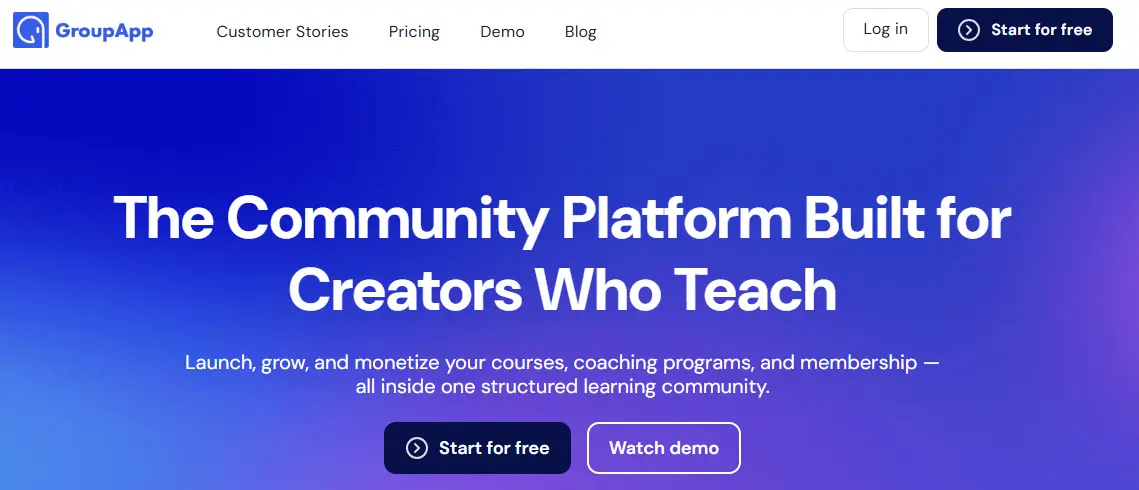
12. GroupApp – Best for New Coaches & Community Builders
Price: $49–$259/month | Free Trial: Yes
When I tested GroupApp as part of my research on Online Course Platforms, I immediately noticed how tailored it is for coaches, consultants, and new course creators who want a simple yet powerful way to connect with their audience. Unlike big all-in-one platforms like Kajabi, GroupApp focuses on community-first learning experiences, making it ideal for smaller groups or niche coaching programs.
Setting up a course in GroupApp is straightforward. You can create modules, upload videos, PDFs, and other resources, and structure lessons in a way that feels intuitive to your members. What I appreciated most was the platform’s emphasis on engagement: members can comment directly on lessons, participate in discussions, and even message each other privately. I ran a small test group, and the level of interaction was noticeably higher than on more traditional course platforms.
Key Features I Noticed
- Community-Centric Courses: Built-in discussion threads for each lesson to boost engagement.
- Membership & Subscription Options: Flexible pricing models for recurring revenue or one-time access.
- Gamification & Rewards: Encourage participation through badges and progress tracking.
- Integrations: Connect with payment gateways, email tools, and other apps to streamline operations.
- Event Hosting: Run live workshops or Q&A sessions inside the platform for deeper engagement.
In my experience, GroupApp is perfect for creators who want a low-friction way to deliver online courses while building a loyal, interactive community. Unlike platforms like LearnWorlds or Kajabi, which prioritize advanced features or marketing automation, GroupApp keeps things simple and puts the focus on personal connection. I found that this approach leads to higher course completion and more active participation from members.
Of course, there are trade-offs. GroupApp doesn’t offer advanced analytics or SCORM compliance, so if you’re running a professional certification program or need highly technical course features, you might need to pair it with another tool. Additionally, the customization options for branding and design are more limited compared to platforms like Kajabi.
Pros:
- Strong focus on community engagement
- Simple and intuitive course creation
- Flexible membership and subscription options
- Great for small groups or coaching programs
Cons:
- Limited advanced course customization
- No SCORM compliance or complex analytics
- Not ideal for large-scale enterprise courses
For creators seeking Online Course Platforms in 2025 that emphasize community, connection, and engagement, GroupApp is an excellent choice — especially if you’re a coach or building a smaller, interactive learning business.
Which Online Course Platform Should You Choose?
After testing all these Online Course Platforms, it’s clear there’s no single “best” option — it really depends on your goals and priorities.
-
All-in-One Business Suite: If you want a platform that handles courses, marketing, and sales under one roof, Kajabi is the go-to choice. Its robust tools make it easy to grow a full-fledged learning business.
-
Community Focused: For creators who want strong peer engagement, Circle or Mighty Networks shine. These platforms combine courses with community features, making learning social and interactive.
-
Full Control on WordPress: If you’re comfortable with WordPress and want total ownership of your course content, LearnDash is unbeatable. It’s highly flexible and integrates with most WordPress tools.
-
Beginner-Friendly Options: If you’re just starting and want simplicity without sacrificing functionality, Podia or Systeme.io are perfect. They’re affordable, easy to set up, and handle payments, hosting, and course delivery effortlessly.
When choosing among these Online Course Platforms, think about what matters most: interactivity, marketing features, community, or control. Each platform has its strengths, and picking the one that aligns with your goals will save you time, money, and frustration down the road.

Final Thoughts on Choosing the Right Online Course Platform
After testing over 20 Online Course Platforms, I can confidently say that the “best” platform isn’t about popularity or flashy features — it’s about what fits your goals. Each platform I’ve tried has its strengths: Kajabi for all-in-one business growth, LearnWorlds for interactive learning, LearnDash for full WordPress control, and Circle or Mighty Networks for building engaged communities. Even beginner-friendly options like Podia and Systeme.io can get you started quickly without overwhelming you with features.
When choosing an Online Course Platform, I always recommend thinking about these key questions:
- Do you want complete control over your content?
- Is community engagement important to your learners?
- How much marketing automation and sales support do you need?
- What’s your budget, and how does it scale as your business grows?
Answering these will narrow down your choices and save you from switching platforms later — trust me, I’ve been there.
For me, the right platform ultimately came down to balancing interactivity, student experience, and growth potential. I landed on Kajabi for my latest project, but depending on your priorities, another tool might be the perfect fit.
If you’re serious about building a sustainable online learning business, take the time to explore the options, test a few free trials, and imagine how each platform will serve your long-term goals. The right Online Course Platform can make the difference between a course that barely launches and one that thrives.
Ready to start? Explore these platforms, see which one clicks with your workflow, and start building courses that your students will love. Your ideal platform is out there — you just need to find it.
FAQs About Online Course Platforms
1. What are online course platforms?
Online course platforms are tools that allow creators, coaches, and educators to build, host, and sell courses online. They typically include course creation tools, student management, payment gateways, and sometimes marketing features. The right platform can help you grow a learning business, not just host content.
2. Which online course platform is best for beginners?
For beginners, I found Podia and Systeme.io to be the easiest to use. They offer simple setups, affordable pricing, and essential features without overwhelming you. You can start quickly and scale as your audience grows.
3. Are there platforms for interactive learning?
Yes! Platforms like LearnWorlds shine in this area. They support interactive videos, quizzes, SCORM content, and custom certificates, which create an engaging learning experience for your students.
4. Can I build a course community on these platforms?
Absolutely. Circle, Mighty Networks, and GroupApp are excellent for community-driven courses. They allow discussions, member interactions, and engagement features that keep students coming back.
5. What’s the best platform for full control of WordPress?
If you prefer hosting your courses on WordPress and want complete control over design and functionality, LearnDash is the go-to choice. It integrates with WordPress plugins and gives you flexibility in course design and monetization.
6. Are all online course platforms expensive?
Not necessarily. Platforms like Podia and Systeme.io start as low as $39/month, while more feature-rich platforms like Kajabi or LearnWorlds range higher. It depends on your business goals and required features.
Interesting Reads:
WPAdverts Review 2025: Is It the Best WordPress Classifieds Plugin?
The Ultimate Guide to Building a Successful Online Course Website
