

Today, WordPress powers a wide variety of websites. Nonetheless, it started as a blogging platform, but it is still the best choice for running a blog. The CMS permits bloggers to broaden their webpage’s usefulness by utilising plugins. There are such a variety of plugins out there, so which are pivotal for bloggers? You shouldn’t simply download plugins to download them, yet there are such plugins that can make a blogger’s life easier.
This blog discusses the absolute WordPress Plugins for Bloggers. Here we are explaining 7 Essential WordPress Plugins for bloggers.

WordPress Plugins for Bloggers
WordPress Plugins for Bloggers are essential tools that enhance the functionality and efficiency of a WordPress blog. While WordPress itself offers a robust platform for publishing content, plugins allow bloggers to extend their site’s capabilities without needing coding knowledge.
1. Yoast SEO
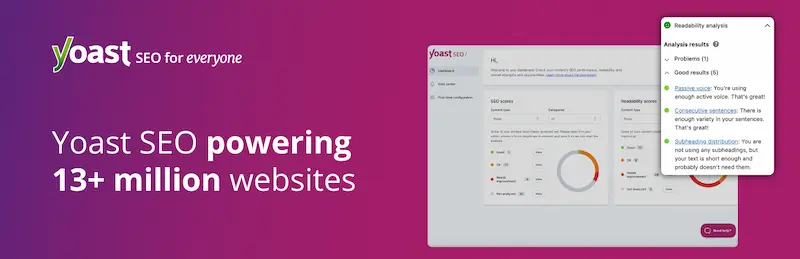
Yoast SEO is one of the most popular SEO plugins for WordPress. It helps bloggers and website owners optimize their posts and pages to rank higher in search engines. The plugin analyzes content for keywords, readability, and SEO-friendliness.
It also manages meta titles, descriptions, sitemaps, breadcrumbs, and technical SEO elements without needing coding knowledge.
Key Features:
- Real-time content analysis for keywords and SEO.
- Readability checker to improve content flow.
- Automatic XML sitemaps.
- Control over meta titles and descriptions.
- Integration with social media metadata.
What I Liked:
- Easy for beginners but powerful for advanced users.
- Guides you step by step to optimize each post.
- Saves time on technical SEO tasks.
- Improves chances of ranking on Google.
Also Read: The Missing Element Holding WordPress, WooCommerce, and Shopify Stores Back
2. WP Super Edit
WP Super Edit enhances the default WordPress editor with additional formatting and editing tools. It allows bloggers to have more control over how their content looks, including text styles, tables, font colors, and media placement.
This is especially useful for content-heavy blogs or websites that require visually appealing posts.
Key Features:
- Advanced formatting options for text and paragraphs.
- Ability to add tables and multimedia elements easily.
- Improved toolbar for a better editing experience.
- Customizable editor layout to suit your style.
What I Liked:
- Makes writing and designing posts faster.
- Provides more creative freedom in content presentation.
- Easy to use without coding knowledge.
3. Contact Form 7
Contact Form 7 is a widely used plugin to create customizable contact forms for WordPress websites. It allows bloggers to add simple or advanced forms and integrate them into posts, pages, or sidebars. This plugin ensures your visitors can easily get in touch without leaving your site.
Key Features:
- Multiple form creation support.
- Customizable fields for name, email, message, and more.
- Supports CAPTCHA and Akismet spam filtering.
- Integration with third-party tools and email notifications.
What I Liked:
- Free and lightweight, easy to set up.
- Flexible customization options for forms.
- Helps maintain better communication with readers.
4. Gravity Forms
Gravity Forms is an advanced form builder plugin for WordPress. It allows you to create complex forms with conditional logic, multi-page forms, and integration with payment gateways or email marketing tools. This is ideal for bloggers who want more than just basic contact forms.
Key Features:
- Drag-and-drop form builder.
- Conditional logic to show/hide fields.
- Multi-page forms and file uploads.
- Integration with popular tools like PayPal, Mailchimp, and more.
What I Liked:
- Highly flexible and powerful for professional forms.
- Saves time for automating form-related tasks.
- Great for collecting detailed visitor data.
5. Google Analytics Plugin
The Google Analytics plugin connects your WordPress site to Google Analytics, providing detailed insights about visitor behavior, traffic sources, and page performance. Bloggers need to understand their audience and optimize content accordingly.
Key Features:
- Real-time traffic reports.
- Audience demographics and interests.
- Behavior tracking, like page views and session duration.
- Integration with WordPress dashboards for easy monitoring.
What I Liked:
- Provides deep insights to improve content strategy.
- Helps track the performance of posts and campaigns.
- Easy-to-interpret reports for beginners.
6. JetPack
JetPack is an all-in-one plugin that offers security, performance, and site management features. It includes analytics, downtime monitoring, automated backups, spam protection, and social sharing, making it highly convenient for bloggers.
Key Features:
- Security features like brute force protection and malware scanning.
- Site performance optimization.
- Visitor stats and analytics.
- Social media sharing and automated posting.
What I Liked:
- Combines multiple tools in one plugin.
- Reduces the need for installing too many plugins.
- Great for beginners and intermediate users.
7. Socialize
Socialize is a versatile WordPress plugin designed to help bloggers and website owners expand their content’s reach by integrating social sharing buttons directly into posts and pages.
By placing prominent sharing options, it encourages visitors to effortlessly share articles, images, or other content across popular social media platforms like Facebook, Twitter, LinkedIn, and Pinterest.
Key Features:
- Multiple social network support.
- Customizable button styles and placements.
- Supports floating or inline buttons.
- Easy integration with posts, pages, and widgets.
What I Liked:
- Boosts content visibility on social media.
- Easy to configure and visually appealing.
- Encourages organic traffic growth.
8. Slick Social Share Buttons
Slick Social Share Buttons is a lightweight plugin that provides stylish and responsive social sharing buttons. It gives your posts a professional look while encouraging readers to share content on popular social networks.
Key Features:
- Fully responsive and mobile-friendly.
- Multiple icon styles and layouts.
- Supports all major social media platforms.
- Easy placement on posts, pages, and widgets.
What I Liked:
- Sleek and attractive button designs.
- Improves user experience without slowing down the site.
- Encourages engagement and sharing.
9. Disqus Comment System
Disqus replaces the default WordPress commenting system with a more advanced platform. It supports social login, threaded comments, notifications, moderation, and spam filtering, creating a better community experience for your blog.
Key Features:
- Social media login support.
- Threaded and nested comments.
- Spam filtering and moderation tools.
- Comment notifications and engagement tracking.
What I Liked:
- Encourages more user interaction.
- Easy to moderate and manage discussions.
- A professional commenting system that increases engagement.
10. UpdraftPlus

UpdraftPlus is a backup plugin that ensures your WordPress site’s data is safe. It allows automatic backups to cloud storage services like Google Drive, Dropbox, or Amazon S3. This plugin is critical to prevent data loss in case of hacking or errors.
Key Features:
- Automatic scheduled backups.
- Cloud storage integration.
- Easy restoration process.
- Supports database and file backups.
What I Liked:
- Gives peace of mind with automated backups.
- Easy to restore if something goes wrong.
- Lightweight and reliable plugin for bloggers.
Also Read: VidIQ vs TubeBuddy: What I Learned After Testing Both

Enhance Security and Social Engagement
WordPress plugins can turn a simple blog into a powerful, feature-rich site. Essential tools like WP SEO by Yoast for SEO, Contact Form 7 or Gravity Forms for forms, Google Analytics for tracking, and Smash Balloon for social feeds help streamline your workflow.
For content automation and curation, plugins like RSS Feed Retriever, Feedzy, Super RSS Reader, FeedWordPress, and WPeMatico keep your site fresh effortlessly. JetPack and Socialize add security, performance, and social features in one package. The best plugins match your blogging style and goals, helping you focus on what matters most: creating great content for your readers.
Interesting Read:
Manage Guest Bloggers To Write On Your WordPress Website
Ways that prove Akismet is the Best Spam Plugin for WordPress
