

If you’ve ever tried selling digital products on WordPress, you’ve probably hit the same roadblocks I have — bloated plugins, confusing setup screens, and endless add-ons just to get a simple checkout running. That’s exactly why I revisited Easy Digital Downloads for this in-depth Easy Digital Downloads Plugin Review.
I’ve been using EDD off and on for years, both for client sites and my own digital stores, but with so many new players entering the market in 2025, I wanted to see if it still holds up. Spoiler: it does — and surprisingly well.
Originally built for selling eBooks, software, and other downloadable goods, Easy Digital Downloads has evolved into a flexible, performance-focused eCommerce plugin built specifically for digital creators. Unlike WooCommerce, which tries to do everything, EDD stays laser-focused on one goal — helping you sell digital products efficiently.
Over the past few weeks, I tested it on multiple WordPress setups to evaluate how fast, secure, and user-friendly it really is today. In this hands-on review, I’ll walk you through everything from setup and features to pricing, integrations, and how it stacks up against competitors. If you sell anything digital, this might just be the only plugin you need.

What Is Easy Digital Downloads Plugin?
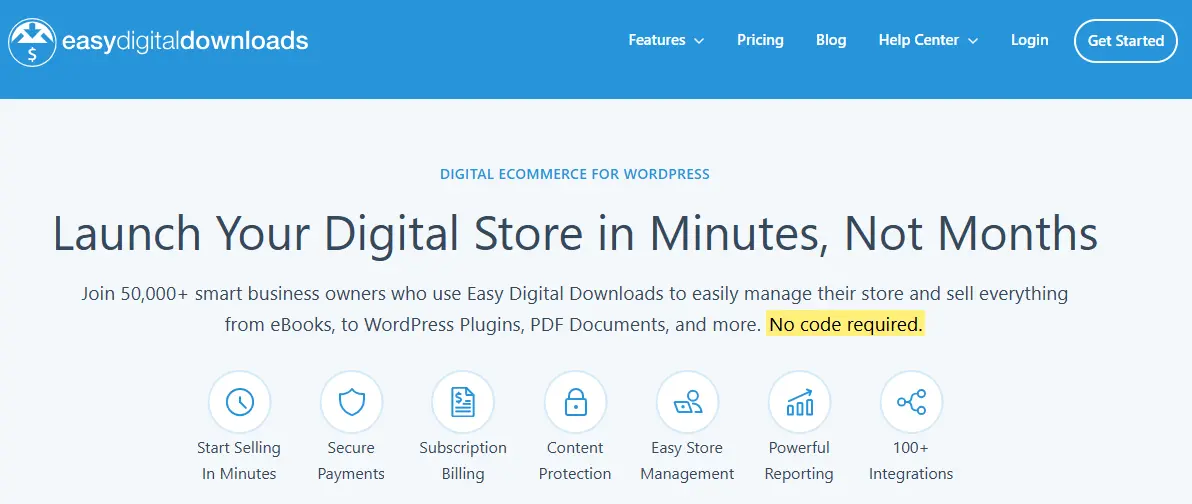
Digital Downloads do not only refer to selling ebooks online. It includes a wide variety of products that you can sell online. You can sell Ebooks, Digital Music, Graphics, Photographs or Images, Any sound such as ringtones and caller tunes, services such as consultancy, beauty and a lot more.
A few days back, I was searching a plugin to sell digital products online and came across with a fantastic plugin to create a digital store. Easy Digital Downloads is a great plugin to set up an online shop for Digital products with WordPress. This plugin is completely free and easy to configure and use. It allows you to Add a digital product, Set the price for those products and set up payment Gateways.
Key Features of Easy Digital Downloads (EDD)
After testing Easy Digital Downloads (EDD) on multiple WordPress sites, I can confidently say that its power lies in simplicity and focus. Unlike general eCommerce plugins, EDD is built from the ground up for digital products — and that focus makes a world of difference. Here’s what makes it stand out in real-world use:
1. Effortless Digital Product Management
Adding a new product in EDD feels as natural as creating a WordPress post. You can upload files, set prices, add product descriptions, and even manage variable pricing — perfect for selling different versions or licenses of the same digital item. Plus, the automatic download link delivery ensures your customers instantly receive what they purchased.
2. Built-In Payment Gateways

EDD supports major payment gateways out of the box — including Stripe, PayPal, and Apple Pay — with additional options available through extensions. The checkout process is smooth and distraction-free, which helps reduce cart abandonment and improves conversion rates.
3. Detailed Reporting & Analytics

I particularly like the built-in reporting tools. You can track total earnings, product performance, and customer behavior directly from your dashboard. It’s a clean, data-driven approach that gives you insight into what’s selling best — without needing a third-party analytics tool.
4. Customer Management System
EDD automatically keeps a record of every customer who buys from your store. You can view their purchase history, issue refunds, and manage licenses (if applicable). This is incredibly useful for digital creators managing recurring buyers or subscription customers.
5. Extensions for Everything You Need
EDD’s modular structure is one of its biggest strengths. You can extend its core functionality with premium add-ons like:
- Recurring Payments – for memberships or subscriptions.
- Software Licensing – ideal for selling apps or plugins.
- Email Marketing Integrations – connect easily with Mailchimp, ConvertKit, or FluentCRM.
- Discount Codes – run promotions or loyalty campaigns with custom coupons.
6. Seamless Integration and Performance
EDD integrates smoothly with any modern WordPress theme and works perfectly alongside plugins like FluentCRM, BuddyBoss, and AffiliateWP. Despite its flexibility, it remains lightweight — which means no bloated scripts or slow load times.
How to Set Up Easy Digital Downloads (Step-by-Step Guide)
One of the things I really appreciate about Easy Digital Downloads (EDD) is how beginner-friendly it is. You don’t need to be a developer or an eCommerce expert to get started — in fact, I was able to set up a fully functional store in less than 30 minutes. Here’s how I did it:
Step 1: Install and Activate the Plugin
From your WordPress dashboard, go to Plugins → Add New, search for “Easy Digital Downloads,” and click Install Now → Activate. Once activated, the plugin automatically creates essential pages like Checkout, Purchase Confirmation, and Transaction Failed.
Step 2: Configure General Settings
Head to Downloads → Settings to customize your store’s details. Here you can:
- Set your currency and country.
- Add your business name and checkout labels.
- Configure taxes and checkout options.
I recommend reviewing each tab carefully — it’s straightforward, but these small tweaks ensure your store runs smoothly.
Step 3: Add Your First Product
Now go to Downloads → Add New. You’ll see an editor similar to adding a regular post:
- Enter your product title and description.
- Upload your digital file (PDF, ZIP, image, etc.).
- Set a price, and if needed, create variable pricing (e.g., personal vs. commercial license).
Once done, publish your download — it’s instantly ready for sale.
Step 4: Set Up Payment Gateways
By default, EDD supports PayPal and Stripe, which can be enabled under Downloads → Settings → Payments. Connecting them is as easy as pasting in your API keys. For advanced users, you can also add manual payments, Apple Pay, or even integrate with third-party gateways through extensions.
Step 5: Customize Emails and Notifications
EDD sends automatic purchase receipts and admin notifications. You can personalize these under Downloads → Settings → Emails — I like adding a thank-you note and download instructions to give customers a branded experience.
Step 6: Test and Go Live
Before going live, always test your checkout process using Sandbox Mode. Run a few transactions to confirm that file delivery, receipts, and redirects all work smoothly.
Once testing is complete, you’re ready to sell!
EDD makes it incredibly easy to go from idea to income — without the setup headaches that often come with full-scale eCommerce platforms.
Pricing and Plans in 2025 for Easy Digital Downloads
In 2025, Easy Digital Downloads (EDD) continues to offer a transparent and flexible pricing model designed to suit different types of digital product sellers—from freelancers to full-scale online stores.
Free Core Plugin
The core version of EDD remains completely free and available on the WordPress repository. It includes all the essentials for selling digital products, such as file uploads, secure payments, discount codes, and customer management. For small businesses or creators just getting started, this version is often more than enough.
Premium Plans (Annual Licenses)
-
Personal Pass – Priced around $199/year, this plan supports one site and includes essential add-ons for better marketing, reporting, and customer engagement.
-
Extended Pass – Approximately $399/year, this plan unlocks additional features like content restriction, software licensing, and more integrations.
-
Professional Pass – Around $599/year, ideal for agencies or advanced sellers, offering marketplace tools, recurring payments, and advanced checkout features.
-
All Access Pass – The most comprehensive option at $999/year, providing access to all extensions, updates, and priority support for up to three sites.
Pros and Cons of Easy Digital Downloads (EDD)
Like any plugin, Easy Digital Downloads has its strengths and weaknesses. After using it extensively across multiple digital stores, here’s a balanced look at where it shines — and where it could improve.
Pros
-
Built for Digital Products: EDD was designed specifically for selling digital goods like eBooks, software, and online courses. Unlike general eCommerce plugins, it avoids unnecessary features meant for physical products, keeping your site faster and cleaner.
-
Lightweight and Performance-Oriented: The core plugin is minimal, ensuring your WordPress site remains fast. You can add only the extensions you need, making it one of the most efficient digital selling solutions available.
-
Flexible Add-ons and Integrations: EDD offers a wide range of extensions for email marketing, payment gateways, subscriptions, and licensing, making it easy to scale your store as your business grows.
-
Developer-Friendly: The plugin is well-documented and easy to customize, which is great for developers building client sites or tailored eCommerce solutions.
-
Transparent Pricing: You only pay for the features you need — no hidden costs or forced upgrades.
Cons
-
Limited Physical Product Support: EDD isn’t suitable for stores selling physical items, as it lacks inventory and shipping features out of the box.
-
Add-on Costs Can Add Up: While the base plugin is free, adding multiple premium extensions can become expensive over time.
-
Learning Curve for Beginners: Setting up extensions and configuring digital licenses may feel overwhelming to non-technical users.
-
Design Flexibility Depends on Your Theme: The checkout and product display look vary depending on your WordPress theme, so achieving a polished look may require some CSS tweaks or compatible themes.
Easy Digital Downloads vs Competitors
When comparing Easy Digital Downloads (EDD) with other eCommerce plugins like WooCommerce, FluentCart, and Shopify, it’s clear that each serves a different audience. EDD continues to dominate when it comes to selling digital products, but understanding how it stacks up against others helps determine if it’s the right fit for your store.
1. Easy Digital Downloads vs WooCommerce
WooCommerce is the most popular WordPress eCommerce plugin, but it’s built primarily for physical products. While it can sell digital goods, it often feels bloated for creators who just want a simple way to deliver downloads. EDD, on the other hand, is lightweight, faster, and purpose-built for digital sales. It includes native support for file downloads, licensing, and recurring payments without unnecessary inventory or shipping features. For pure digital stores, EDD offers better performance and less setup complexity.
2. Easy Digital Downloads vs FluentCart
FluentCart is a newer player in the WordPress ecosystem, designed for creators who want a clean checkout and modern shopping experience. It’s great for both digital and small-scale physical products, and it integrates beautifully with FluentCRM and Fluent Forms. However, EDD’s long history, powerful licensing system, and extensive add-ons make it more robust for professional digital sellers, especially those offering subscriptions or software. FluentCart wins on simplicity, while EDD wins on advanced features.
3. Easy Digital Downloads vs Shopify
Shopify is a fully hosted eCommerce platform, meaning it handles everything — hosting, payments, and security. It’s ideal for businesses that want a ready-made solution without managing WordPress. However, Shopify’s transaction fees, limited customization, and reliance on apps can make it expensive for digital-only sellers. EDD, being self-hosted, offers full control over data, design, and pricing, with no recurring platform fees. For those comfortable managing WordPress, EDD is far more cost-effective and flexible.
4. Easy Digital Downloads vs Gumroad
Gumroad is simple and beginner-friendly but very limited in customization and branding. It’s perfect for creators who want to sell quickly but not ideal for building a professional online store. EDD provides complete ownership, advanced integrations, and a fully branded checkout experience, making it the better long-term solution.
Who Should Use Easy Digital Downloads?
After testing Easy Digital Downloads (EDD) on several WordPress setups, I can confidently say that this plugin is ideal for anyone focused on selling digital products—from independent creators to full-fledged digital agencies. Its lightweight design and digital-first approach make it one of the most efficient tools in the WordPress ecosystem.
1. Digital Creators and Solopreneurs
If you sell ebooks, templates, PDFs, or courses, EDD is a perfect fit. It eliminates the clutter of inventory management and shipping options that often come with physical product plugins. You can set up products, manage licenses, and deliver files securely—all within minutes.
2. Developers and Software Sellers
EDD’s built-in licensing and renewal system makes it a favorite among WordPress developers and software vendors. It integrates seamlessly with plugins like Software Licensing and Recurring Payments, allowing you to manage subscriptions, updates, and renewals effortlessly.
3. Agencies and Freelancers
If your business revolves around selling client deliverables, digital packages, or creative assets, EDD streamlines the entire process. You can automate delivery, track sales performance, and even integrate with payment gateways like Stripe, PayPal, and Apple Pay.
4. Online Educators and Membership Sites
EDD also supports memberships and learning materials. When paired with extensions like Content Restriction or LearnDash, you can sell access-based products—perfect for educators, trainers, and course creators.
Power Up Your Store: BuddyX Pro + Easy Digital Downloads
If you’re running an online community and want to monetize it with digital products, BuddyX Pro and Easy Digital Downloads (EDD) make a powerful combination. Together, they transform your WordPress site into a thriving social-driven marketplace where community and commerce coexist seamlessly.
BuddyX Pro, known for its smooth community experience, provides a social network-like interface for your members—complete with profiles, groups, and activity feeds. When integrated with Easy Digital Downloads, you can turn those members into active customers by selling digital goods directly within your community.
Imagine this: members discussing a new course in a group, then purchasing it instantly from your built-in store. Or, a creator in your community sharing their latest design template and selling it right through their profile page. With BuddyX Pro’s frontend flexibility and EDD’s simple checkout flow, it’s not just an eCommerce setup—it’s a full ecosystem.
This integration helps you boost engagement, increase conversions, and keep revenue within your community. For anyone managing a membership site, online learning platform, or creator hub, combining BuddyX Pro with EDD is the smartest way to build a sustainable, community-powered digital marketplace.
Tips to Get the Most Out of Easy Digital Downloads
Easy Digital Downloads (EDD) is incredibly flexible — but to truly unlock its potential, you need to use it strategically. Here are some practical tips from my experience that can help you make the most of EDD and boost your digital product sales.
1. Use the Right Extensions: EDD’s real power comes from its extensions. Add-ons like Recurring Payments, Software Licensing, and All Access Pass let you turn one-time buyers into loyal customers. Only install what you need to keep your store lightweight and fast.
2. Optimize Product Pages for Conversions: Use clear titles, benefit-driven descriptions, and clean images. Add trust badges and highlight refund or update policies. Since EDD supports Gutenberg and popular page builders, you can easily design conversion-focused product layouts.
3. Automate Your Marketing: Integrate EDD with tools like FluentCRM or Mailchimp to send follow-up emails, abandoned cart reminders, and personalized offers. Automating these tasks can significantly increase repeat purchases.
4. Offer Discounts and Bundles: Encourage larger purchases with dynamic discounts or product bundles. EDD’s built-in discount system makes this simple to set up.
5. Track Performance Regularly: Use built-in reports or connect Google Analytics to monitor your top-selling products, revenue trends, and customer behavior. Regular insights help you fine-tune your strategy and grow consistently.

Simplify Selling Digital Products with EDD
After spending time testing Easy Digital Downloads across multiple WordPress setups, I can confidently say it remains one of the most dependable tools for selling digital products in 2025. What stands out most about EDD is its balance between simplicity and depth — you get a lightweight core plugin that’s easy to use, yet powerful enough to scale as your business grows.
Whether you’re a freelancer selling eBooks, a designer offering templates, or a developer distributing plugins, EDD removes the usual friction of managing digital sales. From secure file delivery and customer management to detailed reporting and marketing integrations, everything feels intuitive and built with creators in mind.
Unlike many bulky eCommerce solutions, EDD stays fast and uncluttered, focusing only on what digital sellers truly need. And when paired with add-ons like recurring payments, discounts, or email automation, it transforms into a complete digital sales ecosystem.
If your goal is to create a professional, efficient, and easy-to-manage digital store on WordPress, Easy Digital Downloads remains the go-to choice. It’s not just a plugin — it’s a reliable foundation for anyone who wants to sell smarter, scale faster, and simplify the way they do business online.
FAQs About Easy Digital Downloads
1. Is Easy Digital Downloads free to use?
Yes, Easy Digital Downloads (EDD) offers a free core plugin that includes all the essentials for selling digital products. You can extend its functionality with premium extensions for payments, subscriptions, and marketing tools.
2. Can I sell physical products with EDD?
EDD is primarily built for digital goods such as eBooks, software, or online courses. While you can sell physical products with additional customization, WooCommerce is better suited for physical inventory management.
3. Does EDD work with any WordPress theme?
Yes. Easy Digital Downloads integrates smoothly with most WordPress themes. For the best experience, choose a theme optimized for EDD — such as BuddyX Pro, which enhances design, checkout flow, and community integration.
4. What payment gateways does EDD support?
EDD supports popular gateways like PayPal, Stripe, and Amazon Payments. You can also add more payment options through official extensions if you need regional or alternative payment methods.
5. Is Easy Digital Downloads good for beginners?
Absolutely. EDD’s interface is beginner-friendly and intuitive. You can set up your first digital store in minutes without coding, making it a great choice for freelancers, creators, and small business owners.
Interesting Reads:
FluentCart Review: Is It the Best Lightweight eCommerce Plugin for WordPress?
Building a Band or Musician’s Site with Easy Digital Downloads
Introducing a feature rich integration between Easy Digital Downloads and Slack.
