

Are you looking for the best WordPress security plugins? The following list contains free WordPress security plugins. These plugins are being installed almost every day. I find them quite important when it comes to security. Nearly essential to fast, secure, high-performing, user-friendly WordPress plugins.
These plugins are essential for ensuring your site’s security, performance, and user-friendliness. Installing these plugins is a proactive step toward protecting your site from malicious attacks and vulnerabilities. With features like firewalls, malware scanners, and security activity auditing, these plugins provide comprehensive security solutions. Keeping your WordPress site secure is not just about protecting your data; it’s also about maintaining a fast, high-performing website that offers a great user experience.
These plugins help you achieve all these goals, making them nearly essential for any WordPress site owner. If you’re also looking to improve your website’s reliability, checking out the recommended WordPress hosting options can make a big difference in overall performance and security.

Best WordPress Security Plugins
All these plugins are very advanced and easy to use. Created by experienced developers. Overall, it’s free. So, here is a list of the essential WordPress security plugins for 2026.
1. Wordfence Security
Wordfence Security is an all-in-one WordPress security solution that protects your site from malware, brute-force attacks, and suspicious login attempts. It comes with a real-time firewall, malware scanner, and live traffic monitoring, making it ideal for both beginners and advanced users.
Key Features:
- Web application firewall (WAF)
- Real-time malware scanning
- Brute-force and login attack protection
- Two-factor authentication (2FA)
- Live traffic monitoring
What I Liked:
- Extremely effective at blocking attacks
- Detailed security logs and alerts
- Strong free version
2. Sucuri Security

Sucuri Security is a cloud-based plugin that offers enterprise-level protection. It prevents malicious traffic from reaching your site, scans for malware, monitors activity, and even provides professional malware cleanup.
Key Features:
- Cloud-based firewall (WAF)
- Malware scanning and cleanup
- DDoS protection
- Security activity auditing
- Blacklist monitoring
What I Liked:
- Blocks attacks before they reach your server
- Great for high-traffic and business sites
- Trusted, reliable solution
3. MalCare Security
MalCare performs deep, cloud-based malware scanning and automatically removes malware without slowing down your site. It’s especially effective for performance-focused websites and provides comprehensive vulnerability detection.
Key Features:
- Cloud-based malware scanning
- One-click malware removal
- Smart firewall protection
- Login security
- Vulnerability detection
What I Liked:
- Minimal performance impact
- Highly accurate malware detection
- Automatic cleanup saves time
4. Shield Security
Shield Security protects WordPress sites by stopping bots, preventing unauthorized logins, and monitoring activity silently in the background. Its invisible protection is excellent for keeping the user experience smooth.
Key Features:
- Automated bot blocking
- Login protection and 2FA
- Activity logging
- Vulnerability scanning
- CAPTCHA support
What I Liked:
- Works quietly without affecting user experience
- Strong bot defense
- Easy to configure
5. Defender Security
Defender Security is a simple yet powerful plugin offering malware scanning, IP blocking, firewall, and login protection. It’s ideal for users who want a one-click hardening setup.
Key Features:
- Malware scans
- IP and Geo IP blocking
- 2FA and login masking
- Activity logs
- Firewall protection
What I Liked:
- One-click security hardening
- Easy firewall configuration
- Lightweight and user-friendly
6. VMP WordPress Security
VMP provides advanced threat protection with a firewall and multi-vector malware scanning. It’s designed for users who want detailed attack reporting and customizable security rules.
Key Features:
- Web application firewall
- Brute-force attack prevention
- Malware scanning
- Vulnerability detection
- Detailed attack reports
What I Liked:
- 150+ security rules
- Strong reporting tools
- Advanced threat detection
7. Solid Security
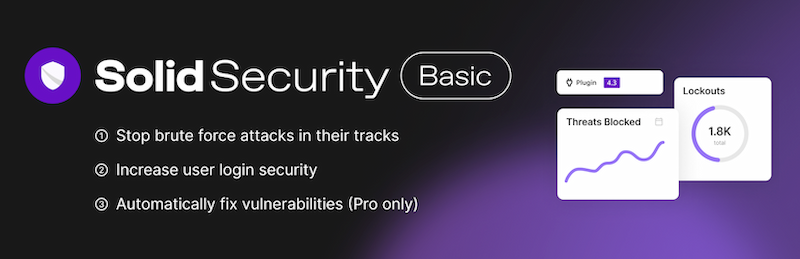
Solid Security focuses on hardening WordPress and securing login pages. Its guided setup makes it easy for beginners, while advanced features like 2FA and vulnerability scoring suit experienced users.
Key Features:
- Two-factor authentication
- Password policies
- File change detection
- Security event logging
- Site vulnerability scoring
What I Liked:
- Beginner-friendly setup
- Smart vulnerability scoring
- Effective login and user security
8. All In One WP Security & Firewall
AIOS is a free plugin with visual strength indicators that guide users to improve website security gradually. It covers login security, firewall rules, and database protection.
Key Features:
- Brute-force protection
- Firewall rules
- Login lockdown
- Database and file protection
- Security strength meter
What I Liked:
- Free and beginner-friendly
- Clear scoring system
- Easy to understand and configure
9. Jetpack Security
Jetpack combines security with backup and uptime monitoring. It’s perfect for beginners or bloggers who want an all-in-one solution for malware scanning, brute-force protection, and site monitoring.
Key Features:
- Malware scanning
- Downtime monitoring
- Brute-force protection
- Automated backups (premium)
- Easy setup
What I Liked:
- Beginner-friendly all-in-one solution
- Reliable backups and monitoring
- Simple configuration
10. Limit Login Attempts Reloaded
This plugin protects login pages by limiting repeated failed attempts, preventing brute-force attacks. It’s simple but highly effective for login security.
Key Features:
- IP lockouts
- Custom lockout timings
- Manual IP blocklist
What I Liked:
- Simple and effective
- Minimal setup required
- Focused on login protection
11. CleanTalk Security Firewall
CleanTalk combines firewall protection with brute-force login defense and malware scanning. It also allows IP and country-based traffic control.
Key Features:
- IP and country blocking
- Firewall and malware scanning
- Brute-force attack prevention
- Login alerts
- Traffic control
What I Liked:
- Balanced firewall and malware protection
- Easy to manage
- Works well with other plugins
12. WPScan – Vulnerability Database Scanner
WPScan scans your site for known vulnerabilities in WordPress core, themes, and plugins using its constantly updated vulnerability database.
Key Features:
- Database-driven vulnerability scanning
- CLI support
- Reporting for outdated components
What I Liked:
- Keeps you aware of plugin/theme risks
- Regularly updated database
- Essential for audit purposes
13. WP fail2ban
WP fail2ban integrates with the server’s fail2ban system to block attackers at the server level. It protects login and XML-RPC endpoints.
Key Features:
- Server-level IP banning
- Logs login attempts to syslog
- Protects login pages and XML-RPC
What I Liked:
- Effective for VPS and dedicated servers
- Reduces server-level attacks
- Silent protection without site impact
14. Security Ninja
Security Ninja performs over 50 tests to identify vulnerabilities and offers fixes for WordPress hardening.
Key Features:
- Security tests
- Automatic fixes
- File scanner
- Event logs
What I Liked:
- Comprehensive audit
- Easy-to-follow fixes
- Good pre-launch testing tool
15. Bullet Proof Security

Bullet Proof Security adds firewall rules via .htaccess, protects the database, and scans for malware.
Key Features:
- Database backup
- .htaccess firewall protection
- Malware scanning (MScan)
- Login security
What I Liked:
- Strong advanced firewall
- Detailed security customization
- Effective database protection
16. Hide My WP Ghost
This plugin hides common WordPress paths to prevent automated attacks and scanners from detecting your site structure.
Key Features:
- Custom login URL
- Hide WordPress version
- Block automated scanners
What I Liked:
- Adds an extra layer of protection
- Compatible with most plugins
- Helps prevent automated attacks
17. Loginizer
Loginizer is a lightweight plugin that secures login pages against brute-force attacks with 2FA and lockouts.
Key Features:
- Limit login attempts
- Blacklist IPs
- 2FA integration
- Custom lockouts
What I Liked:
- Simple yet effective login security
- Lightweight on resources
- Easy to configure
18. Astra Web Security
Astra Web Security offers cloud-based firewall protection against DDoS attacks, bots, and malicious traffic.
Key Features:
- Web application firewall
- DDoS mitigation
- Bot detection
- Rate limiting
What I Liked:
- Good for business and e-commerce sites
- Reduces server load
- Cloud-based filtering
19. WP Armour
WP Armour provides lightweight brute-force and spam protection for small to medium websites.
Key Features:
- Login protection
- Bot blocking
- CAPTCHA support
What I Liked:
- Minimal performance impact
- Simple configuration
- Reliable for small sites
20. Fortress Login Pro
Fortress Login Pro enhances login security and logs detailed information about login attempts.
Key Features:
- Custom login URL rotation
- IP and device tracking
- Activity logs and export
What I Liked:
- Provides insights into login attempts
- Great for security audits
- Helps detect suspicious behavior
21. Anti-Malware Security & Brute-Force Firewall
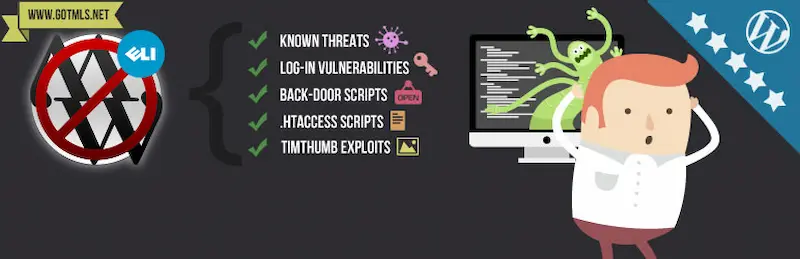
This plugin scans for malware, removes backdoors, and blocks brute-force login attempts.
Key Features:
- Malware scanning
- Brute-force login protection
- Backdoor removal
What I Liked:
- Simple and effective scanner
- Easy to use
- Adds a basic firewall for extra protection


Additional Security Measures
These essential security plugins are like a fortress for your website, providing a robust defence against potential threats. However, even with a security plugin installed, it’s crucial to remain vigilant and regularly monitor your site for any unusual activity or vulnerabilities that could be exploited. As your site gains more visibility and becomes more popular, it also becomes a more attractive target for cyber attacks.
Therefore, it’s crucial to not only rely on security plugins but also to implement other security measures, such as using strong passwords, keeping your WordPress core, themes, and plugins up to date, and regularly backing up your site. By staying proactive and combining these security practices, you can significantly reduce the risk of your site falling victim to malicious attacks.
FAQs
1. Why is using a WordPress security plugin important?
A WordPress security plugin helps protect your site from malware, hacking attempts, spam, brute force logins, and data breaches. It adds layers of protection that WordPress does not provide by default.
2. Can I use more than one security plugin at the same time?
You can, but it is not always recommended. Some security plugins overlap in features and may conflict with each other. It is best to use one all in one plugin or combine only lightweight tools that handle different tasks.
3. Do security plugins slow down my WordPress website?
High quality security plugins are optimized to avoid performance issues. Problems usually occur only if hosting is weak, too many heavy plugins are installed, or scanning settings are too aggressive.
4. Are free WordPress security plugins enough?
Free plugins offer good basic protection, but premium versions include advanced firewalls, real time monitoring, automated malware cleanup, and better support. These features are important for business websites.
5. What is the best security plugin for beginners?
Plugins such as All in One Security, Solid Security, and Wordfence are beginner friendly and include guided setup wizards.
6. How often should I scan my WordPress site for malware?
At a minimum, once a week. For busy or high traffic websites, daily scans or real time monitoring are recommended.
7. Does a security plugin replace the need for good hosting?
No. Security plugins cannot compensate for poor hosting. A secure WordPress site requires good hosting, regular updates, backups, and a firewall.
8. Can security plugins protect my site from DDoS attacks?
Yes, but only to a limited extent. Some plugins include rate limiting and firewalls, but full DDoS protection is best handled by services like Cloudflare or your hosting provider.
9. How do security plugins handle brute force login attacks?
They limit login attempts, block suspicious IP addresses, enforce strong passwords, and provide two factor authentication to prevent unauthorized access.
10. What is the easiest way to improve WordPress security without technical skills?
Install a security plugin, enable a firewall, keep everything updated, use strong passwords, and set up automatic backups. These simple steps significantly reduce security risks.
Interesting Reads:
