

WooCommerce stands out as a leading e-commerce solution, empowering users to establish and oversee their digital storefronts effectively. Barcodes, serving as data representations readable by machines, streamline inventory management. With barcode plugins tailored for WooCommerce, users can effortlessly generate and integrate barcodes into their product listings, enhancing inventory tracking and control. Incorporating barcode plugins into your online store is invaluable for streamlining product tracking and inventory management.

Table of Contents
- WooCommerce Order Barcodes
- YITH WooCommerce Barcodes and QR Codes
- Product Barcode Generator – Barcode Generator for WooCommerce
- Print Labels with Barcodes
- QR Code Add-on for WooCommerce PDF Invoices
What is a WooCommerce Barcode Plugin?
A WooCommerce Barcode Plugin is a software extension designed to integrate barcode functionality into WooCommerce, a popular e-commerce platform. This plugin enables users to generate and assign unique barcodes to their products, facilitating efficient inventory management and tracking. By incorporating barcodes, merchants can easily scan and identify products using barcode scanners or mobile devices, streamlining order processing, stock updates, and overall store operations.
How to Set up a Barcode Plugin for your WooCommerce Store
Adding barcodes to your WooCommerce store is simpler than you might think. With the right plugin, you can generate and assign barcodes to products in just a few steps. Here’s how you can do it:
Step 1: Install a Barcode Plugin
- Go to your WordPress dashboard.
- Navigate to Plugins > Add New.
- Search for a barcode plugin such as WooCommerce Order Barcodes or YITH WooCommerce Barcodes and QR Codes.
- Click Install Now and then Activate.
Step 2: Configure Plugin Settings
- Once activated, go to the plugin settings page (usually found under WooCommerce > Settings or a dedicated tab).
- Enable barcode generation for products or orders as per your requirements.
- Choose the barcode type (e.g., Code 39, Code 128, or QR Code).
- Configure display options, such as whether barcodes should appear on invoices, emails, or product pages.
Step 3: Generate Barcodes for Products
- Open a product in WooCommerce > Products.
- Check the barcode section added by the plugin (this could be automatically generated or require clicking a button to generate).
- Save the product to confirm the barcode is assigned.
Step 4: Print and Use Barcodes
- If your plugin supports label printing, go to the Print Labels option.
- Print the barcodes and attach them to your products.
- Use a barcode scanner or mobile device to scan the products for quick identification and order processing.
Pro Tip:
For bulk product updates, some plugins allow mass barcode generation or printing directly from the product list. This is especially helpful for large inventories.
Best WooCommerce Barcode Plugins
Several WooCommerce barcode plugins have gained popularity for their functionality and features. Some of the best WooCommerce barcode plugins include:
1. WooCommerce Order Barcodes

WooCommerce Order Barcodes is an official extension that automatically generates unique, scannable barcodes for every WooCommerce order. Ideal for ticketing, order pickup, and event check-ins, this plugin enhances operational efficiency by simplifying order tracking and processing through barcode technology.
Key Features:
- Automatic Barcode Generation – Instantly creates a unique barcode for every WooCommerce order.
- Multiple Barcode Types Supported – Supports Code 39, Code 93, Code 128, Data Matrix, and QR Codes.
- Email and Account Integration – Displays barcodes in order emails and on the customer’s account page.
- Admin Order View Support – Let’s store staff view and manage order barcodes directly in the admin panel.
- Barcode Scanning Shortcode – Includes [scan_barcode] shortcode for real-time scanning and order lookup.
2. YITH WooCommerce Barcodes and QR Codes
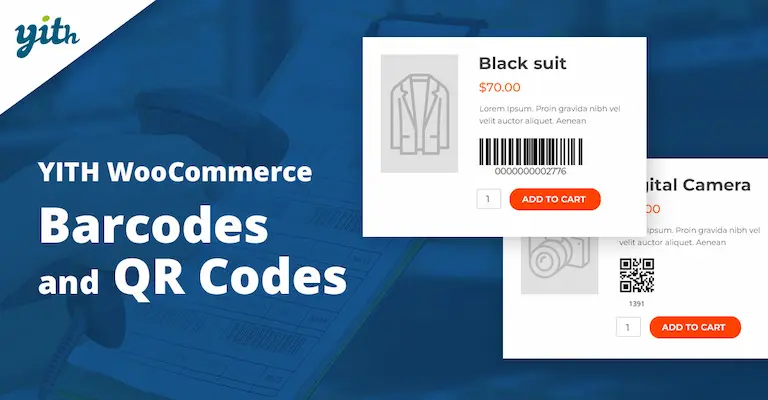
YITH WooCommerce Barcodes and QR Codes is a highly regarded plugin that offers robust barcode and QR code generation capabilities for WooCommerce stores. With this plugin, users can effortlessly generate unique barcodes and QR codes for products, orders, and invoices within their WooCommerce environment. It provides extensive customisation options, allowing users to tailor the appearance and format of barcodes to suit their branding and operational needs.
Key Features:
- Barcode and QR Code Generation: The plugin enables users to generate both barcodes and QR codes seamlessly within their WooCommerce store environment.
- Versatile Usage: Users can generate barcodes and QR codes for products, orders, and invoices, providing comprehensive tracking and management capabilities.
- Customisation Options: YITH WooCommerce Barcodes and QR Codes offer extensive customisation options, allowing users to tailor the appearance, format, and content of generated barcodes and QR codes to match their branding and operational requirements.
- Support for Multiple Barcode Symbologies: The plugin supports various barcode symbologies, ensuring compatibility with different scanning devices and systems, including UPC, EAN, Code 39, Code 128, and more.
3. Product Barcode Generator – Barcode Generator for WooCommerce
The Product Barcode Generator is a WooCommerce plugin that automatically generates unique barcodes for products and orders upon activation. Barcodes are created using the Product SKU number and Product ID, ensuring each barcode is unique. Users can easily locate the barcode on the product edit page within WooCommerce. This plugin streamlines the process of barcode creation, simplifying inventory management and order tracking for WooCommerce store owners.
Key Features:
- Automatic Barcode Generation: Barcodes are generated automatically for products and orders as soon as the plugin is activated, eliminating the need for manual input.
- Unique Barcodes: Each barcode created by the plugin is unique and generated based on the Product SKU number and Product ID. This ensures accurate tracking and identification of products.
- Integration with WooCommerce: The plugin seamlessly integrates with WooCommerce, providing a user-friendly interface within the WooCommerce dashboard for easy access to generated barcodes.
4. Print Labels with Barcodes
The WooCommerce Barcode Label Generator allows users to effortlessly generate and print barcode labels for their products. These labels include essential details such as the barcode, price, SKU, product name, attributes, and more. Supported barcode formats include Barcode, QRCode, EAN, and UPC, ensuring compatibility with various scanning systems. This tool streamlines the labelling process, providing convenience and efficiency for WooCommerce store owners in managing their inventory and improving the overall presentation of their products.
Key Features:
- Customise labels to include SKU, price, product name, attributes, custom fields, and additional desired fields.
- Easily print barcode labels for purchased items from existing products or create and print labels manually.
- Enjoy full support for WooCommerce, including product variations, attributes, custom fields, and more, ensuring seamless integration with your store’s setup
5. QR Code Add-on for WooCommerce PDF Invoices
The QR Code Add-on for WooCommerce PDF Invoices is a supplementary feature that enhances the functionality of WooCommerce by integrating QR code generation directly into PDF invoices. With this add-on, users can effortlessly include QR codes in their generated invoices, providing a convenient way for customers to access additional information or resources related to their purchases.
Key Features:
- QR Code Generation: Automatically generates QR codes for invoices created within WooCommerce PDF Invoices.
- Integration with WooCommerce: Seamlessly integrates with WooCommerce, allowing for easy implementation into the existing invoicing workflow.
- Enhanced Customer Experience: Provides customers with a convenient way to access additional information related to their purchases by scanning the QR code with their smartphones or other devices.

The Importance of Choosing the Right Barcode Plugin
When it comes to managing inventory effectively and streamlining operations in a WooCommerce store, choosing the right barcode plugin is paramount. With options, merchants can effortlessly generate, assign, and track barcodes for their products. These plugins offer features such as bulk barcode generation, barcode scanning, and seamless integration with WooCommerce. Whether it’s for inventory management, order fulfilment, or enhancing customer experience, these plugins provide robust solutions tailored to the unique needs of online retailers, ensuring smooth operations and optimised performance.
Interesting Reads:
WooCommerce Composite Products Plugins
