

Running payroll isn’t just about paying employees—it’s about accuracy, compliance, and saving time. In 2025, businesses of all sizes, from solo freelancers to hybrid teams, need efficient tools to handle payroll processing without the usual headaches. That’s where software for payroll processing steps in.
With tax regulations getting more complex and remote work becoming the norm, relying on spreadsheets and manual calculations just doesn’t cut it anymore. Payroll software automates everything—from calculating wages and deductions to filing taxes—so you can focus on growing your business instead of chasing numbers.
In this roundup, we’ve handpicked the 10 best software for payroll processing in 2025. Whether you’re a small business owner, a growing startup, or managing a distributed team, you’ll find a solution that fits. Let’s explore the tools that make payroll smarter and simpler.

What Is Payroll Processing Software?
Payroll processing software is a digital tool designed to automate the complex and often time-consuming tasks involved in paying employees. It calculates wages, deducts taxes and benefits, and generates paychecks or direct deposits, all while ensuring compliance with local and federal regulations. By handling everything from salary calculations to tax filings, this software reduces human error and streamlines the entire payroll cycle.
Beyond just processing payments, payroll software often integrates with other business tools like accounting, HR, and time-tracking systems. This makes it easier for companies—whether small startups or large enterprises—to manage employee information, track work hours, and stay on top of tax deadlines. Ultimately, payroll processing software helps businesses save time, avoid costly mistakes, and keep employees happy with timely, accurate payments.
How to Choose the Right Software for Payroll Processing
Choosing the right software for payroll processing starts with understanding your business needs. Consider factors like the size of your team, the complexity of your payroll (such as handling contractors or multiple states), and your budget. If you have a small team, you might prioritize user-friendly tools with straightforward pricing. For larger or growing businesses, look for software that offers scalability, advanced tax compliance, and integrations with your existing accounting or HR systems.
Next, evaluate the features and support offered. Essential features include automated tax calculations, direct deposit, and timely tax filings. Bonus features like benefits management, time tracking, and employee self-service portals can make a big difference. Also, make sure the software provides reliable customer support and stays up to date with changing tax laws. Testing free trials or demos can help you get a feel for the user experience before committing.
The Best Software for Payroll Processing
1. Paylocity
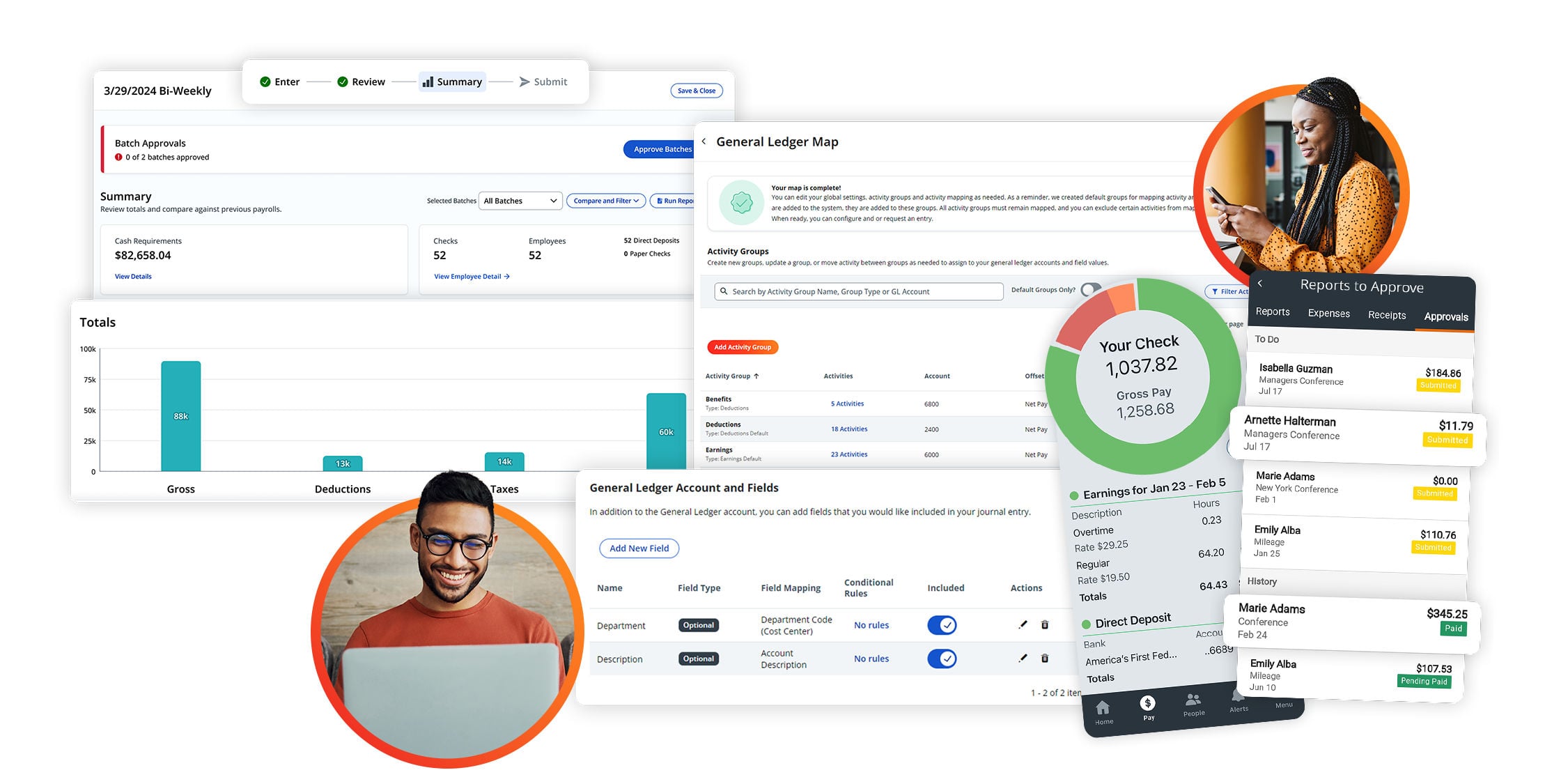
More Than Your Standard payroll Solution. Paylocity simplifies payroll, automates processes, and helps you stay tax compliant, all in one unified platform.
Best for: Small to mid-sized businesses needing a unified payroll and HR solution
Pros:
-
Automates payroll, tax filing, and compliance
-
Integrates with accounting tools like QuickBooks and Xero
Cons:
-
Pricing not transparent; can be costly with add-ons
-
Has a learning curve for full HR suite setup
Paylocity is a robust cloud-based payroll platform that streamlines payroll runs, tax management, and reporting. Its system connects payroll with HR, time tracking, and benefits, reducing manual work and errors. Employees can access pay info through a mobile app and self-service portal. While powerful and scalable, Paylocity may feel complex for small teams without dedicated HR support.
Pricing: Quote-based; averages around $22–$32 per employee/month
2. Gusto – Web
Best for: Small to mid-sized businesses looking for an all-in-one solution
Pros:
- Handles payroll, benefits, and compliance
- Easy integration with QuickBooks and Xero
Cons:
- Can get pricey with add-ons
- Not ideal for global payroll
Gusto is one of the most user-friendly software for payroll processing on the market. With automated payroll runs, direct deposit, W-2 and 1099 filings, and benefits management, Gusto simplifies HR for growing teams. Its modern interface and intuitive dashboard make payroll easy, even if you’re not an accountant.
Pricing: Starts at $40/month + $6 per employee
Best for: Teams that want payroll and HR in one place.
3. QuickBooks Payroll – Web, iOS, Android
Best for: Businesses already using QuickBooks for accounting
Pros:
- Seamless QuickBooks integration
- Same-day direct deposit available
Cons:
- Interface can feel clunky
- Limited HR features
If you’re already managing your books in QuickBooks, this payroll solution is a no-brainer. It syncs transactions automatically, calculates taxes, and handles year-end forms. Same-day direct deposit and automatic tax filings save you time while ensuring accuracy.
Pricing: Starts at $45/month + $5 per employee
Best for: Small businesses that already use QuickBooks.
4. OnPay – Web
Best for: Budget-conscious businesses
Pros:
- Affordable flat pricing
- Covers payroll, HR, and benefits
Cons:
- Basic interface
- Fewer integrations than competitors
OnPay offers great value. It includes unlimited monthly pay runs, tax filings, and support for W-2 and 1099 workers. You’ll also get simple HR tools and benefits management at no extra cost. It’s a strong pick for teams looking to save money without sacrificing features.
Pricing: $40/month + $6 per employee
Best for: Startups and small businesses on a budget.
5. ADP Run – Web, iOS, Android
Best for: Growing businesses needing robust payroll features
Pros:
- Scalable plans
- Full-service payroll with tax support
Cons:
- Pricing not transparent
- Can feel enterprise-heavy for small teams
ADP Run offers comprehensive payroll features tailored to small and medium businesses. Its automated tax filing, benefits tracking, and built-in compliance alerts give peace of mind. It’s a powerful option but may be overkill if you don’t need advanced HR tools.
Pricing: Custom quotes
Best for: Teams planning to scale.
6. Paychex Flex – Web, iOS, Android
Best for: Teams that want flexibility and HR support
Pros:
- Strong mobile app
- 24/7 customer service
Cons:
- Add-on pricing can add up
- Learning curve for beginners
Paychex Flex is a robust tool offering everything from payroll to benefits and compliance. The mobile experience is excellent, letting managers and employees handle payroll tasks on the go. With scalable plans, it’s great for teams expecting rapid growth.
Pricing: Starts around $39/month + $5 per employee
Best for: Growing teams wanting mobile flexibility.
7. Rippling – Web
Best for: Tech-savvy teams and startups
Pros:
- Fully automated payroll
- Great app integrations (Slack, G Suite, etc.)
Cons:
- Initial setup requires time
- Add-ons cost extra
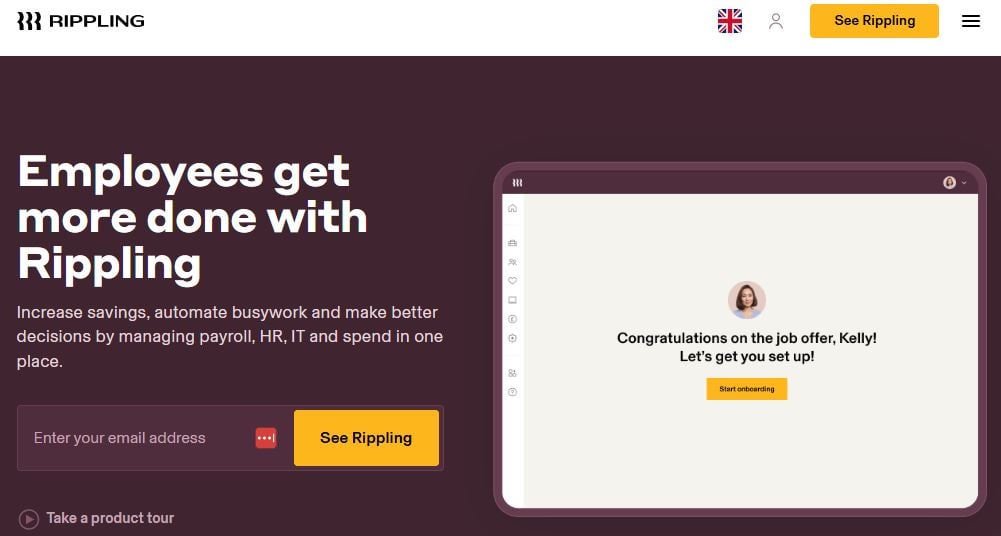
Rippling turns payroll into a plug-and-play experience. With employee onboarding, time tracking, and app access management built-in, it’s more than just payroll. Rippling shines for tech-first teams that want deeper integration with their existing tools.
Pricing: Starts at $8/month per user + custom base fee
Best for: Startups and SaaS companies.
8. Zenefits – Web, iOS, Android
Best for: HR teams wanting integrated payroll
Pros:
- Built-in HR and benefits
- Great UX
Cons:
- Payroll is an add-on
- Not ideal if you only need payroll
Zenefits is primarily an HR platform, but its payroll module is solid—handling direct deposit, tax filings, and garnishments. The platform is visually appealing and intuitive, making it easy for HR teams to manage everything from a single dashboard.
Pricing: Payroll add-on from $6/month per employee
Best for: Teams using Zenefits for HR.
9. Square Payroll – Web, iOS, Android
Best for: Small retailers and service providers
Pros:
- Perfect for hourly workers
- Simple timecard integration
Cons:
- Limited advanced features
- Not suitable for large businesses
Square Payroll is tailored for small teams and hourly workers. It integrates seamlessly with Square POS, calculates overtime, and handles tips and taxes automatically. Ideal for restaurants, salons, and retail teams.
Pricing: $35/month + $5 per employee
Best for: Small businesses using Square.
10. Patriot Payroll – Web
Best for: DIYers who want flexibility
Pros:
- Very affordable
- U.S.-based support
Cons:
- Fewer integrations
- Interface feels dated
Patriot Payroll is one of the most affordable full-service solutions on the market. With both full-service and self-service plans, it gives users control over tax filings and employee setup. It’s not flashy, but it gets the job done.
Pricing: Starts at $17/month + $4 per employee
Best for: Budget-conscious users who want control.
11. SurePayroll – Web, iOS, Android
Best for: Households and small teams
Pros:
- Designed for nannies and small businesses
- Strong customer support
Cons:
- Limited enterprise features
- User interface could be smoother
SurePayroll offers a niche option for households and very small businesses. It covers nanny taxes, household payroll, and small team needs with a simple setup. If you’re hiring help at home or running a tiny team, this one’s for you.
Pricing: Starts around $29.99/month + $5 per employee
Best for: Families and micro-businesses.

Final Thoughts
Choosing the best software for payroll processing in 2025 doesn’t have to be overwhelming. The right tool should fit your business size, simplify your workflow, and reduce the stress of compliance. Whether you’re paying a few freelancers or managing a full-time team across multiple states, there’s a solution that can automate the tough stuff and keep your team paid accurately and on time.
As payroll demands evolve with hybrid work, tax law changes, and growing employee expectations, investing in smart payroll software isn’t just a convenience—it’s a necessity. Take time to assess your needs, try a few platforms, and choose the one that saves you the most time while keeping your payroll operations clean, compliant, and hassle-free.
Interesting Reads:
10 Best Software for Billing and Invoicing in 2025
