

Efficient file sharing is essential for businesses, freelancers, and individuals who need to collaborate and transfer data quickly. With remote work on the rise, the demand for secure, fast, and easy-to-use file sharing software has skyrocketed. According to recent reports, the global file sharing market is expected to reach billions in revenue by 2025, driven by the need for better cloud storage, encryption, and collaboration tools.
Choosing the best software for file sharing can be challenging with so many options available. Whether you need large file transfers, secure encryption, cloud storage, or seamless team collaboration, this guide covers the top 10 file sharing tools to consider in 2025.

What is File Sharing Software?
File sharing software allows users to store, transfer, and access files over the internet or a network. These tools help individuals and businesses share documents, images, videos, and other digital files quickly and securely. Depending on the software, file sharing can be done through cloud storage, direct transfers, peer-to-peer (P2P) sharing, or secure links.
Modern file-sharing solutions offer features like real-time collaboration, encryption for security, and version control to track changes. Whether for personal use or professional collaboration, the best software for file sharing makes it easy to share files efficiently while keeping data protected.
Why Do You Need the Best Software for File Sharing?
Efficient file sharing is essential for seamless collaboration, data security, and productivity. The best software for file sharing ensures quick and reliable access to documents, images, videos, and other files, whether for personal use or business operations. Without a reliable solution, users may face slow transfers, file size limitations, or security risks. Modern file-sharing tools offer encryption, cloud storage, and real-time collaboration, making it easier to work with teams remotely. Whether sharing large media files or confidential business documents, choosing the right software helps streamline workflows while keeping data protected from unauthorized access.
Key Features to Look for in a File Sharing Tool
When selecting the best software for file sharing, consider these essential features to ensure security, efficiency, and ease of use:
Fast & Reliable Transfers: Look for software that supports high-speed uploads and downloads without bandwidth restrictions.
Security & Encryption: End-to-end encryption, password protection, and compliance with GDPR or HIPAA regulations are crucial for protecting sensitive data.
Cloud Storage & Backup: Many file-sharing tools offer cloud-based storage to keep files accessible and backed up at all times.
Collaboration Tools: Real-time editing, file version history, and permission controls make teamwork more efficient.
Cross-Platform Compatibility: Ensure the software works on various devices, including Windows, macOS, Android, and iOS.
The Best Software for File Sharing
Here are ten of the best software for file sharing, offering secure, fast, and reliable ways to transfer files, collaborate, and store data efficiently:
1. Google Drive
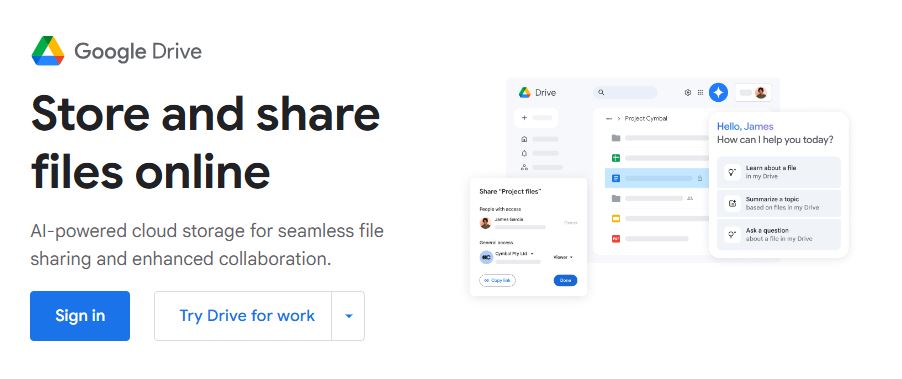
Google Drive remains one of the most widely used file sharing tools, offering seamless integration with Google Docs, Sheets, and Slides. It provides 15GB of free cloud storage, making it a great option for individuals and small teams. The file-sharing process is simple, allowing users to generate shareable links with customizable access permissions. Google Drive also includes real-time collaboration features, making it ideal for businesses that rely on cloud-based document editing. Paid plans start at $1.99 per month for 100GB of storage, with Google Workspace subscriptions catering to larger teams that require extensive cloud capabilities.
2. Dropbox
Dropbox pioneered the concept of cloud file sharing and remains a top choice for individuals and businesses. Known for its fast synchronization speeds, Dropbox ensures files are always up to date across multiple devices. It offers 2GB of free storage, with paid plans starting at $9.99 per month for 2TB of space. Features like file version history, document scanning, and password-protected links make it a secure and convenient option. Dropbox integrates with a wide range of third-party applications, including Slack, Zoom, and Microsoft Office, enhancing its usability for collaboration.
3. WeTransfer
WeTransfer is one of the simplest file-sharing solutions available, designed for quick transfers without requiring an account. It allows users to send files up to 2GB for free, with a drag-and-drop interface that makes sharing effortless. The premium plan, WeTransfer Pro, costs $12 per month and supports transfers up to 200GB, along with password protection and custom branding options. This tool is particularly useful for creatives, such as photographers and designers, who frequently send large files without needing long-term cloud storage.
4. OneDrive
Microsoft OneDrive is a robust file-sharing tool, especially for those who use Windows and Office 365. With 5GB of free cloud storage, it allows users to sync files across multiple devices and collaborate on documents in real time. Paid plans start at $1.99 per month for 100GB or $6.99 per month for 1TB, bundled with Microsoft 365. OneDrive’s integration with Outlook and other Microsoft apps makes it a top choice for businesses looking for a seamless cloud storage and file-sharing experience.
5. pCloud
pCloud is a lesser-known but powerful cloud storage solution that offers 10GB of free storage with options for lifetime subscriptions. Unlike many competitors, pCloud provides a one-time payment option for lifetime cloud storage, making it a cost-effective choice for long-term users. It offers zero-knowledge encryption, ensuring that only the file owner can access stored data. Paid plans start at $49.99 per year for 500GB of storage, with larger plans available. Its pCloud Crypto feature provides additional security for highly sensitive files.
6. Sync.com
Sync.com is one of the best software for file sharing when security is a top concern. It offers end-to-end encryption, ensuring that files remain private even from Sync.com itself. The free plan includes 5GB of storage, while premium plans start at $8 per month for 2TB. Unlike some competitors, Sync.com does not impose bandwidth limits on file transfers. It also includes remote device wipe features, making it a great choice for businesses handling sensitive client data.
7. Send Anywhere
Send Anywhere is a peer-to-peer file-sharing service that prioritizes speed and simplicity. Unlike cloud-based tools, it transfers files directly between devices without storing them on a server. Users can send files up to 10GB for free, using a six-digit key system for added security. The premium plan, available for $5.99 per month, allows unlimited file sizes and encrypted transfers. This tool is ideal for users who need to send large files quickly and securely without relying on cloud storage.
8. Tresorit
Tresorit is a premium file-sharing service known for its military-grade encryption and compliance with strict privacy laws. Unlike traditional cloud storage, Tresorit does not have access to user data, ensuring maximum security. It offers 3GB of free storage, with business plans starting at $12 per month for 1TB. Features like file versioning, secure link sharing, and access logs make it a top choice for businesses that prioritize data protection.
9. FileCloud
FileCloud provides a self-hosted and cloud-based file-sharing solution tailored for enterprises. It allows organizations to host their own cloud storage, offering full control over security and compliance. It supports unlimited file sizes, integration with Office 365, and role-based access permissions. The pricing starts at $10 per user per month, making it more suitable for businesses rather than individuals.
10. Box

Box is a business-focused file-sharing solution with strong security and collaboration features. It offers 10GB of free storage, with paid plans starting at $10 per month for 100GB. Box is particularly popular among enterprises due to its integration with over 1,500 third-party apps, including Salesforce and Adobe Sign. Features like advanced security controls, workflow automation, and compliance with industry regulations make it a preferred choice for organizations handling sensitive data.

Final Thoughts on Choosing the Best Software for File Sharing
Choosing the best software for file sharing depends on factors like security, storage capacity, transfer speed, and ease of use. Whether you need a cloud-based solution for collaboration, encrypted transfers for privacy, or a simple tool for sending large files quickly, there are plenty of options available. Some platforms prioritize security with end-to-end encryption, while others focus on seamless integration with productivity tools. By selecting the right service, you can ensure efficient, secure, and hassle-free file sharing that meets both personal and professional needs. As file sizes grow and security concerns increase, having a reliable sharing solution is more important than ever.
Interesting Reads:
10 Best AI Tools for Creative Writing in 2025
