

Looking to enhance your WordPress website with a sleek and functional calendar feature? Look no further. In this blog post, we explore some of the best Elementor-compatible calendar plugins that integrate seamlessly with your website design and provide powerful event management capabilities.
Whether you are organising events, managing schedules, or keeping your audience informed, these plugins offer a wide range of features to meet your needs. From customizable layouts to advanced booking options, discover the perfect calendar plugin to elevate your Elementor website.

What is Elementor?
Elementor is a popular drag-and-drop page builder plugin for WordPress websites. It is designed to simplify the process of creating custom web designs without requiring coding knowledge. With Elementor, users can visually construct web pages by dragging elements such as text boxes, images, buttons, and more onto a canvas and arranging them as needed. The plugin offers a wide range of pre-designed templates, widgets, and styling options that help users create professional-looking websites quickly and efficiently.
Elementor provides full control over layout and design, making it a preferred tool for beginners as well as experienced web developers.
Key Elementor Calendar Plugin Features
Elementor calendar plugins offer several features that enhance event management and improve the overall user experience.
Common features include:
- Customizable Layouts: Customize the layout and design of calendars to match your website branding and style.
- Drag and Drop Interface: Easily add and arrange events using a simple drag and drop system.
- Multiple Views: Display events in month, week, day, or agenda views to
suit different user preferences. - Event Details: Add event title, date, time, location, description, and custom fields.
- Event Registration and Booking: Allow visitors to register or book events directly from your website.
- Recurring Events: Easily schedule repeating events such as weekly or monthly activities.
- Integration with Other Plugins: Integrates with tools like WooCommerce, email marketing plugins, and membership plugins.
- Responsive Design: Calendars adjust automatically to different screen sizes and devices.
- Search and Filter Options: Help users find events by date, category, or keyword.
- Performance Optimisation: Optimised for fast loading and smooth interaction, even with many events.
Best Elementor Calendar Plugins
Elementor is a powerful WordPress page builder that supports a variety of calendar plugins. These plugins allow users to display and manage events effectively while maintaining full design control within Elementor.
1. The Events Calendar + Elementor Addons

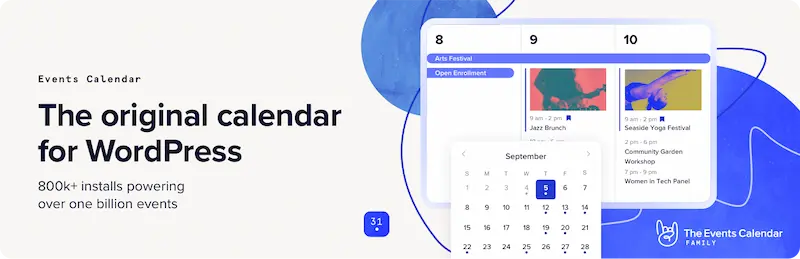
The Events Calendar is one of the most popular and trusted event calendar plugins for WordPress. It provides a powerful backend for managing events, while Elementor add-ons make it easy to design and display those events visually. The plugin supports multiple calendar views such as month, list, and day views, making it suitable for businesses, institutions, and event-based websites.
While the core plugin is free, premium add-ons unlock advanced features like recurring events, ticket sales, event maps, and integrations. When combined with Elementor addons such as Events Widgets for Elementor or Event Single Page Builder, users can fully customize event layouts using drag and drop widgets, grids, carousels, and calendars inside Elementor.
Key Features
- Month, list, and day calendar views
- Advanced event management system
- Free core plugin with premium extensions
- Supports recurring events, ticketing, and maps
- Elementor widgets for event display via addons
How to Use
- Install and activate The Events Calendar plugin
- Create events from the WordPress dashboard
- Install an Elementor addon like Events Widgets for Elementor
- Open a page with Elementor
- Drag event widgets and customize layouts visually
Best for: Full-featured event calendars with scalability
2. Modern Events Calendar (MEC)
Modern Events Calendar is a visually rich and feature-packed event calendar plugin designed for modern WordPress websites. It offers multiple beautifully designed calendar layouts and advanced functionality such as booking systems, ticketing, countdowns, and multiple event views.
MEC integrates deeply with Elementor through dedicated Elementor add-ons, allowing users to create custom event templates and place event widgets directly into Elementor pages. This plugin is ideal for users who want attractive designs combined with powerful event management capabilities.
Key Features
- Multiple calendar layouts and styles
- Built-in booking and ticketing system
- Multiple event views, including grid, list, slider, and countdown
- Dedicated Elementor integration
- Highly customizable design options
How to Use
- Install and activate Modern Events Calendar
- Create events using the MEC dashboard
- Enable Elementor integration from plugin settings
- Open the Elementor editor
- Insert MEC widgets and customize the design
Best for: Advanced visual calendar layouts and booking features
3. WP Event Manager
WP Event Manager is a lightweight and flexible event plugin focused on performance and simplicity. It is especially useful for creating event listings and event directories with frontend submission capabilities. The plugin supports Elementor through built-in widgets and optional add-ons, making it easy to display events in modern layouts.
Users can extend the plugin with premium add-ons for calendars, ticket sales, WooCommerce integration, and event alerts.
Key Features
- Lightweight and performance-friendly
- Frontend event submission forms
- Elementor-compatible widgets
- Modular add-on system
- WooCommerce and ticketing support
How to Use
- Install and activate WP Event Manager
- Add events or allow frontend submissions
- Install required Elementor widgets or add-ons
- Open the Elementor editor
- Place event listings on any page
Best for: Event directories and frontend submissions
4. Essential Addons Event Calendar Widget
The Event Calendar Widget from Essential Addons for Elementor is a simple yet effective solution for users who want to display calendars directly inside Elementor without using a full event management plugin.
This widget allows you to create manual events or sync events from Google Calendar. It is ideal for small websites, personal blogs, or business sites that only need a basic event calendar.
Key Features
- Native Elementor event calendar widget
- Manual event creation
- Google Calendar integration
- Lightweight and easy to use
- No separate calendar plugin required
How to Use
- Install Essential Addons for Elementor
- Open a page in Elementor
- Drag the Event Calendar widget
- Add events manually or connect to Google Calendar
- Customize styles and layout
Best for: Simple calendars and Google Calendar integration
5. Events Widgets For Elementor
Events Widgets for Elementor is a dedicated Elementor addon designed specifically to work with The Events Calendar plugin. It enhances Elementor design flexibility by adding widgets such as event lists, minimal lists, and calendar views.
This plugin is ideal for Elementor users who already rely on The Events Calendar for event management and want more control over event presentation.
Key Features
- Works seamlessly with The Events Calendar
- Multiple Elementor event widgets
- Calendar, list, and minimal views
- Advanced filtering options
- Easy drag and drop customization
How to Use
- Install The Events Calendar plugin
- Install Events Widgets For Elementor
- Create events in The Events Calendar
- Edit a page with Elementor
- Add event widgets and apply filters
Best for: Elementor designers using The Events Calendar
6. Add to Calendar Widgets for Elementor

Add to Calendar Widgets are Elementor add-ons designed to add calendar buttons to your event pages. While not a full event management plugin, these widgets help promote events and improve user engagement. Visitors can save event dates to popular calendar services such as Google, Apple, Yahoo, and Outlook directly from Elementor pages.
Key Features
- Add to calendar buttons for multiple platforms
- Works directly inside Elementor
- Simple and lightweight
- Improves event engagement
- No complex setup required
How to Use
- Install an Elementor addon that includes Add to Calendar widgets
- Open your event page in Elementor
- Drag the Add to Calendar widget
- Enter event date, time, and details
- Publish the page
Best for: Event promotions and reminders
Powerful Calendar Plugins for Better Event Management
In conclusion, whether you are looking to showcase events, manage schedules, or engage your audience, integrating a robust calendar plugin with Elementor can significantly enhance your website functionality and visual appeal. Each of the mentioned calendar plugins offers unique features and customization options to meet your specific needs. From flexible layouts to advanced event management tools, these plugins help you create dynamic and engaging event calendars that integrate smoothly with your Elementor designed website.
Interesting Reads:
Community Building with WordPress
